

5 Big Google Pixel 10 Problems That Users Are Still Frustrated With
The Google Pixel 10, and by extension the Pixel 10 Pro and Pixel 10 Pro XL, are the latest models in Google's flagship smartphone line. For the most part, these devices are excellent — the Pixel 10 Pro, in particular, is the best Android has to offer, with its full HD 120Hz display and triple-camera system. However, the Google Pixel 10 family isn't perfect, and we don't just mean because its speakers don't measure up to a good pair of headphones. The Google Pixel 10 has some issues that are (mostly) unique to the phone.
If you look through online forums, you will find plenty of users complaining about issues with the phone that don't crop up in rival devices or even the Pixel 9. For instance, in mid-October 2025, Android rolled out an update that didn't agree with many Pixel 10 users. Anyone who downloaded this update reported frequent app crashes. Sometimes programs froze and became unresponsive; other times their apps just shut down. Google has mostly patched the issue, and while apps can still crash on the Pixel 10 for virtually any reason, the widespread crashing has been solved. The same can't be said for every major problem that once plagued the phone, as several common problems still haunt the Pixel 10 family, though not every user is reporting these issues.
Screen artifacting
The screen is arguably the most important component of a smartphone. Without a working screen, you can't use your phone to watch Netflix shows on the go, let alone make calls. If you want to protect your screen, use a tempered glass protector instead of a plastic one, but sometimes screen issues come from inside the phone.
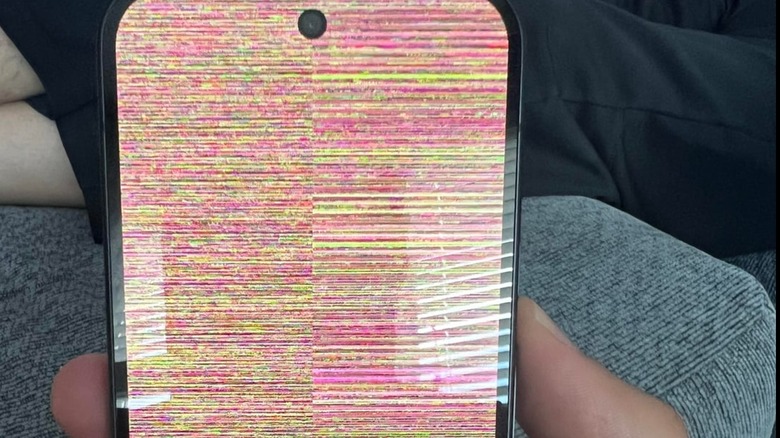
Shortly after the Pixel 10's release, users began reporting "colorful snow," with some unlucky owners experiencing a veritable blizzard of rainbow static. However, the affected phones were otherwise functional, and the visual artifacts eventually went away, which allegedly ruled out an issue with the GPU — nasty visual glitches are usually a clear sign you should replace a graphics card in a computer. The running theory was that a glitchy display driver was to blame, and a quick patch would solve the issue. Emphasis on the word "would."
Fast forward to May 2026, and people on the Google Support forum still report occasional flurries of vibrant colors on their Pixel 10 screens. These reports are at odds with an update that allegedly solved the issue way back in September of 2025. And to make matters worse, the people who request help with the problem never report whether Google support was able to resolve the glitch permanently. Screenwide storms of static are still sighted but temporary, and like real-life snowstorms, they are annoying nonetheless.
Android Auto connectivity issues
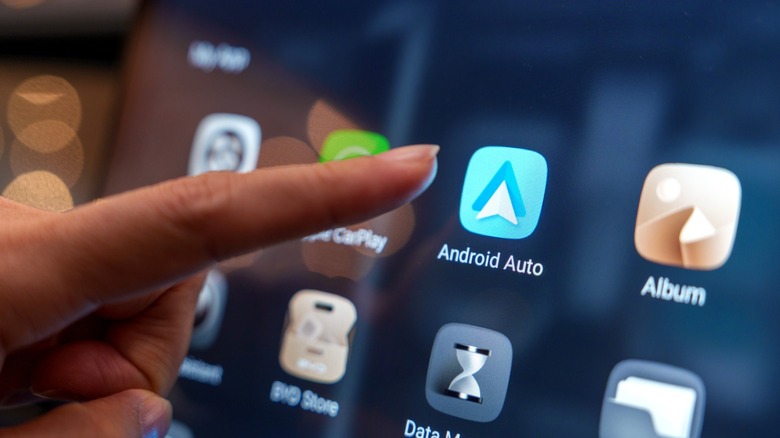
Android Auto is an extremely useful feature that mirrors phone apps onto your car display. You can't (or shouldn't) use it to play "Disco Elysium" while driving, but you can look forward to watching YouTube videos while parked with Android Auto. Unless you own a Pixel 10, that is, because it doesn't like to cooperate with the feature.
One of the first issues Pixel 10 owners reported was an "unresponsive" Android Auto app. Some users reported the app froze on the splash screen logo, while others said the interface never appeared (but audio did). A lucky few could get the app working, but only for a few minutes. Then, they would experience serious lag and latency issues. Google quickly pushed out an update that solved the problem for most users, but a few unlucky holdouts persist.
Several users on the Google Support forum claim the update did not work on their phones, although for some, the issue is limited to Google Maps, and the app doesn't appear on the car's screen. In the spirit of fairness, however, some of these reports might have a more mundane cause: Their car just isn't compatible with Android Auto. Always double-check before contacting Google Support.
Adding cards to Google Wallet
Why go fishing for a credit card in your wallet when you can just use your phone? Pay for just about any product or service by tapping your Google Pixel to a compatible payment kiosk, all through the power of Near Field Communication technology. You can even use Google Wallet's handy "Everything Else" feature to add train passes, gift cards, and gym memberships. Unless, that is, you have a Google Pixel 10.
Early in the Google Pixel 10's life, some users were hit with an oddly specific bug: They couldn't add cards to Google Wallet on that particular smartphone. It didn't matter if they tried to add a debit card, smart card, or insurance card; the service just refused to accept any new cards on the Pixel 10. Some users discovered they could temporarily fix the issue by turning off Wi-Fi and clearing the Google Wallet cache, but the solution never stuck, and the issue inevitably cropped up again.
According to some users on the Google Support site, the specific issue persists in a sense. Some people run into glitches where they can't add their cards, while others not only can't register new cards but also have all their saved ones disappear. This glitch is also present on a handful of Google Pixel 9 phones. However, according to some users (and support staff) on Google Support, the glitch is only temporary and may resolve on its own. Adding cards to Google Wallet through a Pixel 10 is a roll of the dice for seemingly all users.
ESIM cards don't work
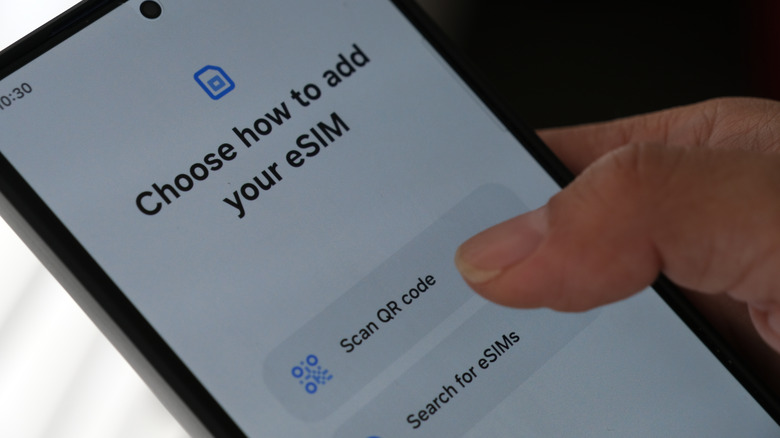
While smartphones let you call friends and family from almost anywhere, you need a Subscriber Identity Module (SIM) card to connect to networks that make these calls possible. Most SIM cards are physical components you slot into a phone, but embedded SIM (eSIM) cards are digital versions that let you swap carriers as need be.
One of the most recent issues to plague the Pixel 10 (and occasionally Pixel 9) line of phones is a glitch that can have semi-random symptoms. Some people report phones only lose connectivity or can't swap carriers, while others state that phones using eSIMs temporarily stop working or are outright bricked. Depending on the severity of the issue, the bug goes away after a restart (at least until it returns a few days later). Still, a few variations of this glitch persist so strongly that the only solution is to return the phone and downgrade to an older model.
The underlying issue appears to be the eSIM functionality, as anyone who uses a physical SIM card is completely unaffected. But why? That is an as-of-yet-unsolved question. The outlet Gadget Hacks posits the cause is a mix of hardware failures and general bugs.
Faulty updates cause all sorts of trouble

Whenever a company releases a new device with internet connectivity (which is just about everything these days), it will also release updates for that device. Some of these patches are shared among gadgets that use the same OS, while others are unique. However, an annoying truth about patches is that they will sometimes (albeit accidentally) cause more harm than good.
At the beginning of the year, Google pushed out an update that caused all sorts of headaches for Pixel 10 (and Pixel 10 Pro XL) owners. Some users lost all Wi-Fi and Bluetooth connectivity, while others lost access to their cameras and LED flashlights. In the latter scenario, the phone mistakenly thinks the camera and/or flashlight are permanently on, and you can't start them if they're already registering as active.
While some people on the Google Support forum have reported that subsequent updates fixed the random issues, others in other Google support threads could only solve the problem by downgrading to an older phone or by deleting or disabling Google Play Services and the Fitbit app, if they have it. However, this issue has allegedly cropped up in other updates, specifically an April firmware update. These glitches can seemingly strike at any moment (at least after you install an update), and there is no rhyme or reason to the symptoms victims experience. Be on guard any time you install a patch for your OS or firmware, because you never know when it might become faulty.