

Not Samsung, Not Dell: This Computer Monitor Gets Consumer Reports' Top Rating

With how common 4K computer monitors are these days, it's easy to think that they're the best option out there. Yes, that might be true in some cases — after all, many of them come with excellent display quality, wide screens, and accurate colors. But Consumer Reports says otherwise. According to CR rankings, the top computer monitor isn't 4K and actually comes from one of the underrated monitor brands that can compete with Samsung and Dell; Asus.
That highest-ranked monitor is the Asus ProArt PA248QV. It's a 24.1" IPS monitor, with a resolution of 1920 x 1200, an aspect ratio of 16:10, a PPI of 94, and wide viewing angle of 178°. It features a 5ms response time and a 48Hz to 75Hz variable refresh rate. Released in 2020, the ProArt PA248QV is currently available for $200, so it might feel a bit pricey for an old model. But here's what might make it worth it for you and what users say about it.
What the Asus ProArt Display PA248QV offers
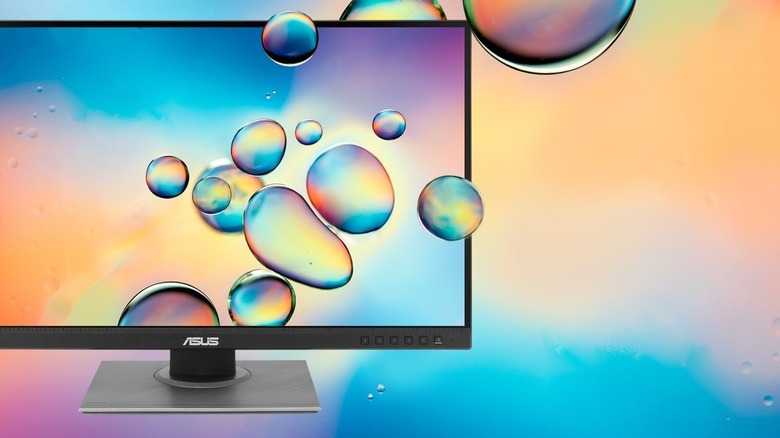
While not particularly new to the market, the Asus ProArt Display PA248QV still stands out largely because of its strong color accuracy features. For one, it delivers 100% coverage of the sRGB and Rec. 709 color spaces. This essentially means you get precise and lifelike colors. The ProArt Display PA248QV is also Calman Verified and calibrated at the factory level, so you can use it straight out of the box without having to correct the colors yourself. If you do want to fine-tune the display to your liking, there's the built-in Asus ProArt Palette, which lets you customize the color hue, gamma, and temperature, among other settings.
To complement this professional-grade display, Asus designed the monitor to be ergonomic. It's mounted on a flexible stand that can be tilted from +35° to -5°, swiveled to the left or right, and converted from landscape to portrait. You can even change the height from 0 to 130mm. If you're working at a small desk, you're free to mount the monitor on the wall too. Setting up the monitor with multiple units is also a seamless task, thanks to its frameless panel.
Besides the design, the ProArt Display PA248QV offers the same level of versatility in terms of input and output ports. It comes with the standard HDMI 1.4 port at the back, along with a DisplayPort 1.2, audio-in port, earphone jack, and even a VGA port for your legacy devices. Its USB hub includes four USB-A 3.2 Gen 1 ports to accommodate all the cool USB gadgets you'll connect to your computer monitor. You also get two built-in 2W speakers.
What users say about the Asus ProArt Display PA248QV
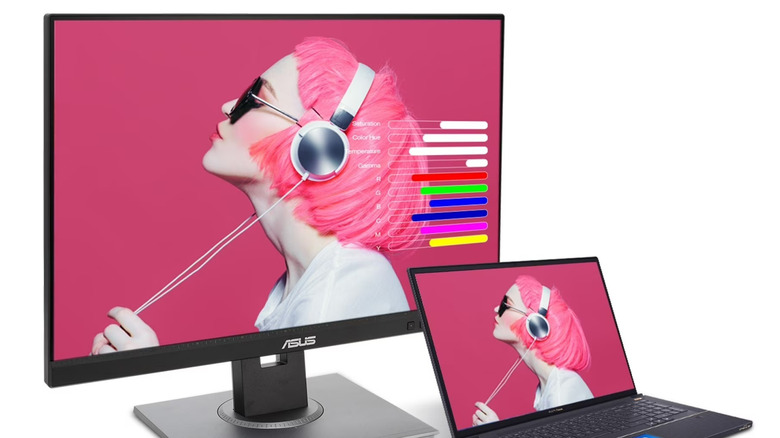
Consumer Reports gave the Asus ProArt Display PA248QV high scores across all three of its criteria: display quality, ease of use, and versatility, landing it at the top of CR's ranking. This positive assessment lines up with many reviews from the Asus website and Amazon, highlighting the monitor's solid value for money.
But in particular, users mostly point out the ProArt Display PA248QV's use case for content creation. They say its high color accuracy and sharp colors are well-suited for all sorts of content-related tasks, including photo and video editing, digital art production, and simply reviewing visuals for interior design work. Tech reviewer RTINGS also emphasized that the ProArt Display PA278QV is a "very good monitor" when it comes to content creation. While the aspect ratio is a bit different from usual monitors, users noted it perfectly fits the Steam Deck and works well with Adobe After Effects, Lightroom, and DaVinci Resolve.
As for gaming, the ProArt Display PA248QV isn't exactly one of the best gaming monitors for PS5 or any console for that matter. It isn't specifically designed for gaming, but some users, including RTINGS, said it was decent enough to game on.
Behind these positives, though, the ProArt Display PA248QV isn't without its flaws. One user noted the lack of a USB-C port, which is mostly present in modern monitors. A few users also mentioned that the monitor makes it unnecessarily hard to switch inputs. According to the same user, it takes eight button presses to find what should have been a basic setting. The speakers on the ProArt Display PA248QV aren't of the best quality either. They could work in a pinch but shouldn't be your main speakers for more audio-focused tasks.