

4 3D Printing Accessories You Can Save Money On By Printing Yourself
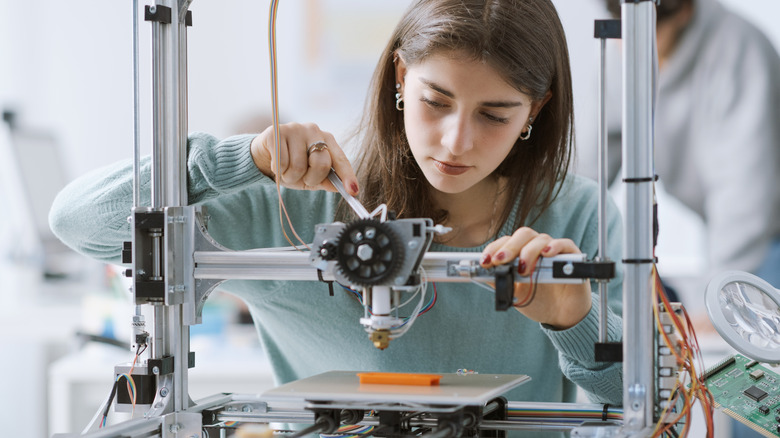
If you bought a 3D printer and are looking for new tools to use with it, know that you can print 3D printing accessories instead of buying them. Think about it: although many of these items are not that expensive and cost only a few bucks in stores, you have the option to use your own printer. So, in addition to saving money, you can complete your first projects this way.
This is a simple way to understand, in practice, how the printer works. Simple projects, like a scraper or filament guide, help test your device settings without using much material. After that, as long as your print goes well, you can still use these accessories to help with more complex work.
Also, unlike accessories bought in stores or online, you can adjust yours to your desired size. When printing supports, for example, you can adjust the size so it fits your desk better. So, if you are interested in the best 3D printing projects for beginners, these are some good options.
A custom poop chute keeps your printer workspace clean
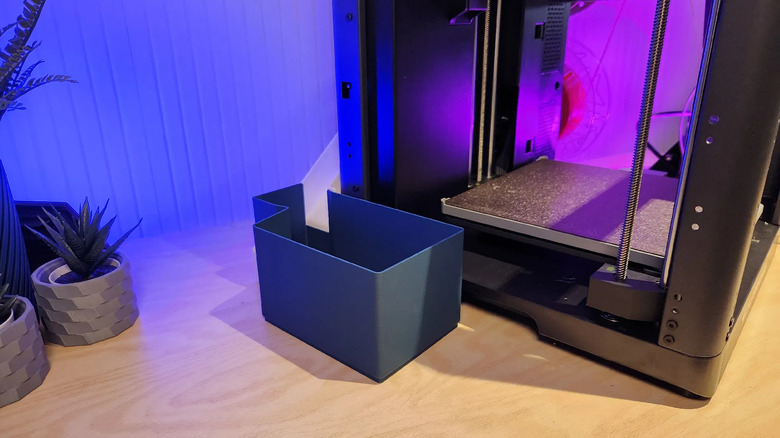
Depending on the printer you have, such as the Bambu Lab X1C models, it may purge leftover filament through the back during printing. This material can build up fast, especially during larger projects that use color changes. For that reason, a Poop Chute ranks among the best 3D-printed accessories for keeping these setups more organized.
This item works like a small chute or collector, directing discarded material to a specific place. That way, instead of letting all the used filament spread behind the device, you can keep it concentrated in one spot. This also helps you clean everything after each new project and avoid a messy workspace.
Another reason a Poop Chute is one of the best 3D printing accessories for anyone with a printer is how easy it is to make. There are many models available online that let you choose the perfect one for the space you have at home. Also, it does not require much filament or advanced configuration to print, making it a good starter project that will help later.
Protect your PEI plate using a printed bed scraper
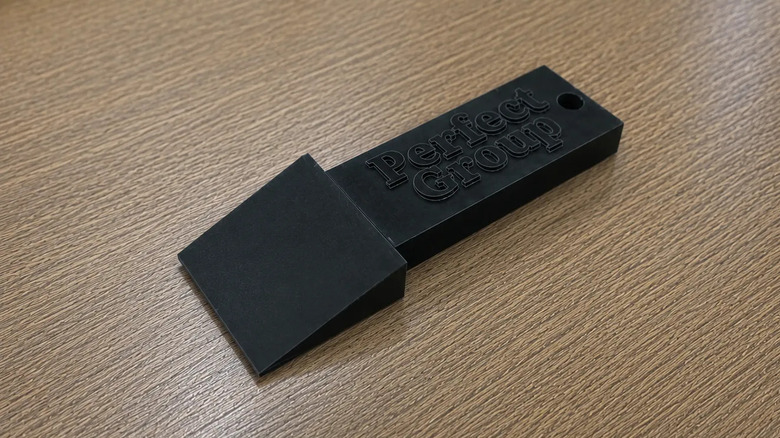
Most 3D printer beds today make cleanup easy after each project, since a quick wipe removes dust or loose filament from the plate for most prints. However, FDM-printed pieces can stick to the surface, making them harder to remove. When that happens, using the wrong tool, like a knife, is one of the most common 3D printing mistakes beginners make and can scratch or even damage the special PEI coating on the plate.
So one of the first projects you should print is a Bed Scraper, which helps solve this problem more safely. Instead of using a metal tool that can apply too much pressure against the print bed, this accessory slips under the piece with less risk. This 3D printing accessory works well for removing stubborn prints and leftover filament without being too aggressive with the plate surface.
Since it has a simple design, uses little filament, and prints with ease, you should make one early. Depending on the kind of project you plan to do with your printer, keeping a Bed Scraper nearby can save time when cleaning it and help protect your equipment. So, despite being a small and simple tool, it can become part of your regular printing routine.
Printed filament guides smooth out the feeding process
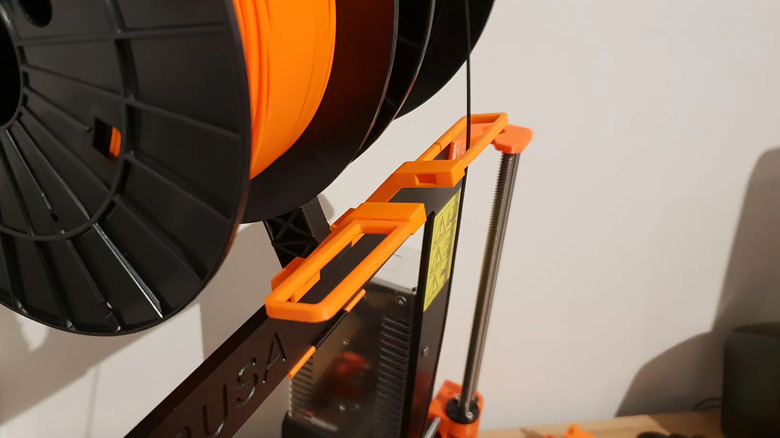
If your printer does not have a way to guide the filament properly, whether because you keep it on the side or away from the printer, you have probably noticed that it reaches the machine at an awkward angle. This creates unnecessary friction when printing your projects and can even snag during the process. Over time, that tension can affect the consistency of the filament feed. For that reason, printing a Filament Guide helps solve this problem by guiding the material along a smoother path.
Since this is a simple project, it is also easy to make for the first time, and many models available online attach directly to different parts of the machine. That way, these guides do not take extra space on the desk, which helps anyone with a compact setup. They also make your printer area look more organized, especially if the spool sits outside the main frame. Also, several versions are available on the best sites for free 3D printing projects, so you can look for alternatives and even adjust the proportions before printing.
Monitor long projects remotely with a camera mount
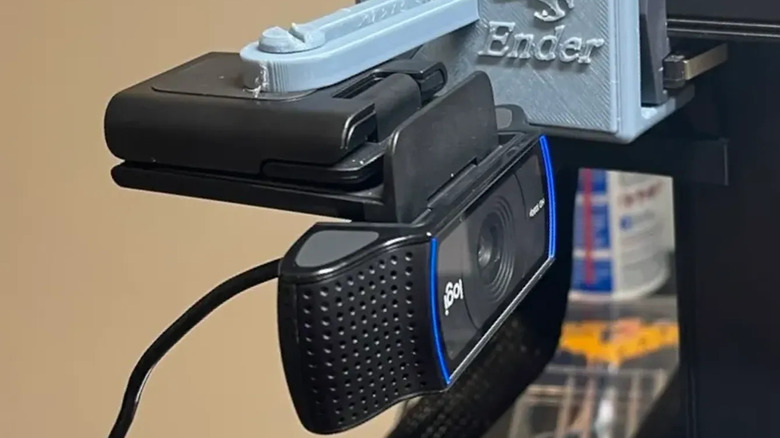
If you want to install a camera to monitor your 3D printer when you are away, but your model does not offer that option, you can print one yourself. Sites like Printables have options that can adapt to the device you have at home, whether it is a tripod for an old smartphone or a dedicated camera for this job.
Having a camera pointed at the printer can be more useful than you think, especially for longer projects. With it, you can follow the print progress from your phone or computer without staying nearby the whole time. This helps identify potential failures during the project before errors build up and cost hours of work and filament.
Besides monitoring your project, the camera lets you record time-lapses of the print, which is helpful if you want to share the process online. So, even if you have no interest in recording or monitoring prints right now, a camera is one of the gadgets everyone new to 3D printing should have, and you can also save some money by printing the holder yourself.