

5 Budget 3D Printers Better Than The Prusa Mini+
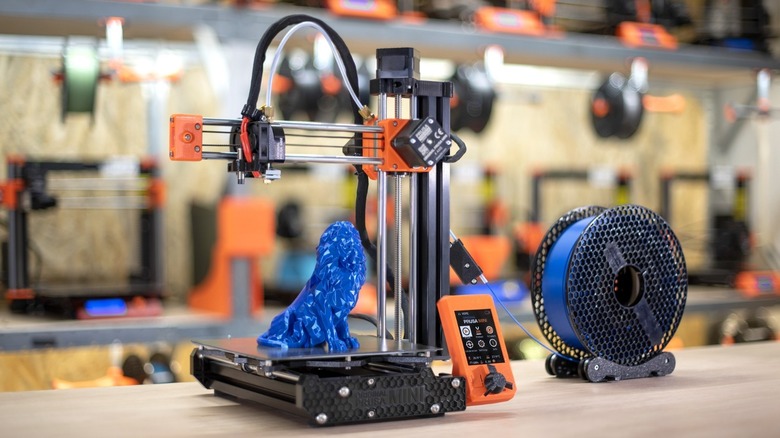
The Prusa Mini+ is a solid open-source FDM 3D printer that can serve as a workhorse for makers of all skill levels. It's more than capable of printing out those must-try 3D printer projects and has a dedicated following as the entry point for Prusa's open platform designs, making it incredibly easy for users to modify their setups and repair components themselves. Out of the box, it offers a modest build volume of 180 x 180 x 180 mm, automatic bed leveling via a SuperPINDA probe, and a 2.8-inch graphic color screen that can preview G-code before printing. It can also handle a range of filament types thanks to its custom Bowden extruder with 3:1 gearing, which just means it's capable of pushing filament into a nozzle that can hit 280 degrees Celsius while still adhering to 3D printer safety norms.
But that doesn't mean that the Prusa Mini+ is the best value for your money in today's market, which of course depends on a maker's specific use case. This entry-level workhorse is great, but it's starting to show its age. The older Bowden system restricts maximum travel speed to around 200 millimeters per second, with users needing to purchase an optional ESP module for Wi-Fi connectivity. The desktop additive manufacturing market has advanced rapidly over the past couple of years, and there are plenty of powerful alternatives that provide better specifications for similar prices. Let's get into it.
Elegoo Centauri Carbon 2
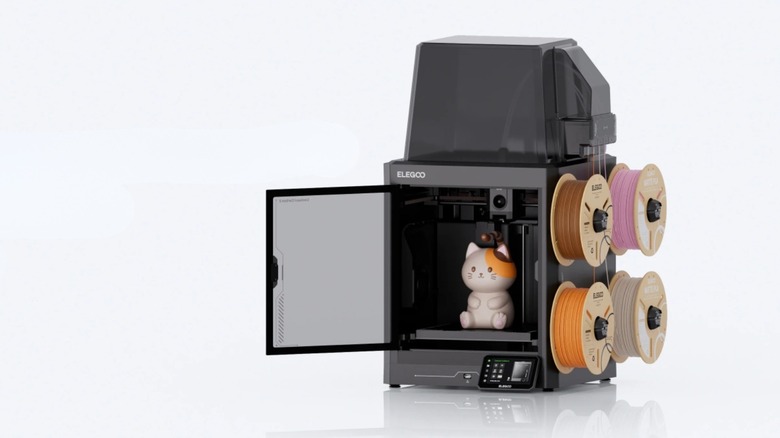
Elegoo was lagging behind the competition for a while with its Neptune series sporting outdated features, but the company is back in form with automatic bed leveling and multi-filament FDM printing with the Centauri Carbon 2. It's $100 cheaper than the Prusa Mini+ in terms of MSRP, with more savings possible during sales events.
The Centauri Carbon 2 has a respectable 256 x 256 x 256 mm build volume, which is around three times the size of an average entry-level mini-3D printer. Instead of using a restrictive Bowden setup, it features a direct-drive extruder with a hardened steel nozzle capable of reaching temperatures up to 350 degrees Celsius. This advanced configuration means makers can easily print high-strength engineering filaments like carbon fiber, polycarbonate, and nylon without worrying as much about clogging or jamming their hardware.
Elegoo designed the Centauri Carbon 2 combo to be extremely beginner-friendly, including automatic bed leveling and a dedicated Z-offset sensor to help make sure a project's first layer sticks perfectly every time. Users can control everything through a vibrant 5-inch color touchscreen, or manage prints remotely via built-in Wi-Fi and LAN connectivity. Best of all, Elegoo backs open-source platform configurations like Prusa instead of the walled-garden approach of other 3D printer manufacturers like Bambu Lab and those with similar proprietary ecosystems. This open-source approach ensures makers can have total freedom over software choices, machine modifications, and printing out STL files from their favorite free maker community websites, mirroring the same spirit Prusa fans love while offering better specifications at a lower price point.
Creality K2 Combo
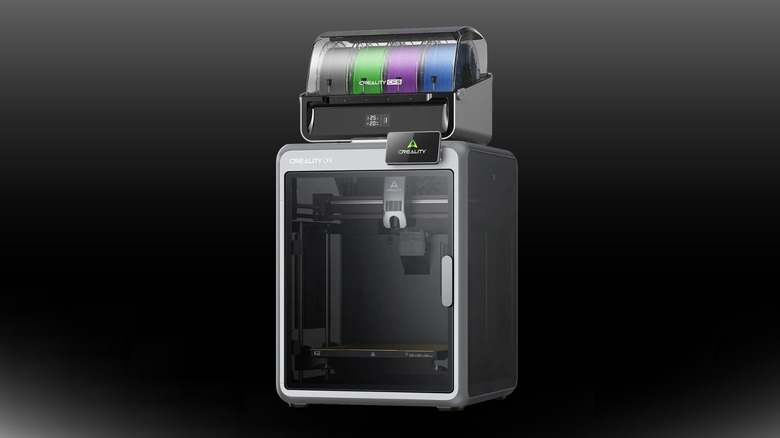
It can get a bit monotonous printing out single-color models for makers who want to break free of being tied down to one filament at a time. The Creality K2 Combo is a great option for creators who want advanced multi-material management for the same price as a Prusa Mini+. It's a fully enclosed printer with a maximum build volume of 260 x 260 x 260 mm, giving makers vastly more room to make bigger and more complex projects compared to smaller build areas. It can print with up to four colored filaments simultaneously by using an integrated material switching system to automatically swap filaments during a single print job. This automation opens up a world of creative freedom, allowing users to create complex, multi-colored prototypes or functional parts without manual intervention.
The K2 Combo has a sturdy, fully enclosed frame design that traps heat efficiently for printing warp-prone engineering filaments infused with materials like nylon, polycarbonate, and other advanced composite blends. Creality has traditionally embraced an open ecosystem, giving users flexibility to use their favorite open-source slicers and custom firmware. It also has built-in Wi-Fi, Ethernet, and USB connectivity to fit seamlessly into a modern workspace while delivering high-resolution prints down to a razor-sharp 0.05-millimeter layer height.
Qidi Q2C Combo
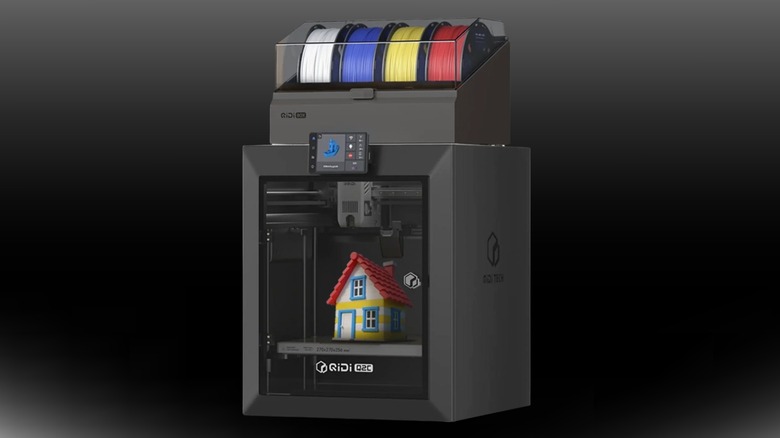
For makers who need to print high-strength mechanical parts quickly, the Qidi Q2C is a rapid alternative to the Prusa Mini+. Buyers can pick up the standalone unit for $379 or go for the combo to unlock multi-color printing at $529. This printer has a 270 x 270 x 256 mm build volume and features a direct-drive extruder equipped with a high-temperature nozzle that reaches up to 370 degrees Celsius. This extremely high temperature is needed to effortlessly handle demanding materials like polycarbonate and polyamide nylon, giving makers far more options than 280-degree nozzles found on older entry-level 3D printers.
Qidi built this 3D printer around a rigid, stable architecture that allows for incredible speeds, drastically slicing down overall print times compared to a Bowden setup. To keep things simple for beginners, it includes automatic bed leveling driven by an advanced load cell sensor, which calculates a solid first layer without requiring manual adjustments. It comes with a double-sided PEI steel flex build plate, a filament runout sensor, and full Wi-Fi or LAN remote-control capabilities. Qidi also uses open-source-friendly software configurations, making it easy to modify basic parameters or integrate the Q2C with popular open slicing platforms.
Anycubic Kobra S1 Pro Combo
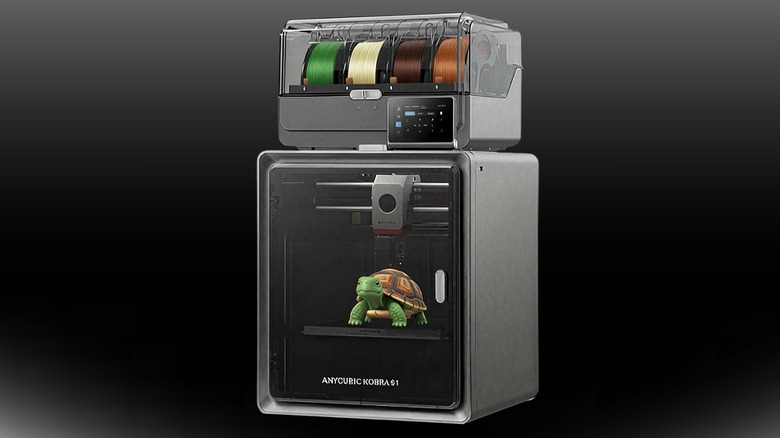
Moisture is the ultimate enemy of filament and clean 3D prints, but the Anycubic Kobra S1 ACE 2 Pro Combo addresses this headache directly with built-in filament management. This advanced machine utilizes a high-speed CoreXY motion system inside a 250 x 250 x 250 mm build volume, giving makers plenty of space to produce flawless models at speeds that instantly date standard build plates. The included ACE 2 Pro unit isn't just for feeding multiple filaments; it actively dries spools during the printing process. This processing helps tricky materials like PETG or nylon remain crisp and moisture-free, drastically reducing stringing and bubbling from projects.
Anycubic has included some high-grade hardware inside this 3D printer, including a dual-gear direct drive extruder that can reach a respectable 320 degrees Celsius that's paired with a heated bed that can reach 120 degrees Celsius. It features a load-cell-powered mesh bed leveling system that's great for beginners, as they won't need to worry about calibrating the Kobra S1 since it's done automatically. It also allows users to monitor progress remotely thanks to its built-in webcam and internal chamber lights. While it has a dedicated mobile app and browser interface, the ecosystem remains open to standard G-code modifications, allowing makers to take advantage of similar open-source printing modifications they can also do with Prusa 3D printers.
Bambu Lab A1 Combo
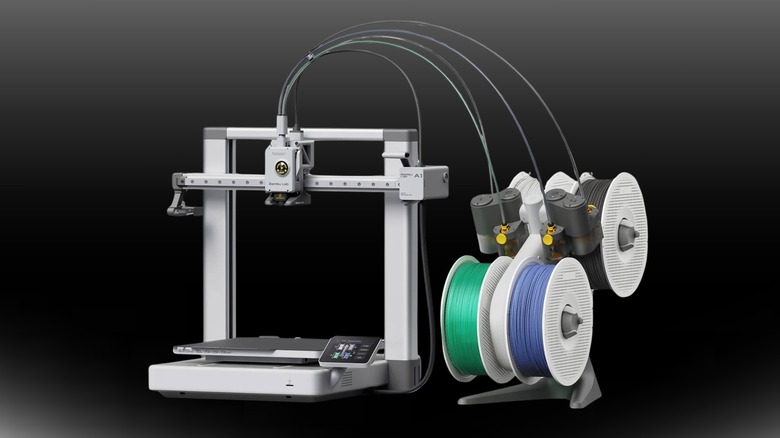
For newcomers to FDM 3D printing who just want a plug-and-play experience and are happy to trade customization for reliability, the Bambu Lab A1 Combo is the Prusa alternative that mirrors the difference between Apple and Android smartphones. It features a reasonable 256 x 256 x 256 mm print space paired with a toolhead capable of hitting a maximum speed of 500 millimeters per second and a maximum acceleration of 10,000 millimeters per second². This raw performance will slash total print times compared to competitors with smaller build volumes and slower speeds — an eight-hour task on a smaller and slower printer might only take two or three on the A1 Combo. The multi-color system handles filament swapping seamlessly, while an array of sensors tracks everything from filament tangles to power loss recovery.
But there's a trade-off to consider before jumping into a closed ecosystem such as Bambu Lab. While brands like Prusa pride themselves on open-source freedom, Bambu Lab operates a restrictive, closed network that feels more like a proprietary corporate ecosystem. Its native Bambu Studio software is great in terms of functionality, but using third-party slicers means makers will likely sacrifice some of the A1's best automated features. For tinkering, modifying firmware, or swapping hardware components at will, this walled garden can feel incredibly limiting compared to completely open-source alternative brands.
How we selected these budget alternatives to the Prusa Mini+

Our goal when making this list was to find the 3D printers that were most analogous to the Prusa Mini+ in the ways that will matter to a prospective buyer. For one, we looked at FDM printers rather than resin printers. We also used the specs of the Prusa Mini+ as a baseline — particularly its 180 x 180 x 180 mm build volume, Bowden extruder, and nozzle that maxes out at 280 degrees Celsius — and looked for alternatives that exceeded the Mini+ in these important areas.
The other primary constraint we set was price: Since the Prusa Mini+ is an entry-level machine, we considered only printers within an entry-level to midrange price band (i.e., no more than the $549 MSRP of the Prusa Mini+). In the end, we feel like all of the printers on this list offer better specs for similar money, and we're confident that most will offer a better overall experience — whether that's a result of built-in Wi-Fi, direct-drive extrusion, stronger material handling, or a combination of the core build specs.