

4 Ways You Can Use Apple TV Free For A Limited Time
As a streaming service, Apple TV is home to a rather impressive collection of award-winning shows. You may already be aware of some of its more popular media, including Emmy-winning series like "Ted Lasso" and "Severance." It is also consistently getting a variety of new content. However, folks unsure whether to start paying for a subscription should know there are multiple ways to use Apple TV for free. For a limited time, at least.
If you want to give Apple TV a shot, the company is pretty generous with free trials. Apple offers a limited trial to practically anyone, but there are ways to get an extended trial by purchasing certain Apple products or even by trying some of Apple's other services. We're going to show you some of the easier ways you can nab an extended trial to Apple TV, and we can also tell you loads more about the service itself right here.
Like anything free, there's going to be some restrictions and stipulations you'll need to know about, regardless of which free trial you choose. Fortunately, we can also show you how to cancel an Apple TV subscription so you don't have to start paying when your trial ends and the subscription automatically kicks in.
Anyone can get a free 7-day trial
If you want to give Apple TV a try, the service does offer virtually everyone a 7-day trial. It's pretty easy to activate, but before diving straight in, it's worth knowing that once the trial ends, you will start being billed monthly for a subscription. Knowing this, if you want to snag the trial, it's simply a matter of visiting the Apple TV website and clicking Accept Free Trial. The service will ask you some questions, and you can either use an email address tied to your Apple Account or a new one.
You're also able to sign up for a free trial through the Apple TV app. If the Apple TV app isn't already on your device, you can find it in the Apple App Store or the Google Play Store. From here, just open the app, and you'll likely see the 7-day trial offer. Be aware that you will need to provide a valid payment method and confirm your billing information, regardless of what method you choose to get the free trial.
It's also worth remembering that this is only for new subscribers, so if you previously had an Apple TV subscription, you won't be able to get the trial again. Nonetheless, once you have your 7-day trial going, there are a number of shows that are so good, you'll wish you could watch them for the first time all over again. Just remember to cancel the subscription before the week ends.
Get 3 months free with a new Apple device
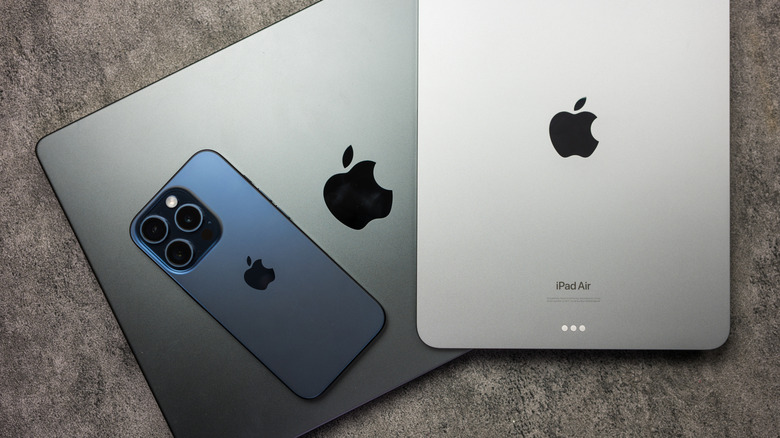
It may not be worth it to purchase a new Apple device just for this deal, but Apple customers can receive three months of Apple TV for free by purchasing an Apple TV, Mac, iPad, or iPhone. Like others on this list, you will need to remember to cancel your subscription before the trial ends, or you will start being charged.
There are a few more things you should also know before buying an Apple device. You need to purchase a new device directly from Apple or an Apple-authorized reseller, and the device you purchase must be able to run its current operating system. Additionally, those who already have an Apple TV account are ineligible, and you cannot combine this deal with other offers. Lastly, the offer is only good once per family, no matter how many devices you buy, though you can share a free trial with up to five family members through Family Sharing.
Once you purchase an Apple device, you'll have three months to claim the offer. To claim the offer, just sign in to your new device with your Apple Account, then open the Apple TV app. The app should automatically show you the offer, but you can navigate to the Apple TV tab if it doesn't. Once you've got it going, you can enjoy a variety of Apple TV content, including this chaotic series starring Anne Hathaway and Jerod Leto.
Receive a 30-day Apple TV trial through Apple One
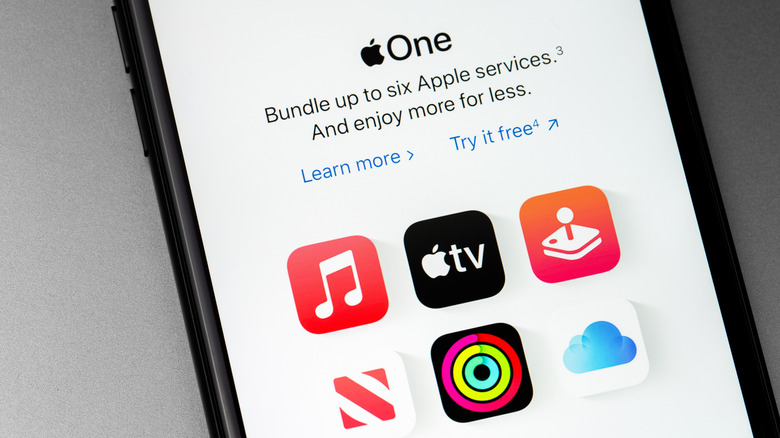
If you use more than one Apple subscription service, it may be time to consider Apple One. Available through the company, Apple One offers iCloud+ storage, Apple TV, Apple Music, Apple Arcade, Apple Fitness, and Apple News+ in three different bundles. What we want to look at is that you can get 30 days of Apple TV free if you don't already have a subscription.
If you're lacking an Apple TV subscription, you can get a 30-day trial to Apple One and receive Apple TV for free during that time period. This also applies to any other services included in the bundle that you don't have a subscription to. Keep in mind, however, that you will be charged for your current subscriptions during the trial, even if it's something normally included in the Apple One plan.
If you want to claim an Apple One subscription, you can do it from an iPhone or iPad by opening the Settings app, tapping your name at the top, selecting Subscriptions, and then you should see your Apple One trial offer. On Mac, you navigate to the Apple menu, select System Settings, choose your Apple Account, select Media & Purchases, and then click Manage next to subscriptions. This is also where you go if you need to cancel the Apple One subscription. However, considering the savings potential of an Apple One account, it may be worth keeping around.
Students get a month free with Apple Music
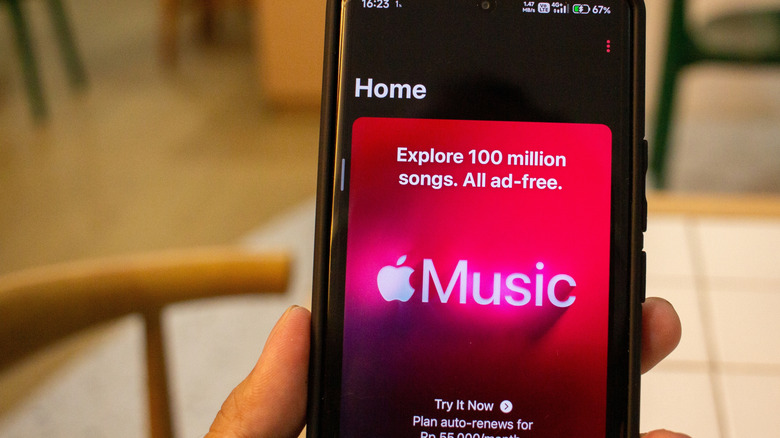
Apple must know the struggle can be real for college students, as the company actually has a rather enticing offer for them. For starters, there's the Apple Music Student Plan, which starts at $5.99 a month. Not only is this less than the typical price of an individual plan, but it also includes access to Apple TV at no additional cost. Naturally, there are some stipulations for this offer.
For starters, you'll need to be working towards "an associate degree, bachelor's degree, post-graduate degree, or equivalent higher education course at a college or university," per Apple. You'll need your student ID, a valid payment method, and your Apple Account information to get started. If you already have a subscription to Apple Music and are eligible for the discount, you manage your subscription at account.apple.com. If using an iPhone or iPad, open Settings, tap your name, tap subscriptions, select your Apple Music subscription, and tap See All Plans.
Remember that a student plan doesn't extend to a Family Sharing group, and students will also need to reverify their student status with Apple once a year. Apple will send you information about how to reverify. Should you keep Apple Music beyond the month trial, you'll get the discounted rate for 48 months, and then it will revert to an individual subscription. Of course, a month should be plenty of time to finish several Apple TV miniseries that can be binged in a day.
How to cancel an Apple TV subscription
If you're done with whatever trial you've accepted and want to bail before your first charge, then you have multiple options for canceling a subscription. Remember to cancel an account 24 hours before the trial ends to ensure it is not renewed.
On your iPhone or iPad, follow these steps:
-
Open the Settings app.
-
Select your name.
-
Choose Subscriptions.
-
Select the Apple TV subscription.
-
Tap Cancel Subscription.
On a Mac, you'll do this from the App Store:
-
Open the Apple App Store app.
-
Click your name (or click Sign In)
-
Choose Account Settings.
-
Scroll down to Subscriptions and select Manage.
-
Choose your Apple TV subscription.
-
Select Cancel Subscription. You may need to scroll down to find it.
If you don't remember which Apple Account you used, the company recommends searching your email for the phrases "receipt from Apple" or "invoice from Apple." If you find a receipt, it will display the Apple Account name at the top of the email. You can also use the official Apple Account website to cancel your subscription.
While it isn't a free trial, it's also worth remembering that you can bundle Apple TV with Peacock so long as you live in the U.S. Similar to the Student discount available with Apple Music or an Apple One subscription, bundling can be a good way to save a bit of money, though it is certainly hard to beat paying nothing.