

5 Android Launchers That Can Help Reduce Your Screen Time

You already know you spend an insane amount of your day on your phone. But you might not realize exactly how much wasted time that is until you actually see the numbers. If you're on Android, you can find this information right from Settings.
Just search for "digital wellbeing" and tap the first result that pops up. Android's digital wellbeing report tells you your total screen time for the day, the apps that contributed to this screen time, and the total number of times you unlocked your phone.
If your phone usage is higher than what you expect it to be, maybe it's time to set firmer boundaries. There are plenty of apps that help you build healthier phone habits, but more often than not, they need to be set up first and then be enabled to work. If you're looking for a stricter way to cut your screen time with minimal setup, some Android launchers might just be what you need. Keep in mind that they still aren't a guarantee that you'll reduce your phone use, but they can help make the adjustment easier.
Indistract Minimalist Launcher
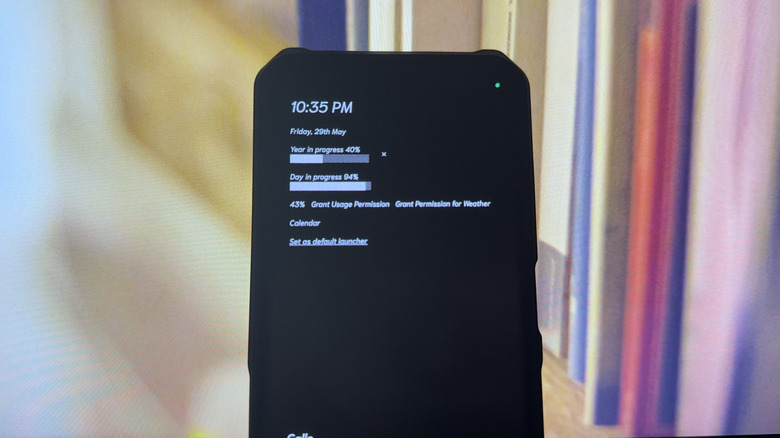
Indistract Minimalist Launcher is designed to make your Android phone less of a distraction and more of a productivity tool. It does so by stripping down your home screen. Instead of filling it with all sorts of apps and information, the only things you get are the essentials: the date and time, total screen time for the day, year and day in progress, battery percentage, and weather. It doesn't even show you the status bar, so you won't be distracted by the different notification icons popping up.
Also on the Indistract home screen are just two apps: Calls and Tasks. Calls is a shortcut to your native Phone app, while Tasks is a minimal to-do list built into Indistract itself. You're free to add more apps to the home screen by marking them as favorites, but if you're happy with only these two apps, you can leave them as is. Besides downsizing what your home screen displays, Indistract also minimizes the design itself. It replaces the app icons with plain text and sets the wallpaper to solid black.
This free version of Indistract can work perfectly fine, but might be too boring for your liking. Thankfully, the app offers some customization. You can change the theme to blue, indigo, parchment, or pale silver to put some pop of color on your phone. There's also an option to switch to a new font. Both come at a price, though — you need to buy the Pro version for a one-time fee to access these options. The only free customization available is adjusting the font size and applying app icons.
Olauncher
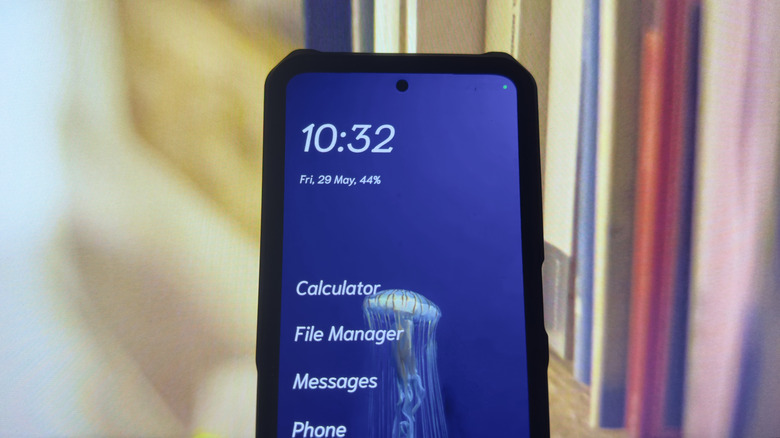
Olauncher is one of the essential open-source Android apps you need to install if you're trying to minimize your screen time. At first glance, it looks like your typical minimalist launcher. Its home screen includes only the date and time and four of your text-based, no-icon apps. Under the hood, though, it hides features that make your phone less inviting to use.
For one, Olauncher can hide select apps from the app drawer. You can still access them when needed, but it will take a couple more steps — long-pressing on the home screen to open the Olauncher settings, then tapping the Olauncher logo. If you want to further declutter your home screen, Olauncher lets you remove the date and time, status bar, and even the app shortcuts themselves. You can, however, add your total screen time on the home screen to keep you reminded of how much time you're on your phone.
For convenience, Olauncher supports gestures, which you can customize. By default, if you swipe left on the home screen, it opens the Camera app; if you swipe right, you're redirected to Phone. Other than the gestures, there are more customization options inside Olauncher, including the text size, app alignment, theme, and wallpaper. You're free to set your own photo as the wallpaper or have Olauncher choose a random image for you and change it everyday. Olauncher comes in a free and pro version, both of which have no ads. The pro version does include more features, though, like widgets, weather, and fonts.
AIO Launcher
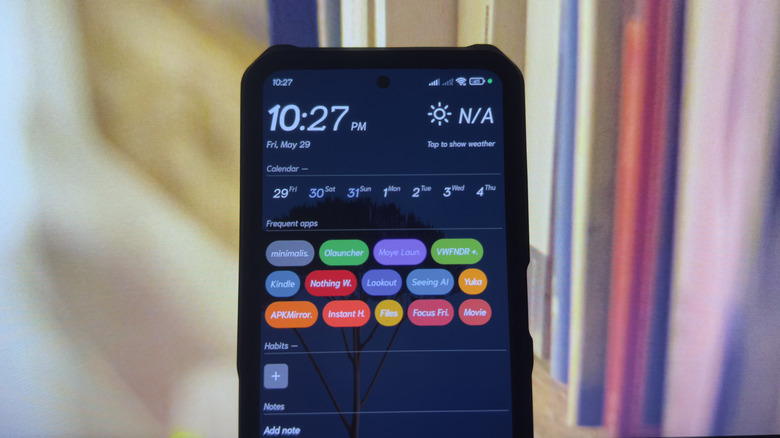
To keep you away from the screen, minimalist launchers try to downsize your home screen as much as possible. But AIO Launcher actually does the opposite. It puts everything you need right on the home screen. This avoids the common phenomenon where you pick up your phone to open a useful app, forget what you were doing, and then end up on TikTok or Instagram. With everything on the home screen, you won't have to wander far to do what you need to do on your phone.
On the AIO Launcher home screen, you'll see frequently used apps, along with handy widgets. There are over 40 built-in widgets in the app, including alarm, app usage report, tasks, recent conversations, and your control panel, to name a few. All are interactive, so you won't have to open them to use them. For instance, the calculator lets you compute basic equations right on the home screen, and the timer starts a timer with one press from the home screen widget. You can customize which widgets show up on your home screen and reorder them to suit your needs better.
Apart from the widgets, AIO Launcher has a search button on the home screen. It's mainly for searching for apps, but also doubles as a shortcut to your Settings app, AIO Launcher settings, and a quick menu with your Phone, Camera, and Play Store. If you don't want to search for apps, you can simply go to the app drawer that opens as a small side panel on the left. You're free to rearrange the app drawer by name, launch count, launch time, and installation time.
Minimalist Phone
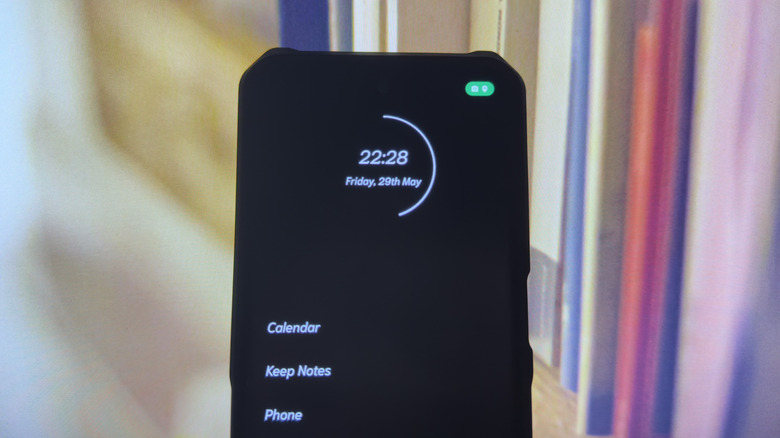
One of the best apps for minimalists, Minimalist Phone works like most minimalist launchers. It helps you reduce screen time by taking away app icons and keeping the interface simple and clean. But other than making the interface less attractive, minimalist phone includes more active features to discourage you from using your phone.
For one, it prompts you to set how much time you'd like to spend on the app with no prior setup. The prompt automatically pops up when you open a game or social media app. Minimalist Phone comes with a built-in app blocker too. This lets you schedule blocking periods for certain apps during certain hours and days. To make it easier to pick which app to block, they're listed according to their screen time in the past week.
If a blocking schedule is too strict for you, you can put a time limit on your app usage instead. You're free to use the app as usual during that period. But once done, another prompt will appear onscreen telling you how much time you've spent on that app today and in the past week. It still lets you add more time after a short delay, if you really need to use it. To prevent you from being on certain apps longer than you'd like, Minimalist Phone also gives you the option to turn selected apps to monochrome. This makes them less stimulating and engaging. While these features sound neat, it's important to note that minimalist phone isn't free. It requires a one-month, 12-month, or lifetime payment. All plans offer a seven-day free trial, so you can test it out first.
Moye Launcher
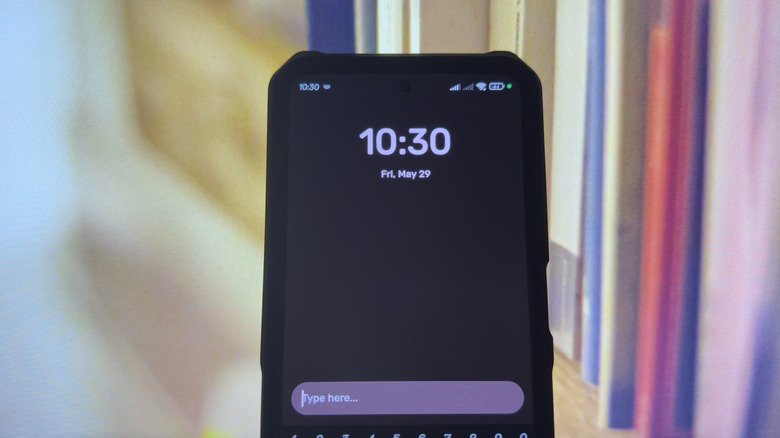
Moye Launcher is yet another minimalist Android launcher that prioritizes simplicity. In fact, the home screen is as minimal as it gets. The only things you see are the date and time, status bar, and search icon. It's still customizable to a point, though. You can pick a new theme from a set of solid colors or a set of image wallpapers. You can also change the size and alignment of the date and clock.
What makes Moye Launcher stand out from other minimalist launchers is that it doesn't have an app drawer at all. To open an app, you'd need to search for it using the search icon. This encourages you to be more intentional with what apps you use for the day. That same search icon functions as a focus starter too. Simply type how long you want to focus (e.g., 5min, 1hour) and tap the "Focus Mode for X time" to start the full-screen timer. While this doesn't block you from exiting the timer and using any app, it's still a good way to get yourself to focus on the tasks at hand.
Another unique feature Moye Launcher has is its AI-powered App Guardian. It's essentially a chatbot that locks the apps you select. As soon as you add the apps to App Guardian, it gets hidden from the search results. When you want to launch it, you'd start a chat with App Guardian and provide a valid reason why you should have access to the app. The AI will decide whether to approve or deny your request. App Guardian isn't readily available, though. You're required to subscribe to a premium account to use it.
Methodology
All the apps we recommend on this list encourage less phone use, in one way or another. Most of them are based on minimalism, while others focus more on maximizing functionality. They're highly rated on the Play Store too, with star ratings no lower than 4.6. Almost all of them have been downloaded at least a million times, except for one (Moye Launcher) with only 10,000 downloads. We still included it in this list due to its unique features.