

What Is The Service Port On A TV For?
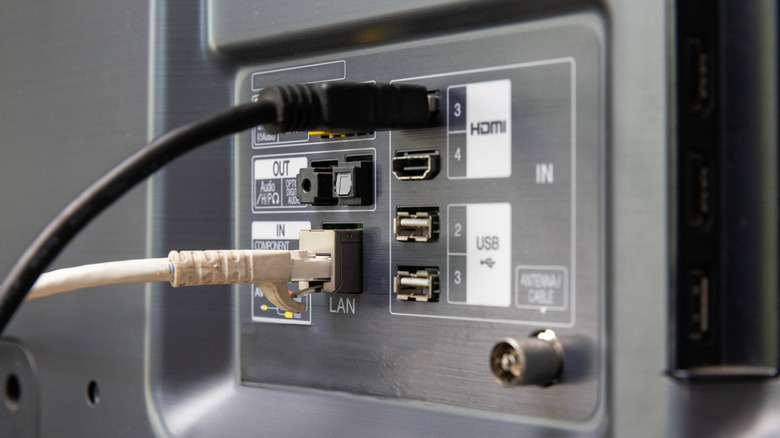
Your TV has many ports: HDMI, USB, and maybe even serial or RS-232. Among these connections, you might've noticed that certain ones are labeled "Service Only," "Service Terminal," or "Diagnosis," which would naturally make you wonder what these ports do and if there's any use you can get out of them. As the name suggests, a service port is used when a technician needs to service, repair, or configure the TV.
When a diagnostic instrument is connected to this port, a technician can diagnose issues with physical components inside your TV. The service terminal is often also used to install system updates or recover the system if updates can't be accessed normally. There are many other advanced options that can be adjusted from here as well, such as the ability to change color profiles, audio configurations, and much more.
The type of port doesn't matter, as service ports can look vastly different from one another — a service connection can look like USB, HDMI, serial, or even a 3.5 mm audio port. The port itself is just a means of communication between diagnostic tools and the TV. Since the transferred instructions don't need a large bandwidth or to be powered by USB, the type and shape of the port itself are irrelevant.
Where is the service port on your TV?
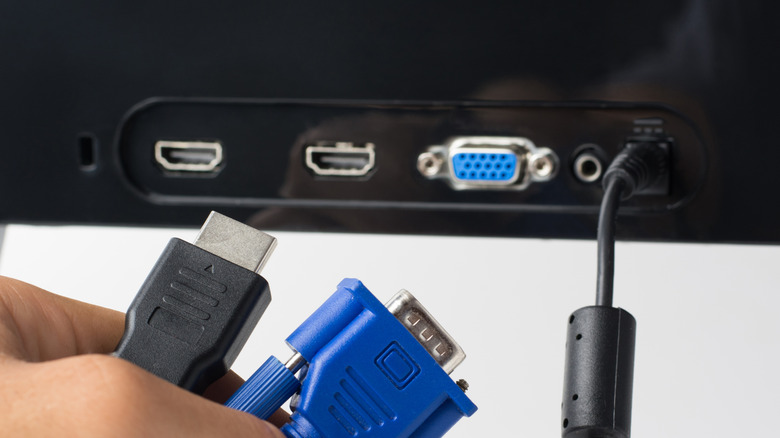
Not all TVs have dedicated service ports, and the position of these ports varies by manufacturer and model as well. If your TV doesn't have any port labeled as "Service" or something similar, then it's either a newer model where any normal USB port can function as a service port when using the TV in service mode, or, in older models, it might be hidden behind a plastic panel that would need to be removed.
You can locate the service port on your TV by looking for labels that have anything to do with "Service" or "Diagnostics." Sometimes the labels are right beside the connection on the TV itself, but they can also be found on stickers. If you can't find any labels, they might be hidden or using a different naming convention, such as Samsung's EX-LINK ports. To find these, you can refer to the TV manual. Certain manufacturers also list their port specifications on their website, such as Samsung with its TV ports glossary.
Can you use the service port normally?

Most modern TVs come with enough ports to fit all your needs. That's not to say you won't still run out of them, especially if you're using a home theater setup, have a set-top box and gaming console connected at all times, or if you're just using a TV with fewer inputs. If the only port remaining is labeled "Service Only," you might find yourself in an awkward position where you don't know if you can use a service port for everyday connections.
The answer to this is complicated, as the model of the TV, the manufacturer behind it, and when it was made can all affect your experience. In certain scenarios, plugging an external device into a service port doesn't result in anything different than using a non-service port, and you can use it normally. However, in certain cases, doing so can crash your TV, and, in rare cases, permanently damage it. Since the risks are unpredictable, you should generally avoid using HDMI, USB, or serial ports specified for service use.
If your TV doesn't have a label for the service port and you're worried about accidentally using it and causing an issue, there's nothing to be concerned about. The USB port on most modern TVs only switches to service when prompted, which means that connecting your Amazon Fire TV Stick or Apple TV won't do any harm under normal use.