

5 Digital Wall Calendars That Can Upgrade Your Planning
We may receive a commission on purchases made from links.
Back in the day, planning meant having to write your events, to-dos, and schedules on a paper wall calendar. While it does the job just fine, you can't always carry one around to help you stay on top of your daily agenda. That's why Google Calendar and its alternatives came to be. Instead of relying on fragile paper, you can quickly view your schedule on your mobile device. It's more convenient, easier to update with more details, and can be shared with anyone.
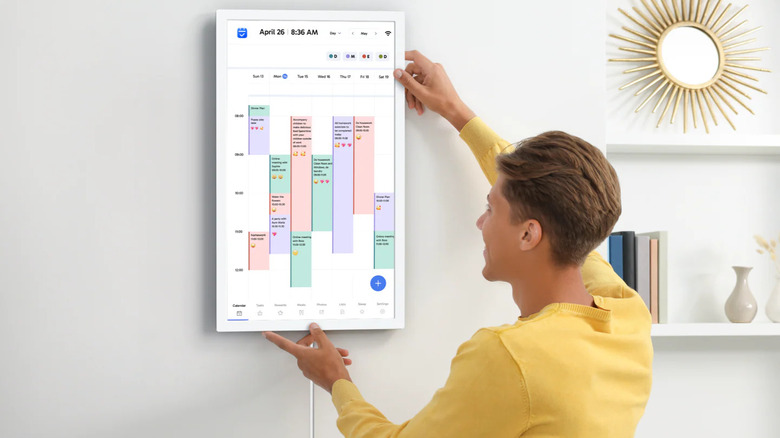
But to make the most out of your mobile calendar app, consider pairing it with a digital calendar. Most digital calendars are designed to sync with your mobile calendar app and display your events and activities on a larger screen than your phone or tablet. This offers greater visibility at home and keeps everyone informed about shared schedules. If you're looking to upgrade your home planning, here are some highly-rated digital wall calendars to check out.
Skylight Calendar 2
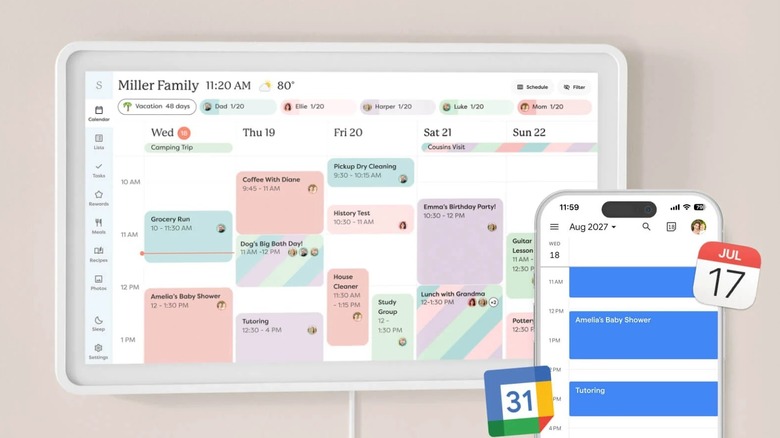
The Skylight Calendar 2 is one of the most popular digital wall planners out there, and for good reason. This 15-inch touchscreen with Full HD resolution and 16GB storage can automatically sync with your calendars from Google, Apple, Outlook, Cozi, and Yahoo. It works two ways, so you can edit on either your calendar or phone and have it reflect on both devices.
Besides the calendar, Skylight has five other tab categories to help you with planning. There's Tasks, designed to display your to-do list for the day. This is where you can also assign chores to the entire family and let them check items off as they go on their day. Each completed task gets them stars and rewards in the Rewards section, which can be physical items like an ice cream treat or experiences like a trip to the arcade.
Skylight includes a Meals tab too, perfect for when you need to plan your meals for the week. Then, you have Lists, which is essentially a catch-all for any list you can think of, from something as mundane as a grocery list to as inspiring as a travel bucket list. If you want to add custom screensavers to the calendar, you'll see them in the Photos tab. The Meals, Rewards, and Photo Screensaver tabs require a subscription before you can access them, though. Installation-wise, Skylight can be mounted on a wall if you prefer it at eye level, or let it stand on a counter if other family members like kids will also use it. You have an option to rotate the screen in portrait or landscape mode, whichever position fits your needs best. You can get the silver variant of Skylight for $320, while the black version is available for $350.
Cozyla Calendar Plus 2 15.6
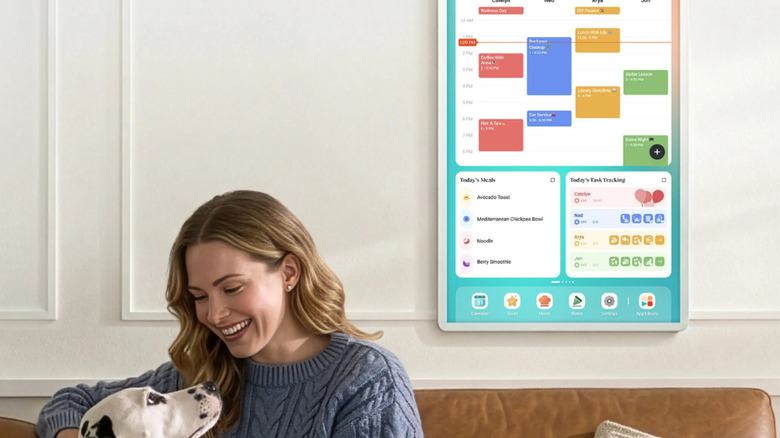
The Cozyla Calendar Plus 2 15.6" is a subscription-free calendar and smart home hub in one. As a calendar, it can sync both ways with your major calendars, including Apple Calendar, Google Calendar, Outlook Calendar, and Yahoo Calendar. You can use it to schedule events and write down chores and to-dos for the entire family. If you have a physical invitation or a movie poster, you can even use your phone to scan photos and URLs of these events to add them straight to the calendar. Cozyla Plus 2 also includes a section for planning meals for the entire week. Conveniently, this meal planning feature lets you upload recipes to the digital wall calendar or stream recipe videos directly from the display. A shopping list is automatically generated from your meal plans, so that's also one less step to worry about.
As a smart home hub, Cozyla Plus 2 allows you to install smart home apps like Amazon Alexa and Google Home, so you can control your devices from the digital calendar. To make things more convenient, you can customize the home screen with some essential Android widgets. These range from the typical calendar-related widgets like chore chart and to-do list to other extras like media player and weather update. You can download your widgets of choice from the preloaded Google Play Store. If you like hands-free control over your calendar, Cozyla Plus 2 is integrated with Cozyla AI. It's a voice assistant you can ask to create events on your calendar. The Cozyla Plus 2 costs $350 and only comes in white.
Loofii Smart Digital Calendar
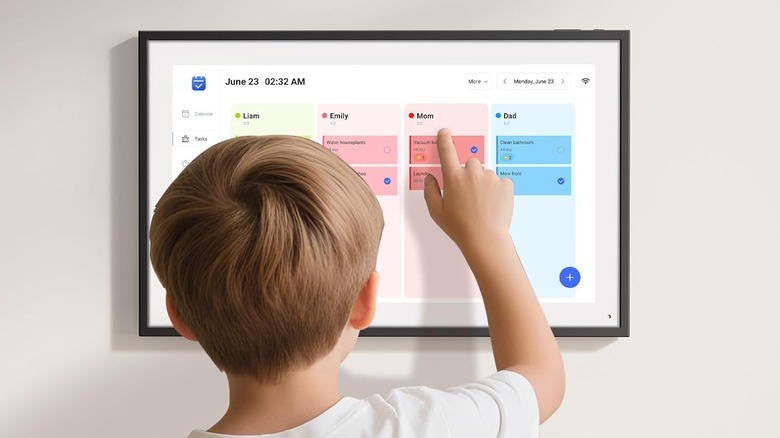
Equipped with a wall-mountable HD touchscreen display, the Loofii Smart Digital Calendar is a budget-oriented option that works like most digital calendars out there. It supports syncing with five popular calendar apps — Google, iCloud, Outlook, Yahoo, and Cozi — and pairs with a mobile app that lets you easily view your schedule anytime, anywhere. It also includes several other planning tools to keep your home organized.
For one, you get a chore chart complete with a rewards feature for motivation. This chore chart is color-coded, so there's no confusion on who should do what. Loofii comes with a meal planner as well. Here, you can plot out what you'll prepare for breakfast, lunch, dinner, and snacks for the entire week.
When you're not using the calendar function, Loofii allows you to switch into digital picture frame mode. It displays a slideshow of the photos you uploaded in your cloud album. This screensaver will stay on until you tap the display and go into the main calendar view again. If you don't want to display anything at all — maybe while you're sleeping or out of the house — you can set Loofii to turn on sleep mode at a specific schedule. This digital calendar has a list price of $170, but is currently on sale for $153 on Amazon.
Apolosign 21.5 Digital Calendar
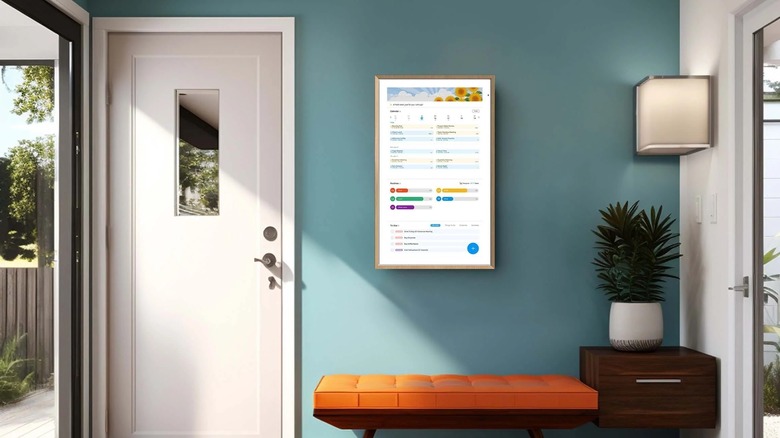
The Apolosign 21.5" Digital Calendar is a digital wall calendar with two operating systems, meaning it can run in one of two modes. The first mode is Calendar. It's where you can view your calendar, have it sync with mainstream calendar apps, and plan events for the whole family. In Calendar Mode, you also have access to all of Apolosign's built-in planning tools — no subscription required. As soon as the digital calendar is up and running, Apolosign lets you create a chore chart, set rewards for every chore finished, and make lists like to-dos and shopping lists. It also comes with a message board to keep your family updated with personal reminders.
The second mode is Android Mode, which essentially turns Apolosign into an Android tablet, complete with Play Store built-in. It expands the functionality of the digital calendar by giving you the option to install your favorite apps and add widgets to the home screen. You can customize it with a music player widget, photos, a camera livestream, and even a smart home controller. Yes, in Android Mode, Apolosign can become a smart home hub too. In fact, it has Gemini pre-installed, so you can use voice commands to remotely control your lights, create alarms, or check the weather, making Apolosign one of the essential smart home devices to get.
When idle, this digital calendar doubles as a digital picture frame. But instead of just showing a simple slideshow with pictures, you can opt to include a calendar, clock, and even video on the screen. You can easily use images from your Google Photos as the screensaver too. As for its pricing, it's slightly on the higher end, costing $420 for the 21.5-inch variant, but there's also a 15.6-inch variant available for $270.
Dragon Touch 15.6 Digital Calendar Chore Chart
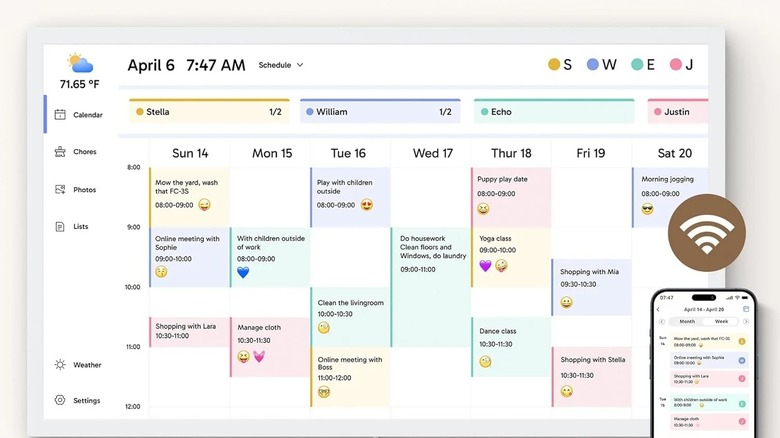
The Dragon Touch 15.6" Digital Calendar Chore Chart is a 1080p Full HD display for the entire family. It runs on 32GB onboard storage and supports multiple languages, including German, French, and Spanish. Like standard digital wall calendars, you can sync Dragon Touch with any of your existing calendars from Google, Outlook, Apple, Yahoo, and Cozi. If your calendar app features a public sharing link, you can integrate it with Dragon Touch too.
Once set up, the calendar view is customizable. There's an option to display only the events for the day, the week, or the month. You can also create schedules for specific family members, complete with different colors for each one. Dragon Touch includes separate dashboards for tasks, meal planning, and rewards as well. These dashboards are available for free, with no need for a subscription, unlike on other digital wall calendars. To keep you updated on the go, Dragon Touch connects to an app on your phone, where you can edit your events and have them sync with the digital calendar at home.
When installing Dragon Touch, you can opt to mount it on the wall in landscape mode or rotate it to portrait. It can even be converted to a desk calendar for easier access for the kids. The screen brightness will automatically adjust to the ambient light in the room, so you won't have to worry about separate lighting for the digital calendar. The 15.6-inch variant costs $170, but you can find a smaller 10.1-inch version for $80. There's also a 21.5-inch model that costs $255 on Amazon.
Our methodology for picking out these recommendations
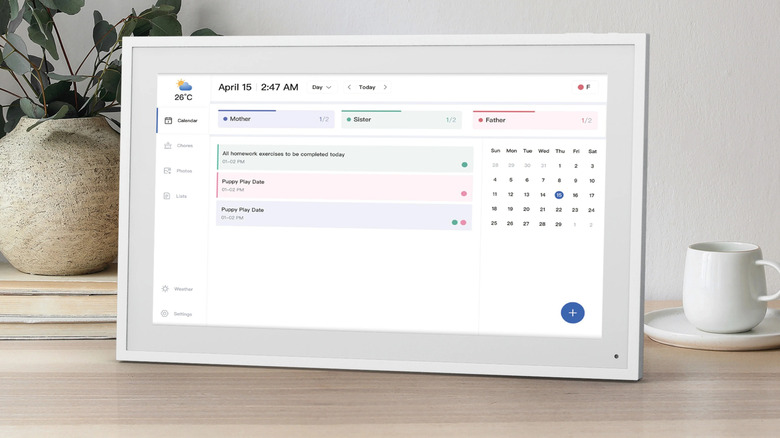
In selecting these digital wall calendars, we primarily focused on units that have typical planning tools every home needs: a calendar, meal planner, to-do list, and chore chart. All items included in this list feature these tools, either via subscription or as a free feature.
We also took into account whether the digital calendar is available on Amazon for easy accessibility and how well it's received by Amazon buyers. To make it to the list, it should have at least a 4.3-star rating on Amazon, with a minimum of 500 units sold in the past month, which is a good indicator that they're working well and are pretty in demand among shoppers.