

5 Common Problems With Gaming Laptops

PC gaming is quite enticing, considering it's the platform with the most games available. You can build a gaming PC, but that can be a time-consuming and expensive process. An easier and more cost-effective entry point into the world of PC gaming, especially when you factor in the RAM crisis, is to get a gaming laptop instead. Even though it's not as satisfying as putting together a rig that's tailor-made for your gaming needs, you can still get a ready-to-use, portable machine that does a decent job of playing the latest games.
However, no piece of tech is perfect, and there are a couple of issues that have annoyed the laptop gaming community for a long time. They are worth knowing before you inherit them. You need to nail the specifications, possible heat issues, bulky builds, and terrible battery life. This is why some gamers prefer consoles, because those are even more plug-and-play than a gaming laptop (without the portability).
You might not experience all the problems mentioned here. But if you do, you might have to deal with them in the long term since gaming laptops are not that customizable (at least until modular laptops become less of a niche). With this information, you might decide that you're better off building a gaming desktop or buying a console. It might also just give you the insights you need to pick a gaming laptop that suits your needs.
You need to get the specifications right from the start
Gaming laptops have limited upgradability, which makes finding one with the right specs extremely important. If it will be your main gaming machine for a while, you don't want to get stuck with a machine that doesn't play the games you want. The two most important components you need to pay attention to are the CPU and GPU. These cannot be upgraded in the vast majority of laptops because they're soldered onto the motherboard and are not meant to be removed.
The CPU is responsible for running the game (executing its instructions). As of this writing, you need a CPU with a minimum of six cores and 12 threads; eight or more cores are recommended for high-end gaming. Then you need to think about clock speed, which is the rate at which it executes the instructions (measured in gigahertz), and for that, you need 3.5GHz. The GPU is what renders the graphics of the game, and at the very least, you need one with 8GB of VRAM to run modern games at 4K resolution. Features like ray-tracing for enhanced visuals and DLSS for AI-based upscaling are nice-to-haves but not deal-breakers.
Two other important components are RAM and SSDs (gaming has long moved on from HDDs). You need 32GB of RAM to future-proof your device, but 16GB is usually the minimum requirement for most games. With the way games keep ballooning in size, the minimum storage space you need is 1TB.
Heat and noise can be an issue
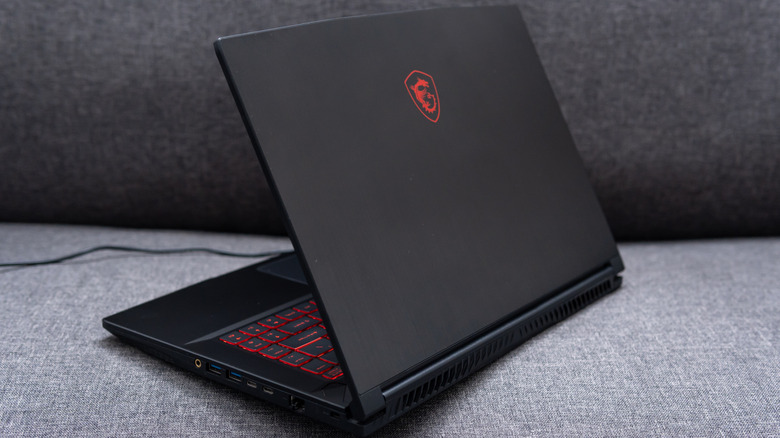
While overheating is not really an issue these days, gaming laptops still tend to run hot to the point that they can get uncomfortable sitting on your lap. That's because the CPU and GPU draw a lot of power to maintain the speeds necessary for you to enjoy modern games with crisp visuals and high frame rates. However, the more power a component draws, the more heat it generates.
Desktop GPUs, for example, are efficient at dissipating this heat. They usually have two or three fans with a big heatsink sitting on top of the chip. Furthermore, they keep getting bigger as these chips become more powerful. Unfortunately, all this can't fit on a laptop without sacrificing its smaller form factor. Manufacturers packing that desktop-level GPU into the crammed laptop chassis is why you're going to feel the heat on your lap.
Naturally, the laptop needs a way to dissipate all this extra heat coming from the GPU and CPU. At that point, it will start running the fan at maximum speed to keep things cool, which can roar like a jet engine. If the fan is not enough to cool the laptop, these components will throttle themselves (lower their speed) so they draw less power and cool down. The problem with that is that you might notice frame drops and lag. If that happens to you a lot, you should consider getting a cooling pad.
Powerful gaming laptops are bigger and heavier
Gaming laptops come in different sizes, so it's not a universal rule that all of them are bigger and heavier than their non-gaming counterparts. However, the powerful ones usually fit this stereotype. As we've already explained, with great power comes great cooling needs. This way, they don't easily hit their thermal limit and start throttling performance.
CPUs have different thermal limits. For instance, an Intel CPU is 100 degrees Celsius, and an AMD CPU is 95 degrees Celsius. However, a safe temperature while heavy gaming should be below 85 degrees Celsius. Achieving this requires advanced cooling systems. Powerful gaming laptops have a combination of active and passive cooling systems. These units have multiple large fans built in and liquid cooling systems like vapor chambers that do a good job of dissipating heat at the cost of making the laptop bulkier and heavier.
On top of that, gaming laptops have bigger batteries compared to their non-gaming counterparts, which adds more weight. Also, these things are rugged and made from premium and durable metals and plastics, such as aluminum, magnesium alloy, high-quality polycarbonates, and ABS (Acrylonitrile Butadiene Styrene) plastics. Other things that contribute to the size and weight include the larger screens, which are about 15 to 17 inches, full-sized keyboards, and RGB lighting.
The battery drains much more quickly
Mobile devices are usually built for efficiency because they run on a battery, but not gaming laptops. These are built to push the hardware so you get the best gaming experience possible. When you use your laptop normally, you can expect three to four hours of use (up to six hours if it's light use). But because the GPU and CPU are drawing too much power during heavy gaming sessions, that can drop to one to two hours.
This is why gaming laptops are notoriously known for having terrible battery life, and you will find yourself constantly charging your laptop more. So don't expect that you will be able to game for hours unplugged the same way you can write an assignment or browse the entire afternoon without your laptop needing a charge.
Also, remember we said the laptop can run hotter than normal when gaming. This is not only a problem for your comfort, but for the battery as well, since heat is a well-known killer of batteries. The stress from the heat can cause the battery to age much more quickly. Under normal use, you can expect the battery lifespan to be three to four years, but for a gaming laptop, this comes down to two to three years before you see a massive drop in capacity.
Even budget gaming laptops are more expensive than a console
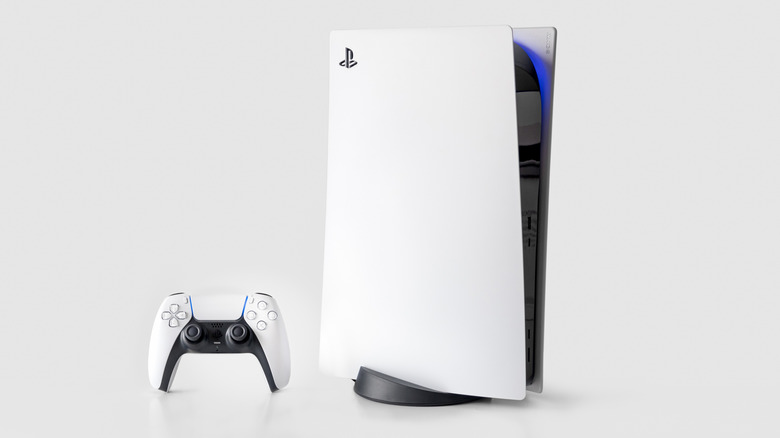
You would be hard-pressed to find a new gaming laptop that can play the latest games for less than $800. The good thing about budget options is that they still offer a great, solid gaming experience, with 1080p/60FPS on medium-to-high settings. You just have to accept that you will not be maxing everything out unless you drop thousands of dollars on a high-end model. This is okay for the majority of gamers since many don't care about seeing every hair follicle, reflection, and minute movement.
The problem is that you're getting entry-level hardware that is less future-proof since the performance ceiling you start with is low. It will last you an entire console generation, but you have to be willing to lower the graphical settings over time. For example, as the generation progresses and developers push for better graphical performance and fidelity, a budget laptop's 4GB to 8GB GPU is going to start showing its age versus the PS5 and Xbox Series X's 16GB of unified memory.
For the price of an entry-level budget laptop, you can get the Digital Edition of the PS5 or Xbox Series X for $599.99 and still have enough left over for the latest triple-A game or three. You'll also be able to play most games throughout the entire generation at 4K/60FPS. This doesn't mean consoles are inherently better since they will last the generation without lowering settings.