

5 Budget 3D Printers With Multicolor Printing You Should Check Out
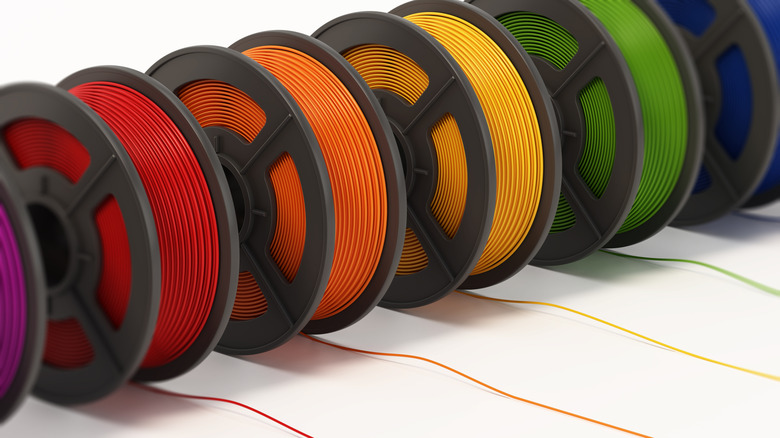
Multicolor 3D printing used to be a high-end feature reserved for modified setups and expensive FDM printers. If makers wanted to create multicolored projects in one print session, it would usually involve an expensive printer and manual filament swaps throughout the project. But 3D printing has come a long way in a very short space of time, bringing multi-filament systems into consumer-friendly price brackets. Users can now visit the best free STL websites and pick almost any project they'd like.
Gone are the days of breaking the bank building up a smooth-running multi-material setup. Manufacturers now offer machines that come with multi-filament tool-heads out of the box or have compatibility with multi-material add-ons that are affordable. There's plenty of choice running makers up to the $500 price bracket. Some FDM printers support multi-material adhesion, so it's not just about printing different colors in a single print run anymore.
Of course, there are even cheaper entry options available to consumers. But for those who want to have options down the line, getting a multi-material FDM printer is a wise investment. Here are five budget-friendly options that all deserve a spot on a maker's workstation while leaving a bit of budget left over for extra filament spools.
Flashforge AD5X
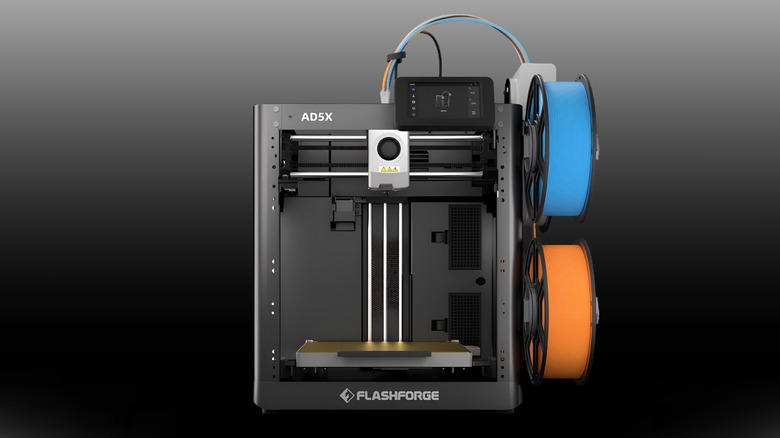
The Flashforge AD5X is a great starting point for beginners and makers looking for a reliable, low-maintenance multicolor experience out of the box for $399 ($549 MSRP). It's an open-frame CoreXY machine that delivers exceptional ease of use and space efficiency. Because filament spools mount directly to the side of the chassis rather than inside a massive external box, it has the smallest physical footprint in its class. Unboxing to printing takes less than 20 minutes, requiring zero complex tuning to get stunning prints. It has a maximum nozzle temperature of 280 degrees Fahrenheit, allowing it to handle common filaments like PLA and PETG smoothly.
It does come with a few trade-offs, however. It's arguably the loudest 3D printer featured in this article due to a harsh, mechanical color-purging system. Additionally, the on-screen user interface functions like a first-generation single-color screen. This means users can't easily reassign their filament slots on the fly before hitting print, which slightly holds back its overall convenience. The open-air design of this printer also means it's going to be harder to print using higher temperature filaments. Although, a third-party enclosure can be bought to control internal nozzle and heat bed temperatures, giving PETG and ABS a suitable ambient temperature to adhere and flow correctly. These are small nitpicks given what makers are getting for the price, but worth noting nonetheless.
Elegoo Centauri Carbon 2
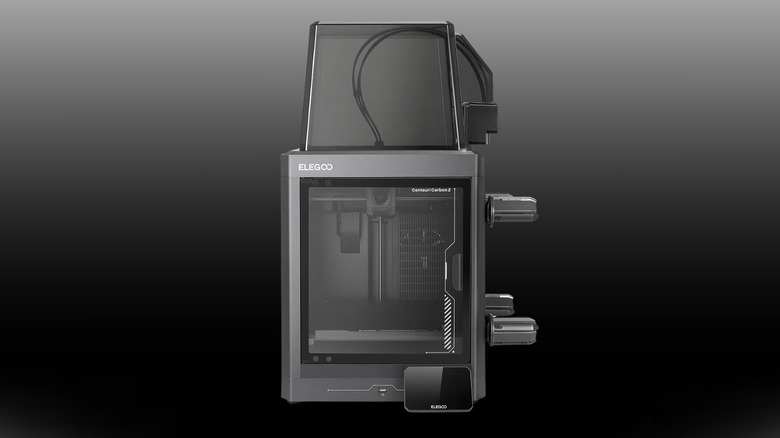
Looking to make functional parts out of advanced engineering filaments? The Elegoo Centauri Carbon 2 Combo is a solid budget option priced at $449 MSRP. We loved the original Centauri Carbon, it featured on our list of the best cheap 3D printers you should buy, and Elegoo's second pass at enclosed FDM printing is another win.
It's built with a solid metal frame that's enclosed and features a glass door plus a heated bed that reaches 100 degrees Fahrenheit, all designed around a CoreXY system. Thanks to its 350 degrees Fahrenheit hardened steel nozzle, it handles advanced and abrasive filaments like polycarbonate and PAHT-CF perfectly without warping. It has an integrated four-color Canvas system that uses strong direct feeding that smoothly handles flexible material down to 95A TPU, and it operates completely locally with no cloud access required.
On the downside, the side-mounted spool holders significantly widen the Centauri Carbon 2 Combo's footprint and are prone to binding or breaking when using wider third-party filament cardboard spools. The toolhead collets are also locked incredibly tight, meaning that clearing a rare extruder clog requires completely unscrewing the filament hub. The automatic loading sequence also defaults to 250 degrees Fahrenheit, which has to be manually overridden to fully purge any leftover high-temperature filaments. However, this won't be an issue for common filaments like PLA and PETG, which need between 230 and 250 degrees Fahrenheit.
Anycubic Kobra S1
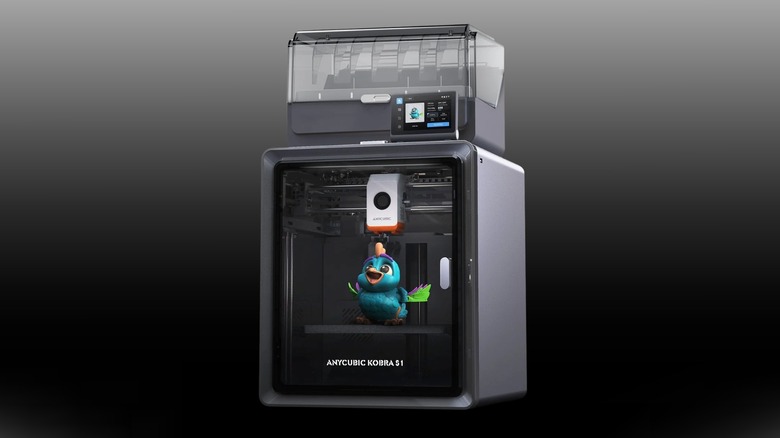
The Anycubic Kobra S1 is an affordable, entry-level enclosed multi-color FDM 3D printer for makers who want to print basic PLA, ABS, and ASA parts without breaking the bank at $429. This enclosed CoreXY machine features a maximum nozzle temperature of 300 degrees Fahrenheit. To improve overall printing quality and usability, it includes a highly secure, snap-in build plate alignment system and an integrated charcoal air filtration system designed to mitigate chemical fumes. It's priced well and does everything it needs to for lower temperature filaments.
While the printer is good value for money and mostly a great out-of-the-box 3D printing solution, there are a few downsides. Unboxing the machine is incredibly tedious due to dozens of awkwardly placed shipping security screws. Some reviewers report it can also have build quality issues, specifically the lightweight plastic panels that make up the enclosure.
While the frame is metal, it lacks a metal enclosure found on other printers at this price point, resulting in visible layer banding on smooth, curved surfaces. This can be avoided by turning down print speeds in slicing software before printing, but this isn't ideal for makers who want efficient print times. Users will also need to purchase a hardened steel nozzle for printing with abrasive filaments like carbon fiber, glow-in-the-dark, or wood-filled composites, as the included hot end is brass.
Anycubic Kobra 3 V2 Combo
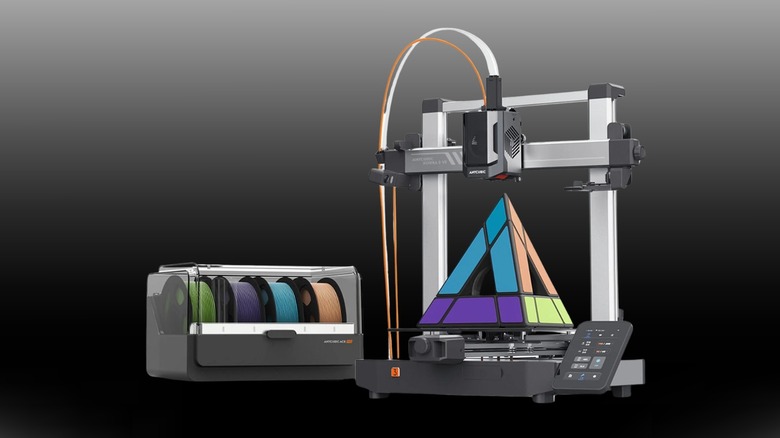
For makers looking to go all in on large-scale projects, the open-frame Anycubic Kobra 3 V2 Combo is optimized to deliver a smooth finish and flawless color transitions for $299 ($499 MSRP). This Cartesian bedslinger-style printer features a 300 degrees Fahrenheit maximum nozzle temperature. Its budget-friendly Ace Pro AMS unit also handles third-party cardboard spools without jamming up, which will save makers money in the long run too.
This setup requires a large workbench thanks to the print bed moving back and forth outside of the frame, so make sure your space has enough clearance for the bed and AMS unit before looking at buying this beast. Assembly takes a while too, featuring loose hardware out of the box, with the additional pain of manually setting belt tensions. Unless makers enjoy a bit of DIY on a new FDM 3D printer, this might be a sticking point for many.
It also has a habit of being useful for big single projects, while showing Z-axis banding on multiple smaller models, which limits any plans makers have to mass-produce their projects. So before buying this affordable multi-color printer, it's going to be a good idea to buy with larger projects in mind rather than using it to batch-print smaller projects over and over.
Creality High with CFS
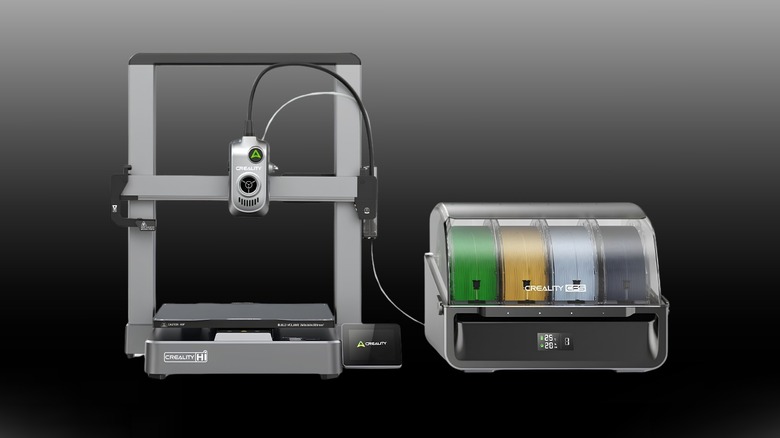
The Creality High with CFS printer is also a great option for maximizing build plate space, with its bedslinger style build area measuring in at 259 x 259 x 259mm. It features a 300 degrees Fahrenheit max nozzle temperature, leaving the doors of possibility open with harder-to-print filament. Fans of the old Ender series will feel right at home with this layout too. It features a full metal body made of die-cast aluminum alloy, which is great for stability and controlling vibration. In fact, it used a special input shaping algorithm to generate counteracting signals to cancel out vibrations for smoother-looking prints.
Despite its massive capacity, it stands as a polarizing printer for makers that carries a high risk of out-of-the-box firmware bugs and retraction error codes. With that being said, Creality is still supporting this model with firmware updates, with the latest release at the time of writing being mid-March 2026. The CFS hub is also attached to the printer chassis with an adhesive sticker instead of metal bolts, which is frankly baffling. Unlike most other 3D printers in this price range, this one will flat out cancel a project if a piece of purged filament gets stuck in the chute.
How we picked these 3D printers
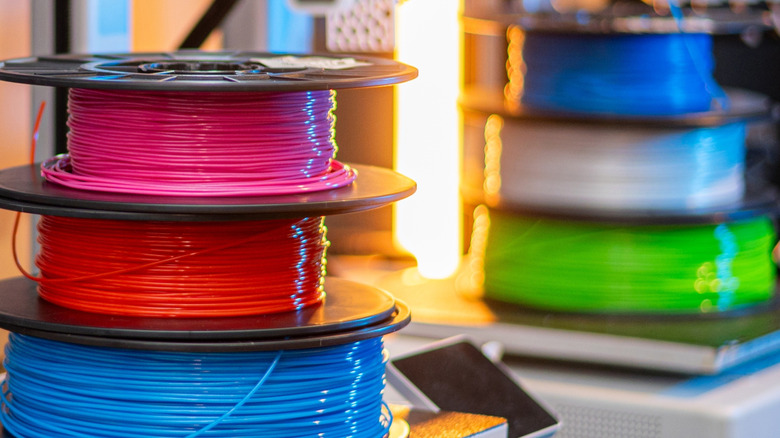
We decided to evaluate the budget 3D printer landscape using metrics focusing on usability, material capabilities, and setup complexity for under $500. These FDM printers needed to allow for at least two-way filament switching and making the process easy for consumers. We also looked at hands-on feedback from the maker community alongside manufacturer data to uncover the real-world trade-offs of each system. To decide on multi-color FDM printers, we considered more than just print speed. Other factors include filament waste, using third-party filament spools, and if they can handle abrasive engineering materials.