

4 Cool Features That Are Exclusive To Kindle
We may receive a commission on purchases made from links.
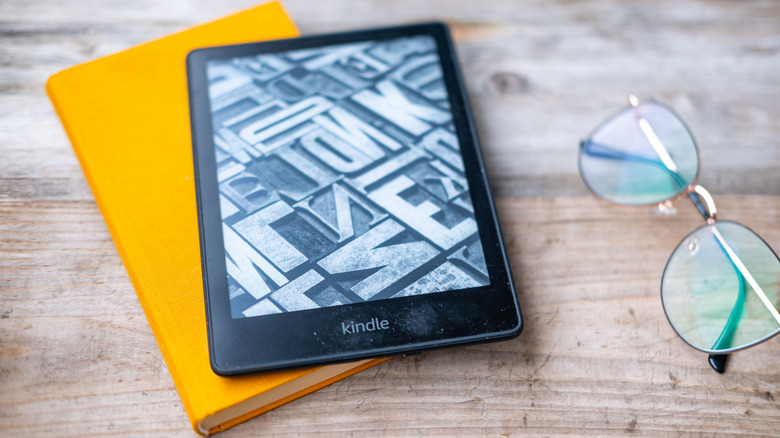
Amazon's Kindle range dominates the global e-reader market, and while some people are ditching Kindles for non-Amazon e-readers, experts frequently cite Kindle devices among the best e-readers you can buy. Though some argue there's no need for Kindles anymore, the e-reader market has been steadily growing as readers increasingly realize the convenience of digital reading. Rather than stashing a physical book into your bag, and having to locate a bookstore when finished, e-reader users have access to digital libraries full of millions of ebooks, which are not only often cheaper than their physical counterparts, but come in a more portable package.
Amazon's Kindle range of devices, including the Kindle Scribe and Kindle Paperwhite, are particularly popular due to their e-ink displays. This type of display reduces glare and mimics the appearance of real paper, offering long battery life and additional accessibility features across the vast library of ebooks available. While some of these features are available on other e-readers, there are a handful of cool features that are exclusive to the Kindle. Many of these features you may not even be using.
X-Ray lets you quickly look up details on important book characters or locations, while the Send to Kindle feature lets you easily send documents to yourself from other devices, and Whispersync for Voice allows you to seamlessly move from ebook to audiobook without losing your place. There's also a huge library of Kindle exclusive ebooks that you can't find anywhere else. Below, we break down four cool features that are exclusive to Kindle.
X-Ray
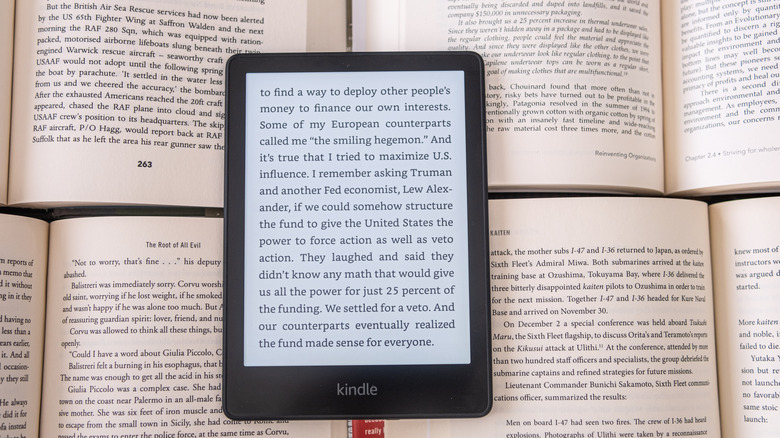
You've probably read a book and encountered a character or location that you don't remember the significance of. Often, this results in you breaking your reading immersion to flick back a few chapters to uncover the answers or turning to Google. But Kindle's underrated X-Ray feature makes finding these answers more straightforward.
Similar to the X-Ray feature available for Amazon Prime Video, the Kindle X-Ray feature is a built-in reference tool that allows you to easily look up the most commonly mentioned characters and terms in a book you're currently reading — such as an event or location, and instantly get information about it. This information can include short descriptions and notable passages from the book on the term, details on when the term was used in previous chapters, notes from the author, and links to related pages on Wikipedia and Goodreads. However, this feature isn't available for every ebook, including sideloaded books, and be aware that it can serve up spoilers at times.
To access the X-Ray feature on your Kindle, open a book and tap the top of the page to access the top menu. Next, tap the three vertical dots icon on the menu bar and select X-Ray from the drop-down menu. This displays a reference guide that allows you to see information on the primary characters and terms on the page you're currently reading or throughout the whole book. This feature is also available on Amazon Fire Tablets.
Whispersync for Voice

If you enjoy both reading on a Kindle and listening to audiobooks on Audible, Amazon's Whispersync for Voice feature is worth using. Whispersync lets you seamlessly move from listening to an audiobook on Audible to reading it on your Kindle (and vice versa) without losing your place.
However, there are a few caveats. You need to have both the Audible and Kindle ebook versions of a title in your respective libraries to be able to use Whispersync. These titles also need to support the feature, with eligible audiobooks you already own marked with a Whispersync for Voice badge in the Audible app. Amazon's Matchmaking Tool lets you see available audio companions by scanning your Kindle library.
To switch between reading a title on Kindle and listening to it on Audible, select the three-dot menu on either the audiobook or Kindle book you're reading/listening to. If you're reading on Kindle, select Listen on Audible. If you're listening on Audible, select Read on Kindle. Finally, confirm you're happy to open the relevant app and you can continue where you left off.
For avid readers, it's worth signing up to Kindle Unlimited (which costs $11.99 per month plus taxes) as this allows you to borrow up to 20 titles from the Kindle Unlimited library per month, with discounts available on select titles' audiobook counterparts. This means you can borrow a Whispersync supported ebook, buy the audiobook at a discount to use Whispersync, and keep the audiobook when you return the ebook.
Kindle ebook exclusives
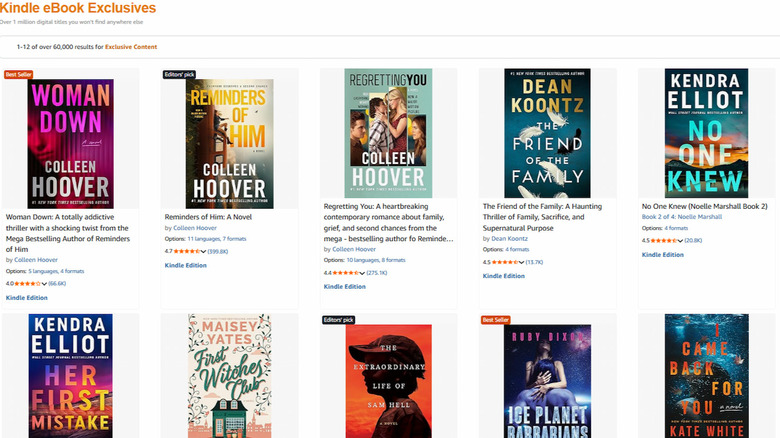
Kindle users have access to a huge library of ebooks. While many of these titles may be available on other platforms, like Kobo and Apple Books, Amazon also offers over one million Kindle-exclusive digital titles that you can't get anywhere else.
This exclusivity is made possible by Amazon's Kindle Direct Publishing (KDP) program, which offers authors the option to make their ebook an Amazon exclusive by enrolling in KDP Select. Opting in binds authors to a 90-day exclusivity agreement, during which they can sell print copies of their book elsewhere, but not the ebook. It also automatically includes the title in Kindle Unlimited's offering. After 90 days, authors can opt out of KDP Select to sell their ebooks elsewhere.
The KDP program is particularly popular with self-publishing indie authors, as access to Kindle Unlimited provides a page-per-read royalty and increased promotional reach. Some of the most popular Kindle ebook exclusives include Matt Dinniman's literary roleplaying series "Dungeon Crawler Carl," Freida McFadden's "The Housemaid" psychological thriller series, and Dennis E. Taylor's "Bobiverse" sci-fi series.
Send to Kindle
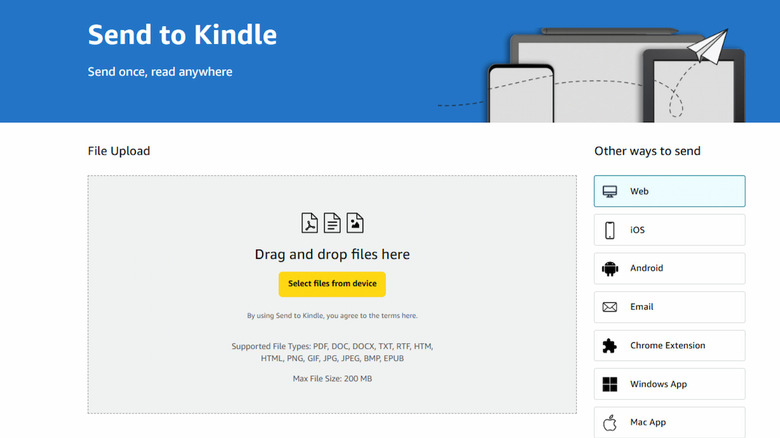
Amazon's Send to Kindle feature lets you wirelessly send documents to your Kindle library, accessible through your Kindle app or device, at no additional cost. By visiting the Send to Kindle website, you can easily drag and drop documents to send to yourself, allowing you to access your uploads on any device linked to your Kindle library. Just make sure to enable Add to Library on your Kindle device. You can also upload documents through the Kindle app on iOS, Android, Windows, and Mac devices from an authorized email address, or the Send to Kindle Chrome extension.
Send to Kindle supports PDF, TXT, JPEG, GIF and more select file types up to 200MB. Files you send through the feature are protected with end-to-end encryption. However, do note that by using this feature you are agreeing to Amazon's terms of use. This feature is particularly useful if you use your Kindle for tasks that don't involve reading, as it means you can easily send yourself personal documents like study notes, then add notes, highlights, and bookmarks as needed.