

What That Blinking Light On Your Wireless Charger Means

Wireless charging is convenient; however, as it's still less popular than wired charging, not everyone is familiar with all the nitty-gritties of this cool technology. For example, many people wonder whether wireless charging will impact their phone's battery health, or whether they can use a USB cable and a wireless charger at the same time; the answer for the latter is no.
Another major cause of concern is a sudden blinking light on your wireless charger that you've never seen before. While it may seem like a big deal, you're likely just seeing one of your wireless charger's built-in safety features in action, and that's a good thing. This means that your wireless charger is working as intended.
Although different wireless chargers might employ the blinking LED to highlight different errors, it's typically the result of one of these few common reasons. Once you've figured out the cause of the indicator, you'll likely be able to get your wireless charger back in action pretty quickly.
Foreign object on the charger or a poorly aligned phone
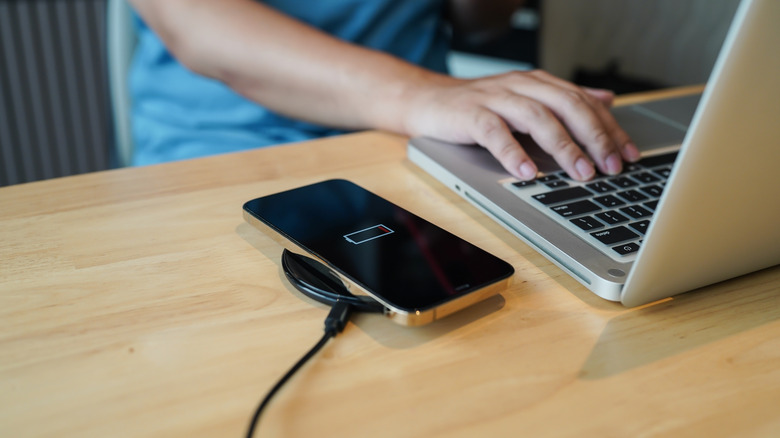
The best wireless chargers come equipped with a feature called foreign object detection. It basically tells the wireless charger when there's something on the charger that's not supposed to be there, such as a paperclip, coin, or metal inside your phone case. If there's such an object between your phone and the wireless charger, it'll start blinking the LED to warn you. For example, Google's Pixel Stand (2nd Gen) shows white and amber alternating flashing lights if there are any metal stickers on your phone or in the case. You can check and remove any such objects and then place the phone on the wireless charger again to have a seamless charging experience.
Some chargers will also start blinking the light if the phone isn't properly aligned on the wireless charger. For example, Samsung wireless chargers flash a red light in case of misalignment. While some chargers can have two or more charging coils, most have only one, and the coil should be aligned properly with the coil in your phone to work.
If both are not aligned, the charger won't start the charging process and show the flashing LED. Align it properly, and the warning should disappear. Poor alignment is also one of the reasons why MagSafe and Qi2 charging are increasingly preferred, as the built-in magnets in your phone, or the case, ensure most of the alignment themselves.
Wrong power adapter or USB cable
Another notable reason that many brands offer for flashing lights on your wireless charger is the use of an incompatible or underpowered wall adapter or USB cable. Google says its Pixel Stand will blink an amber light every 2 seconds if the connected power brick is incompatible. Other brands use similar flashing warning LEDs. Essentially, you can't just use any power adapter or USB cable with your wireless charger.
Either use the power adapter supplied with the charger or check your wireless charger's power requirements and pick an adapter that meets or exceeds them. For example, for most wireless chargers capable of delivering up to 15W charging, you'll typically need at least an 18W power brick. Some wireless chargers also require the power brick to support USB Power Delivery (USB PD) or Qualcomm Quick Charge technologies. Similarly, it's best to use the USB cable that came with the charger or use one that can handle the your charger's power draw needs.
Some not-so-common causes for blinking lights include overheating of the charger or phone software issues. You can simply let the phone and charger cool down for a bit for the former; however, for the latter, you'll have to wait for your phone manufacturer to release a fix if there's indeed a widespread issue. If none of this works, check the wireless charger manual to see if there are any other possible reasons for the flashing light, or contact the manufacturer for further help.