

9 PlayStation Plus Perks You're Probably Not Using

For some PlayStation 5 owners, signing up for PlayStation Plus serves a single purpose: Jumping into the online multiplayer modes of sports simulators like "NBA 2K26", fighting titles like "Street Fighter 6", and shooters like "Call of Duty: Black Ops 7. There's so much more to the subscription though, and you should be maximizing the benefits because it's not cheap.
There are three PlayStation Plus tiers to choose from. Essential costs $10.99 per month, Extra costs $16.99 per month, and Premium costs $19.99 per month. You'll save more with a three-month subscription, and even more with a 12-month subscription. The prices will still be steep if you're only going to use PlayStation Plus for online multiplayer matches, though.
Depending on your chosen membership type, you'll be able to download titles from multiple collections, secure your save files, and even stream movies while taking a break from gaming. If you're already paying for the subscription, you might as well take advantage of all the PlayStation Plus perks.
Download free games monthly
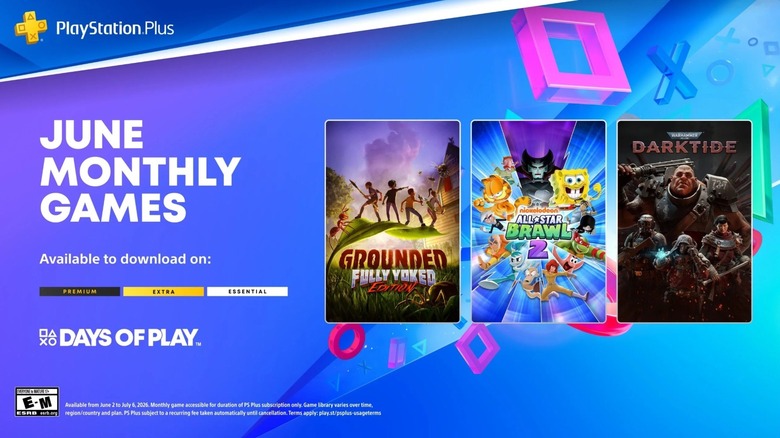
PlayStation Plus members across all tiers can download around three to four games for free every month, and they're yours to keep as long as your subscription remains active. You don't even have to download the games right away, as you can just add them to your library through the PlayStation Store or the PlayStation app, then play them at a later time. The free downloads per month are usually announced in the last week of the previous month to give you a heads-up in case you were thinking about buying one of the titles at full price.
While the free games aren't all AAA titles, they aren't games that nobody buys either. Many Redditors think 2025 was a great year for the monthly games of PlayStation Plus, and an investigation by YouTuber OliveOcelot revealed that the offerings are actually getting better.
For the month of June 2026, the free games to download for PlayStation Plus subscribers are co-op adventure "Grounded: Fully Yoked Edition", cartoon brawler "Nickelodeon All-Star Brawl 2", and intense action shooter "Warhammer 40,000: Darktide".
Get exclusive discounts and content on the PlayStation Store

As a PlayStation Plus subscriber in any tier, you may be able to win back part of the cost through the exclusive discounts that you can access on the PlayStation Store. They come either as savings on titles that are regularly priced for everyone else, or as larger discounts than what's offered to other gamers. Just look for listings with the PlayStation Plus icon to confirm they're only for subscribers.
Subscribers will also be able to download exclusive packs for a variety of games. These are usually in-game rewards or cosmetics, such as a bundle of currency and items for "Genshin Impact", and the Safari Ashe skin with five Battle Pass tier skips for "Overwatch".
Unlike the free monthly games that you won't be able to play if your PlayStation Plus membership becomes inactive, titles that you buy with exclusive discounts and the exclusive packs that you download will remain available.
Secure your save files with cloud storage
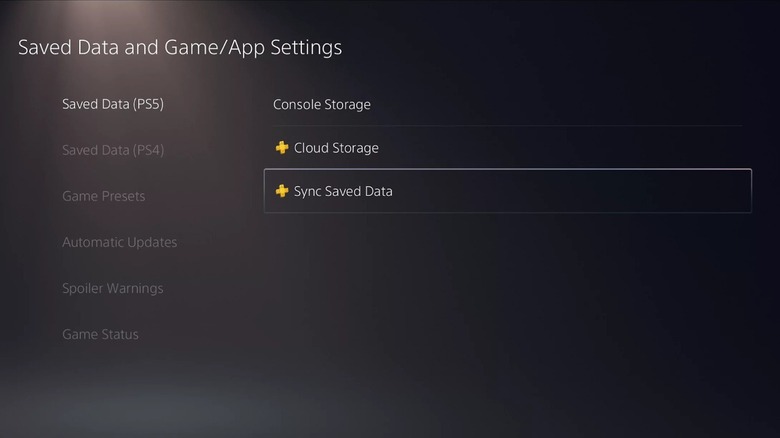
Creating backups on cloud storage is recommended for all of your important documents, and that should also apply to your precious save files on the PlayStation 5. Since there's a risk of losing them if your console breaks or if the power trips while saving is in progress, it's highly recommended that you use the cloud save feature of PlayStation Plus.
With any type of PlayStation Plus subscription, you can upload up to 100GB of save data to cloud storage. You can activate the Auto-Sync Saved Data option in your PlayStation 5's settings, so your console automatically uploads your save files to the cloud. If anything happens to the save files on your console, you can go to the same menu to download the save files that you need from the cloud.
The cloud storage of PlayStation Plus isn't just for recovering corrupted save files, though. You can also use it to share your game saves with your friend so that they can start where you left off. To do this, sign in to their console with your account, then download the save files you want to share from the cloud.
Pass the controller with Share Play

With PlayStation Plus, not only can you share save files with your friends, but your games as well. This is possible through Share Play. To activate the feature, press the PlayStation button on your controller, open the control center, select Party Voice Chat, then choose Start Share Play.
There are two modes for Share Play. In the first mode, you can have your friend take over as if you gave them your controller, even if they don't own the game that you're playing. In this case, you're the only one who needs to have an active PlayStation Plus membership on any tier. In the second mode, you and your friend can play the game together, even if they don't own it. In this case, you're both required to be PlayStation Plus subscribers, also on any tier.
Each Share Play session has a maximum duration of one hour. You can launch a new session immediately, though. Also, a 2 Mbps internet connection is recommended for this feature, for both you and your friend.
Play titles in the Game Catalog and Ubisoft+ Classics
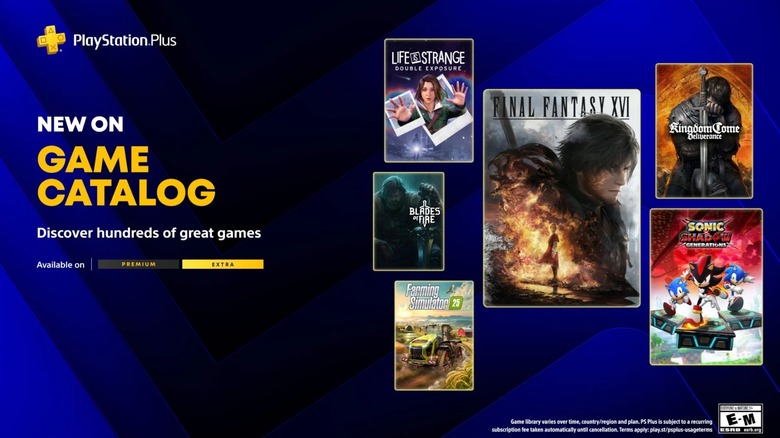
In addition to the free games that you can download each month, PlayStation Plus subscribers in the Extra and Premium tiers will be able to play titles on the Game Catalog and Ubisoft+ Classics. As of June 2026, there are more than 470 games in the Game Catalog, with "Final Fantasy XVI" and "Kingdom Come: Deliverance" among the latest additions. Other titles in the collection are "Silent Hill 2", "The Last of Us Part I", "The Last of Us Part II", "God of War", and "God of War Ragnarok". Meanwhile, there are 59 games in Ubisoft Classics+, including titles in the "Assassin's Creed", "Far Cry", and "Watch Dogs" franchises.
In comparison with the free games that change every month for PlayStation Plus members, the titles in the Game Catalog and Ubisoft+ Classics are downloadable at any time. These collections are always expanding, but there are occasions when titles are removed. If this happens, you'll no longer be able to play them even if your subscription remains active — at that point, you'll have to buy the games if you want to continue with them.
Go retro with the Classics Catalog

If you miss the games of the past, PlayStation Plus gives you the chance to get back to them. One of the benefits of going for a Premium membership is the Classic Catalog, which is a collection of games from the PlayStation 1 to the PlayStation 4, including the PlayStation Portable. As of June 2026, the newest addition is "Gitaroo Man", a rhythm game from the PlayStation 2.
Other popular titles in the Classic Catalog include the JRPG "The Legend of Dragoon" and vehicular combat game "Twisted Metal" from the PlayStation 1, tactical shooter "Killzone: Liberation" from the PlayStation Portable, and "Uncharted: The Nathan Drake Collection", which includes the first three games in the legendary action franchise.
Similar to the Game Catalog and Ubisoft+ Classics, you can download and play titles from the Classic Catalog at any time, as long as your PlayStation Plus Premium subscription remains active. There are also instances of games being removed from the Classic Catalog, so you're going to want to play your favorite retro games as much as possible, just in case.
Try games before buying
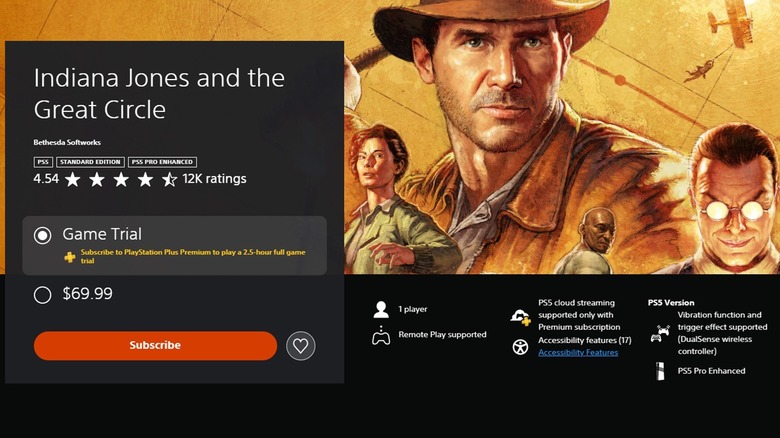
When you're thinking of whether or not to buy a new game, expert reviews and gameplay videos may still not be enough to know everything that you need to know. With prices getting really expensive, it will be devastating to make the purchase, only to find out that you don't like it. If you sign up for PlayStation Plus Premium, there's a surefire way to determine if a game is worth buying.
With an active Premium subscription, you'll be able to try games before you commit to buying them. As of June 2026, there are more than 230 titles where a Game Trial is available, including "Indiana Jones and the Great Circle", "Stellar Blade", and "Clair Obscur: Expedition 33." These trials are time-limited and vary across each title, ranging from one hour to five hours, which should be enough to give you a proper preview.
The timer for each Game Trial starts as soon as you launch the game, and it only counts down while the game is running. This means that you have to close the game if you want to suspend the timer, because if you just place your PlayStation 5 in standby mode with the game in the background, you'll lose time on your trial.
Skip downloads with cloud streaming

A PlayStation Plus Premium membership unlocks cloud streaming, which will allow you to play games on the PlayStation 5 without having to download them. This feature is compatible with more than 4,000 games across the PlayStation Store, Game Catalog, and Classics Catalog, though an internet speed of at least 5 Mbps is recommended to establish a session and at least 23 Mbps for 1080p gaming. As you browse the storefront and the collections, you'll know the titles that work with this perk when you see a Stream option in their listings.
With your PlayStation Plus Premium subscription, you'll also be able to expand the capabilities of the PlayStation Portal. Originally designed to mirror the TV for your PlayStation 5 with the Remote Play feature, the portable console has been updated to work with cloud streaming. You're still going to need a connection of at least 5 Mbps, and at least 13 Mbps if you want to stream at 1080p, but the PlayStation Portal with cloud streaming is currently the closest thing right now to a portable PlayStation console.
Watch movies on Sony Pictures Core
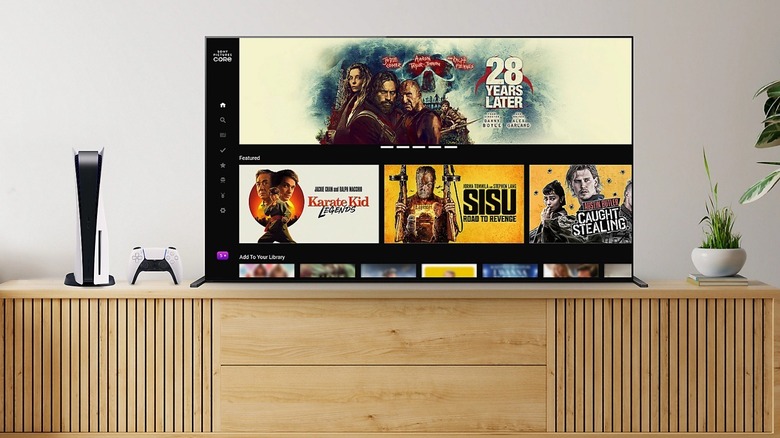
The PlayStation 5 is a video game console, but it's a complete entertainment device with support for all the popular streaming services. It also has the Sony Pictures Core app pre-installed, and it will let you rent or buy movies that you can watch while you're taking a break from gaming. However, if you're a PlayStation Plus subscriber on the Premium tier, the app becomes much more valuable.
PlayStation Plus Premium members can access more than 100 films on the Sony Pictures Core app. You'll be able to watch the movies without any ads, and you should check often as new films are regularly added to the perk. Just a few of the movies included in this collection as of May 2026 are "30 Days of Night", "Big Fish", "Final Fantasy VII: Advent Children", "Kingsglaive: Final Fantasy XV", "Resident Evil: Damnation", "Resident Evil: Degeneration", and "Resident Evil: Vendetta".