

9 Third-Party MagSafe Products That Can Compete With Apple
We may receive a commission on purchases made from links.
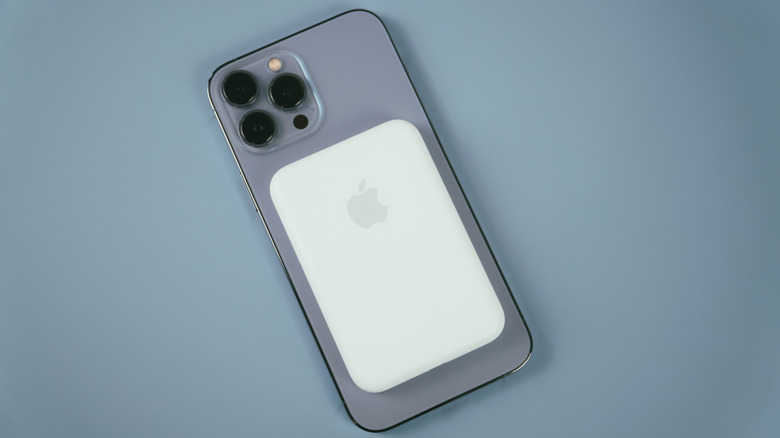
Apple's MagSafe technology lets you attach a wide range of accessories to the back of your phone. The market for these gadgets is so popular now that you can even get MagSafe gadgets for Android. As for the iPhone itself, Apple offers some intriguing MagSafe accessories, such as the iPhone Air MagSafe Battery. However, compared to third-party offerings, Apple's official accessories can be a bit expensive, limited in features, or basic-looking. For example, although that iPhone Air battery looks great, there are slimmer, cheaper, and higher-capacity options out there.
These third-party MagSafe products from the likes of Belkin, Anker, and ESR are no slouch either. Some are available in the Apple Store, and they're often worth considering as they offer great features and value compared to the Apple counterparts. From premium MagSafe power banks to wallets with Find My integration, these are the best MagSafe accessories that can compete with Apple.
Sharge Icemag 3 MagSafe Power Bank
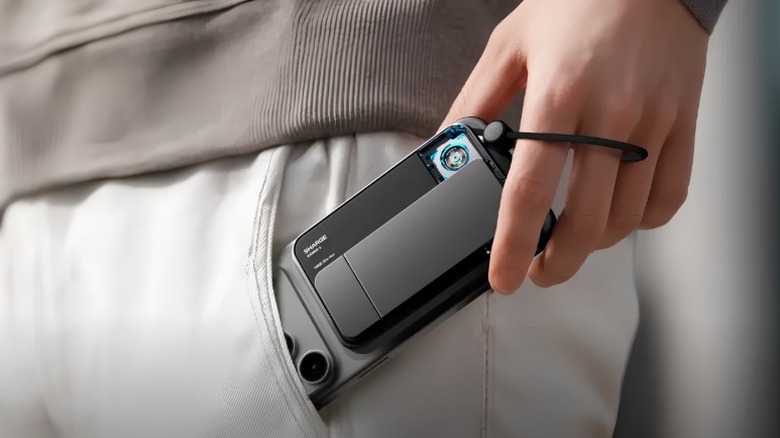
Power banks aren't the most exciting accessory, but the Sharge Icemag 3 certainly makes a statement. It features a transparent section, RGB lighting, and a built-in fan that does a good job of managing thermals. If you find the lighting distracting, you can disable it by simply holding down the power button. This power bank also features a large and sturdy kickstand, that works in both portrait and landscape mode. It offers a 10,000 mAh capacity and can wirelessly charge your iPhone at up to 25W. There's an additional USB-C port that you can plug your own cable into, and that one is rated at 30W.
If you have an iPhone 15 or later, you can also make good use of the integrated USB-C cable that charges faster at 35W. However, charging three devices at the same time will drop the maximum output to 15W. It's certainly thicker than Apple's iPhone Air MagSafe Battery ($100), but the Sharge Icemag 3 is cheaper by $20, offers more capacity, and a built-in kickstand. The value proposition is hard to ignore. If you still want a slimmer option, we'll be exploring one later on.
ESR Geo MagSafe Wallet
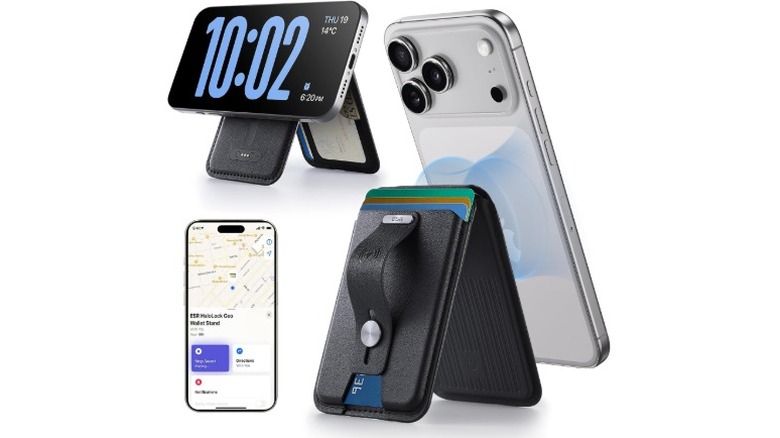
A wallet is something that you carry with you every day, so a MagSafe wallet that can attach to the back of your phone is obviously very convenient. The ESR Geo is a great-looking wallet, but it offers more functionality than just holding your cards and some cash. It features a kickstand that also acts as a finger loop, space for five cards, and RFID blocking. However, the real star of the show is the Find My integration. It all amounts to a wallet that's even better than Apple's own FineWoven MagSafe Wallet.
It connects to your phone via Bluetooth, giving it better range than the Apple wallet. One of the downsides of the Apple MagSafe Wallet is that it only tells you when and where the wallet was disconnected from your phone. On the other hand, the ESR Geo Wallet lets you track the wallet's location separately in the Find My app. It also features a built-in speaker that allows you to find the wallet faster. Charging is handled via a proprietary magnetic connector, and battery life lasts around three months.
K&F Concept Magnetic Selfie Stick Tripod
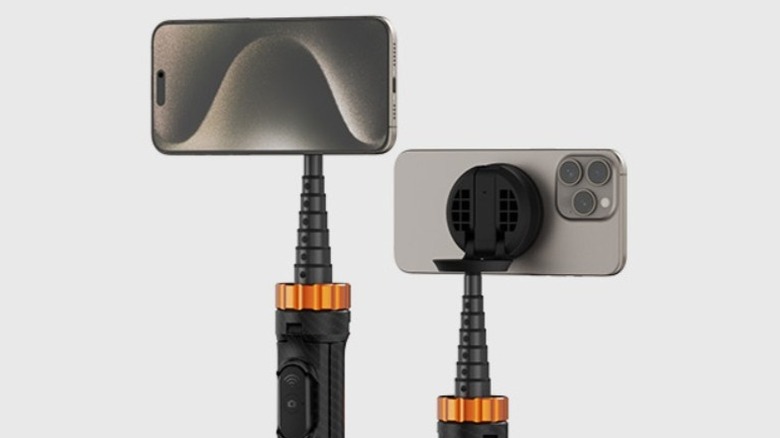
As far as iPhone gadgets under $30 go, the K&F Concept Selfie Stick provides a great deal of functionality. The extendable and adjustable legs allow it to function as a tripod, and it even comes with a wireless remote that enables shooting from a distance. It can extend up to 63.8 inches, though it can be a bit unstable when fully extended. The best bit is the MagSafe mount, which allows 270 degrees of tilt and 360 degrees of rotation. This adjustability allows you to use the back camera for selfies.
Customers on Amazon gave this MagSafe selfie stick a 4.4-star rating, averaged across 600 reviews, and many of the users were impressed by the strength of the MagSafe magnets. Like most MagSafe mounts, it allows you to attach your phone vertically and horizontally, to easily take the shot you want. It folds down to a little under 12 inches, meaning it's a better fit in traditional backpacks rather than small handbags.
Benks ArmorPop Magnetic Grip and Stand
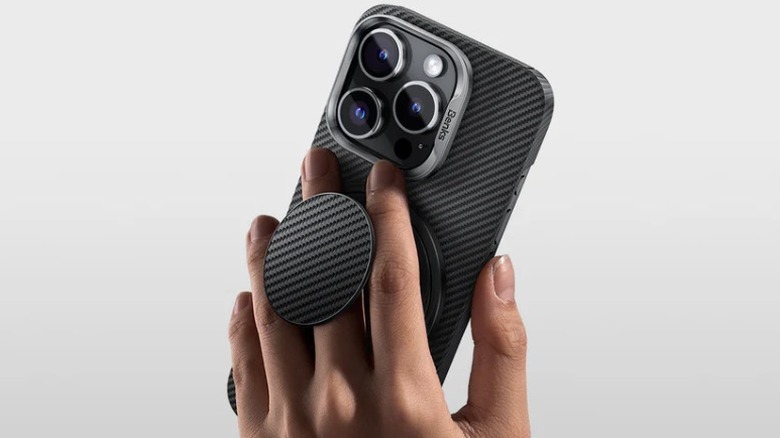
While iPhones always feature premium design and build quality, metal and glass often make for a slippery construction. The Benks ArmorPop Magnetic Grip is a great solution to this problem, as it functions like a PopSocket that attaches via MagSafe for a steady grip. The build quality here is strong thanks to the Kevlar construction, and it features a metal ring that pops out to function as a kickstand. This ring offers full 360-degree rotation and flips out to 180 degrees. It works well in both portrait and landscape orientations.
It's available in six color options, ranging from a relatively simple all-black design to a more exciting "Peri Purple," as Benks calls it. If you pop the grip open, you'll find a loop to slide your finger through the middle. One downside of MagSafe grips is that you have to remove them when you want to use wireless charging, and this grip from Benks is no different.
Belkin UltraCharge Pro 3-in-1 Charging Dock
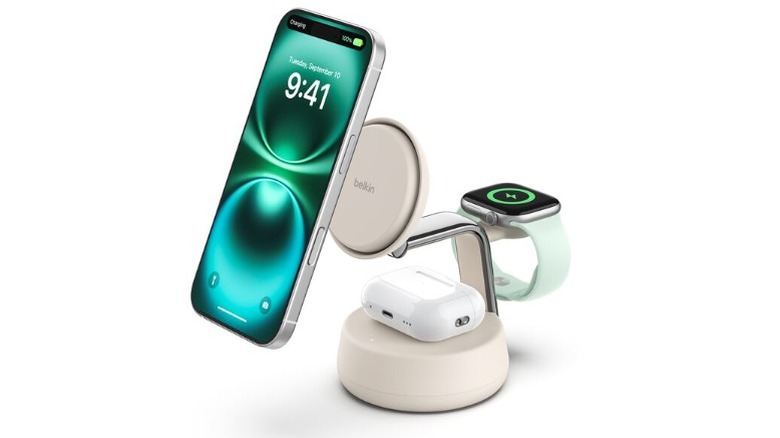
If you want to charge your iPhone, AirPods, and Apple Watch all in one place, the Belkin UltraCharge Pro is your gadget. It's a compact yet sturdy dock, and it's quite the looker with soft-touch silicone at the base and a shiny metal frame. It can charge your iPhone wirelessly at 25W, and Macworld's testing found it can charge an iPhone 16 Pro from 0 to 50% in 30 minutes or so. The Apple Watch puck around the back also supports fast charging, as you can get from 0 to 80% in 45 minutes. You can also drop your AirPods on the charging base at the bottom, which supports 5W charging.
The iPhone charging pad is adjustable, so you can angle it to be flat at the top, or change it for a better viewing angle. There's also a fan in the iPhone charging surface to keep things cool, and it fortunately stays relatively silent. Out of the box, the Belkin UltraCharge Pro comes with a 45W adapter and a 1.5m USB-C to USB-C cable to power the unit.
ESR OmniLock Magnetic Car Charger
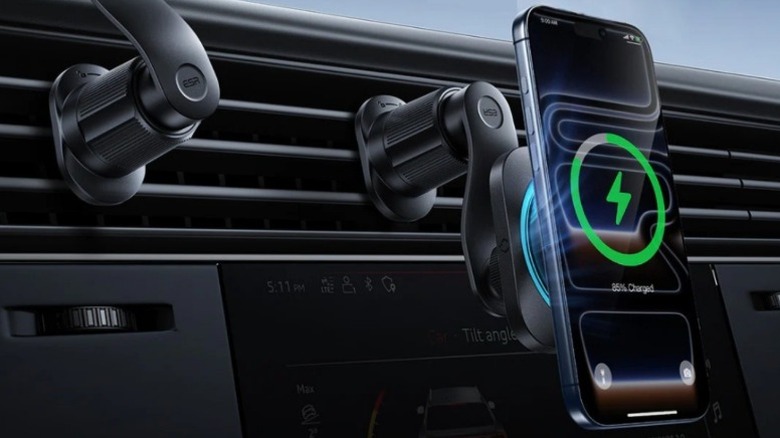
The ESR OmniLock is an everyday MagSafe gadget that stays out of your way but comes in extremely handy when you need it. You can attach it to your car's vents with the metal clip, and when attached, the entire unit feels securely in place. This car mount supports 25W wireless charging with MagSafe, but you'll need a 35W power input to get that speed. Thankfully, ESR includes a 12-volt power adapter that plugs into your car and provides two outputs: a 40W USB-C port which powers the 25W MagSafe charger, and an extra 18W USB-A port. It comes with the USB-C cable you need for the wireless charger, but not a USB-A cable.
The arm that connects to the charger provides a good amount of adjustability. You can rotate it 360 degrees to switch between portrait and landscape, and it also allows for side-to-side and vertical adjustment up to 60 degrees. Because of this adjustability, the OmniLock is an especially great addition to older cars without an infotainment system. The charging mount also features a built-in fan that keeps the phone and charger cool, while making very little noise.
Anker Nano MagSafe Portable Charger
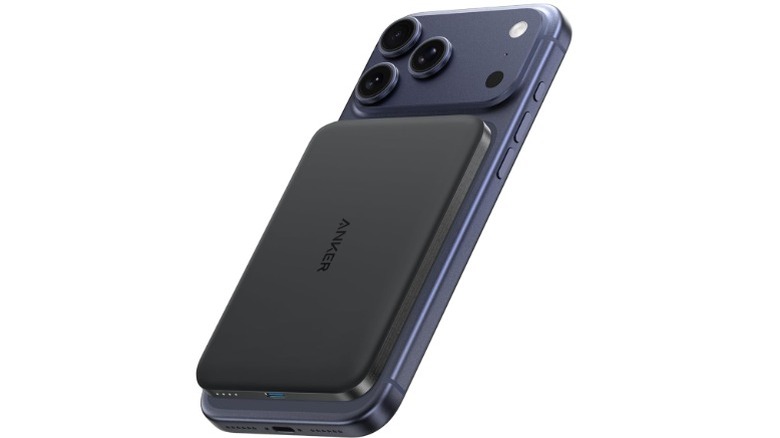
MagSafe power banks are very useful but often a bit too bulky if you want them on the back of your phone every day. The Anker Nano MagSafe doesn't have this problem, as it's 0.34 inches thick, making it one of the thinnest power banks out there. It does only have a 5,000 mAh capacity, meaning it's directly competing with the iPhone Air MagSafe battery rather than bigger 10,000 mAh units. It supports wireless charging at up to 15W, meaning it's not one of the fastest charging power banks, but at this size, that's not the point.
It also features a USB-C port with an output of 20W, if you need more efficient wired charging. Macworld's testing showed that the Anker Nano can charge an iPhone 16 Pro from 0 to 77% before it dies. Yes, this won't charge your phone fully up to 100%, but this is par for the course for these slim 5,000 mAh MagSafe batteries. It still has more capacity than Apple's own MagSafe battery, and only costs $55 compared to Apple's $100 offering. Because of this lower price and higher capacity, the Anker Nano is great for minimalists who need extra battery for unusually long days.
Belkin iPhone MagSafe Camera Mount
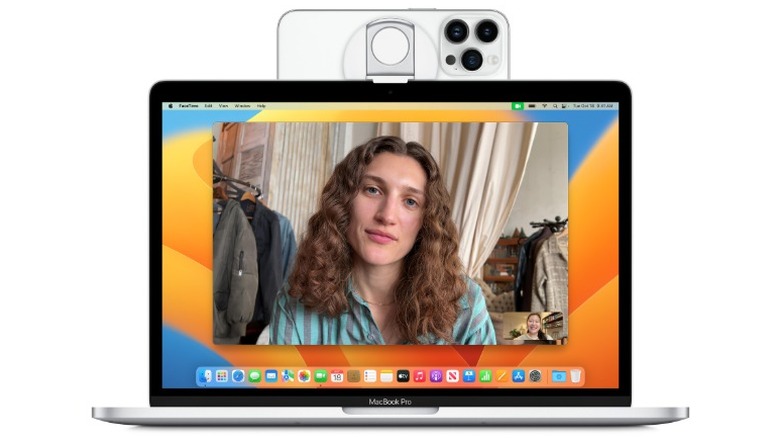
With Continuity Camera, you can use your iPhone as a webcam for your Mac. But for this to work reliably, you need a good mount that holds your iPhone in place. The Belkin MagSafe Camera Mount is an excellent option, as it easily attaches to the back of your iPhone and has a hinge that attaches to the top of your Mac display. This mount is made of rubber to prevent any damage to your MacBook. There's also a secondary hinge that can either act as a kickstand or a phone ring to put your finger through.
The magnets here are strong, and the overall construction is lightweight. If you're involved in a lot of meetings throughout the week, Continuity Camera enables a lot of functionality. For example, you get Center Stage to automatically keep you in frame, and Desk View for showing your face and desk simultaneously. For $30, the Belkin MagSafe Camera Mount helps you achieve all this, with the only downside being that it lacks integrated charging. This means you have to remove it when you want to use a MagSafe charger.
Telesin MagSafe Neck Mount
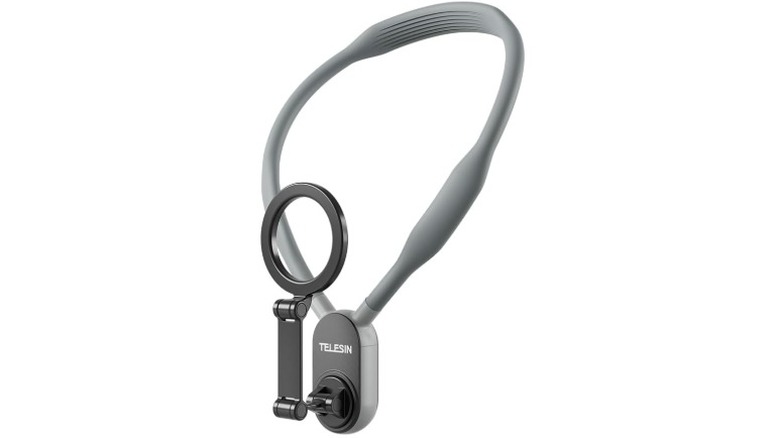
If you're a content creator and particularly record a lot of POV-style videos, the Telesin Magnetic Neck Mount is a worthwhile investment. It holds your iPhone in front of your chest with the MagSafe mount, and lets you switch between landscape and portrait modes. The MagSafe mount is stable and secure, and features a quick-release design that lets you detach the mount from the neck straps for easy storage. The mount is adjustable and supports overhead and low-angle shots.
Out of the box, the Telesin MagSafe mount also comes with a magnetic ring that you can attach to the back of Android phones without MagSafe. It even comes with a safety rope that can attach to your phone case and the mount itself to help protect against falls. However, Telesin recommends against using this while engaging in high-intensity sports like running, advising use only for the lighter activities and general recording.
Methodology
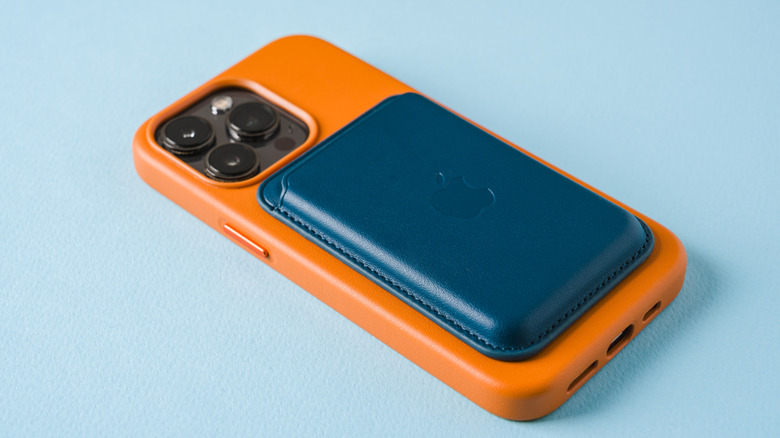
There has to be thousands of MagSafe accessories out there for the iPhone, and more are released every time a new iPhone is announced. However, a lot of the cheaper accessories can have gimmicky features, weak magnets, or poor build quality. When selecting the best third-party MagSafe accessories, our priority was to focus on strong magnets, features that are actually useful (like the Find My integration in ESR's wallet), and long-term reliability.
We stuck to products that people would use in their everyday lives, so power banks, charging docks, camera mounts, and MagSafe wallets were obvious inclusions. All products have been assessed and recommended by experts from the likes of ZDNet, Wired, Macworld, XDA Developers, and more. All products have at least 4.1 stars on Amazon across hundreds of reviews. We also compared each product against Apple's own offerings (where available), and selected gadgets that either provided better value or features.