

4 Things To Stop Doing If You Have Surround Sound
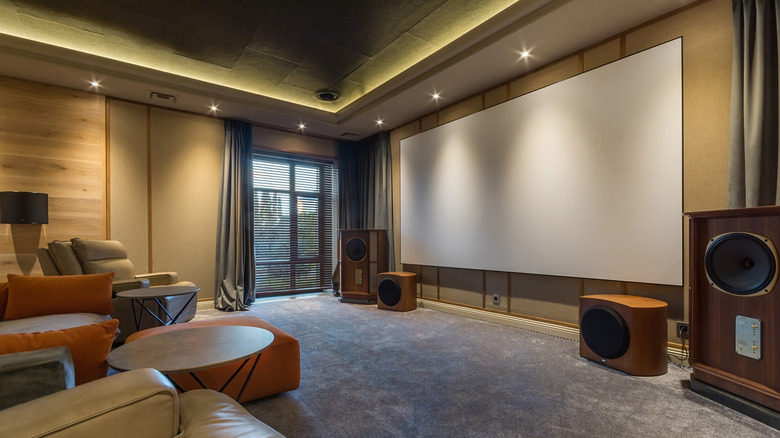
You've saved up a healthy chunk of change for a surround sound system, and you've already got an AV receiver and several speakers picked out. But before you start swiping credit cards, there are a few common mistakes worth learning about to ensure your home theater is operating at peak performance. While it may not seem like buying cheap HDMI cables or boosting the volume of just your center speaker is a big deal, it's sometimes the smallest mistakes that snowball into the largest AV issues.
It pays to find out as much as you can before paying up, because a surround sound system that isn't optimized for your home can also be tough to troubleshoot. In the world of home theater, avoiding mistakes entirely is much preferred to learning from them, which is why we came up with a list of four things that every potential or existing surround sound owner should stop doing. Some of our advice also applies to various soundbar setups that feature AV switching.
When a surround sound system is well-researched and thoughtfully calibrated, the audible reward can be hard to beat. Spending extra time getting the most important elements of your system locked down may not be much fun, but we think you'll thank us in the long run.
Mixing and matching speaker brands and sizes
One of the best parts of building the surround sound system of your dreams is that you can do so in piecemeal fashion. Let out a sigh of relief if you thought you needed to spend $2,000 or more to get up and running, but try not to treat every future speaker purchase as a standalone upgrade. For the best audio results, all your surround sound speakers should be made by the same company and be similarly sized — especially your front left, center, and right channels.
Many speaker manufacturers use the same core components across a specific model type, with driver size and material playing a big part in how one family of speakers sounds versus another. This is referred to as voice matching, and if you want your surround sound to deliver evenly matched tones, the last thing you should do is buy randomly sized speakers from a bunch of different brands. Your system may sound fine for some movies and shows, but others may sound muddled or unbalanced.
If you can't afford to buy every speaker at once, focus on building out the front of your system with a set of voice-matched speakers that work for your budget. As funds become available, add rear speakers and a subwoofer from the same brand (ideally the same lineup) to expand your voice matching and overall soundstage. "Slow and steady wins the race" is an adage that rings true in the world of home theater audio.
Turning speaker levels too high, without rebalancing the other channels
Fine-tuning the output of your speakers is an important part of a well-configured audio system, and the lion's share of AV receivers include a calibration microphone that automatically sets speaker levels based on the unique acoustics of your home theater. But let's imagine that even after walking through the auto-leveling process, you're unsatisfied with the volume of your center channel speaker. For whatever reason, dialogue and vocals aren't coming through as clearly as you'd like.
In most cases, the easiest solution is raising the output of your center channel, which you'll be able to do by heading into your AV receiver's speaker settings. You may even have the option to change the size of the speaker that's giving you trouble (e.g., switching "small" to "large," and vice versa). However, if you end up making changes to how one speaker performs, there's a good chance you'll need to re-balance your other surround channels too.
Fortunately, these aren't the kind of audio tweaks that'll take a long time to make, and it's another way to contribute to proper voice matching (as discussed in the previous section). Most AV receivers also include some type of reset option if you get too in the weeds with individual speaker settings.
Expecting surround sound for every audio source
There's a wide variety of surround sound content on the market, both in terms of streaming and physical media. Platforms like Netflix and Disney+ encode many movies and TV shows for surround sound playback via formats like Dolby Digital Plus and even Dolby Atmos, but not all media gets the multi-channel audio treatment. This is particularly true for older movies and shows, especially if the media hasn't received some type of remastering through the years.
If you're watching a movie or show that isn't encoded for surround sound, your AV receiver will likely downmix the media for PCM/stereo playback, which means you'll only hear sound from your two front speakers. That said, most receivers include a handful of audio presets that'll let you mix in additional speakers, regardless of how the source is encoded. There's even an option called EXT Stereo (Extended Stereo) or Multi Ch Stereo, used by brands like Pioneer and Denon, which sends a stereo signal to every speaker in your surround configuration.
Do keep in mind that if you elect to use one of these "fake" audio presets, you won't be hearing your media the way it was intended to be listened to. Doing so may result in a loss of sonic detail, perhaps making it harder to hear dialogue and front-of-mix instruments. If that's the case, you may just want to stick to the audio format your AV receiver is already working with (even if it's just PCM).
Blindly investing in HDMI cables because they're cheap and long enough

HDMI cables are the kind of accessory you may not think all that much about once they're wired from A to B. But if you're attempting to future-proof your home theater for years to come, you'll want to pay close attention to the type of HDMI cables you're adding to your shopping cart. Even if you're only starting with a basic 5.1 configuration, we wouldn't recommend buying anything other than Ultra High Speed HDMI, which is rated up to 48Gbps, for connecting your TV and AV components.
It takes a lot of bandwidth to transmit all the data that spatial audio formats like Dolby Atmos and DTS:X require, and anything less than 48Gbps may result in downmixed audio or playback issues. Luckily, Ultra High Speed HDMI isn't in short supply, and there are plenty of affordable options and lengths to choose from. Speaking of length, if your TV and AV receiver sit at opposite ends of the room (or if your receiver isn't even placed in the same room), buying a cheap 100-foot HDMI cable to connect the hardware isn't the best idea.
Generally speaking, HDMI signals over 25 feet are far more prone to signal interference and degradation. Instead, we recommend investing in either an HDMI balun — which converts HDMI to Cat5 or Cat6 for most of the wire run, and then back to HDMI — or a fiber optic HDMI cable. You may end up spending a bit more upfront, but you won't end up dealing with sudden AV dropouts and other signal anomalies down the line.