

iOS 26.6 To Add A Must-Have iMessage Security Feature Every User Will Love
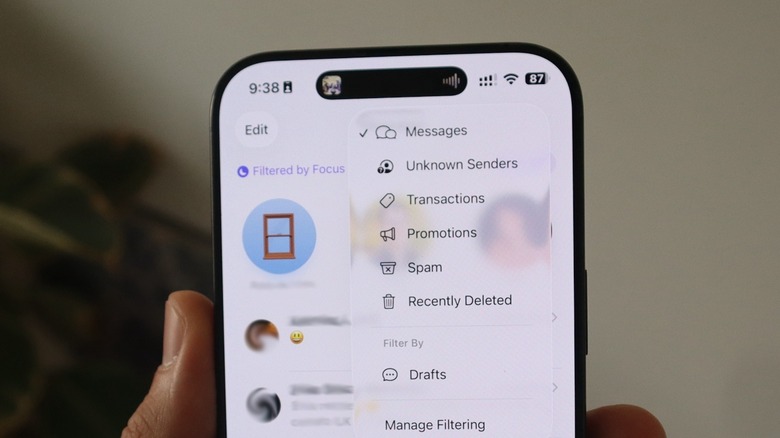
Apple has been beta testing iOS 26.6 since late May. Unlike other updates, version x.6 is usually one of the most boring for an iOS cycle, as it comes at a time when the company has already announced plans for its next big update, which gets released around the fall. This time, however, beta 5 of iOS 26.6 shows that Apple is working on a "Malicious Message Detected" feature, which can let you know if someone is trying to harm you or your iPhone and offer you the possibility to share the message with Apple so it can investigate the attack and improve future protections.
First discovered by X user limpless_skelly, the new feature detects when a message might be a possible attack through iMessage. Here's how Apple describes it: "Apple detected a message from a sender who may be trying to harm your iPhone or compromise your privacy. The most important step you can take to protect yourself and others from similar attacks is to share the message with Apple."
After that, users can choose to leave it for later, share it with Apple, or not report it at all. Usually, iMessage attacks are aimed at journalists, influencers, celebrities, and politicians. This is why Apple even features a Lockdown Mode, which greatly protects the iPhone against attackers, and it's particularly useful when the person thinks their device might be prone to a hacker attack.
Apple continues its saga against hackers
According to MacRumors, code in iOS 26.6 beta 5 confirms Apple has been testing this feature, but it's still unclear what specific conditions could make this message appear. The publication suggests it could be related to sophisticated exploits or other phishing attempts in the Messages app, which have been really common, leaving Apple racing to fix the associated no-click attacks. From what we know so far, this might be the only noteworthy iOS 26.6 feature, as the company is expected to release the official public version to all users by the end of July.
Besides that, with a recent iOS 26.5.2 update, Apple continued to show that it's trying to tackle sophisticated attacks by patching several bugs and protecting iPhone users against AI-assisted attacks. While no hackers have exploited those flaws, Apple told Reuters that, "given the ability of artificial intelligence to speed the development of malicious hacking tools," the company needed to "reduce the time between when updates were first made public and when they were put into customers' hands."
With iOS 26, Apple added Background Security Improvements, which lets Apple update users' iPhones without actually requiring a proper reboot of the system. While the company has yet to use this feature much, it's still something every user should turn on to ensure Apple can quickly fix a major flaw before an attack is performed by hackers. There are also several other security tips iPhone users can follow to ensure their devices are protected.
How to keep your iPhone protected in the meantime
While Apple continues working on the above feature, one of the simplest ways to ensure your device is protected is to enable automatic updates for both the operating systems and the apps. This ensures that whenever your iPhone is connected to power and has a strong Wi-Fi connection, it will update everything. Besides that, focus on downloading apps from trusted developers.
If you're in a country where a third-party app store is available, you should continue to use Apple's App Store if you're worried about security, as Apple says it includes strict sandboxing and automated malware scanning before any app ever reaches users. Another important tip is to update your device every few years. While software updates solve most things, some other breaches can be found in the hardware, where the only option is getting a newer device with updated chips. That said, it's important to note that this is not due to poor engineering by Apple, but because bad actors have had years to thoroughly test, stress, and exploit older physical components.
Finally, avoiding connecting to public Wi-Fi networks and refraining from plugging into public USB ports are important ways to protect yourself from possible attacks. Checking app permissions also ensures you only allow them to see the data you want them to see — if an app is asking for more than it should, revoking its permissions is the best tip.