

How To Charge Your Phone Without Carrying A Charger
We may receive a commission on purchases made from links.
Most smartphones and tablets have decently-sized batteries, so you can break away from chargers and outlets for several hours, if not a day or more. Of course, that works best when you're close to home. If you're traveling, you'll need to lug around a charger and a power adapter, and keep your eyes open for outlets and charging stations. While that's not necessarily a huge burden, it does require extra space in your pack or luggage for the charger. Wouldn't it be nice if you didn't have to lug all of that around? Technically, you don't have to. You could get by with simply bringing along a USB charging cable and other accessories, if only to cut down on the gear you pack.
It's mainly about being creative with your plans, but you can totally charge your phone in various places without carrying a power brick or adapter. Now, it's important to establish some guidelines here to temper expectations. While it is possible to get a fast-charging setup going, most likely, you're going to be looking at methods that charge at standard speeds. In addition, to really make it work — especially in a power emergency — you'll need to both carry and purchase extra accessories. As long as you understand all of that, getting a personal to-go power setup going is really pretty simple.
Scenario One: No charger, USB power cable in tow
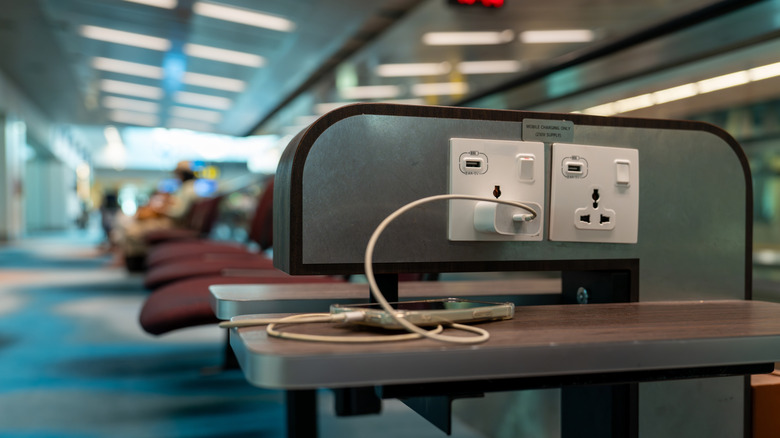
The excellent thing about modern living and tech being so prevalent everywhere is that virtually everyone needs a charger handy or some way to charge their devices. Why does that benefit you? You'll find USB ports in a myriad of places when you're out and about, including airports, hospitals, cafes, shopping malls, rest areas, theme parks like Walt Disney World, and so much more. Sometimes, restaurants and fast food joints will even offer dedicated charging stations. That lets you ditch the power adapter or charging brick and stow a USB power cable in your backpack or purse instead. You may not even need that. Dedicated charging stations sometimes include built-in cables for your phone, which you can use if no one else is.
Do note you'll likely find USB-A ports to be the most common, so you'll want to have a USB-A-to-USB-C cable handy rather than one with USB-C on both ends. Most smartphones and tablets come with those cables included in the box these days anyway, but you can also grab some replacements on Amazon or at most retailers. Do also note that there are risks associated with using public charging ports, and even the FBI and TSA warn against them, so you may want to pick up something like a USB data blocker to protect your phone.
If you're plugging into public charging stations or USB outlets, you should expect slower charging times. Plan for some extra time to rest or relax if you need to use a station. If for some reason you don't have a USB cable, you could look for Aircharge-ready wireless stations — there's an app to locate them near you.
Scenario Two: Bringing along a portable power bank or portable charger
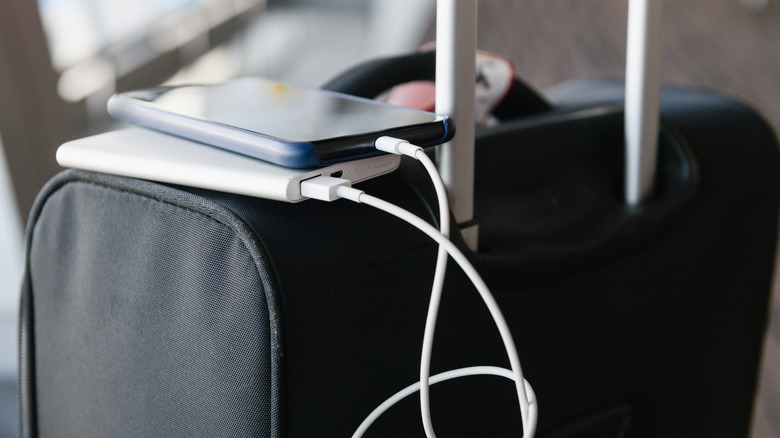
The second scenario has you carrying a portable power pack or battery bank, which is a more obvious strategy. But you can get creative with how you stow or carry the packs. You don't have to stuff them in your pocket or hold them. You can tuck power banks inside a bag — some have dedicated pockets for this or already include a bank – slide them into a folio case, or attach them to the back of your phone via MagSafe. There are also other unique ways to carry them. You can attach them to a lanyard and wear them on your wrist, clip them to your belt, or use whatever you have at your disposal. For example, there are specialized phone cases that add extra functionality. A brand called Mophie makes the Juice Pack for iPhone, a case with a power bank already inside of it.
If you want fast charging, you'll need a power bank that supports it, but you can also look for Qi wireless charging, MagSafe compatibility, built-in cables, high-capacity banks, and a host of other features that improve your on-the-go charging. There are always a ton of wireless power banks available for iPhone and Android phones. You can also seek out options that do more than just charge, like adding a mobile grip or keeping your beverages warm.
Do note that some power banks are so cheap because they contain subpar components, don't actually have the advertised capacities, or forgo important safety features. Always check reviews for quality, especially if you plan to travel with yours. Power banks are catching on fire on planes of all places, with regular FAA incidents mounting. Opt for trustworthy over cheap.