

Philips Hue Vs. Hue Essentials: Which Smart Bulb Is Best For You?
We may receive a commission on purchases made from links.
Philips Hue has been a leader in smart home lighting for quite some time. Designed for plug-and-play connectivity, setting up a Hue system takes no more than a few minutes, and once your lighting tech is activated, you can start adjusting brightness and changing colors pretty much right away. But if you've been shopping around for Philips Hue and weren't a fan of the prices (it's one of the more expensive smart lighting solutions on the market), we have good news: the company also makes a budget-friendly lineup of lighting products, referred to as the Hue Essentials range.
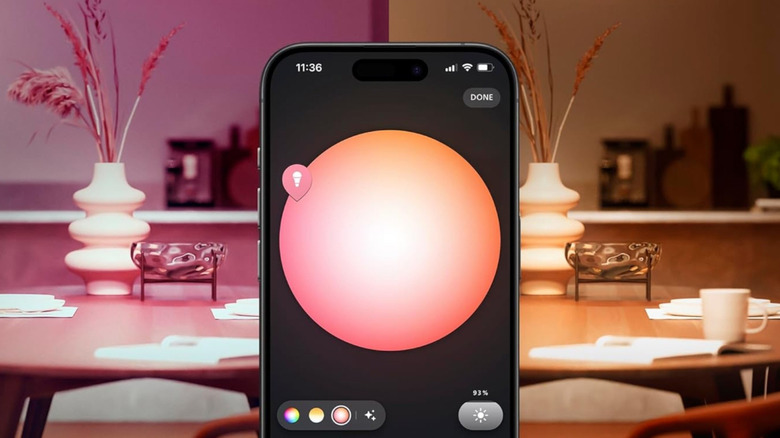
One of the biggest differences between the flagship Philips Hue family and the lesser-priced Hue Essentials is that the former offers deeper lighting customization. For starters, the dimming range of the flagship Philips Hue lineup is greater than what's offered via Hue Essentials; the former can be reduced to as little as 0.2% brightness, while the latter is capped at 2% brightness. Traditional Hue bulbs also have a greater white light range (1,000-20,000K vs. 2,200-6,500K with Hue Essentials).
Think of it this way: if you're just getting into smart home devices, and smart lighting is your first foray into automations, the Hue Essentials range is an excellent introduction. While not as bright or colorful as the flagship Hue lineup, the Essentials tech is no illumination straggler. Plus, both Philips Hue families are 100% compatible with the Hue Bridge and Bridge Pro, which you'll need if you plan on controlling your lighting tech when away from home.
Philips Hue and Hue Essentials devices can be controlled via Bluetooth or Wi-Fi, but the latter requires a Hue Bridge
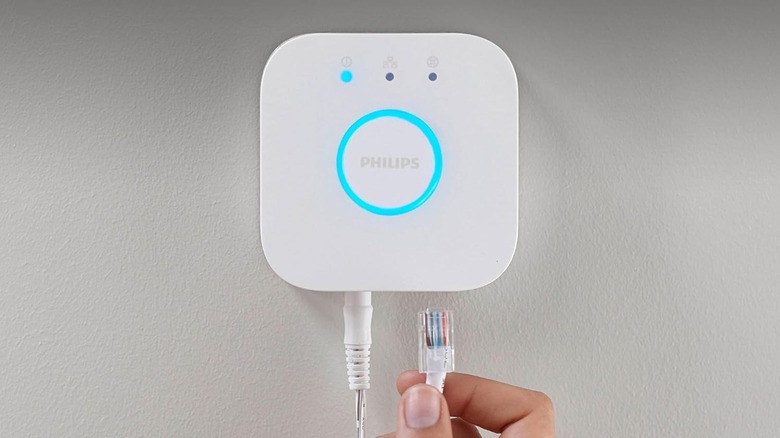
It's also worth mentioning that, regardless of which Philips Hue product line you decide on, both ranges are supported by assistant tools like Alexa, Google Home, and Apple HomeKit. That said, these ecosystem controllers require a Hue Bridge to get all your tech on the same page, and at $70, even the standard Bridge isn't that cheap. If you'd rather wait to invest in a Hue Bridge, you'll still be able to onboard up to 10 Hue bulbs (either type) via Bluetooth and the Hue app.
Fortunately, you'll often be able to find Hue starter kits and smart home bundles at Amazon, Best Buy, and several other retailers. In putting together this article, we came across this $143 Hue starter kit (marked down to $80 at the time of writing), which comes with a Hue Bridge and two A19 bulbs, as well as this $100 Essentials kit. The latter comes with a Hue Bridge and four E26 bulbs. Setting up a Bridge is no big challenge, either; just wire it up to your router, add it to your Philips Hue account, and that's all there is to it.
Before the Hue Essentials lineup was added to the greater Philips arsenal, the manufacturer faced off against numerous budget-friendly smart lights. Companies like TP-Link, Govee, and even Amazon Basics are all solid alternatives, but the Hue Essentials lineup is just as worthy of your hard-earned cash, especially if you already use Hue lighting tech.