

Does It Matter Which Ethernet Port You Use On A Router?
We may receive a commission on purchases made from links.
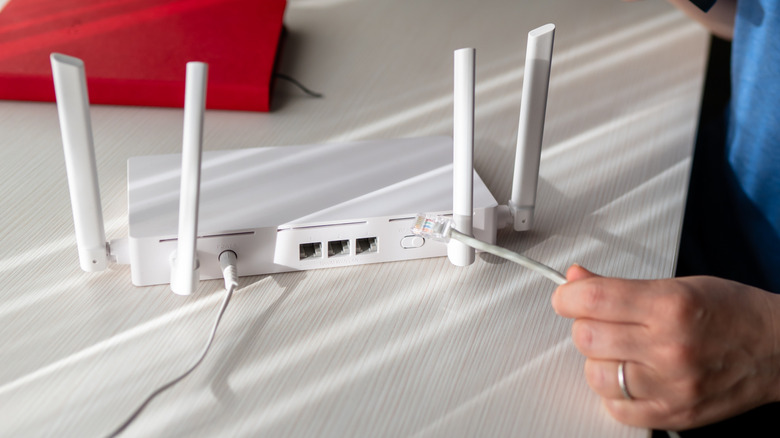
Modern routers come with multiple Ethernet ports, which can be used for everything from establishing a reliable wired connection with critical devices on your network to attaching a network switch to expand the Ethernet port selection. While all of these ports typically look the same visually on consumer-grade routers, they can have important differences. As a result, it can matter which Ethernet port you use on a router.
A router's Ethernet ports typically differ in two ways: functionality and speed. The functionality difference means whether the port is a WAN (Wide Area Network) or LAN (Local Area Network) port. You use the WAN port to connect the cable from a modem, an optical fiber box, or a wall jack. It connects the router to the internet, which then routes traffic to devices on your network via LAN ports or wirelessly.
The LAN ports are used to connect to devices on your local network, such as a printer or network-attached storage, or to connect to the internet, such as your computer or smart TV. While you would typically be fine using any LAN port, some routers may have different-speed LAN ports or dedicated gaming ports, which can affect connection speed or performance. For example, TP-Link's Archer BE230, one of the best Wi-Fi 7 routers in 2026, has a single 2.5 Gbps LAN port and three 1 Gbps LAN ports. Similarly, the ASUS ROG Rapture GT-BE19000AI, an excellent gaming router, has tons of Ethernet ports, supporting speeds from 1 Gbps to 10 Gbps. One of these Ethernet ports is also a gaming port.
How to choose the right LAN port
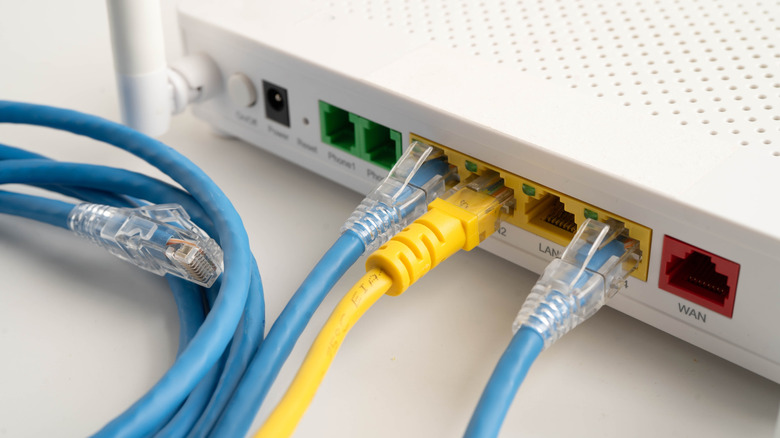
As mentioned, some routers have LAN ports with different speeds. The decision about which to choose depends largely on which device you're connecting to and what you're trying to do. Generally, it's best to match the speeds between the router's LAN port and the device's LAN port. This ensures you are not wasting bandwidth or creating an unintentional bottleneck. For example, if you're connecting to a gaming PC with a 2.5 Gbps LAN port, it makes sense to connect to a 2.5 Gbps LAN port on your router rather than a 1 Gbps or 10 Gbps port. While the 1 Gbps port will limit the connection speed, you'll waste most of the bandwidth if you connect to a 10 Gbps LAN port.
That said, if you don't have a matching-speed port, go with the high-bandwidth option unless you don't mind a slower speed or don't require a faster connection. Similarly, if you have multiple devices that can handle higher bandwidths, such as 2.5 Gbps or 10 Gbps, but only one such port on the router, you can decide which device will benefit most from the extra bandwidth.
Some devices that typically benefit from higher-bandwidth LAN ports include network or Ethernet switches, PCs, gaming consoles, smart TVs, and network-attached storage (NAS). Of course, as mentioned, your use case matters. Therefore, if you don't stream in 4K or use cloud gaming services, your smart TV doesn't necessarily need a connection to a 2.5 Gbps or 10 Gbps port on your router.
How to identify different Ethernet ports on a router
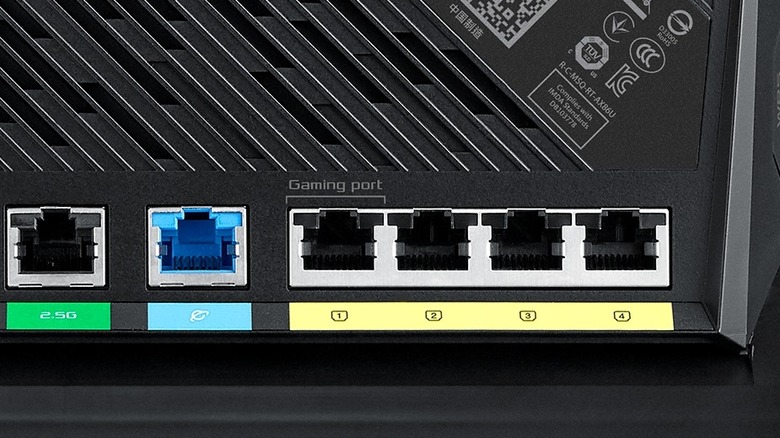
It's fairly easy to identify different Ethernet ports on a router, as manufacturers typically rely on different colors or labels. WAN ports typically have a clear label indicating WAN or internet, whereas LAN ports are marked as LAN or Ethernet. If the router has LAN ports with different speeds, it will usually label the higher-bandwidth ports or, in some cases, mark each LAN port with its speed. In case of any confusion, it's best to consult the router manual or the manufacturer for details on each Ethernet port's capabilities.
While most consumer-grade routers have a single WAN port, some models feature two WAN ports to support failover, a backup internet connection, or load balancing. Additionally, some routers, particularly mesh networking systems, can feature auto-sensing WAN/LAN ports that can be used as either, as needed. In all such cases, specific labels clearly identify the ports.
Similarly, in addition to different-speed LAN ports, gaming routers often have a dedicated gaming LAN port. This will have a label differentiating it from the rest of the LAN ports. A gaming port prioritizes data traffic coming to and from the device connected to it. It's typically meant to connect gaming PCs or consoles, but you can connect any device to it and enjoy a prioritized connection. It helps you avoid tinkering with your router's Quality of Service (QoS) configuration, which lets you prioritize certain internet traffic over others. Some other LAN ports that you might encounter on high-end or prosumer-grade Wi-Fi routers include Link Aggregation (LAG) capable LAN ports or WAN aggregation-capable Ethernet ports. These are relatively niche, and most home consumers won't ever have to worry about these.