

These 5 Popular Laptop Models All Have Multiple Charging Ports
We may receive a commission on purchases made from links.
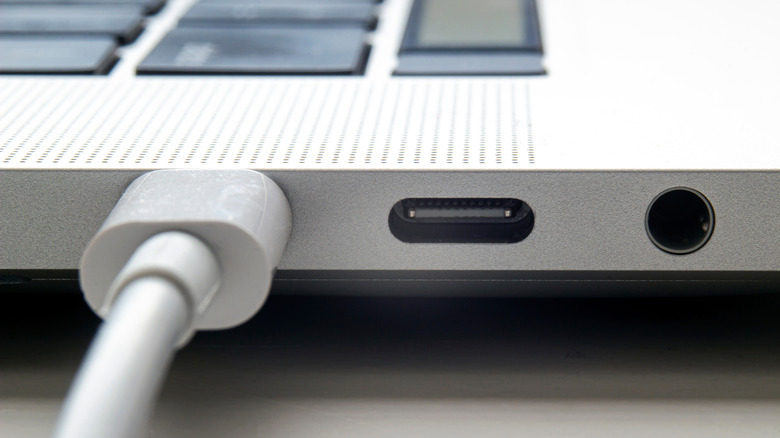
Charging a laptop used to be simple: find the round barrel connector, plug it in, and don't forget to plug the other end into the wall outlet. Today, modern laptops ship with multiple ways to take power, which comes in very useful when sitting in an airport or coffee shop looking for a free plug socket. So yes, a laptop can have two or more charging ports, with a deeper look involving USB-C, power delivery standards, and some manufacturers who went further than the competition.
Having more than one charging-capable port is about more than convenience. It gives owners a backup if one port wears out, lets them charge from whichever side is more convenient, and frees up the primary port for data transfer or a display. It's not a feature that the laptops in this article push in their marketing materials, but it can generally reduce friction for those who don't work or play at the same desk every day.
This guide breaks down five popular laptop models available in the US that all offer multiple charging ports, how their setups differ, and why a second charging port is worth having in the first place. That includes budget laptops to portable gaming rigs, using everything from barrel connectors to paired USB-C ports, MagSafe, and Thunderbolt.
Lenovo IdeaPad Slim 3i offers budget-friendly dual charging
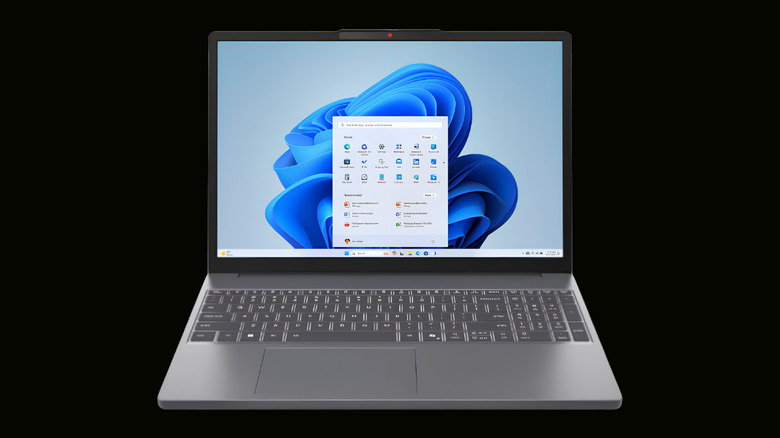
Lenovo's IdeaPad Slim 3i is a staple of the budget laptop market, and it proves that multiple charging options aren't reserved for premium machines. The 15.16-inch model with the Intel N355 processor and 8GB of memory is widely available at US retailers and comes with a barrel-style charger as its primary adapter. The interesting feature here is that its USB-C port supports power delivery, meaning owners can charge it with a standard USB-C wall adapter rated at 65W or higher.
This setup means two completely different charging methods on one modest laptop. The barrel connector keeps the bundled adapter in play, while the USB-C port accepts a universal charger that can also power phones, tablets, and other devices. Lenovo itself confirms the USB-C port can handle power input, making the Slim 3i a genuinely flexible option for students and budget buyers who want a backup charging path.
It's not the flashiest feature on the spec sheet, but it pays off when a charger is left at home or an outlet is only reachable from the right side. Because USB-C chargers are (thankfully) standard now, travelers can pick up replacements easily rather than hunting down a proprietary replacement for a barrel connector. That kind of everyday practicality is exactly why dual charging is worth it even on budget laptops.
ASUS Zenbook 14 puts two Thunderbolt ports to work
ASUS has been one of the most reliable brands on the market for a long time, and the Zenbook 14 shows exactly why. This ultraportable comes with two Thunderbolt 4 ports, both of which support power delivery. That means owners can plug the charger into either side of the laptop, depending on where the outlet is located, and still get the same fast-charging experience. Both ports also support data transfer up to 40 Gbps and can drive external displays, so the flexibility extends well beyond power. The 14-inch OLED display and thin chassis already make it a great choice for commuters.
The practical benefits here are hard to overstate. For example, a user sitting in a window seat with an outlet on the left doesn't need a cable over their lap because either port accepts the charger. Because both ports are identical Thunderbolt 4 connections, there's no need to guess which one works with a phone or accessory.
ASUS's official spec sheet lists both ports as supporting full power delivery, making the Zenbook 14 one of the cleanest examples of a dual-charging laptop done right. For professionals who live on the road, it's a small detail with a big payoff. It also means a single USB-C hub can both charge the laptop and connect a monitor, keyboard, and mouse through one port, freeing up the second port for other uses. The kind of tidy, cable-free workspace is exactly what a modern ultraportable should offer, and the dual Thunderbolt setup is a big reason the Zenbook 14 earns its reputation.
Dell XPS 13 doubles down on USB-C charging
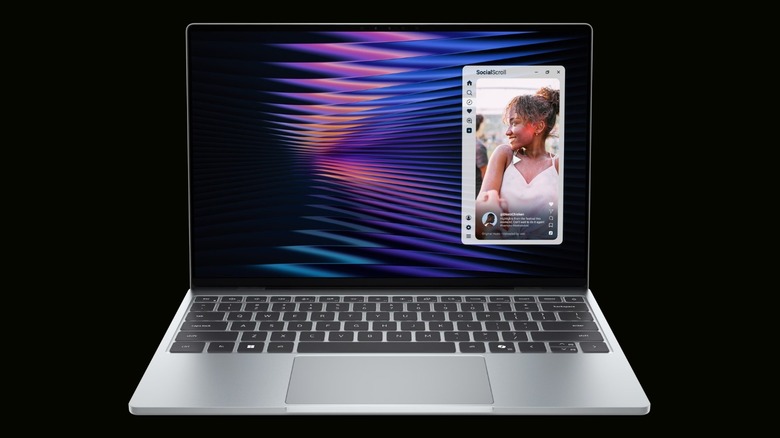
The Dell XPS 13 has been a favorite among Windows users for years, and its modern design leans entirely on USB-C. The XPS 13 9350 features two Thunderbolt 4 ports on the left side, both capable of charging the laptop, transferring data, and connecting to external monitors. For a machine this thin, that's an impressive amount of connectivity packed into a small chassis, and it means the XPS 13 can be topped up from either of its two USB-C connections. The design is a big part of the laptop's enduring popularity, since it pairs that slim profile with genuinely useful hardware.
There's a trade-off worth noting: the XPS 13 drops traditional USB-A and HDMI ports. This forces users to buy a USB hub or dongle for older accessories. But the dual USB-C setup is a genuine strength for charging, especially when one port is damaged or a USB-C cable snaps off inside one.
The XPS 13 also aligns with Dell's broader push toward USB-C connectivity, which shows how far the standard has come as the industry's default charging option. Dell's strategy of consolidating everything into Thunderbolt 4 means a single cable can charge the laptop, feed a 4K monitor, and move data at high speed, which is a compelling reason to embrace the dongle life. For anyone who values a clean, minimal setup, the XPS 13 is ahead of the curve with its dual charging ports.
MacBook Pro balances MagSafe with multiple Thunderbolt ports
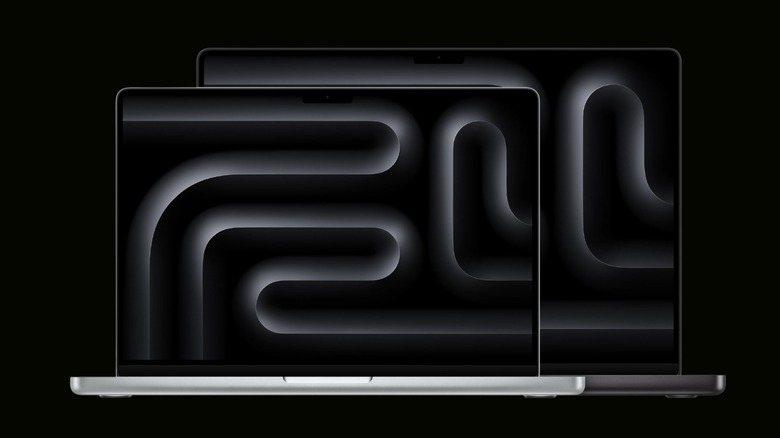
Apple takes a slightly different approach to multiple charging ports, with the MacBook Pro standing as the clearest example. Alongside their magnetic MagSafe connectors, recent Pro models pack multiple Thunderbolt ports, all of which can charge the laptop. That gives owners several ways to top up the battery, depending on the configuration, making it far more flexible than other laptops.
It's an approach that blends the convenience of a magnetic connector with the versatility of modern USB-C, and it's a big reason the Pro line remains so popular with power users. The mix matters because each option serves a purpose. MagSafe clicks into place magnetically and snaps free if someone trips over the cable, protecting the laptop from being yanked off a desk. The Thunderbolt ports, meanwhile, handle charging, high-speed data, and external displays from the same connections.
Apple's specs for the current MacBook Pro list the full set of ports and their charging support, and while the Mac charges over one port at a time, it's still valuable. For creatives running heavy workloads, having a charger on whichever side is convenient is a small luxury that adds up over a long workday. It also means a lost or damaged cable rarely leaves an owner stuck, since a standard USB-C charger or a spare MagSafe adapter can step in at a moment's notice. This combination of safety, speed, and flexibility is hard to beat, provided users are happy using macOS over Windows.
Lenovo Legion 5i gives gamers a second way to charge
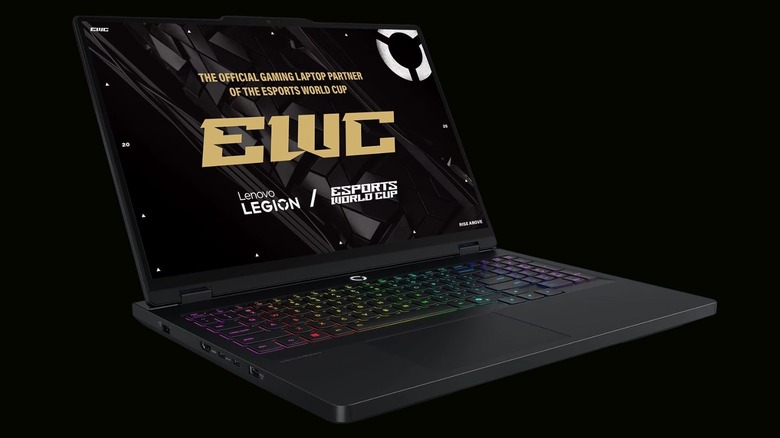
Gaming laptops are power-hungry, and the Lenovo Legion Pro 5i is one of the most respected options in its niche. It typically ships with a high-wattage barrel charger to feed its discrete GPU, but it also includes USB-C ports that support power delivery, as detailed in its official listing. That rear USB-C connection can accept power input, giving owners a second way to charge the machine.
The value here is portability. Dragging a massive 230W brick to a coffee shop is no fun, so many gamers carry a smaller USB-C charger for everyday use and save the big barrel adapter for home. It's a compromise that keeps the machine usable on the go without sacrificing full performance when plugged into the main adapter. The Legion series earns high marks for balancing performance and value, and the dual charging setup only adds to its appeal.
For anyone who games while traveling, the second charging path is a handy, practical feature. It also means a quick top-up at a cafe or airport is possible with a compact adapter that fits in a pocket, rather than a bulky power brick that takes up half a backpack. That flexibility is a big reason gaming laptops with USB-C power delivery have become so popular, and the Legion 5i is one of the best examples of this trend.
Methodology
The five laptops above were chosen because they're all available for purchase in the US and offer multiple charging options. Port configurations were verified against official manufacturer shop and spec pages, including ASUS's published specs for the Zenbook 14, Apple's product page for the MacBook Pro, and Lenovo's listing for the Legion Pro 5i. The Lenovo IdeaPad Slim 3i's USB-C power delivery support is confirmed through Lenovo's own support forums.
Popularity was gauged through widespread retail availability and consistent inclusion in laptop roundups, with an eye toward brands that perform best in consumer testing and gaming laptop rankings. The goal was a mix of price points and use cases, from budget students to creative professionals to gamers, so the article covers the different reasons someone might want a second charging port. Port layouts vary across configurations of the same model, so buyers should always double-check the exact spec sheet for the unit they plan to purchase.
The laptops highlighted represent the most common ways manufacturers handle multiple charging ports today, from paired Thunderbolt connections to a barrel connection working alongside USB-C power delivery, and should give shoppers a clear sense of what to look for when comparing models.