

Can You Mount A Ring Video Doorbell Sideways?
We may receive a commission on purchases made from links.
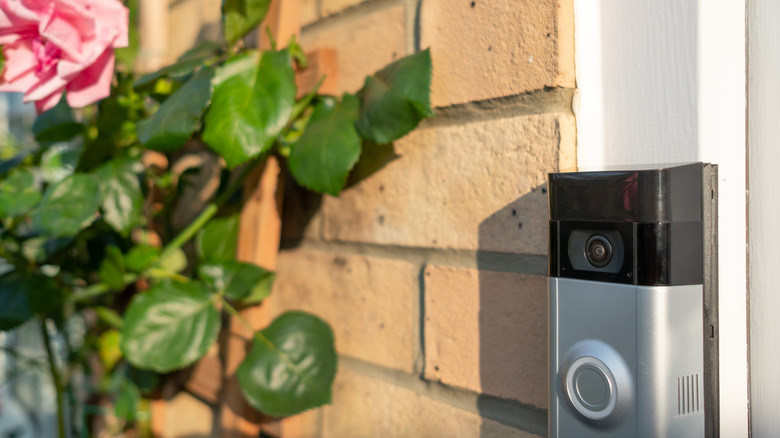
A video doorbell is a smart investment for just about any home or business. At one time, these products were a bit more boutique, but brands like Ring brought these networkable cameras into the limelight. Now, video doorbells are a dime a dozen. Still, when it comes to the tried and true, it's hard to beat the features and performance you'll get from a Ring camera. But what if you wanted to go against the grain, at least in terms of camera orientation? All Ring video doorbells are supposed to be mounted vertically, but what if you wanted to mount yours sideways?
Well, you technically can. The problem is that there isn't a way to rotate the camera view in the Ring app. That means all live views and recorded footage will be captured from a 90-degree angle. Should you need to mount your doorbell (or other Ring camera) upside down for whatever reason, there's an option in the Ring app to rotate the image 180 degrees to effectively flip it vertically: With the app opened to the home screen, tap the menu icon, then head to Devices > Device Settings > Video Settings > Rotate Video.
While Ring's software will help you out with an upside-down lens, it can't reorient 90-degree video; there's even an official response to the question on this Ring Community page, and the answer is no. The only other Ring doorbell modification you can invest in here is a Wedge or Corner Kit, sold-separately accessories that let you tilt the lens forward or back a bit (Wedge), or angle your doorbell to the left or right (Corner).
Mounting your Ring doorbell on its side does nothing for your camera's field of view
Video doorbells are great, but capturing an ultra-wide field of view (FOV) isn't something they're all designed to do. Even the Ring Battery Doorbell 4K Pro, the company's flagship doorbell, is capped at 140 degrees for its horizontal axis. If that's the reason you thought to turn your bell on its side in the first place, there are a few alternatives you should consider instead. One option is to go with an alternative to the Ring camera.
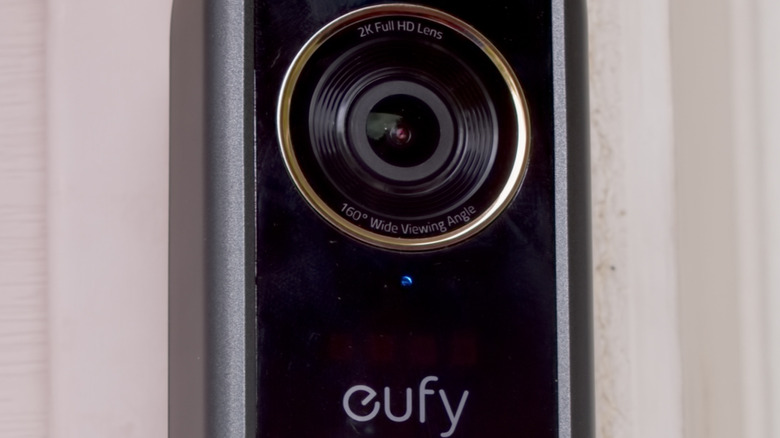
The Arlo Video Doorbell (2nd Gen) delivers a 180-degree FOV and costs quite a bit less than any Ring doorbell. There's also the Eufy Video Doorbell S330, a bell that delivers a 160-degree FOV and includes a ground-facing cam for putting eyes on your Amazon deliveries. The S330 even supports up to a 32 GB microSD card if you don't feel like signing up for Eufy's cloud service. In both cases, though, the tradeoff with Arlo and Eufy doorbells is video quality; each product is capped at 2K resolution.
If zooming in on far-away faces and license plates is important to you, we'd suggest our second alternative: a point-tilt-zoom (PTZ) camera. Products like the Tapo C560WS support automated motion tracking, but you'll also be able to use the Tapo app to manually rotate and zoom. This is another camera system that accepts local storage, too; you'll just need to make sure you have an outdoor AC outlet to plug it into.