

5 Common Problems With Netgear Routers (And How To Fix Them)
We may receive a commission on purchases made from links.
Netgear is one of the most recognizable router brands in the U.S., and its Nighthawk line in particular has earned a loyal following among gamers and power users who want fast, reliable connections. No router brand is immune to problems, and Netgear owners regularly take to support forums and community threads to report issues ranging from dropped connections to routers that stop working entirely.
The good news is that many of these complaints are fixable, and a fair number of them aren't really Netgear's fault at all. They're just router problems that show up across every brand, from the cheapest budget boxes to the priciest flagships. We've picked up on five of the most common problems Netgear users report online and what to do about each one.
Are weak Wi-Fi signals and end-of-support notices a reason to have an issue with Netgear routers? The problem with crawling Reddit and the like is that this information is quickly outdated by firmware updates and hotfixes, and many simple fixes just work. For anyone wondering whether their router is the culprit behind a spotty connection, the steps below are a great place to start before spending money on a brand new router.
A weak or dropping Wi-Fi signal usually comes down to router placement

The most common complaint in Netgear support threads is a wireless signal that drops out or never reaches part of the home. Netgear's own troubleshooting guide suggests first ruling out broader issues by connecting a computer directly to the router with an Ethernet cable. If the wired connection works but the Wi-Fi doesn't, the problem is almost certainly the wireless side of the network rather than the connection itself.
Netgear recommends checking that the router's wireless radios are enabled through the web interface before blaming the hardware, since a stray setting or a bumped button can silently switch the radios off. Placement matters more than most people realize. A router shoved behind a TV or inside a cabinet will struggle to push a signal through walls and furniture, which is why weak range is one of the fixes Netgear addresses directly. Switching to a less crowded wireless channel can also help in dense neighborhoods where neighboring networks overlap and drown each other out, since overlapping channels cause interference that no amount of hardware can overcome.
One overlooked culprit is a second Wi-Fi network running in the same home, which can easily be solved by turning off the wireless functionality on an ISP-supplied router or gateway when a Netgear unit is added, as two networks broadcasting side by side can interfere with each other. And before buying a replacement, it's worth testing a few spots and adjusting any external antennas on your router.
Frustrating Netgear setup and firmware
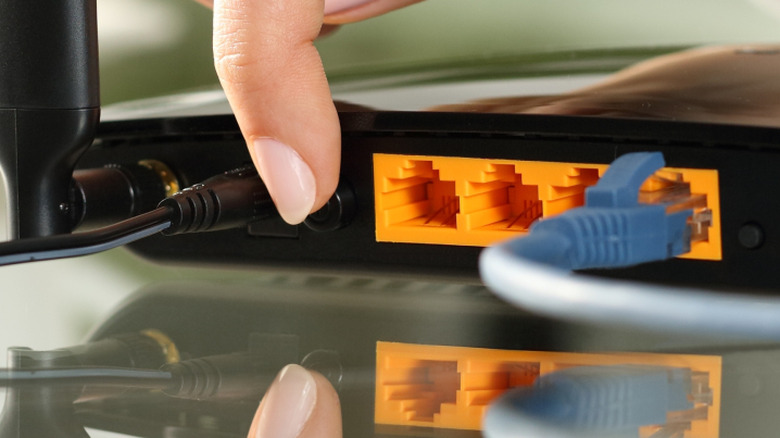
Plenty of Netgear frustration starts with setting up and updating firmware. Users on the Nighthawk subreddit report routers that won't connect after a firmware update or during initial configuration, and some describe the whole process as a setup nightmare that makes them regret the purchase. The complaints are common enough for dedicated guides covering these Netgear problems and fixes to exist online, which usually boil down to firmware updates, resets, and reconfiguring routers from scratch.
The pattern is consistent enough that a stuck router is rarely a mystery, even if it's annoying in the moment. When a router is stuck, the first thing to try is to simply reboot the router rather than fully resetting it. A reboot keeps settings intact and just restarts the device, while a hard reset wipes everything back to factory defaults. A popular reset method, often called the 30-30-30 hard reset rule, only suits older hardware, as using it on newer Wi-Fi 5 and Wi-Fi 6 routers can cause issues.
For most modern Netgear models, the safer method is to update the firmware through the router's web app (routerlogin.net) or in the Nighthawk smartphone app, where the Advanced tab under the Administration section offers a one-click button to download and install the latest firmware. Patience pays off here, because a botched firmware update is often the source of the original problem, and repeating the same steps rarely fixes the issue.
End-of-support notices
One of the more alarming emails a Netgear owner can get is the end-of-service notice. Netgear has been telling owners of older routers, like the R6700 Nighthawk AC1750, that support is ending even when devices still work just fine. It's a legitimate concern when a router reaches end of life, as it stops receiving firmware updates, including critical security patches.
Routers that have reached their end of life are potentially vulnerable to cyberattacks, which is a real risk for a piece of hardware at the center of a home network that's guarding everything from laptops to smart home gadgets. This ties directly into how often a Netgear router should be replaced. There's no single answer that fits every household, but the moment a router model stops getting security updates is when owners should upgrade.
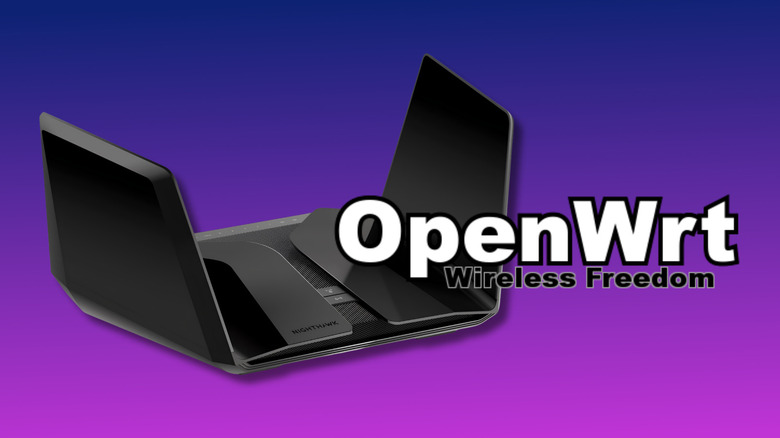
But rather than wasting a router that still functions well, owners comfortable with a bit of tinkering could look into OpenWrt. It's an open-source firmware movement for legacy router models like the Nighthawk RAX120, which can keep an aging device patched and usable after official support ends. Premium routers tend to be built with long-term firmware support in mind, which is part of what makes Netgear Nighthawk routers so expensive, for example. Nonetheless, with an older unit, the safest approach is to treat the end-of-support email as a deadline and plan a replacement or open-source firmware option if available.
Overheating and hardware failures

Routers are practically small computers, and like any computer, they can overheat and start to fail over time. Owners who have tried unplugging a Netgear router and plugging it back in with no luck often end up asking whether the hardware itself has failed. Some common signs to look out for here include constant restarts, lights that behave erratically, a router running hot to the touch, and dropping speeds that continue after factory resetting.
When several of those symptoms show up together, the hardware is usually the culprit rather than a configuration setting or a flaky ISP connection. Some owners write off the entire brand after one bad unit, with some sharing strong opinions in online communities about the quality of Netgear routers. But a single failure doesn't mean the whole line is broken, and many of these issues are generic router problems that appear across brands.
Before calling a time of death, it's worth confirming the issue is the router itself and not the home network by testing it with different cables and in a different spot. If a router consistently overheats or restarts on its own after basic troubleshooting, replacing it is the safest bet, considering the cost of repairs and the price of a new unit are often not that far apart.
Slow speeds aren't always the router's fault

Slow internet is frustrating, but it's frequently not the router's fault. Netgear's troubleshooting guidance explicitly says to confirm the signal from the internet service provider isn't the problem before touching the router. Connecting a device straight to the modem bypasses the router entirely, and if speeds are still bad, it's an issue with a user's internet plan or provider instead of the router.
This is one of the clearest examples of a problem that looks Netgear-specific but actually affects every router brand on the market. If wired speeds are fine and only Wi-Fi is slow, following the same placement and channel adjustments mentioned earlier alongside some Netgear-specific tricks is a user's best bet.
Switching to the 5 GHz band can deliver noticeably better performance than 2.4 GHz when the router supports it, since 2.4 GHz favors distance while 5 GHz favors speed. Enabling Netgear's dynamic QoS feature can also help by prioritizing bandwidth for demanding tasks like streaming or online gaming. When a router is several years old and no longer meets the demands of a busy home, replacing it with a current model or trying open-source firmware is often the better investment of time or money in these situations, as mentioned previously.