

8 Reasons Why You Shouldn't Store Everything In The Cloud

We may receive a commission on purchases made from links.
There's no arguing that cloud services are useful. Apps like OneDrive and Google Photos are considered some of the best cloud storage apps for a reason. They automatically store your files and photos as you create them through a seamless, invisible syncing process. Services like these come bundled with operating systems like Windows and Android, giving you a small amount of storage for free with the hope that you'll pay for more.
If you do opt to pay for a larger cloud-based drive, the temptation exists to upload everything of value to that storage system. For example, some people store photocopies of important documents like passports and marriage certificates online, so that if the documents get stolen while traveling, the users can easily produce duplicates using any internet-connected device.
But cloud storage services have several problems and pitfalls that should have you thinking twice about whether to use them for some types of data. It's why you should always read the fine print and also part of the reason it's important to follow the 3-2-1-1-0 rule for PC data backups. While cloud storage is convenient, it's risky to trust it too much, and there are many good reasons not to store everything in the cloud.
You're renting access instead of owning your files

Have you ever watched "Storage Wars"? It's a reality TV show where people bid on the contents of storage units where a person has fallen behind on payments, and the storage company can sell off the contents to make its money back. That's not far from what happens when you stop paying for your cloud storage.
While your data doesn't get sold off to the highest bidder (well, maybe), your data will be destroyed after a certain amount of time. How much time? Well, let's say you stop paying or you downgrade your service, and now you're over your quota. First, all syncing will stop, and you can't upload additional files. However, the amount of time you have before your over-quota files are deleted varies.
Apple doesn't have any specific grace period listed anywhere for inactive iCloud accounts, so you should probably treat it as a sign to save your data as soon as possible. In the case of OneDrive, you have six months before an irrecoverable deletion. When it comes to Google Cloud Storage, you have two years before all of it is deleted, though Google is kind enough to send you a three-month prior warning. It's best not to rely on these grace periods, but it also means that, if you can't pay for your cloud storage temporarily, things probably won't just disappear. Still, you'll be paying cloud storage rental fees in perpetuity unless you find alternatives.
Cloud services disappear all the time
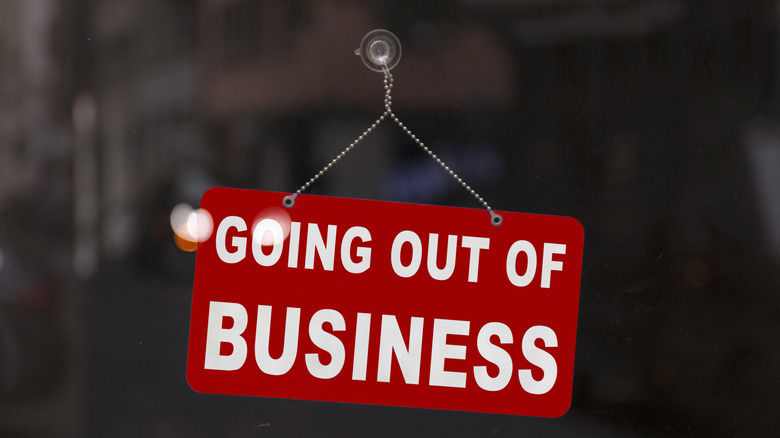
One reason you shouldn't rely on grace periods, or solely on cloud storage at all, is that cloud services go offline all the time. While it might seem unlikely for juggernauts like Apple, Google, and Microsoft, services under those umbrellas have disappeared. And smaller cloud companies have gone out of business completely.
Amazon Drive shut down in 2023 so Amazon could focus only on photo storage instead of general file storage. Likewise, Sidekick phone users lost data when the service was discontinued. Numerous blog services have gone down, taking years of posts with them, and it's going to happen again and again. The simple fact is that you should consider any cloud service holding your data to be temporary in nature. It's particularly risky if you use free cloud storage allocations to save important information long-term. In that scenario, you might not check in on your files often and only see that email telling you that data is gone long after the final warning has been issued.
The answer is, again, to have backups of the truly important information in a format you can control and preserve. Of course, that's not always easy to do. However, most services let you download your data. For example, if you want to switch from Google Photos to iCloud, one method is to use Google Takeout, which lets you download copies of your data from Google's servers. Likewise, Facebook offers an export method that lets you retrieve and save your own information from the platform.
Restoring everything is a pain

One advantage to using cloud storage space is that, even if the worst were to happen and your house burned down, taking all your hard drives with it, you could still download your files because it's spread across several sites within data centers. Most of the time, however, our disasters are much less catastrophic, and it's likely you've just had malware, a drive failure, or a theft leaving you in need of restoring all your backed-up data.
Even if you have fast fiber at home, downloading a terabyte or two of data is no picnic, especially since your internet can be slow even if a speed test says it's fast. We're not saying you shouldn't use the cloud to back up information, but you definitely need to keep in mind that restoring your data is going to be a hassle. You might want to consider alternative (or extra) options, too. For example, a NAS (Network-Attached Storage) device on your local network is often much faster for restoring backups, especially if you've upgraded to current top-end home network speeds. Alternatively, using a USB drive for incremental backups at set intervals is also likely a lot faster than cloud options for file restoration. Often, you only have to download the last few things that were added since the most recent local backup.
You don't even have to spend a fortune on a fancy NAS. As an alternative, you could make your own cloud storage with a Raspberry Pi, though that does come with its own unique tradeoffs.
Your internet connection becomes a single point of failure

No matter how widespread, cheap, and reliable internet connectivity becomes, it will always be a liability for anyone to depend on always-online connectivity. Your internet connection will, inevitably, stop working at some point. It can be due to the normal outages that happen with home broadband technologies like cable or fiber optics, or it can be due to some sort of major widespread issue.
We've already seen some of the biggest internet outages happen in recent history. Major platforms like Facebook, Amazon, Microsoft Azure, and many others suddenly go offline for hours or days without warning. These are the same companies that would love it if we traded our hard drives and optical discs for permanent, paid online storage. However, it's exactly these major outages that help motivate people to do things like ditch streaming for physical media. It's just fundamentally impossible to give distant servers your full confidence.
Even if you have a second internet connection to back up your main service going down, there's nothing you can do if the server on the other side of the connection isn't online. Likewise, sometimes it's the service providers that have issues. Someone might accidentally damage undersea internet cables, cutting off or severely limiting all downstream service providers. The more infrastructure outside your control that sits between you and your data, the more reason you have to ensure that none of your data exists solely in the cloud.
Syncing isn't the same as a backup

While it is possible to use cloud technology as a proper backup medium, you should be careful not to confuse file syncing with incremental backup methods. When you use a proper incremental backup solution, you have the option of going back to earlier snapshots of your data. So, if your files become silently corrupted or damaged by malware such as ransomware, you can disregard the latest incremental backups and roll back to the last time everything was clean.
A cloud-synced folder doesn't work like that. Let's take Microsoft OneDrive as an example, though this applies to most file-syncing services. According to Microsoft's own documentation, if you delete or remove a file from your synced OneDrive folders, it is moved into a cloud-based recycle bin, and you have 30 days to undo it. If you don't realize this has happened, and you wait longer than the grace period, your data is gone.
Sometimes you do have some recourse, however. For example, I once helped someone restore a dissertation file to an earlier version after a ransomware attack had synced an encrypted version of their file to Google Drive. This was possible because Google Drive actually allows you to restore older versions of files up to a point. It's still not a substitute for a true versioned incremental backup system, though.
Your biggest files make no sense for the cloud

Cloud storage is convenient, but it's not cheap. For example, two terabytes (TB) of Google Cloud Storage costs $120 per year if you pay monthly, and a two-terabyte USB hard drive will cost you roughly the same (at least if you buy at the right time). Except, if you use that external hard drive as cold storage, it won't become a running cost. If you're using cloud storage to keep large files long-term, you might be better off moving those files to a drive you can stow somewhere safe. The price per gigabyte also improves the larger the drive you purchase. The four-terabyte version of the drive we just mentioned only costs about $30 extra despite doubling the available capacity.
Apart from the sheer cost of data center storage, there's rarely a practical need to store files that are hundreds or thousands of megabytes in size in the cloud. You're probably not sharing them with many people, so at best you should only store them there until everyone who needs a copy has one, or until the project or task related to those files is over.
If you're wondering why your cloud storage always seems to be full, you may also want to check if you aren't accidentally syncing large files from a folder that you did not intend to upload. Most cloud services that allow direct uploads should offer some way to see your content arranged by size, and there could be a few accidentally uploaded elephants in the digital room.
Accounts can get suspended or locked

Most people probably don't read license agreements before clicking that agree button, but if you did, you might think twice about using cloud storage in the first place. There are terms and conditions for your use of the service, and if you violate them, you can lose access to your data permanently with little recourse.
This is what happened to one man in 2021. The person in question took photos of his son's groin area to send to a doctor, who used them to diagnose an infection and prescribe antibiotics. Unfortunately, the photos were automatically uploaded to his Google Photos account and flagged as problematic by Google's automated systems. This led to an account block, instantly cutting the man off from his data and all Google services and triggering a police investigation.
This situation teaches us two very important lessons about cloud services. The first is that your data may not be quite as private as you might have assumed. Unless you encrypt your files before uploading them, they will be scanned, indexed, and analyzed. Your files might also end up being reviewed by humans, so think twice about uploading sensitive documents. The second thing this teaches us is that access to your data is not guaranteed. The cloud provider can take it away immediately if it thinks, correctly or not, that you've violated the terms and conditions of your agreement with them.
Your files may be used in ways you don't expect

We touched on the privacy issue briefly just now, but it's absolutely worth unpacking. And it definitely goes much further than an indexer reading through your documents to help you find your data in a search.
If you use Google Photos, for example, you already know that you can do a search based on the content of your photos. In other words, an AI-based tool has analyzed all your photos and associated keywords with them in order for this (admittedly useful) feature to work. So if you have photos with content you don't want analyzed, you should refrain from uploading them. This also raises the possibility that AI models may be trained using your uploaded data. Currently, cloud providers say that this is not happening. However, the only thing actually preventing it is company policy.
AI looking through your holiday photos and bad poetry aside, there's always the risk of data breaches, where hackers can steal your cloud data and use it for nefarious purposes, including identity theft or targeted scams. Rogue (or just careless) staff who work for cloud providers in question are also a potential source of privacy issues. So, either encrypt your most sensitive information before uploading it to the cloud, or never send it there in the first place.