

5 Of The Best Anker Accessories For iPhone Users
We may receive a commission on purchases made from links.
When it comes to accessories for the iPhone, many have come to rely on the original equipment manufacturer (OEM): Apple itself. However, Apple only makes limited accessories for the iPhone and some third-party brands can compete with Apple's originals. Sometimes, these accessories are even cheaper when bought from these third parties. One of these brands is Anker, and it ensures that its products, should they be used on an iPhone, are safe to use and compatible.
So what accessories does Anker have to offer iPhone users? Turns out, the brand makes a ton of useful iPhone-centric products. But those accessories that stand out include a couple of USB adapters, a MagSafe power bank, a charging station, and a super-fast charger. iPhone users can trust Anker because many of its products have received Apple's MFi certification, meaning they are certified to be safe and compatible with the iPhone and other Apple products.
Anker 310 USB-C Adapter (4K HDMI)
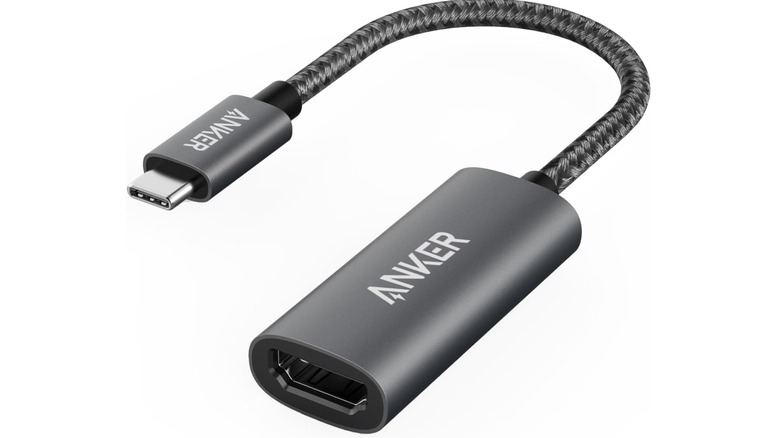
Sometimes, you just want to view what's on your iPhone on a bigger screen. It could be because you want to see every detail without needing to zoom in, or because you want to view a slideshow that others can also enjoy. If the TV supports AirPlay, you can mirror the iPhone's screen with a few taps, provided both the TV and iPhone are on the same Wi-Fi network. But if the TV doesn't support AirPlay, the Anker 310 USB-C Adapter (4K HDMI), which costs $12.98, works just as well. Since this is a USB-C adapter, it's only going to work on iPhone 15 and newer models. You just plug it into the iPhone, insert the HDMI cable into the adapter, and then connect the other end of the cable to the TV for instant mirroring.
You can mirror several apps from your iPhone, including Photos, Google Slides, Spotify, YouTube, and games. The best part is that you can even use the HDMI adapter to mirror a premium streaming service like Netflix from your iPhone to your TV, but you'll need a Standard or Premium plan. Also, you will lose the freedom and mobility of wireless mirroring since you'll be tethered to the screen. If you try to mirror Netflix from your iPhone using AirPlay, it won't work because Netflix doesn't support wireless mirroring — all you will see is a black screen or an infinite loading wheel.
Anker USB-C to Gigabit Ethernet Adapter
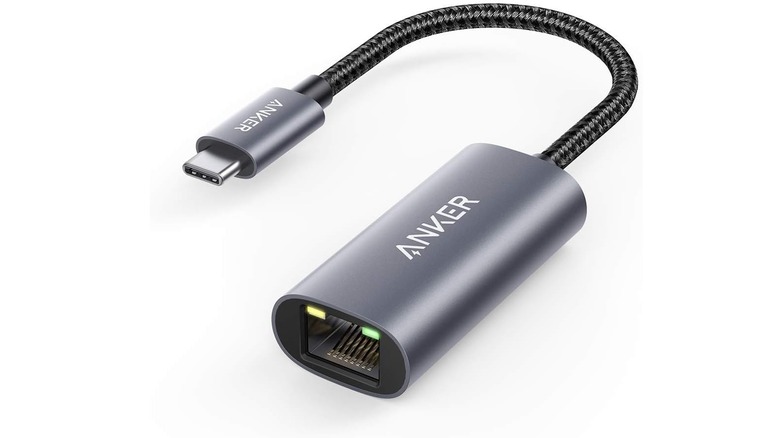
When too many devices are connected to your Wi-Fi network, the internet can become unstable since all of them are fighting for the same bandwidth. Rather than disconnecting all the other devices, people usually get around it by using Ethernet instead of Wi-Fi on the device that matters the most. This is easy for devices like computers and game consoles, since most of them have an Ethernet port, but your iPhone doesn't have one. You can still enjoy the benefits of Ethernet on your iPhone by using the Anker USB-C to Gigabit Ethernet Adapter, and it costs $17. Just like the HDMI adapter in the previous section, this one is for iPhone 15 and later models since it has a USB-C connector.
An Ethernet cable offers a direct connection to the network that bypasses the flaws of Wi-Fi, such as congestion and signal interference. Your iPhone gets a stable internet connection, perfect for high-bandwidth activities, such as streaming 4K video from YouTube or Netflix or playing games using the PS Remote Play app or Xbox Cloud Gaming to your iPhone. The best part is that it supports connection speeds up to 1Gbps (also known as Gigabit internet). Beyond the iPhone, it can also come in handy for some devices, like a MacBook, which also lacks an Ethernet port. Again, you just have to accept the fact that you will be tethered to the router via the Ethernet cable.
Anker Nano Power Bank
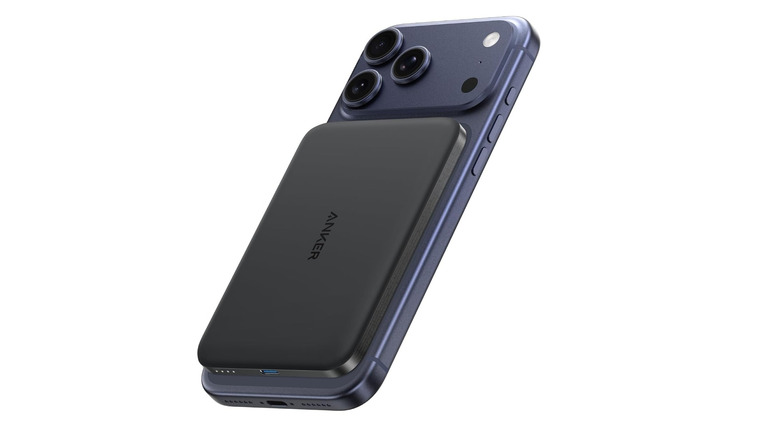
The Anker Nano Magnetic Power Bank uses Qi2 wireless charging technology, which is pretty much the same thing as MagSafe, but more universal. This means that this charger's magnetic alignment technology will allow it to snap perfectly to the back of your iPhone. The Anker Nano Magnetic Power Bank costs $59.99 (discounted to $49.49 at the time of writing) and has a maximum wireless charging speed of 15W, making it faster than the standard Qi-certified chargers, which have a maximum speed of 7.5W. It can charge an iPhone 16 Pro to 25% in 42 minutes. But if this charging speed seems slow for you, then wireless charging might not be for you.
Keep in mind that the power bank has a 5,000mAh battery, which might not give your phone a full charge due to approximately 30% energy loss that results from the overall inefficiency of the wireless charging process. However, it can get your iPhone over the 50% mark if it's fully drained. If you want a Qi2 power bank with a bigger capacity that can give your phone a full charge, then you can get the Anker MagGo Power Bank for $79.86, which has a 10,000mAh battery. Both power banks have a slim profile and maintain a temperature below 104 degrees Fahrenheit to avoid overheating, but your iPhone might still feel warmer than usual due to higher energy loss in wireless charging.
Anker 715 Charger
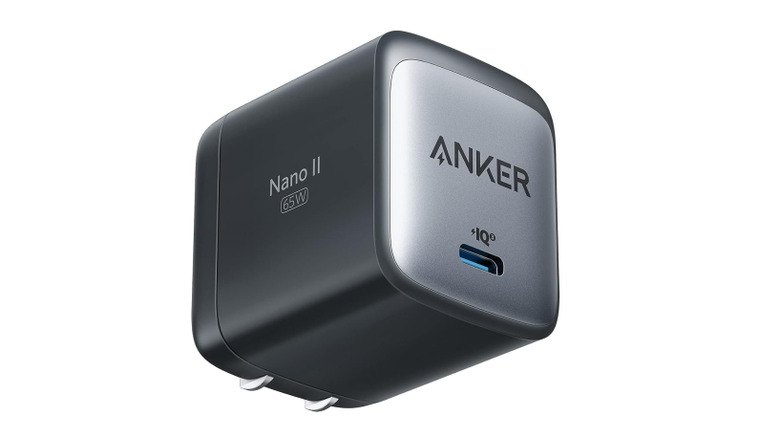
These days, iPhones are capable of charging at incredible speeds, and chargers like the Anker 715 Charger (Nano II) make full use of it. According to Apple, a charger that outputs 40W or more is capable of charging an iPhone 17 from 0% to 50% in 20 minutes. The Anker 715 supports charging speeds of up to 65W, making this $30 charger a must-have tool for when you want to give your iPhone a quick power boost. Of course, this requires pairing the charger with a compatible cable, like the Anker Nylon USB-C to USB-C Cable, which can deliver up to 100W of power and costs only $10.
What allows the Nano II to supercharge iPhones safely is that it supports the USB Power Delivery (USB-PD) protocol. In a nutshell, it allows the iPhone and the charger to communicate so they can negotiate safe charging levels. The Nano II charger is also powered by gallium nitride (GaN) II technology, which not only accounts for the charger's smaller profile but also its higher efficiency, meaning less energy is wasted. Ultimately, this means it produces less heat and reduces your energy bill while charging your iPhone faster.
Anker Prime Wireless 3-in-1 Charging Station
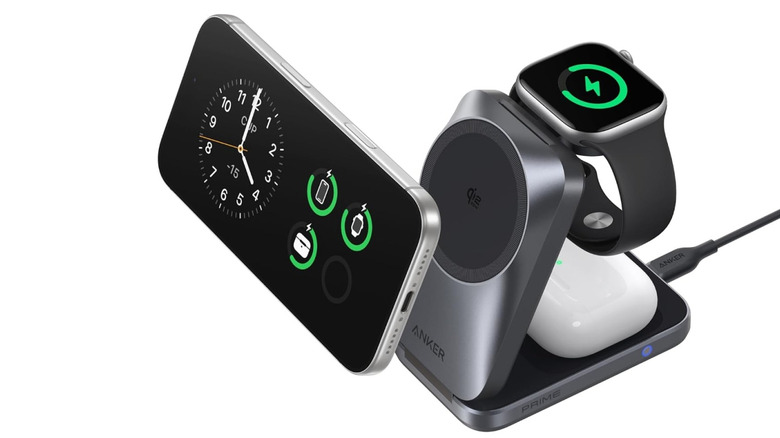
If you're deep into Apple's ecosystem, you might have other gadgets from the brand, such as the AirPods or Apple Watch. There are times when you want to charge them all at once, but if you want to avoid having to group a bunch of cables together, you can use the Anker Prime Wireless 3-in-1 Charging Station. You can get it for $149.99, though it is discounted to $99.74 at the time of writing. Since it supports the Qi2.2 standard, it's capable of fast wireless charging at 25W, on top of being compatible with Apple's MagSafe technology. It allows you to create a dedicated charging space for your iPhone and the other devices you use with it, allowing you to just grab them off the charging station and go when you need to.
On top of being Qi2.2 certified, it also has the Made for Watch certification. This certification is provided by Apple, signifying that the charger has been approved to be fully compatible with Apple Watches. It also has an ultra-compact design that makes it easy to carry with you as you travel. It also comes with a 45W fast charger for charging the station, and it supports USB-PD. It also has a USB-C to USB-C cable to connect the charger to the charging station.
How we picked these accessories

When picking these accessories, we looked at a wide range of scenarios where they would be useful to an iPhone user, whether it's for entertainment or an emergency. We tried to stick to affordable options that also provide great value while staying below the price of $150. As for where to get the products, we looked at Anker's main website and Amazon, and picked the site that had the lowest price. If they had the same price, Amazon was preferred since it's a popular marketplace with more user ratings, which provides a more transparent picture of how the product performs in the real world. Every product on this list scores at least four out of five stars and has hundreds or thousands of ratings.