

How To Connect Controllers To Your Steam Deck
We may receive a commission on purchases made from links.
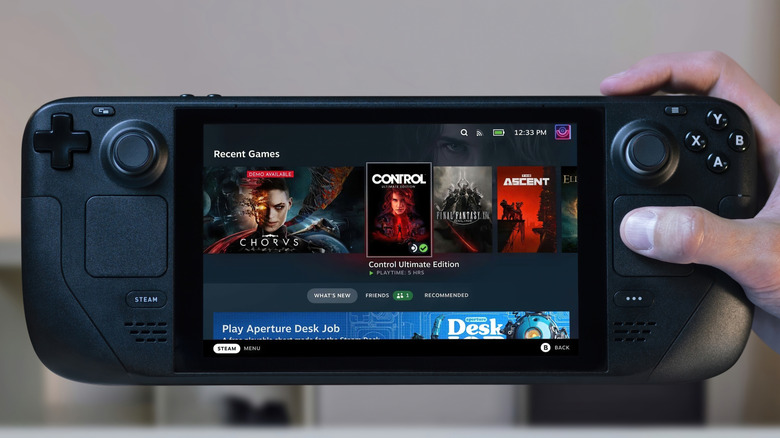
You can connect controllers to your Steam Deck in a variety of ways, depending on what controller and other accessories you have access to. The most straightforward method is plugging one directly into the single USB-C port on the Steam Deck, but this requires a controller that supports a USB-C connection — such as the Steam Controller — or a USB-A-to-USB-C adapter, such as this Anker adapter. This is fine if you're playing alone, but there's much more you can do if you want multiple controllers or a more seamless experience.
To connect multiple controllers, you can use wireless connections, such as the built-in Bluetooth or external RF (radio frequency) dongles. Most controllers support Bluetooth natively, and you can connect them fairly easily. First, press the Steam button, open Settings, and then go to Bluetooth to toggle it on. Then, turn on pairing mode on your controller and connect to it on your Steam Deck screen. Alternatively, you can use a puck that lets you connect multiple controllers directly to the Steam Deck, such as the one the Steam Controller comes with. You can also use an adapter and connect a 2.4 GHz dongle to the Deck that way.
You can use multiple wired controllers as well, but doing so requires getting a dock. The official Steam Deck Dock costs $79 and allows three USB connections, but there are cheaper alternatives as well. With a dock connected to your Steam Deck, you can plug controllers directly into the dock's USB ports. Getting a dock has some other advantages too, such as letting you connect your Steam Deck to a TV and allowing Ethernet connectivity, making it a worthwhile purchase beyond just connecting more controllers.
What controllers work with the Steam Deck?

Controller support is treated very differently by different companies. Sony, for example, does not allow third-party connections to its PlayStation consoles unless they're officially licensed. Similarly, the Nintendo Switch 2 only offers connectivity to specific controllers out of the box. The Steam Deck differs here — whether it's via Bluetooth, with wired cables, or using RF-connectivity dongles, pretty much any controller will connect. This includes most major first-party controllers, such as the PlayStation, Xbox, and Nintendo Switch Pro controllers, and there's support for most third-party controllers as well. It even works with niche options like the Nintendo Switch's Joy-Cons. The best Steam Deck controller for you depends on your particular needs, but there's a high chance your favorite controllers will connect without issue.
Most of the mentioned controllers connect to a dock the same way you'd connect them to a console or a PC. To connect any of these controllers wirelessly to the Deck via Bluetooth, you'll need to turn on pairing or sharing mode on the controller, depending on what controller you're using. For Sony controllers, hold down the PS button and the Share button (or the Create button on PS5 controllers). With a Steam Controller, hold down B and the right bumper, then press the Steam button once. With an Xbox controller, hold the pairing button on the top edge, between the left and right bumpers. For the Nintendo Switch Pro controller or Joy-Cons, hold down the Sync button (located beside the USB-C port on the controller and on the inner side in Joy-Cons) until lights start blinking. If you want to switch to using the Puck instead of Bluetooth on a Steam Controller, turn it off, hold down A and the right bumper, and then press the Steam button.
How many controllers can you connect to a Steam Deck at once?
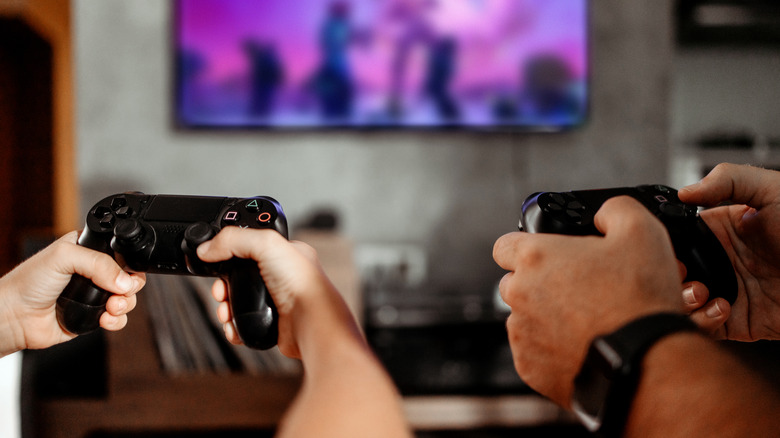
SteamOS supports up to 16 controllers simultaneously, which is more than what most people would ever need. However, in real-life use, this number depends heavily on what kind of connection you're using. On an LCD Steam Deck, you can only connect up to four controllers at once via Bluetooth before you start experiencing issues due to clogged bandwidth. This number increases to 5 or 6 on an OLED Steam Deck due to upgrading from Bluetooth 5.0 to Bluetooth 5.3. It's important to note that certain controllers consume more bandwidth than others, so this number may vary depending on which ones you have.
Wired controllers and RF dongles don't face these restrictions. Here, the limit becomes how many ports you have access to. Without a dock, you can only connect one, while the official Valve Steam Deck Dock has three USB ports, allowing three wired controllers or wireless dongles directly plugged in. Some of the best docks for the Steam Deck can have more ports, such as the $40 Ugreen 9-in-1 Steam Deck Dock, which has four.
In practice, you may want to combine the different methods — wired, Bluetooth, and RF — for the best results. Alternatively, you can use a Steam Controller or another one that supports multiple connections via the same USB dongle or puck. Four Steam Controllers can connect to a single puck, while eight Xbox One controllers can connect to a single Microsoft Wireless Adapter. These don't suffer from the same bandwidth issues as Bluetooth, so if you have 16 Steam Controllers and four USB ports for the Steam Controller Pucks, you can use them all simultaneously with the Steam Deck.