

This Mini PC Brand Accidentally Hosted Malware-Infected Drivers On Its Website
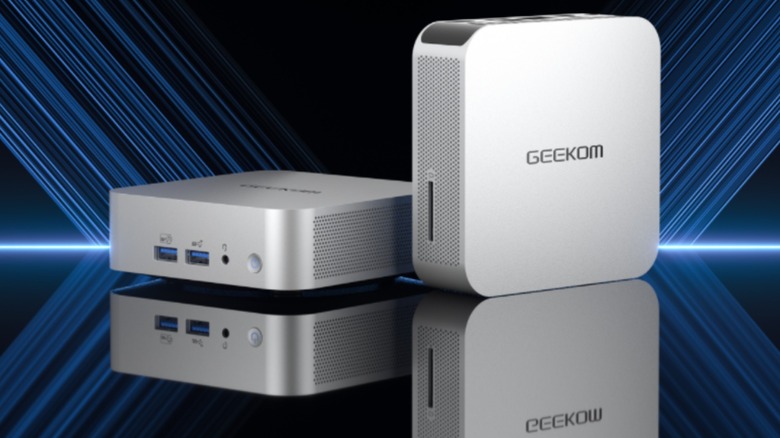
Malware is the bane of every PC owner. Download the wrong file or click on the wrong link, and your system is suddenly hijacked. While common sense practices can prevent most intrusions, antivirus suites such as Avira will sniff out worms and trojans that sneak by. But what happens when malware hitches a ride on official drivers?
Recently, owners of Geekom mini PCs (inexpensive portable desktops that could become the new norm for computers) discovered that an official driver download contained malicious malware executables. The installation package — designed for the A7, A8, AE7, AE8, AX7 Pro, and AX8 Pro — contained the digital signatures of viruses such as Malware.Agentb and Win.Trojan.Asruex.
According to research done by VideoCardz.com, this isn't the first time Geekom drivers unintentionally carried a malicious payload. The site claims that reports regarding these malware-infested drivers date back to December 2024. In fact, according to VideoCardz.com', the exact same viruses were involved. Really goes to show you how some viruses stick around despite our best efforts to eradicate them. Thankfully, these viruses were only found in downloadable driver packages; malware wasn't shipped pre-installed with any of Geekom's mini PCs.
How this malware snuck into Geekom driver files

Geekom isn't the only example of malware hijacking official software. In 2024, a shipment of AceMagic mini PCs accidentally contained malware due to an infected factory-sourced system image, and viruses have hitchhiked onto official video game files numerous times. But how did Geekom's systems get infected? Sometimes things just fall through the cracks.
When Geekom responded to VideoCardz.com's story, the company stated that the affected files were sourced from an "outdated Geekom Support page" that had been archived but not removed. While users couldn't access the page through the official Geekom website, it was still visible — and thus could be accessed through — search engines. That's it. Geekom removed access to the driver package from within its own infrastructure, but didn't bar people from trying to find the files from outside its website (which is arguably the most common method of navigating to such driver downloads).
Of course, the obvious question most people will ask is why Geekom didn't scrub their library of the infected files once the viruses were discovered. Still, the company is now deleting the affected driver packages, and promises it'll double down on improving its "review and resource-management procedures." Well, better late than never.
What to do if you're infested
A warning that you shouldn't install an official Geekom driver is all well and good if you haven't installed it already, but as a general rule, you should always update your computer components to the latest drivers. Thus, if you own a Geekom mini PC, odds are you accidentally infected your computer already. But you can mitigate the damage.
If you installed the compromised files, perform a hard reset on your computer. Wipe all the driver updates (but back up your PC and all your personal files), then reinstall Windows. Instead of downloading drivers directly from Geekom, let each component's built-in update wizard install the necessary files. The Windows Update app is also a viable alternative, although it should be noted that Geekom says the driver package currently available on its website is problem-free.
After that, double check you eliminated the malware and any affected files by running a full antivirus scan. You might want to run the security sweep twice: Once after reinstalling Windows before updating the drivers, and again after you're finished with the updates. If the scans come back clean, you should be safe to restore all your personal files.