

2 Popular TV Brands That Support Apple AirPlay
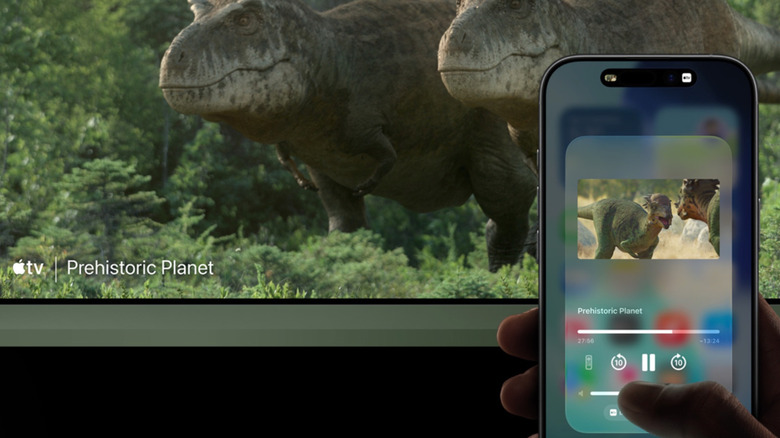
Apple AirPlay is a convenient wireless protocol that every iPhone, iPad, and MacBook owner should know about. It's designed to let you cast photos, videos, and music from an Apple device to an AirPlay-ready host. It can also be configured to mirror your Apple device's screen to a TV or projector. AirPlay 2 is the latest version of the technology, and it's built into a handful of smart TVs. One of the few requirements for a successful AirPlay handshake is that both your Apple device and AirPlay-host device need to be connected to the same Wi-Fi network.
Fortunately, almost every TV manufacturer supports AirPlay in one way or another. Both Samsung and LG use their own smart TV software; the former runs Tizen OS with a custom One UI overlay, and the latter is powered by webOS. As luck would have it, AirPlay 2 is supported by both operating systems. Samsung TV owners may first need to enable AirPlay, and can do so by navigating to Settings, then Connection, then Apple AirPlay Settings, and sliding the toggle to the on position.
The process is similar for LG's webOS: Press the Home button on your LG TV remote, then select AirPlay, followed by AirPlay and HomeKit Settings. Slide the toggle over (if AirPlay isn't already enabled), and that's all there is to it. To test things out, grab your iPhone and open Control Center. Tap Screen Mirroring, and your compatible Samsung or LG smart TV should be listed. Once you choose the device from your menu, you can start using AirPlay.
Google TV, Roku OS, and some Fire OS devices also support AirPlay
TV companies like Sony, Hisense, and TCL don't use first-party software for smart TV features. Instead, these brands license the use of other popular smart systems. One of the most popular third-party options is Google TV, which you'll find built into numerous Sony, Hisense, and TCL TVs. The OS is also built into a handful of streaming devices, including the Google TV Streamer and Onn 4K Pro, and native AirPlay support is one of its features.
To access AirPlay settings on most Google TV devices, go to Settings, then System, then Apple AirPlay & HomeKit settings, and turn AirPlay on if it's disabled. We'd also like to mention that both Roku OS and Fire OS (Amazon's take on smart TV software) support AirPlay, as well. Amazon does say that not all of its smart TV products are AirPlay-capable, so if you're investing in Fire OS, read the full product specs to see if AirPlay is built in or not.
We have a bit of a runner-up to discuss, too: Vizio. The budget-friendly TV brand isn't as popular as it used to be, but we've confirmed that Vizio OS — which is first-party software, we might add — is compatible with AirPlay. One of the only drawbacks is that there aren't as many Vizio TVs to choose from as in years past, and you'll only be able to find Vizio products at Walmart or Sam's Club because the Big W bought Vizio in 2024.