

Can Laptop Cases Trap Too Much Heat?

Many laptop owners supplement their computers with accessories. Keyboards and mice are popular choices (especially for those wanting an ergonomic workspace), and MacBook owners often buy laptop cases to give their computers an extra bit of protection and a pop of color. However, these accessories can make your computer too hot to handle, figuratively and literally.
While laptop cases can potentially protect a computer in the event of a fall, they might also have the unfortunate side effect of blocking cooling vents, which makes laptops more easily (and likely to) overheat. While modern computers have excellent thermal regulation capabilities, laptops can and will heat up during resource-intensive tasks, and cases that are poorly designed only make the situation worse. Best case scenario, the laptop will be painful to hold, and its fans will run at full blast, draining the battery quickly. Worst case scenario, your computer will get so hot that it automatically shuts down so it doesn't accidentally cook itself. If the latter happens while your laptop has a case, remove it, because the case is probably blocking the fans.
Sometimes, the case isn't to blame, but is a compounding factor. Placing a laptop on a soft surface can slowly kill the device, as these block fans and vents. Securing a laptop in a case or on top of a couch cushion might not make the computer overheat by themselves, but together they could completely cut off air flow, thus trapping too much heat for the computer to handle.
Show me what you're made of
Realistically speaking, you don't actually need a case to protect your laptop. You can just buy a sleeve to keep your laptop safe and scratch-free while in transit. Alternatively, buy an extended warranty — AppleCare+ also comes with hidden perks such as theft coverage. But if you're adamant on buying a protective case, you don't have to worry about overheating if you shop for the right one.
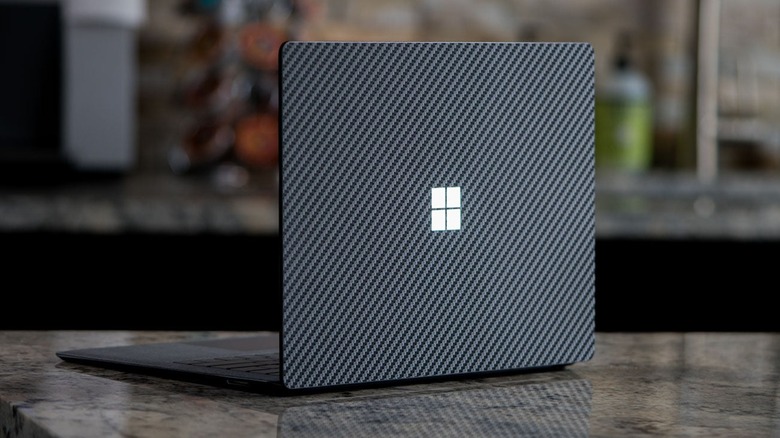
While laptops primarily rely on their fans and vents to stay cool, some heat dissipates through their chassis. If it didn't, these computers wouldn't feel hot to the touch while performing resource-heavy tasks. As a general rule, metal chassis handle heat better than plastic shells, and the same is true for cases. Plastic cases, while inexpensive, trap heat more than metal ones, but many brands provide alternative materials such as silicone and carbon fiber. While silicone cases provide the best protection against accidental drops, they're some of the worst materials for keeping laptops cool. Carbon fiber, meanwhile, sits somewhere in the middle — better at handling heat than plastic but not as durable as metal — but costs a pretty penny.
Laptop skins and wraps are decent alternatives to cases. These are thin protective layers that adhere to laptop chassis like stickers. While they're made of vinyl, skins and wraps offer some protection against scratches and light dings (but don't provide defense from heavy impacts or falls). Plus, skins and wraps are lightweight by design, so don't effect normal heat dissipation. And did we mention that companies such as SlickWraps and Dbrand offer a wide collection of eye-catching colors and patterns? Might be worth a shot if you really want to prevent laptop overheating.