

What Do The Lights On An Anker Power Bank Mean?
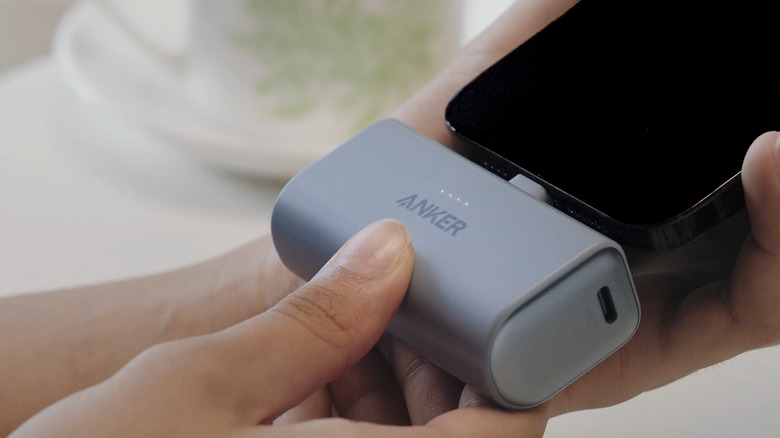
Anker has been praised time and time again for its wide range of high-quality chargers and portable battery packs. In fact, some Anker accessories outperform their competitors while also offering several nifty features. One of these convenient features is a small display integrated into some of the Anker power bank models. It might seem like a minor part of the overall design, but it's particularly handy when you'd like to know the status of the device. Instead of guessing what the current battery level is or whether the power bank is charging as expected, all you have to do is simply glance at the screen.
But what if your Anker power bank doesn't come with a built-in display? In that case, you can check its LED indicators instead. The lights on your Anker power bank can tell you the status of the device based on which ones are lit. Generally, there are three types of LED indicators on Anker power banks: battery level indicators, a trickle charging mode indicator, and a wireless charging mode indicator. We'll go over what each of these Anker power bank lights means.
Battery level lights
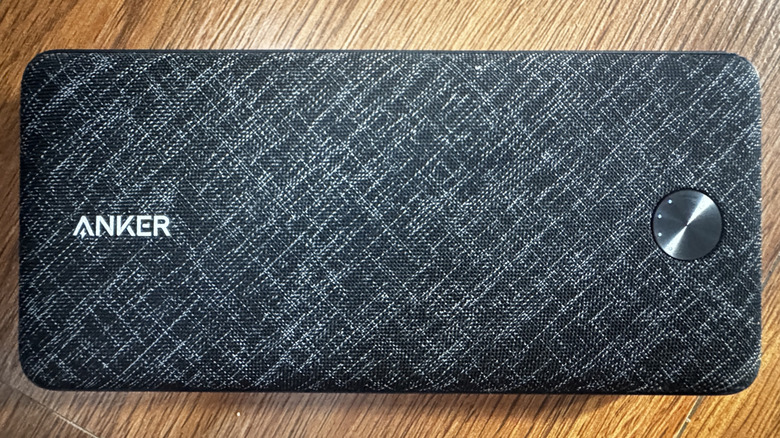
The four consecutive LEDs on your Anker power bank — usually arranged in a straight line or curved around the button — are the indicators for the current battery level. You'll find these four lights on the front of models like the Anker Nano A1653 and Anker PowerCore A1229, or on the bottom of models like the Anker MagGo A1611 and Anker Zolo A1684.
These four battery level lights on your Anker power bank tell you how much charge is left. If only one LED indicator is on, it means the current battery level is between zero and 25%. Two lights mean 25% to 50%, three lights mean 50% to 75%, and four lights mean 75% to 100%. The power bank won't show these battery level indicators all the time, though. To view the current battery level, you need to press the power button once.
The battery level indicators also light up automatically whenever you're charging your phone or other devices either on the pad of the wireless power bank or via cable. Once the indicators turn off, that means your device is fully charged. When you're charging the Anker power bank itself, you'll see the battery level indicators illuminate as well. If it's below 25% when you plug it in, the first LED will blink while the rest are off. As soon as the power bank reaches 25%, the first LED becomes solid, and the second LED starts blinking. This continues until the battery is fully charged, at which point all LEDs turn off.
Charging mode lights
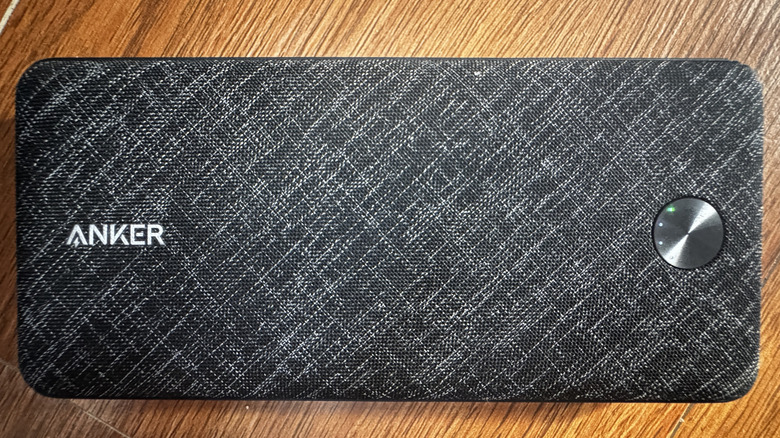
Other than the battery level lights, your Anker power bank also has specific lights for two charging modes: trickle charging and wireless charging. Anker's trickle charging mode enables the power bank to detect and charge small electronics like microphones, wireless earbuds, and smartwatches, which would otherwise go unrecognized due to their small power draw. To make sure they charge properly, you'd need to enable trickle charging mode by double-pressing the power button.
You'll know trickle charging mode is on when you see the corresponding LED — a solid green or blue dot — on your Anker power bank. It appears next to or above the battery percentage on the built-in display of models like the Anker Prime A1340, Anker Zolo A1688, and Anker MagGo A1657. If your Anker power bank doesn't come with a display, one of the battery level indicators will turn green instead. This is the case for models like the Anker PowerCore A1229. When you're done trickle charging, you can then disable the mode. Simply press the power button once or twice, depending on the model. This should also turn off the solid blue or green light on your Anker power bank.
On the other hand, the wireless charging mode light indicates the power bank's wireless charging status. This indicator automatically lights up when you place your phone on the power bank. If it doesn't, you can enable wireless charging mode manually by pressing the power button. The LED will then flash, which means that wireless charging was turned on. Then, when you put your phone on the power bank, the wireless charging mode light turns solid. If you see the battery level lights flash from left to right, though, that means the connection to your phone is unstable and needs adjustment.