

How To Change Apple Maps' Voice

Many navigation apps offer voice-based turn-by-turn directions, including Apple's own Apple Maps tool. iPhone owners who use Apple Maps on a regular basis may want to customize the voice used for those directions to improve the overall experience. The good news is that changing the Apple Maps navigation voice is relatively easy. The bad news is that Apple Maps doesn't offer a built-in catalog of voices to choose from. Instead, the app shares the same voice as Siri, iPhone's voice assistant. That's why changing the Maps voice requires going to the Siri menu in the Settings app, instead of diving into the navigation app's various menus.
This suggests that any changes coming to the Siri voice in future iOS releases may directly impact the Apple Maps experience. The company may update the Siri audio experiences via iOS releases, and changes made to Siri may affect user preferences in Apple Maps. However, once you learn how to change the navigation voice, you'll always be able to customize the experience.
Finally, iPhone users should know that Siri voices and accents may differ depending on market and device capabilities. For example, iOS 27 will introduce more expressive voices for the Siri AI chatbot, but the feature will have specific hardware requirements and may not be available in all markets where iPhones are sold. As such, not all Apple Maps users may be able to take advantage of the expressive voice options.
The Apple Maps voice settings
To change the Apple Maps voice, go to the Settings app on the iPhone and tap the Siri menu. Then look for the Voice menu, which is where you'll customize the audio experience. Tap it and you'll be presented with a list of choices on a new screen that explains where the selected voice will be used. According to Apple's description on an iPhone 14 Pro (iOS 27 beta installed) that doesn't support Apple Intelligence, "Siri, Maps Turn-by-turn guidance, and Listen to Page in Safari" will use the selected voice. iPhone users will have to make two choices: Variety (accent) and voice type.
The voice variations may include American, Australian, British, Indian, Irish, and South African accents when the phone's language is set to English. Each accent will have a number of distinct voice options in the Voices menu. For example, the American menu may offer five voices, without identifying them as male or female. You'll have to go through each of them to see which one you like best. Other accents may have fewer options. If you want a different language, you will have to go to the Language menu in the Siri section of the Settings app, make your selection, and then return to the Voice menu. For additional customizations, you can go to the Settings app, tap Apps, and select the Maps app.
iOS 27's expressive voice options
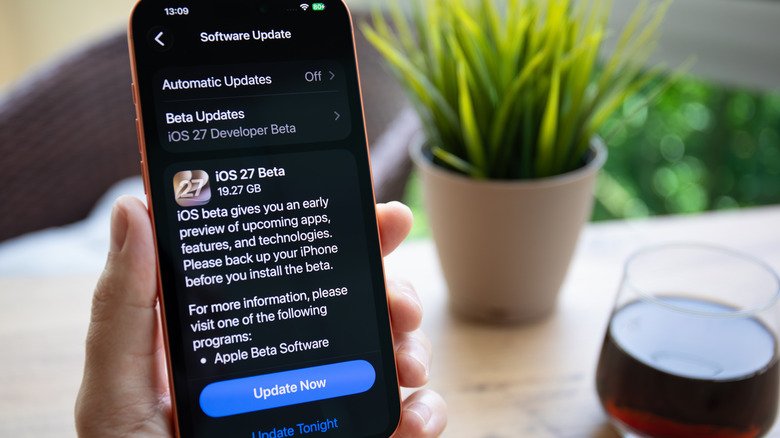
iPhone users updating to the iOS 27 beta may be interested in changing the Siri AI voice to one of the more expressive options. Apple uses an on-device AI model to allow these customizations for the Siri chatbot, but users will need a model that has at least 12 GB of RAM. The list includes the iPhone Air, iPhone 17 Pro, and iPhone 17 Pro Max. The company is expected to launch three new iPhone models in September, which are likely to support the more expressive Siri voices. These are the iPhone 18 Pro, iPhone 18 Pro Max, and Apple's first foldable iPhone. In July, Apple's iOS 27 beta 3 enabled the Expressivity and Pace sliders in the Siri settings. Consumers who want to use Apple Maps on an iPad with the new voices can do so on a tablet that has at least 12 GB of RAM (M4 iPad Pro or later) after downloading the iPadOS 27 update.
The hardware isn't the only limitation for enjoying the more expressive Siri voice options in iOS 27 and iPadOS 27. The new Siri will be available in English initially, with other languages to follow. Apple customers in the European Union and China will not be able to use the expressive Siri voices as the Siri AI chatbot will not be available on iPhone and iPad in EU countries initially. Similarly, Chinese users may not have access to Apple Intelligence features, including the new Siri AI, once iOS 27 and iPadOS 27 are released.