

Who Made The First Touchscreen Computer?
Touchscreen displays are found everywhere today, but most still consider them a relatively recent technology. Depending on how you define a computer, the first touchscreen computer dates back to 1965, when E.A. Johnson created the first touchscreen to improve air traffic control systems. However, as this had no applications beyond air traffic control, it might not be considered a full-fledged computer. Similar devices came out afterward, such as CERN's touchscreen control systems for scientific equipment in 1972 and the PLATO IV, a touch-based display terminal designed to aid students, also from 1972.
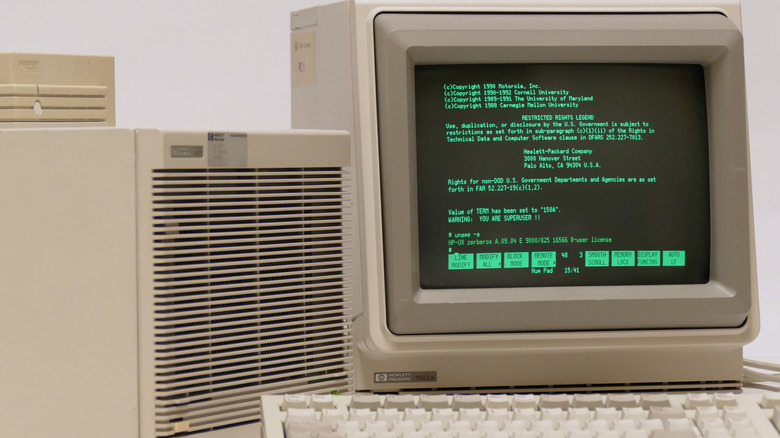
However, these were specialized devices not available to the general user. If we're talking about the first commercially available personal computer with a touchscreen, it's the HP 150 from 1983. As the name suggests, Hewlett-Packard (HP), one of the most popular laptop manufacturers today, manufactured the device. The computer came in two parts: a dual floppy-disk drive used to install the OS, and a monitor that housed the main computer hardware.
The HP 150 featured a variety of legacy ports that we no longer use. It had two RS-232 ports, an IEEE-488 or GPIB (General Purpose Interface Bus) port for connecting external drives, AC input and output ports, and an RJ-11 port for a keyboard connection. Like many computers at the time, the HP 150 did not support a mouse, relying on keyboard input and its touchscreen to function. For other ports, such as parallel ports for printer connections, HP let users add expansion cards.
How does the HP 150's touchscreen work?

The two main types of touch display technologies used today are capacitive touchscreens, like the ones in your smartphone, laptop, or tablet, and resistive ones, like the ones you'll find on an ATM or in a POS terminal. Capacitive touchscreens use two conductive layers that are separated by an insulating layer to create a charge on the screen. When you press your finger to the screen, the charge from inside your body interacts with the screen's existing charge, telling the device precisely where your finger is. Resistive touchscreens consist of two conductive layers with a slight gap between them. The top layer is clear and flexible, while the bottom one is rigid. When you press the outer layer, it bends to complete the circuit and register a touch.
The HP 150 used neither, opting for an infrared (IR) optical touchscreen. In the computer's monitor housing, uniformly placed holes held IR emitters and receivers. These projected invisible horizontal and vertical rays of light to create a grid right above the screen. When any object interacted with the screen, it interfered with the grid projection, telling the computer where the screen was touched.
This was very responsive for its time, but it had glaring issues that pushed companies to switch to capacitive and resistive technologies. First, this method allowed only a single touch point at a time; gestures like pinching weren't possible. It also required bulkier bezels to position the IR emitters properly. Additionally, dust could settle in the openings made for IR emitters, ultimately rendering the touchscreen unusable.
Does HP still make touchscreen computers?
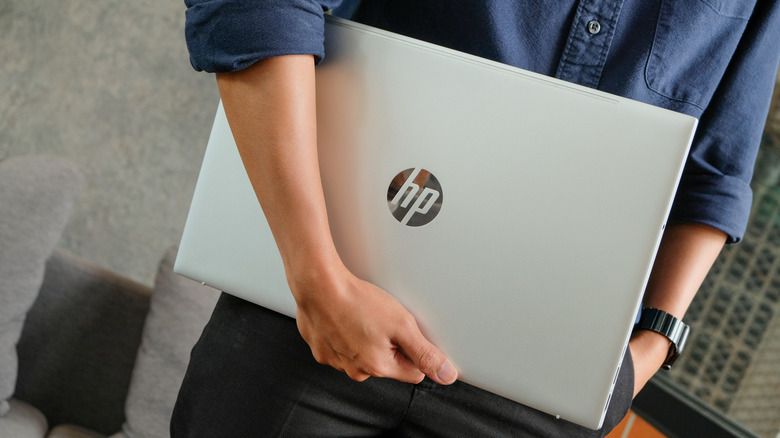
After the HP 150, the company produced no touchscreen computers for over two decades. The HP Compaq Tablet PC TC1000 launched in 2002, followed by its successor, the TC1100, but both required a special digitizer pen and didn't support direct finger touch. The company's next true touch display computer was the HP TouchSmart series, which debuted in 2007. These were all-in-one desktop setups that featured the same IR touch technology as the HP 150. A year later, HP introduced the HP TouchSmart tx2 in 2008, its first touch-based computer that moved away from IR emitters in favor of capacitive touch and finally added multi-touch features. The company has since produced many other touchscreen laptops, including select models under the retired Envy, Spectre, and Pavilion lines.
Today, HP has a variety of touch-based laptop lineups aimed at different demographics. The HP OmniBook lineup (including the OmniBook Ultra and OmniBook X series) includes mainstream, consumer-focused 2-in-1 convertible and touch-based clamshell models, while the HP ProBook, EliteBook, and ZBook series target executive, commercial, and creative professionals. HP also continues to produce Chromebooks as budget-friendly alternatives with touch capabilities.