

5 Cheap Laptop Brands That Can Compete With Asus
We may receive a commission on purchases made from links.
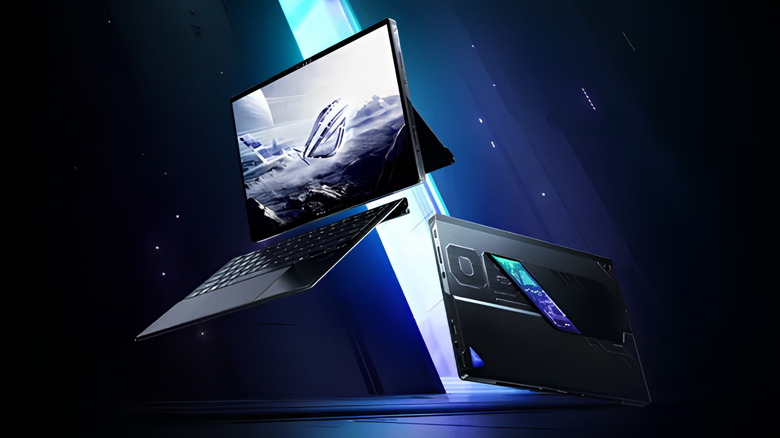
As a laptop brand that named itself after Pegasus from Greek mythology should, Asus certainly lives up to its name as a dominating force for casual, professional, and gaming uses. Having owned a couple of Asus ROG laptops in the past, they're definitely a go-to brand for me, but that's not to say there are some fantastic competitors in the market right now.
Brands like HP, Dell, Lenovo, Acer, and even Maingear have product lines that compete directly with Asus' budget Vivobooks, TUF and ROG gaming laptops, premium Zenbooks, and more. Except for Maingear, which operates in the premium gaming space, the rest of these brands have been fighting Asus in the mid-range arena year after year.
While Asus often dominates on specs-per-dollar, rivals are starting to go neck-and-neck thanks to Qualcomm Snapdragon X chips making budget Windows laptops perform well and improve battery life. The same goes for expensive gaming laptops such as Asus ROG and TUF, that are now competing with cheaper alternatives with similar specifications. So here are five examples of Asus' competitor brands that are offering similar laptops for less, making them more affordable.
HP's OmniBook line takes on the Vivobook
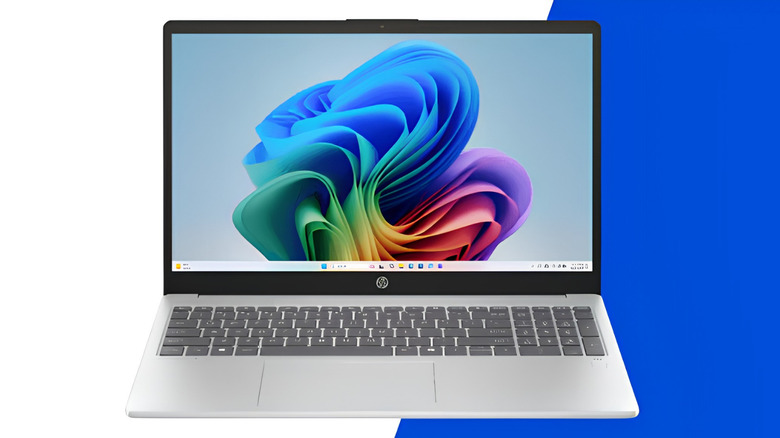
HP is a solid rival for Asus, and another popular laptop brand that offers similar products for a lower price. The HP OmniBook 5 is a competent rival to Asus' Vivobook lineup. The Omnibook 5 variant sporting the Qualcomm Snapdragon X, 16 GB RAM, 256 GB storage, a 14-inch OLED screen is available for $630.
By comparison, the Asus Vivobook 14 largely comes with the same specs, albeit more storage, and an inferior LED screen for $709.99, so, in this particular case it makes sense to save a few bucks for similar performance on a better screen. That said, the Vivobook also features premium materials on the chassis and a quicker touchpad for cursor navigation, which might be worthy features for some buyers.
There's also the HP OmniBook 3 lineup that features other affordable options, such as the 16-inch touchscreen variant featuring an IPS display, an AMD Ryzen 5, 8GB of RAM, and 256GB of storage, all for $500. This is a good choice for those who want a bigger screen but are happy with less performance and storage.
Dell's Xps 13 goes after the Zenbook
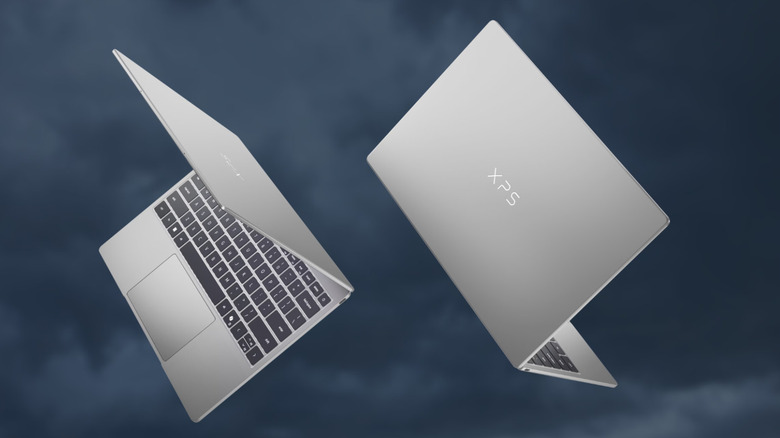
Dell takes on the Asus Zenbook 14 line with its Xps 13.4" models by offering value-for-money specs. Both have an ultra-slim profile, with the Dell Xps packing in a 3K 13.4-inch LED touchscreen, Intel Core 5 320 CPU, 16GB RAM, and a 512GB SSD for $900. These specifications should handle streaming, web surfing, and other on-board AI features to help users with multitasking.
As on Asus' side, the Zenbook 14 comes at a price tag of $1,115 and offers a slightly bigger 14-inch 2K OLED screen, an AMD Ryzen AI 9 465 2026 CPU, 16GB RAM, and 512GB Storage. But for anyone who wants a competent and reliable laptop for $300 less, the Dell Xps offers better performance per dollar without sacrificing anything deal-breaking.
Take care to not go for the 8 GB Dell Xps 13, however. It's cheaper at $699.99, but getting 16 GB of RAM is going to keep programs and multitasking running smoothly, especially down the line. RAM is getting extremely expensive, so buying the cheaper model and self-upgrading is probably going to cost more long term, especially if the installed memory is soldered to the motherboard.
Maingear's Ultima 18 vs the Rog Strix Scar 18 (RTX 5080)
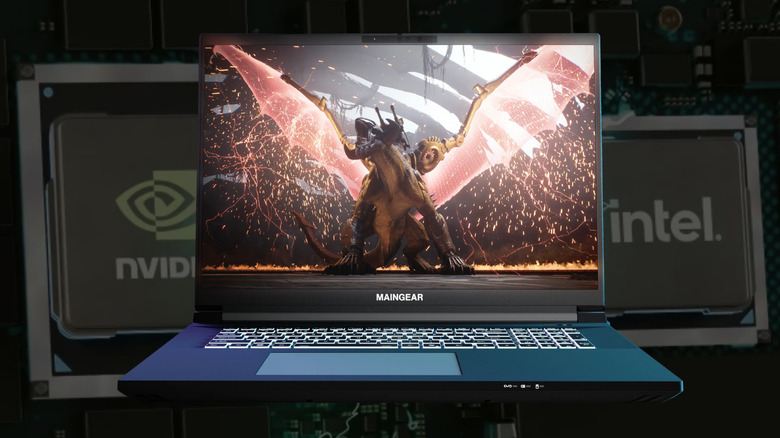
No Asus article is complete without looking at their top-tier gaming lineup. Unlike the budget-focused picks so far, we're comparing two flagship portable gaming rigs with the Maingear Ultima 18 RTX 5080 to the Rog Strix Scar 18 RTX 5080. Both are premium machines offering some impressive graphics capabilities thanks to the RTX 5080. In this case, however, Maingear is offering a competitive deal that's hard to pass up.
Maingear is known for its boutique gaming PCs with insane specifications, and its laptops offer the same great customer support and optimized performance. They come tuned and ready for users to install Steam out of the box and get going, while Asus, on the other hand, is infamous for installing a fair bit of bloatware.
The Maingear Ultima 18 costs $3,699 and is powered by an Intel Core Ultra 9 290HX Plus and RTX 5080 mobile GPU, an 18-inch 4K 16:10 240Hz G-Sync compatible panel, 2TB Gen4 NVMe SSD with three additional M.2 slots for expansion, and 32GB DDR5 RAM which also has an additional DIMM slot for upgrades down the line. When comparing this to the Asus Rog Strix Scar 18 RTX 5080 model, the specs are largely similar only with a smaller 1TB SSD for $4,299.99 – $600 more expensive than the Maingear Ultima 18. In fact, buyers could get the RTX 5090 Ultima 18 and still save $100.
Lenovo's Loq fares well against the Vivobook S14

Lenovo is another solid Asus alternative, and this one comparison proves that in spades. The Lenovo Loq 15 isn't only more powerful than the slim Vivobook S14 offering, but it's also $120 cheaper, costing $1,380 vs $1,500. The Vivobook S 14 features an Intel Core Ultra 7 258V with integrated Intel Arc Graphics, 32GB DDR5 RAM, 1TB SSD, 14-inch OLED screen, and a chassis weighing 2.9 lb. On the other hand, the Lenovo Loq 15 rocks an AMD Ryzen 7 250 plus a dedicated RTX 5050 laptop GPU featuring 8GB GDDR7 VRAM. To top it off, it has a 512GB SSD and a 15.6-inch WUXGA IPS panel with a 165Hz refresh rate.
While the comparison isn't exactly apples-to-apples as the Vivobook is a slim and lightweight notebook as opposed to the Loq which is a gaming laptop, you still get more performance-per-dollar by going with Lenovo. This essentially means that the Loq can game better for less, while being supported by the screen's higher refresh rate.
Meanwhile the Vivobook can't keep up with its integrated graphics and so its screen only has a 60Hz refresh rate. This isn't just a negative for gaming, but also for creatives who wish to edit photos and videos. That's not to say Asus has failed here — the OLED screen is going to provide better color representation and contrast, with its thinner chassis being aimed more towards everyday and office work users who want a dependable laptop to carry around. With the Lenovo Loq being more powerful under the hood for nearly $120 less, it can be the better deal for buyers ready to compromise on some portability.
Acer Chromebook 315 vs Asus Chromebook CX14
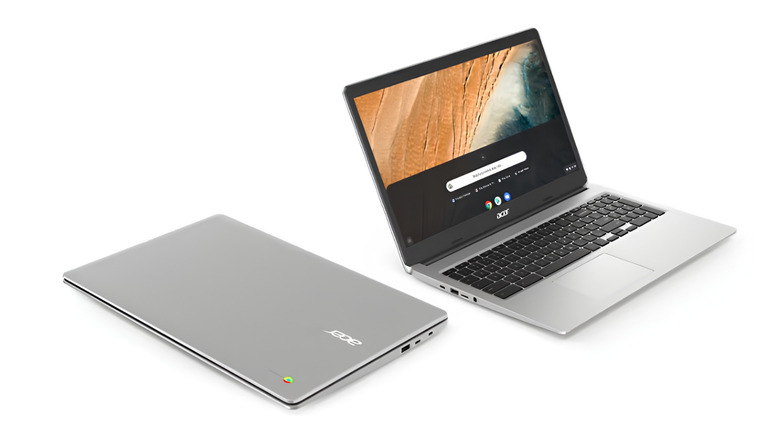
When it comes to a budget Chromebook that delivers, Acer gives Asus a run for its money. Chromebooks aren't meant for gaming or any kind of intense workloads, but for everyday use, such as web surfing, streaming, writing and editing docs, and similar tasks. They're perfect for students who need a cheap laptop, and the Acer Chromebook 315 is currently $199, which is roughly $280 less than the Asus Chromebook CX14's $479.99 price point.
Acer is a massive competitor and offers a compelling alternative in the Chromebook space. It has a 15.6-inch FHD screen, MediaTek Kompanio 540 SoC, 4GB LPDDR5X, 64GB eMMC storage, Wi-Fi 6E, and up to 13 hours of battery life. Bearing in mind that Chromebooks are designed for people to carry out tasks via the Google Chrome browser, even basic hardware such as this can offer a usable experience.
The far pricier CX14 has a 14-inch 16:9 FHD display, Intel N150 processor, 8GB LPDDR5, Intel UHD graphics, Wi-Fi 6E, and a 180-degree hinge. It has twice as much RAM as compared to Acer's Chromebook 315 and will run smoother, which might be worth the next $280 for some, but for most users buying something like an Omnibook 3 for the price or getting the much cheaper Chromebook 315 would be a better deal.
Methodology
There's only one way to find which brands genuinely give Asus a run for their money, and that's by comparing what each company is offering at the moment and how they stack up when looking at specifications and price points side by side. Only reputable brands were selected, with an aim to find an Asus alternative brand that saves buyers money, gets them more power for the money, or the best of both worlds.
Every brand has strong and weak models, so buying a laptop just because of a brand logo isn't a good way to find the right pick. A good example here would be Dell, which isn't usually the first brand people think of when in the market for a new laptop, but its Xps 13 line goes neck-and-neck with the Asus Zenbook. For compiling this list, we tried finding Asus alternatives that offer a similar profile for cheap. We've also tried comparing specific models to pin point exactly what laptops are better options than Asus' offerings.