

12 Things Your GPU Can Do Besides Play Games
We may receive a commission on purchases made from links.
What is a Graphics Processing Unit (GPU)? If you ask chip giant NVIDIA, the first GPU was the GeForce 256. A term the company coined because of a definition it created for itself. The truth, however, is that special chips designed to accelerate 3D graphics have existed for a long time. For example, the Super FX chip was built into the cartridges of games like "Star Fox" and "Doom" on the Super Nintendo Entertainment System or SNES.
Graphics cards for PC allowed players to upgrade the rendering capabilities of their computers as time went by. With games like "Quaked" driving the sales of the legendary Voodoo graphics cards, and later cards from NVIDA and AMD. While there have certainly been some major historical GPU flops, overall this technology has gone from strength to strength and NVIDIA is a multi-trillion-dollar company today because of it.
But, what really made the difference was the point where GPUs became useful for far more than video games or even 3D graphics as a whole. It turns out that the unique architecture of GPU technology makes it very good at certain things. So much so, that it could literally change the future of our civilization. If you thought the graphics card inside your PC or laptop was only good for a gaming session after work, prepare to have that assumption shattered.
Video encoding, transcoding, and effects

Modern GPUs have dedicated hardware that accelerates the encoding and decoding of video. Thanks to this, you can change the compression method of a video in real time, without using up CPU or GPU resources. That's a big help to video editors, where rendering the final project can be quite the time sink, and if you're doing it professionally, time is literally money for you. The faster your projects are finished, the more work you can fit in.
It's not just encoding and transcoding that get a boost from your GPU either. Modern video editors use your GPU to accelerate a long list of effects both in your final render, and in real-time as you preview your work. In the past video editors had to put up with a stuttering stop-and-go experience, but modern GPU technology has made that a thing of the past.
You can benefit from video acceleration even without being a video editor. If you stream your video games online, that's GPU-accelerated. When you watch high-resolution videos on your computer, your GPU accelerates the process, so you don't have loud spinning fans and excessive power draw. In some cases, your GPU can even use AI to upscale videos you're watching in real time, as is the case with NVIDIA's RTX Video Super Resolution.
3D rendering and animation
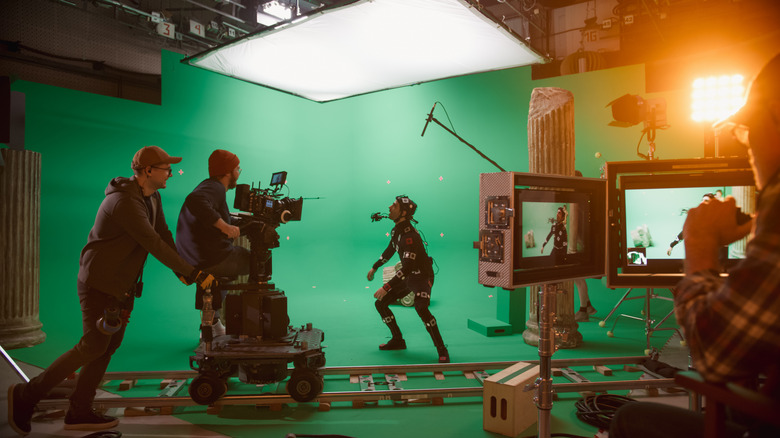
The graphics chips we got to buy for home computers, or that came built into 3D gaming consoles, use technology derived from professional graphics hardware. For example, the Reality Immersion Coprocessor in the Nintendo 64 was designed collaboratively between SGI (Silicon Graphics Inc.) and Nintendo. Before 3D acceleration at home was a thing, the first movies using CGI (Computer-Generated Imagery) came in the early '80s. "Tron", which gave us one of the best sci-fi vehicles of all time, is one of the first films to make extensive use of computer graphics.
At first, 3D rendering and animation were done using general-purpose CPUs, but since this was slow and inefficient, specialized hardware was created, and that's the genesis of 3D accelerators or what we know as GPUs today. Now companies like Industrial Light & Magic combine computer graphics with live performance capture as seen above to make properties like "Star Wars" or "Stranger Things" come alive on-screen.
The best part of this is that nothing stops you from using the GPU in your own computer to create 3D models, or make 3D animation. The Oscar-winning film "Flow" was created using a free open-source program called Blender. With time, talent, and a regular off-the-shelf GPU, you could be winning Oscars. But most of us are just going to play "Fortnite" instead.
AI image generation

Unless you've been off the internet entirely for more than half a decade (welcome back!) there's no way you haven't encountered AI-generated images online. In fact, it's basically impossible to avoid them. Social media sites like Facebook in particular are flooded with often creepy "AI slop" imagery. What's worse, as the technology improves, it's becoming harder and harder to tell if an image is real or not.
What you might not know, is that AI image generation relies entirely on GPU technology. When you ask ChatGPT to perform image generation, dozens of energy-guzzling GPUs in a data center spin up to create a picture of a cat riding a unicycle for your entertainment. What started out as deformed, barely recognizable caricatures of real objects is now pin-sharp imagery that can be shaped by very specific prompts that guide composition and content.
Those data center GPUs, fundamentally, aren't that special. They're just very powerful, and have lots of memory. Other than that, this is the same technology that's in your own computer. If you have the hardware for it, you can use a downloadable program like Stable Diffusion to generate images completely offline, on your own GPU for free! The biggest limitation here is VRAM. On a GPU, VRAM means Video RAM and your AI model has to fit inside to work. Which is why I can make better images with my 24GB MacBook Pro and its unified memory, than with my more powerful 8GB NVIDIA GPU.
Local AI models and machine learning

If the GPU in your computer can run generative image models, can it run chatbots? The answer is a resounding yes! and people all over the world are running chatbots locally on their own computers with no online connection or subscriptions.
Just like image models, the size of the chatbot is crucial here. How "intelligent" a chatbot is correlates with the size of the model. However, it's not a straightforward relationship. In other words, a model that's twice the size won't perform twice as well, and a smaller model that fits in your GPU's VRAM might be good enough for your needs. As long as you manage your expectations.
I had great success running a DeepSeek model on my 24GB MacBook Pro. A thin and light laptop computer that easily fits in a messenger bag. DeepSeek suddenly became popular because it "distills" the power of large models into much smaller models without any apparent loss of capability. Letting your home GPU punch far above its weight. Just be aware that due to DeepSeek's Chinese origin, some U.S. states have outlawed it. You can download a tool like LM Studio for Mac, Windows, or Linux and have the chatbot model of your choice running in no time. All for the price of the electricity your computer uses. If course, if you're running one or more high-end GPUs, that number can actually be quite large!
Upscaling and enhancing old video

We mentioned earlier that technologies like NVIDIA's RTX Video Super Resolution can use AI to upscale and enhance low-resolution video in real-time. However, you can do a much more impressive job by using an AI upscaler that takes its time.
In the image above, a tool called Topaz Video has been used to increase the resolution of a 1080p video to 4K. The company says the software can "reduce compression artifacts, reduce noise, recover detail, sharpen, and upscale to 4K." It's impressive because the "recovered" detail doesn't exist in the source material. The AI model fills in plausible details to create an image that is actually 4K in resolution.
This means you can take your old grainy family videos, and use the GPU in your computer to transform that video into modern-looking, crisp high-resolution footage. However, that can be problematic. Ultimately, the output doesn't really represent what was recorded, and there will be changes compared to the original. Human faces in particular might change to a degree where the subject looks like a different person. When AI technology is used to upscale movies for release in 4K format, it can make ruinous alterations such as smoothing actor's faces to the point where they look like wax figures, or inserting objects or faces where they don't belong. However, projects like DS9: Redefined show how Topaz specifically can be used to lovingly improve a classic show. However, it's not as simple as clicking on a button and calling it a day.
Cryptocurrency mining
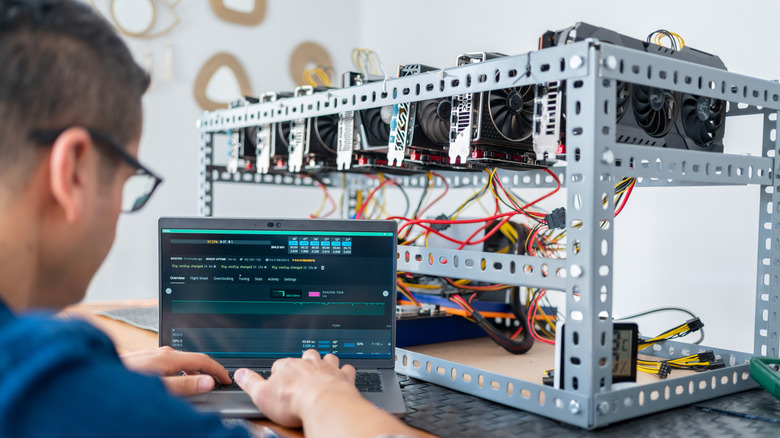
Cryptocurrency, in case you didn't know, is a decentralized "currency" that acts more like a commodity such as gold or silver. Crypto coins are mined by solving a mathematical problem that grows tougher over time. When you mine coins, you are rewarded with a portion of the currency for your work, and so for a while there crypto mining lead to a virtual gold rush. There have been several GPU price booms spurred by crypto mining, because for a while standard off-the-shelf GPUs were an economically-viable way to mine.
That is, until the advent of application-specific integrated circuits (ASIC), which are devices designed to crunch the numbers for certain crypto currencies.While you can still mine crypto with your GPU today, you'll likely lose money since the hardware and energy costs are too high for what you'd get in return. This is of course governed by the extremely volatile pricing of cryptocurrency itself. So if Bitcoin, for example, suddenly had a massive increase in value, we might see people rush to snap up GPUs again.
Interestingly, Ravencoin is an experimental cryptocurrency designed specifically to combat the rise of ASICs, and keep mining democratic and decentralized. If that ever takes off, your desktop CPU could be a moneymaker once again. That's good, because ASICs become a waste of the coin they were designed to mine crashes in value or changes its algorithm. Making them incredibly wasteful.
GPU-accelerated photo editing

It's not just moving images that benefit from having a GPU. If you edit photos on any device these days, you can be assured there's a GPU somewhere making that process smoother and faster. Your phone or tablet has a GPU, your laptop has one, and of course your desktop PC has one. So applications like Adobe Lightroom can leverage the unique strengths of GPUs to speed up how quickly edits or effects are applied.
This is also another place where generative AI (literally) comes into the picture. When you use feature like Adobe's Generative Fill, it uses GPUs in the cloud to fill in the detail that's missing in your image. There are ways to run local AI that can do the same job, but for now Adobe in particular seems to favor offering this as part of a paid subscription service.
As an example of how generative fill works, if you erase a person from a photo, this GPU-powered feature will imagine what the area obscured by that person looks like, and create new pixels just for the missing part, leaving the rest of the image alone. Sometimes this can have undesirable results, but you can re-roll the dice until you get what you prompted the fill to create.
Visualizing 3D models and complex print previews
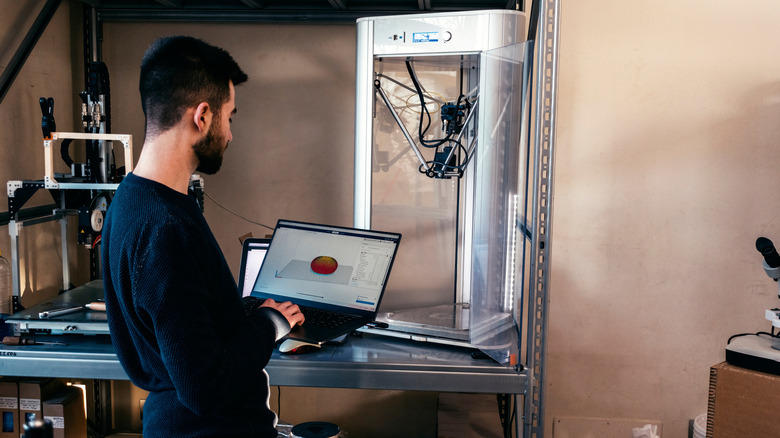
3D printing has become both affordable and mainstream, but a 3D printer by itself is only part of the equation. Before you can send a file off to your printer to be printed, you need to load it into a "slicer" application and prepare or modify it to your taste and needs.
Rendering that 3D model file so that you can work with it before finalizing it requires GPU horsepower. It's why you can work with 3D objects in real time, which is a modern luxury designers in the '90s would have loved! While a simple object won't make your GPU sweat, 3D printers are capable of making extremely intricate and detailed objects these days, and so loading one of those into your slicer can really lean on the GPU to keep things going.
The GPU is even more important when you graduate from printing models that other people have made to modeling your own. Final 3D models are simplified in the final stages of rendering, but when you're actually sculping digital clay you want a GPU that can push millions of triangles with ease. 3D scanners like the Creality Sermoon S1 also generate 3D "point clouds" with millions of data points that your GPU can visualize for you as you edit and convert it into a solid, printable model.
Folding@home and other distributed computing projects

Distributed computing is an incredibly interesting subject. The basics of how it works comes down to taking a big problem, and breaking it down into smaller chunks so that lots of independent computers can work on it in their own time. Not every type of computation can work this way, but many important projects do.
SETI@Home, which is run by Berkely, is possibly the most famous. The SETI project is looking for signs of life beyond our planet, and volunteers can donate computer time to crunch through huge databases of radio astronomy data looking for ETs. It's a great example of how regular members of the public can directly contribute to scientific research. In the early days of the project, it used the computer's CPU and not the GPU. However, with the advent of modern GPUs that can also tackle general computational operations, the GPU helped speed up the processing of each chunk significantly.
While it appears SETI no longer participates in this crowd-sourced computation, if you care about things that are a little closer to home, Folding@home can use your idle GPU time to work on medical research simulations that can lead to cures or better treatments for a long list of diseases. These include cancer, COVID-19, Alzheimer's, and even Ebola. Not a bad use of your computer when you're away!
Audio processing and certain DAW effects

Considering the "G" in "GPU" is short for "graphics," it's understandable that you would not associate it with anything audio-related. But, from the processor's perspective data is just data. This is how a company called GPU Audio was able to develop software that can offload work from DAWs (Digital Audio Workstations) to your graphical chip.
By using powerful GPU parallel-processing for audio, it's possible to achieve incredibly low levels of latency. This is a constant problem in the world of audio recording, and building an audio workstation can be surprisingly tricky because of it. GPUs can also perform complex digital signal processing that would be tough on a CPU, which has powerful, complex processor cores, but a relatively small number of them.
One of the most interesting applications of GPUs when it comes to audio might be NVIDIA's RTX Voice technology. Using the dedicated AI acceleration hardware on NVIDIA GPUs, it's possible to isolate a person's voice in live audio even if they're in a very noisy environment. With reasonable levels of ambient noise, it all sounds very natural. It means you don't have to worry about loud computer fans, or your neighbor mowing the lawn while you stream a game or are on a conference call with your team from work. It's also possible to use your GPU and this type of technology to remove noise from recorded audio without making its audible quality any worse.
GPU-accelerated compression and decompression
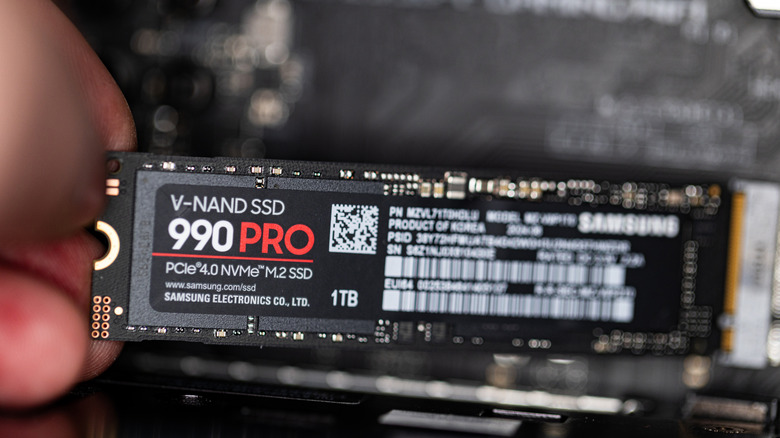
Data compression has always been a key technology in the world of computers. Storage is always at a premium, so any algorithm that can squash the size of files without losing any data or fidelity will win you many friends. The problem is that the more effective the compression algorithm is, the more processing power it usually needs to work. The idea of compressing and decompressing data in real time at these levels has been a bit of a pipe dream, but a new generation of hardware has made it possible.
With technologies like NVIDIA's RTX IO or Microsoft's DirectStorage not only is data more compressed than ever, they can actually boost data performance too. Think of it like this: if you have an SSD that can send 10GB of data per second, and you can decompress it to 15GB in real time, you've effectively increased the SSD's performance by 50%.
The PlayStation 5 already did this at launch, with a dedicated hardware decompressor, but modern GPUs can do the job too, and as new software comes out (both gaming and non-gaming) that can take advantage of hardware compression and decompression, we'll see truly mind-bending data transfer rates become possible.
VR and AR applications

For most people, VR (Virtual Reality) is mostly associated with video games, but both VR and AR (Augmented Reality) are just mediums. You don't have to make video games with them. They're also the ideal solution for medical training simulations, documentaries, educational programs, and more.
Devices like the Meta Quest headsets, the Apple Vision Pro, and the Valve Steam Frame all rely on GPUs to render virtual objects over the physical space you occupy, and once you can substitute all or part of your reality with computer graphics, the sky's the limit when it comes to the types of experiences you can create.
It's entirely fitting that GPU technology be used this way. After all, long before we had 3D graphics hardware at home, there were computer-powered flight simulators helping pilots learn to fly safely. Today, you can load up "Microsoft Flight Simulator," connect almost any commercial VR headset, and use a computer flight stick to learn how to fly a real plane. Without the millions of dollars this sort of technology used to cost a few decades ago!