

MSI Crosshair A16 HX E8WGK Review: A Gaming Laptop That Nails Everything But The Price
We may receive a commission on purchases made from links.
If you're looking to get the most out of gaming and graphically intense productivity tasks on the go, then you're probably in the market for a gaming laptop like the MSI Crosshair A16 HX E8WGK-009US ($2,699). Despite the impressive capabilities of phones and the rise of handheld PC gaming devices such as the Steam Deck, you still can't fully replace a laptop when it comes to being an absolute powerhouse thanks to its relatively large display and keyboard. This is also true for productivity on the go; for as much as other devices are capable, typing up a review like this or putting together a long, complex video for YouTube aren't tasks to which your smartphone is well-suited.
The MSI Crosshair A16 HX contains a list of specs to catch any gamer's eye, and in a world where the components to build such a device are both difficult to come by and painfully expensive to purchase, buying them all in one convenient chassis is highly compelling. However, this laptop does command a particularly high price, so it remains to be seen whether or not it does manage to deliver the sort of experience you expect from such a device at this price point.
Design and specs
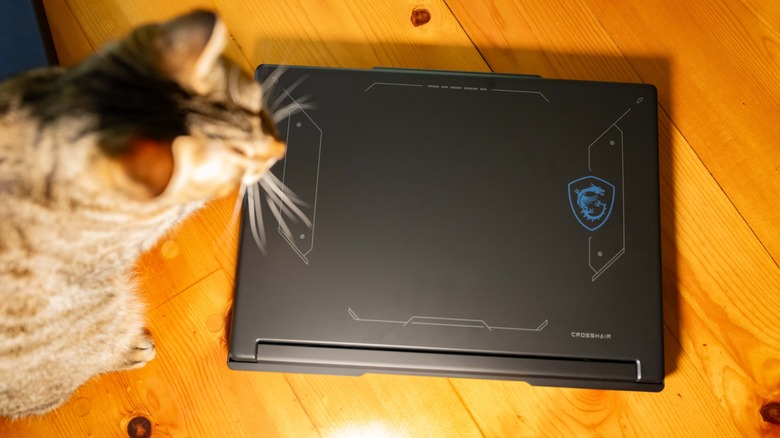
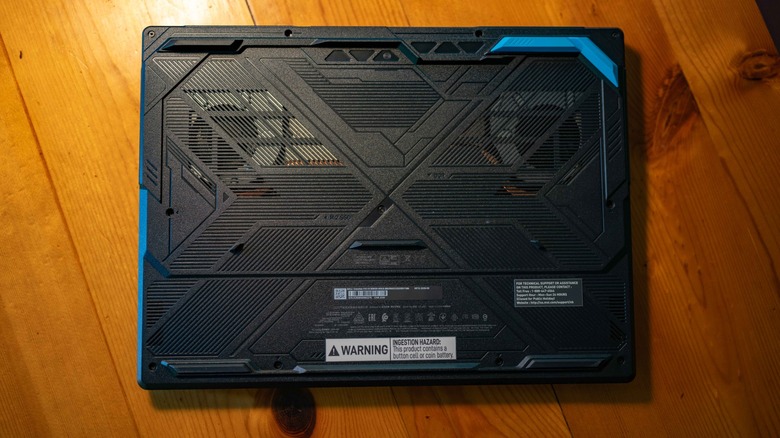
The appearance of the MSI Crosshair A16 HX is very much what you likely imagine when you think of a gaming laptop; black, with vents, feet, and added graphics to the exterior that exude a cyberpunk aesthetic. The material used for the top of the lid is a bit unusual in its matte texture, but the effect of this is unfortunately a somewhat cheap feel. I don't mind, since it's the keyboard, the screen, and what's under the hood that really count.
 Andy Zahn/SlashGear
 Andy Zahn/SlashGear
 Andy Zahn/SlashGear
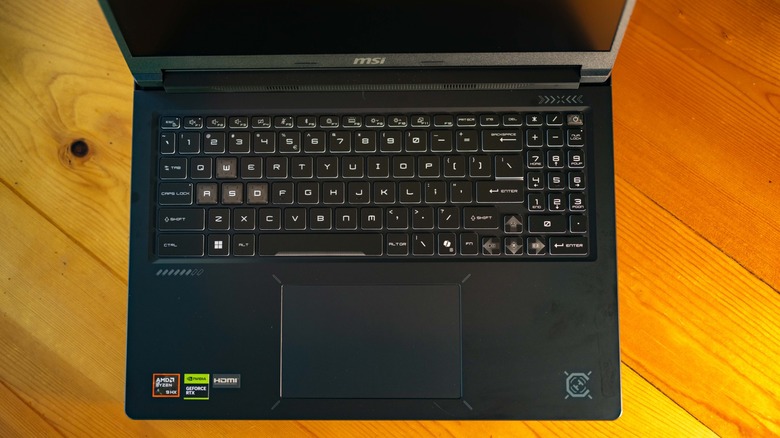
The model I tested (E8WGK-009US) features a 1TB SSD, 32GB of DDR5 RAM, an AMD Ryzen 9-8940HX processor, and an Nvidia Geforce RTX 5070 graphics card. That's quite an impressive list of specs, and with the scarcity of RAM these days, it certainly makes the high price of the laptop sting a bit less.
 Andy Zahn/SlashGear
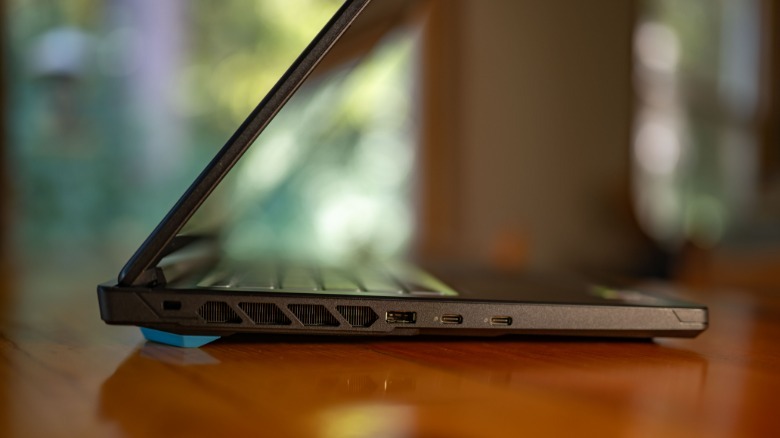
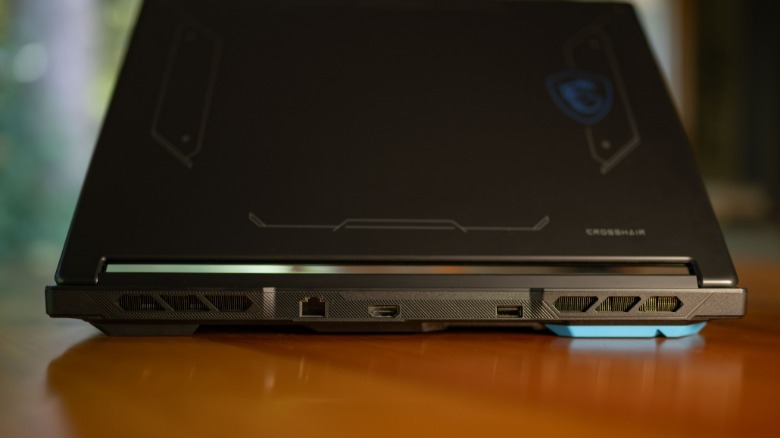
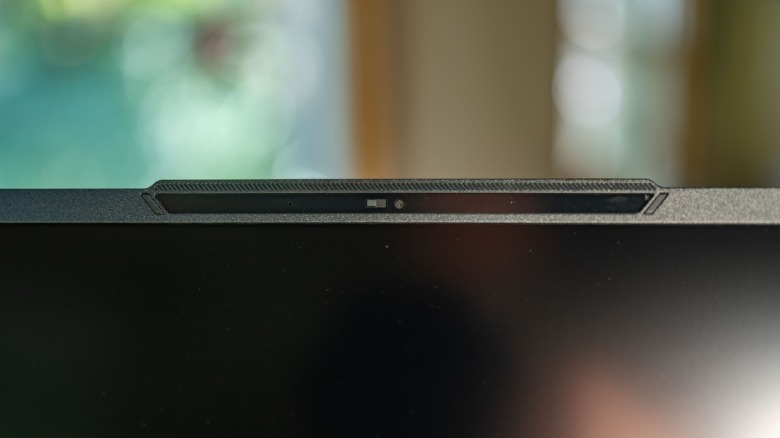
The available ports here are pretty standard: audio, two USB-A ports, 2 USB-C ports (one featuring DisplayPort and power delivery capability), HDMI, and an RJ-45 port. You also get a 720p webcam and a microphone array, and I love that the webcam features a physical shutter. The upshot is that the Crosshair A16 HX basically ticks off all the basic essentials you expect in a laptop.
Display, keyboard, and speakers
The 16-inch QHD+ resolution monitor features a remarkably high 240hz refresh rate. That makes for a very pretty picture and more potential frames per second than you're likely to use. It's not as accurate and gorgeous as an OLED, of course, but it's definitely better than average. This IPS panel gets reasonably bright, and overall, it's quite good for a midrange gaming laptop display.
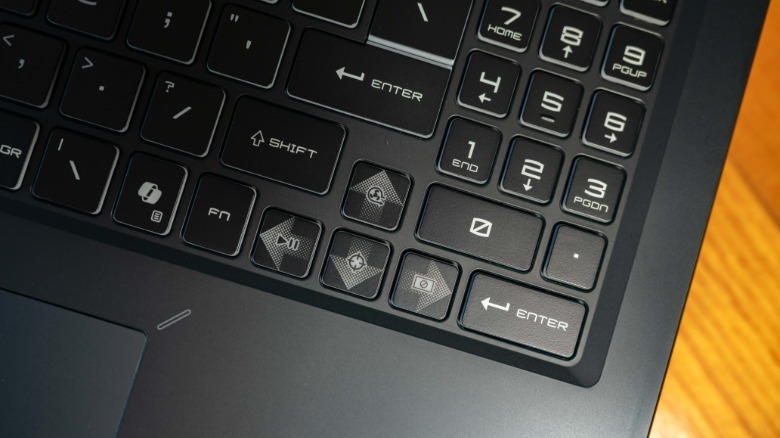
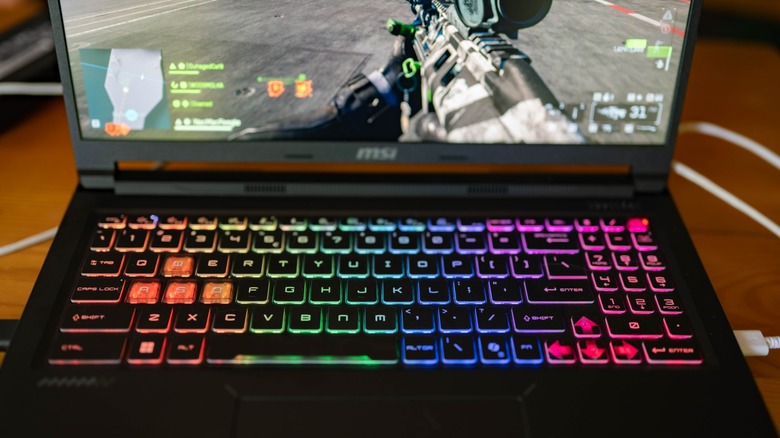
The keyboard has a great feel to it, better than many laptops I've used. Whereas I often need to adjust to a new laptop keyboard, this one seemed instantly familiar to my fingers, and the experience of typing and gaming on it is quite pleasant and satisfying. It's a full size keyboard with a number pad, and I'm surprised by how much I love the layout and feel of the keys themselves. The customizable backlighting is excellent, and the macro functions of the arrow keys are interesting; Fn + up arrow boosts the fan speed to maximum, Fn + left arrow acts as play/pause, Fn + down arrow enables the crosshair function, and Fn + right arrow forces the computer into a sleep state.
 Andy Zahn/SlashGear
Following this pattern, the speaker system in the MSI Crosshair A16 HX is also what I'd describe as better-than-average. It's not particularly outstanding, but it is also much better than what you would typically expect out of a laptop. It's quite sufficient for gaming, watching shows, or listening to music, though of course you're better off with a decent pair of headphones or external speakers.
Competent modern gaming experience
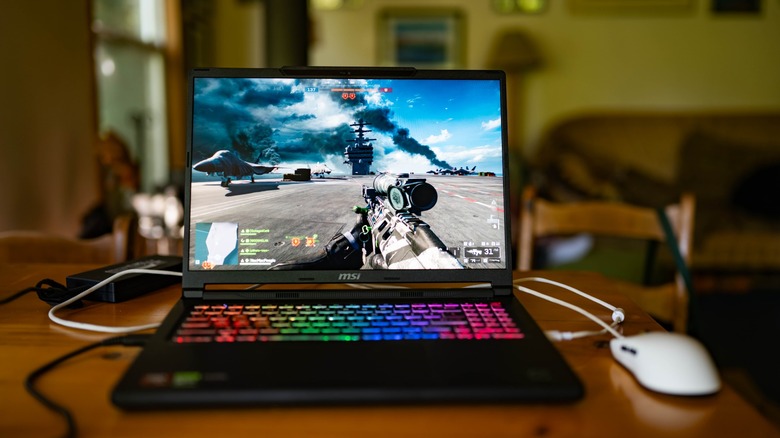
I've been hooked on "Battlefield 6" this year, and given its high level of graphical fidelity, it was an obvious go-to for testing the gaming chops of the MSI Crosshair A16 HX. I played around with the graphics to get the most out of it, and while it was possible to boost the game up to pretty close to its maximum settings, I found the best experience with this laptop was a few rungs down from there. That moderately high graphics setting level is roughly what the game chooses to implement automatically, and it honestly looks great. I was thoroughly impressed by how well the laptop handles heat dissipation under load as well, given that despite prolonged gaming sessions under high load, it never became uncomfortably warm.
That efficacy of heat dissipation is likely in part a result of the powerful fans integrated into the device, in addition to noticeably tall feet on the base of the laptop that make it so that there's good airflow underneath. The downside is that the laptop roars like a jet engine if you're doing anything that needs a bit of graphical horsepower, but I didn't mind as I was simultaneously testing the best noise cancelling headset I've ever used at the same time.
I also tried out less intense gaming experiences, and lost far too many hours to "Drop Duchy," a sort of hybrid between "Settlers of Catan" and "Tetris." It's much less demanding, but the laptop still ramped up its fans to a very loud level. At the other end of the spectrum, I was able to get an acceptable 72fps benchmark in "Cyberpunk 2077" at Ray-Tracing Low setting level.
Software has a bit of a bloat issue
Unfortunately, modern gaming laptops and prebuilt desktops almost invariably come with Windows 11 preinstalled, and that means they are automatically assailed by a barrage of bloatware and "features" most users would prefer not to have infesting their computer. It's no fault of the manufacturer, but it still warrants a mention here. I made sure when going through the setup process to decline most of the additional garbage Windows 11 throws at you, so it wasn't too obtrusive for testing, but you may want to go further and strip out even more of the extra fluff infesting the operating system.
Aside from Windows 11, the only thing I'd classify as blaotware in the Crosshair A16 HX is the inclusion of Norton Antivirus software (complete with irritating popups), which would be the first thing I'd scrub out of the system (followed shortly by Microsoft Copilot) if I owned this laptop. I was pleasantly surprised, however, to find that MSI makes all their companion software optional, so you can ignore it or choose what programs they offer to install.
After testing the laptop without any additional MSI software, I went ahead and installed it all in order to get the full experience. These programs include Game Highlights, MSI Companion, Mystic Light, AI Noise Cancellation Pro, Performance Analysis, Hardware Diagnosis, AI LAN Manager, Smart Image Finder, System Diagnosis, and MSI AI Engine. The ones I'd personally choose would be Mystic Light, Performance Analysis, Hardware Diagnosis, and System Diagnosis.
Steep price point makes this a difficult laptop to recommend
As of this writing, the only example of the specific configuration of the MSI Crosshair A16 HX I tested is going for $2,699 on Amazon, and there's no way it's worth that kind of money when the 18-inch version is going for just $1,999 at Best Buy. Both laptops have very similar specs, except that the 18-inch model I found is running Intel instead of AMD for its processor and is currently being bundled with a 7-in-1 docking station with a built-in 1TB hard drive. To make matters even more strange, the less powerful base model Crosshair A16 HX is going for $1,649 at Newegg, which is a fairly reasonable price point for what it offers. For some reason, the specific model I tested just seems to demand a price that far outstrips what a laptop like this should cost.
If you can find one for somewhere around $2,000, then I would say the MSI Crosshair A16 HX E8WGK-009US is a highly competent gaming laptop. It doesn't really stand out in any particular way, but it does everything a modern gaming laptop should do.