

You Can Use Gemini Offline On The Google Pixel Watch 5 - Here's How
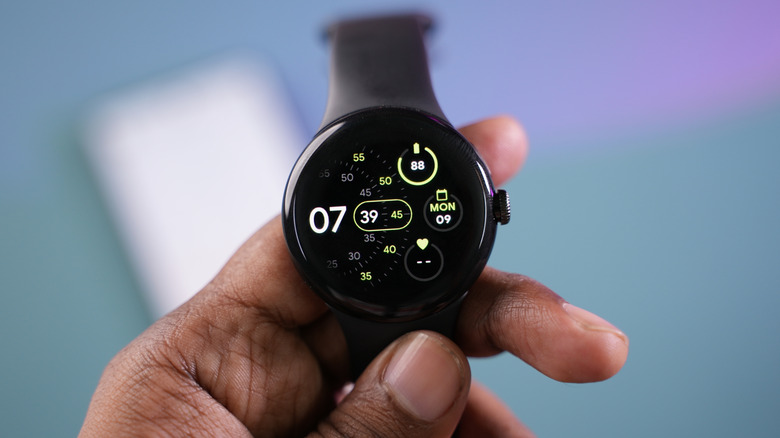
Despite only debuting last August, the Google Pixel Watch 5 is already proving to be an amazing device that can even track health metrics missing from other smartwatches. Now, a month later, Google has shipped its first major software update. The September changes include improvements to gesture controls and GPS tracking while adding new capabilities, such as proactive suggestions. A feature that's especially important to many buyers — especially since not everyone needs a cellular smartwatch — is offline Gemini.
Despite Google's recent push towards agentic AI with Gemini Intelligence, the Pixel Watch 5 didn't launch with offline AI support. You still needed an internet connection to automate simple tasks like setting up a timer or adding an item to your calendar. This is no longer the case after the September update, as Gemini now functions independently of an internet connection for certain tasks. You still need a connection for complicated prompts and proactive AI suggestions, but the device's internal hardware can handle simpler requests.
To use on-device Gemini on your Pixel Watch, you need to download the September 2026 update. The build started shipping out on September 1 and will roll out to users in phases. Your Pixel Watch 5 will update automatically overnight or when connected to a charger as soon as the new software is available. You may also get a notification when it arrives. You can check the current firmware version by opening Settings, going to System, and then System Updates.
Other features Google added to the Pixel Watch 5 in September

The September update introduces many new features but isn't a full system upgrade. Pixel Watches are still using Wear OS 7 (Android 17).
One of the biggest features apart from offline Gemini is proactive suggestions, which lets Gemini suggest task automation across apps on your device. If someone texts you asking for the date of an event, it can automatically fetch that data from your Calendar without you having to look for it. Another big feature is Gemini personalization, which allows AI to answer personalized questions such as "What's on my calendar today?" using contextual data from connected apps.
Google has also added several new gestures that make certain tasks more convenient. For instance, you can now double-pinch to open At a Glance or the Notification Center, to manage the Recorder app, to toggle between different Google Maps views, and to scroll through Gemini Responses, through cards in the Google Wallet app, or through workout data. The wrist-turn gesture now also functions as a universal, system-wide back gesture.