

If Your Tablet Is Overheating, Try This

Whether it's an M5 iPad Pro that you use as your main work computer or a cheap Android tablet that fits in your palm, all devices are prone to overheating if not treated the right way. Tablets generally don't have internal cooling fans, which means they rely on passive cooling to dissipate heat. This makes them quieter and more convenient to use, but it also means that they have a harder time dealing with overheating. The primary cause behind tablets heating up is an overworked processor. This is especially true of older devices, tablets used for graphics-intensive work, and ones from unknown manufacturers that might not care about proper cooling and heat optimization.
If you find your device constantly overheating, the first thing to do is close background apps. Closing apps as a habit gives your processor more room to breathe, leading to reduced internal heat. You can also set it so apps and background processes close automatically from your tablet's settings. On an Android tablet, the feature can usually be found under battery or performance optimization settings. On an iPad, you can turn off Background App Refresh under General in Settings. There are also device-specific features that can help mitigate overheating. If you have a Samsung Galaxy Tab, you can turn off RAM Plus.
Habits that keep your tablet from overheating
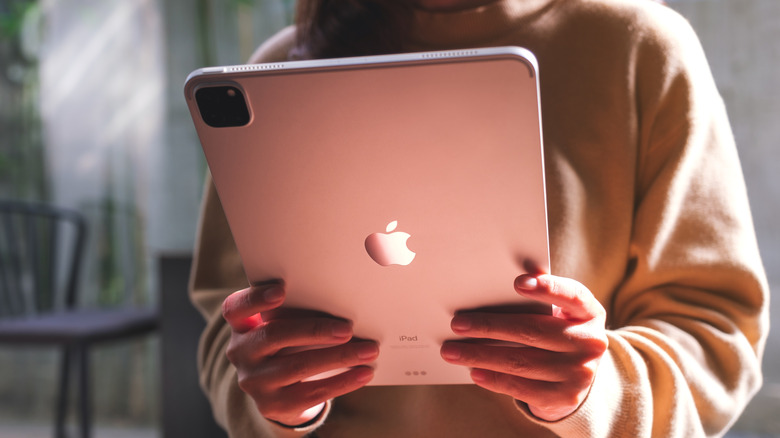
There are a number of simple and straightforward habits that ensure your tablet remains cool. First, keep the software updated. Then, avoid long periods of graphics-intensive work like heavy gaming or video editing. If you notice the back getting warm, pause whatever you're doing and close all apps until it cools down. Since high brightness also causes heat, keeping it low can help with overheating as well. Furthermore, using a tablet on your lap or a similarly soft surface can disrupt passive cooling, as it blocks air from freely moving across the back metal chassis. If you're running something that will likely burden your processor, it's a good idea to elevate the tab and remove its protective case.
Additionally, since devices often get hotter while charging, ensure that you don't use your tablet while it's connected to a charger. We also recommend only using official chargers or ones from reputable brands, as a cheap charger can overheat your device and cause battery issues. Of course, the temperature and climate of your location also affects how prone your tablet is to overheating. You cannot change the temperature outside, but try to keep heavy use to a minimum if you're in a particularly hot environment without fans or an AC, especially while charging.
When to seek professional repair or buy a new tablet
There's nothing unusual about devices heating up. However, there are certain cases where this overheating is unnatural and can be dangerous. If you've tried all the steps above but still find your tablet heating up often, it might be time to visit a professional or get a new device.
The main sign that you need a new tablet is if it heats up even without any processor-heavy tasks. If it heats up during heavy gaming sessions or while you're using fast charging — especially if you live in a hotter environment — there's probably no cause for concern. However, if your device heats up the moment you launch a game or during casual browsing, there's likely some factor that needs to be fixed. It also helps to compare how it performs currently to its performance in the past; if your tablet could handle gaming fine a while ago but is suddenly overheating under the same load, it might be time to consider a new device.