

Google Pixel 11's New 'Blueprint' Wallpapers Turn Your Lock Screen Into An X-Ray
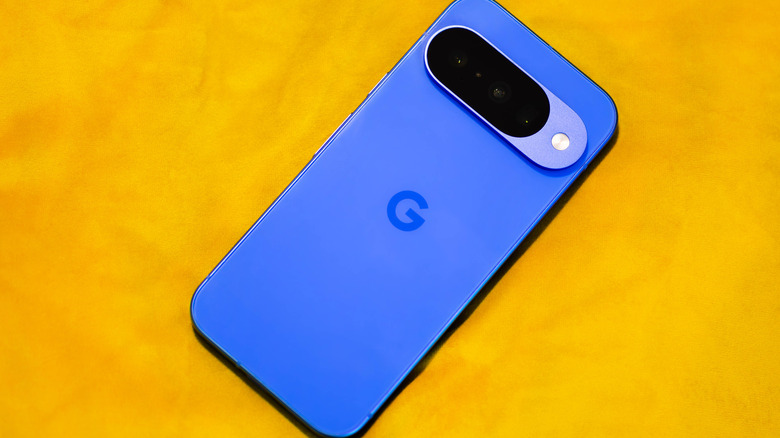
Aesthetics and personalization are a big part of owning a smartphone, and one of the easiest ways to customize your device is by putting on a wallpaper. If you've just bought a new Google Pixel 11 and haven't decided on a wallpaper yet, the Google team recently released two visually stunning wallpapers that you can use for free.
Google Japan on X posted two gorgeous blueprint wallpapers for the Pixel 11 that show the phone's internal hardware. One gives us a frontal view (below, left), and the other shows the back (below, right). The wallpapers, made specifically for the Pixel 11, show the underlying hardware components that power the phone, including the HiLight notification LED beside the back camera module.
Beyond just being incredibly cool, the wallpapers are highly accurate as well. In the frontal view, you can see the selfie camera up top, the vapor chamber that encompasses most of the body, the USB-C charging port on the bottom, a speaker on the lower-right side, and a haptic vibrator on the lower left. The back view is flipped: The haptic vibrator is on the lower-right side, while the speaker is on the lower left. You can see the three-camera module along with the HiLight LED near the top, the main motherboard under it, as well as a stereo speaker in the top-left corner of the image. Lastly, you can see the ribbon connector on the right side, on top of the battery, as well as the battery itself, which has Google written on it beside a tiny heart.
How to download and use the Pixel 11's blueprint wallpapers
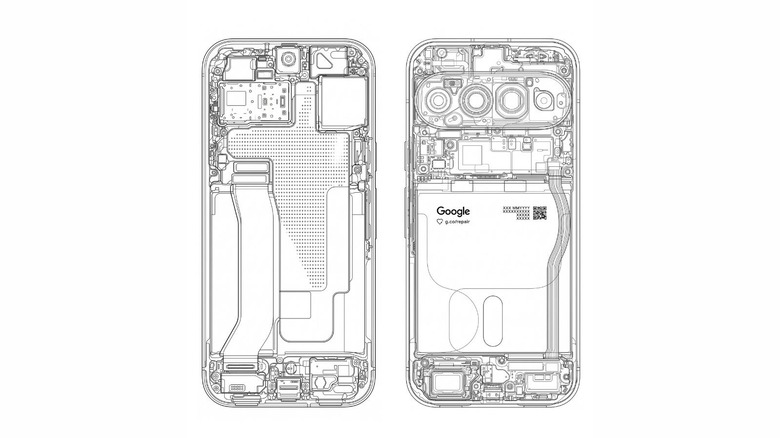
If you want to use the Pixel 11's internal hardware blueprint wallpaper on your own phone, doing so is straightforward. First, download whichever image you want to use as your wallpaper from the original X post. Then, on your Pixel 11's home screen, tap and hold an empty area to open up the wallpaper quick menu, then select Wallpapers and style. Tap More photos in the top-right corner, then choose the downloaded wallpaper from your gallery.
You'll have to crop the wallpaper to fit your phone, but getting a good fit is easy, as the dimensions match the Pixel 11's physical size perfectly. Note that the back view wallpaper is flipped, which means the positions of components will be inverted. You could flip the wallpaper itself to be more accurate, but doing so will invert the Google logo on the battery as well.
For a perfect fit, it's also a good idea to crop out the power and volume buttons — especially for the back view, as their flipped position is much more apparent than it is for other internal components. The wallpaper can also fit other devices in the Pixel 11 lineup, including the Pixel 11 Pro, but users may experience more trouble getting a perfect alignment.