

What Do The Symbols On A Roku Remote Mean?
We may receive a commission on purchases made from links.
Most major retailers sell Roku streaming devices and smart TVs. Whether you're shopping on Amazon or browsing the home theater department at your local Best Buy, all Roku hardware comes with a Roku remote, but the version depends on the product you buy. The most feature-packed version is the Roku Voice Remote Pro, a peripheral that comes with the flagship Roku Ultra. You can also buy one a la carte if you simply want Roku's best remote.
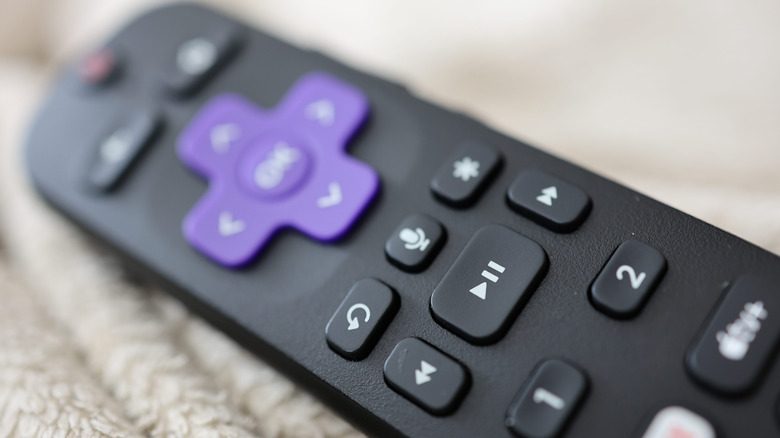
The Voice Remote Pro is fully backlit, includes a lost remote finder, and is rechargeable via its USB-C port. It also includes a quick-launch button (labeled with a rocket icon) that can be programmed to launch a specific app or feature. The quick-launch button is only on the Voice Remote Pro, but nearly every Roku remote includes a button labeled with an asterisk; this is an options button, and its functions are tied to the screen or app that's open when you press it. In most cases, you'll access a contextual menu with commands like Search or Home; during video playback, it'll typically pull up settings like audio tracks and Closed Captioning. A few other symbols are worth learning on a Roku remote, one of which will come in handy if you typically fall asleep before your late-night movie ends.
Some older Roku remotes used to include a dedicated sleep timer button
Have you ever seen a Roku remote with a moon icon on one of its buttons? We haven't, but apparently they're still out there. We do have it on good authority, though, that this is a sleep timer button. The timer works in 30-minute increments, but it looks like the sleep timer button was only an option on older Roku hardware. That said, we came across this Best Buy thread for a 2023 Hisense TV with Roku OS in which the timer button was mentioned.
Generally speaking, most Roku remotes have swapped the moon button for one labeled with a microphone icon. As you may have guessed, this is a voice-command button; press and hold to control your Roku streamer or smart TV with actions like "pause the episode" or "search for movies starring Liam Neeson."
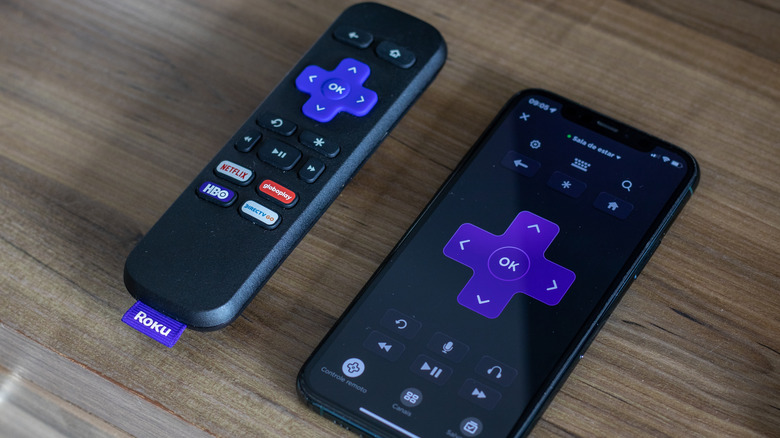
The Roku Mobile App doubles as a secondary remote for your Roku devices and includes many of the same buttons. It also introduces one new icon to the arsenal: a pair of headphones. This is a private listening button, and it is an absolute godsend if you like watching movies and shows late at night. To use this function, you'll need wired or wireless headphones or earbuds connected to your host device. Once you do, tap the button, and you should see a headphones icon appear at the top-right corner of your TV screen; this means that private listening is enabled (there should also be a green dot on the button now). To disable private listening, just tap the button once more.