

This Sleek Gadget Syncs With Your Phone To Help You Find Your Keys
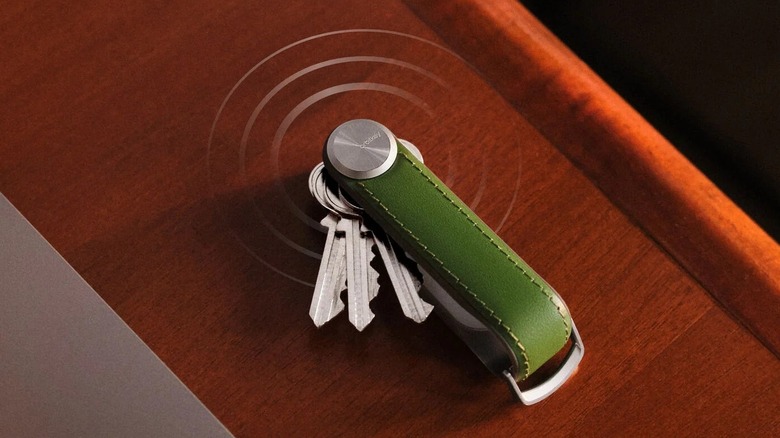
In theory, traditional Bluetooth trackers like the AirTag and Pixel Tag work great as an accessory for your key ring. They give you peace of mind in case you lose your keys...again. In practice, though, they aren't always the most convenient solution, especially if you prefer a slim keychain. These gadgets can be too clunky for a key ring, plus, they're locked into one ecosystem. As an alternative, there is the Orbitkey Key Organizer Tracker.
It's a Bluetooth tracker, but instead of being an add-on that attaches to your keys, it functions as the key organizer itself. This sleek gadget keeps your keys stacked inside and held together by a locking mechanism, functioning much like a Swiss Army knife. The Bluetooth tracker is integrated within the band, neatly tucked away. Unlike other Bluetooth trackers, the Orbitkey Key Organizer Tracker supports Google Find Hub and Apple Find My. So, you can use it with either an Android or iOS device.
Orbitkey Key Organizer Tracker details
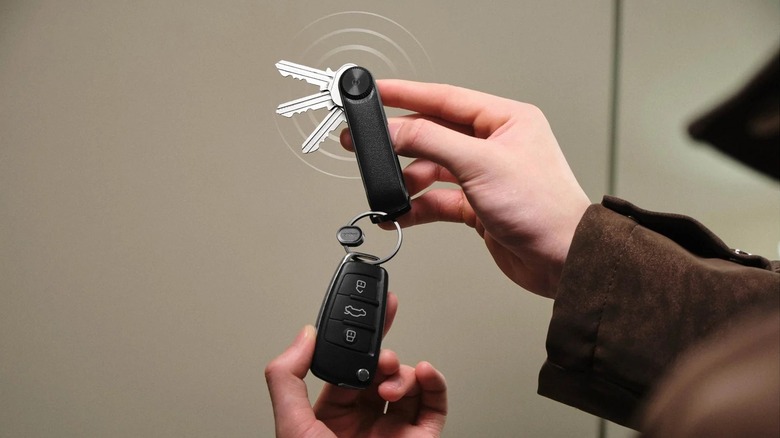
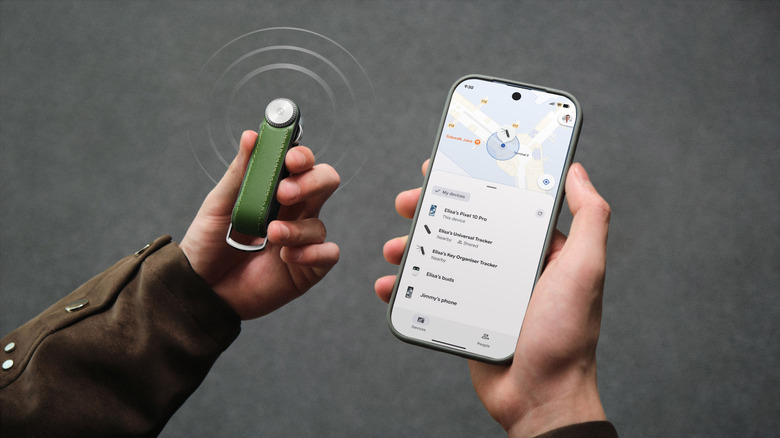
Orbitkey's Key Organizer Tracker serves as both a key holder and a Bluetooth tracking device in one. It can hold up to seven keys and there's a built-in D-ring for your car fob. The tracker works like a typical Bluetooth locator. It can tell you where the device is via a map on the Find Hub or Find My app, and has the option to play a sound on the integrated speaker.
Rather than the coin cell battery you might find on other Bluetooth trackers, the Orbitkey tracker is powered by a rechargeable lithium battery, which can last up to five months on a single charge. A magnetic charging cable is included. Though the Orbitkey Key Organizer Tracker may sound like a nifty AirTag alternative for your keys, it has one main downside: The price.
While the Apple AirTag and Google Pixel Tag cost around $30 each, the Orbitkey comes in at $70 for the leather-free version and $85 for one with real leather. Another thing you might want to consider is the IP rating. An AirTag comes with an IP67 rating, which means it can handle brief periods of water submersion. The Orbitkey, on the other hand, features IP65 protection, meaning it's protected against dust and water jets, not submersion.
How to set up the Orbitkey tracker
To setup the Orbitkey Key Organizer Tracker on an Android or iOS device, follow these steps:
- Turn on Bluetooth on your phone.
- Go to your phone's Find My or Find Hub app.
- Remove the locking mechanism on the Orbitkey.
- Open the band.
- Press and hold the round button for five seconds to put the tracker in pairing mode. You should see a blue LED indicator blinking.
- On the Orbitkey popup that appears on your phone, tap Connect.
After setting it up, arrange your keys inside the band, and you should be ready to go. To manage the tracker, go to the Devices tab on the Find My or Find Hub app. From here, you can ring the tracker, mark it as lost, or share its ownership with friends and family, just as you would with other gadgets that work with Apple's Find My network.