

You Can Use Ethernet With Mesh Wi-Fi – Here's How
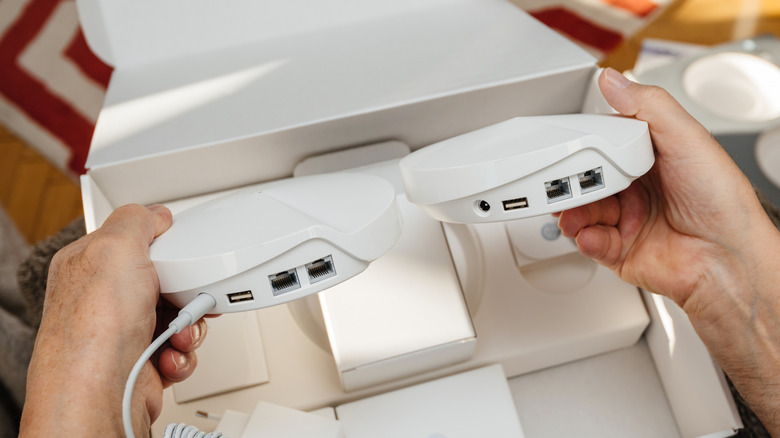
Mesh Wi-Fi networking systems are excellent if you're dealing with network dead zones and coverage issues at home. You set up multiple mesh satellites throughout your property and get seamless Wi-Fi access in every room and corner. However, like any Wi-Fi router, unless you're sitting right next to a mesh satellite, you're going to experience a drop in speed and increased latency, as Wi-Fi signals lose strength when you move farther away and can potentially encounter interference from physical objects. Fortunately, you can avoid some of these issues by leveraging an Ethernet connection with your fixed devices, like a smart TV, gaming console, a desktop PC, or any other device that requires reliable and fast connectivity.
Although mesh systems are primarily known for Wi-Fi, most units come with built-in Ethernet ports. You can use these ports to establish a wired connection with your devices. That said, the number of ports can differ based on the mesh system model and even between primary and satellite nodes. However, an unmanaged network or Ethernet switch is an easy way to extend the availability of Ethernet ports.
With a wired connection, you won't have to worry about losing Wi-Fi speed because of decreasing signal strength or increased latency. However, keep in mind that if you are plugging into an Ethernet port on a mesh satellite rather than the primary node, your performance will vary depending on the backhaul mode. In the case of wireless backhaul, a mesh satellite will always perform worse than the primary node; however, with a wired backhaul, you can get pretty much the same performance across all nodes. As a result, using wireless backhaul will result in slightly lower speeds and higher latency than connecting directly to a primary node.
Using Ethernet for wired backhaul between mesh network nodes

As mentioned, wired backhaul helps maintain performance across nodes in a mesh Wi-Fi networking system. This is useful not only when you're leveraging the Ethernet ports on a mesh node for connecting devices, but also when you are using Wi-Fi from a mesh satellite, as you're freeing up wireless bandwidth by routing backhaul over wires. More importantly, if you have a wired backhaul for your entire mesh networking setup, all the nodes in your setup will deliver similar performance. This performance advantage makes wired backhaul a good choice and another useful advantage of Ethernet on a mesh networking system, particularly when you have a multi-floor home or lots of physical barriers between mesh nodes.
Essentially, instead of asking mesh nodes to communicate with each other and the primary unit using Wi-Fi, which, as we discussed, can have some disadvantages, you connect them all via Ethernet if your mesh system supports it. There are two main ways of setting up wired backhaul over Ethernet if you have more than two nodes in your mesh setup. You can daisy-chain them, connecting one satellite node to the primary node, and then the satellite node to another node, and so on. Alternatively, you can connect an unmanaged switch to the primary node and then run Ethernet cables from the switch to each of the nodes.
Unfortunately, as you can expect, establishing a wired backhaul is not always practical, especially if your home isn't already wired up with Ethernet cables. This is why many folks whose homes aren't wired up keep using the wireless backhaul for convenience.