

The Google Pixel 11 Pro's HiLight LED Is Getting A Cool New Feature
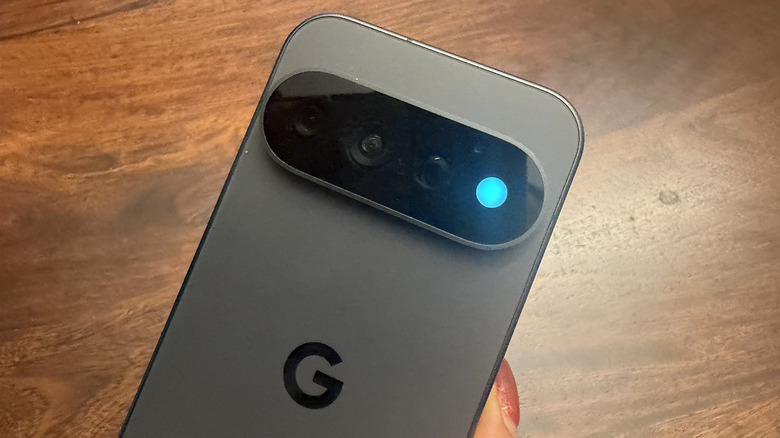
One of the features that makes the Google Pixel 11 Pro stand out from previous generation models is a notification LED called HiLight situated within the camera island. Its purpose is to prompt you when there's an important notification, such as a call from a specific, favorite contact. You can also have it light up to confirm that the phone has heard your "Hey Google" command, even when the phone is face down. Both features worked right out of the gate, but Google is working on the ability for HiLight to activate when you receive messages from specific contacts as well.
Our Google Pixel 11 Pro XL reviewer found the HiLight feature underwhelming since it does very little without sideloading a third-party app to use it for other app notifications. But there are still uses for HiLight without doing so, since the goal is for this feature to help reduce distractions. Instead of grabbing your phone every time there's a vibration or ping, you can see the color-coded light and pick it up only if the call or message is from an important contact you have assigned. You can avoid picking up your phone for yet another marketing message from your favorite shop or a message from that long friend group thread you can look at later.
How HiLight works with the update
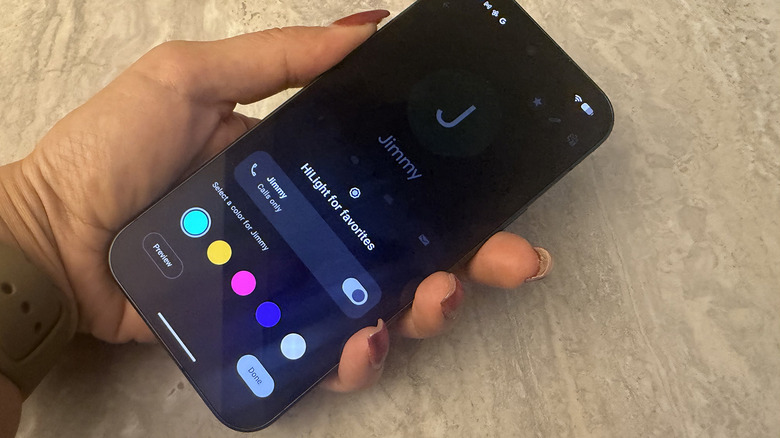
With the upcoming Android 17 Quarterly Platform Release 2 (QPR2) update, you will be able to add messages to the list of triggers for the HiLight LED, an Android feature we haven't seen in years. This update is currently only available for users enrolled in the Android Beta for Pixel program. The official launch of this version of Android 17 should arrive some time in December for everyone to use outside of beta. Once you have updated the device to the latest OS, go to Settings, System, HiLight. Make sure Use HiLight is turned on. Along with options for Speaking with Gemini and Calls from favorites, you will also now see Messages from favorites. As the name suggests, the HiLight LED will glow when your favorite contacts send you messages.
From there, go to your Contacts and select a person you want to set up a HiLight notification for. Tap the star in the top-right, and Set [Contact Name's] HiLight will pop up as an option for you to assign a custom glow for when they call or, with Android 17 QPR2, when they send a message. There are five colors from which to choose. You can also preview to see how it looks, which is useful for those who are color-blind or sensitive to colors and light and want to make sure it's distinguishable and comfortable to look at. It works with both Google Messages and WhatsApp, and will blink twice when a message from one of these individuals comes through.
Why you should use HiLight
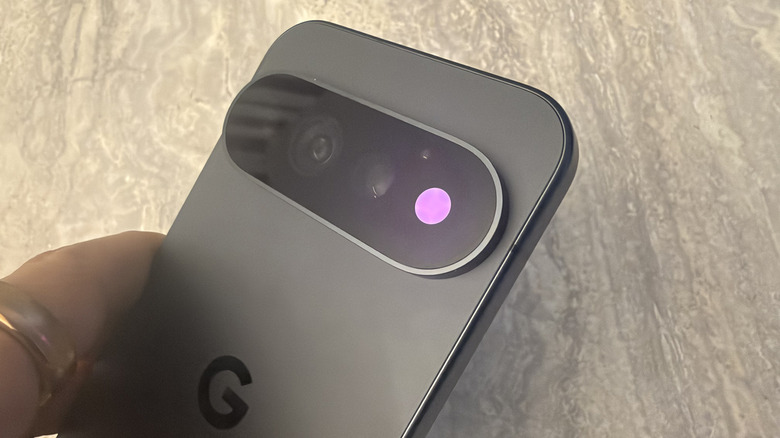
HiLight is a cool feature of the Google Pixel 11 series phones, available across the Google Pixel 11 Pro, 11 Pro XL, and 11 Pro Fold. It is not on the base-level Pixel 11. But it's a polarizing feature; some find it brilliant, others think it's nonsensical. Our Pixel 11 Pro XL reviewer believes the Gemini wake feature is something a Nest Mini has done better for years. But what if you're not at home? You can summon Gemini without instinctively picking up the phone and speaking into the screen. Imagine being at a coffee shop with the phone face down and earbuds in. Say "Hey Google," watch for the light to confirm it heard you, and proceed with your query.
As for incoming calls and now also messages, a companion smartwatch like the Google Pixel Watch 5 can already show you that information, distraction-free. Not only that, you can glance over and see the name and number of the caller, even the entirety of the message, on the tiny screen without having to grab your phone. But not everyone has a Pixel Watch. HiLight can also be useful if you're in a meeting, on a date, or out to brunch with friends and need encouragement not to pick up your phone every time there's a notification sound. See the color, and if it's your child, spouse, parent, or client, pick up. No color, you can ignore it and call them back later. The feature isn't groundbreaking, but at least HiLight can now do more than it did before.