

5 New Features Coming To Your Samsung Phone With One UI 9.0
It's been a few weeks since Samsung started pushing out One UI 9, and the update is now reaching a lot more Galaxy owners. Samsung first launched the Android 17-based software on its new foldables, including the Galaxy Z Fold 8, and then started the official rollout with the Galaxy S26 series in September.
Over the past few days, Galaxy S25, S25 FE, and Galaxy Z Fold 7 and Flip 7 owners in the U.S. have started getting it, too (via Sammy Fans), with carriers like T-Mobile and Verizon pushing it out first. If you've got a different phone, our list of every Samsung phone that will be updated to Android 17 is a good place to check if yours is covered. Unfortunately, there's no exact timeline for when the update will hit every device, so you'll need to keep an eye out for new updates yourself.
One UI 9 brings quite a few changes and additions with it, and some of the more useful ones are pretty easy to miss if you don't go looking for them. Samsung has added a way to reframe videos after you've already shot them and now there's even a dedicated menu for checking your warranty and booking repairs right from your device.
My FanCam
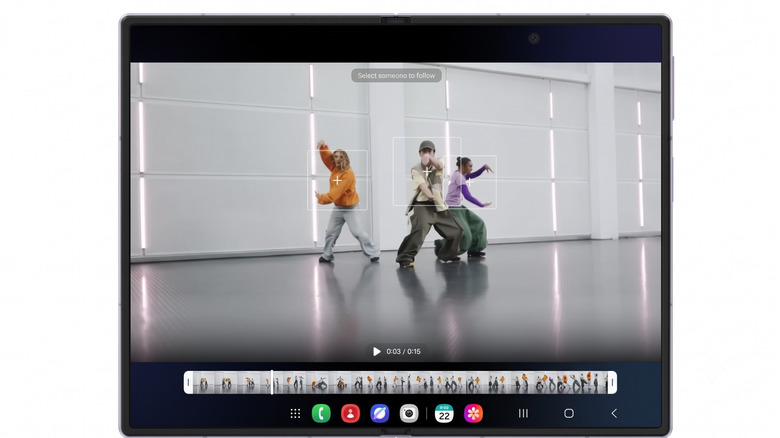
Keeping one person centered in the frame while you're filming a concert, game, or a busy get-together can be a lot harder than it sounds, especially if everyone is moving around. My FanCam helps with that by allowing you to focus on the bigger picture and then go back and change who is in the spotlight later on. The feature first launched on Samsung's newest foldables, like the Galaxy Z Fold 8, and is now coming to even more Galaxy devices thanks to One UI 9's rollout.
The nice thing about the feature, too, is that it happens directly in your Samsung Gallery app. All you need to do is capture the video, then open it up in the Gallery and choose My FanCam from the Galaxy AI menu. From here, simply choose the person you want to be the focus of the video and which aspect ratio you want the video to be edited to. The AI will then automatically reframe the video to try to keep your targeted person in the center of the shot.
Of course, like any AI feature, My FanCam isn't perfect and Samsung does say that it can struggle with some specific situations — such as if people are dressed very similarly or if they are too small in the shot. However, it still might be worth exploring, and since the feature doesn't save over the old video, you can always go back and try again if you don't like how it turns out.
Thread View in Interpreter
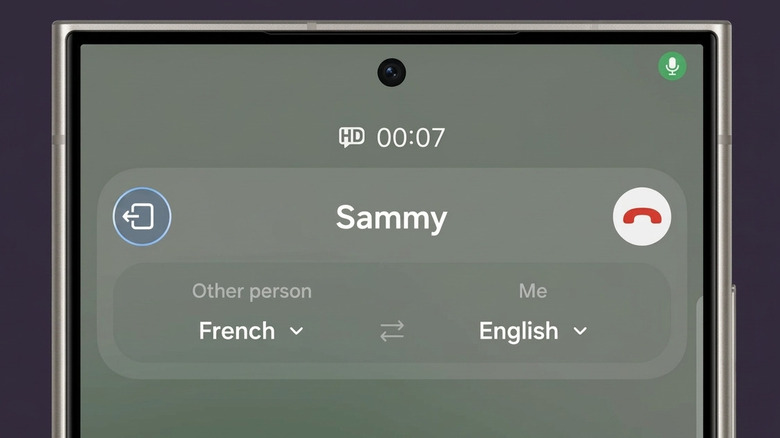
Samsung's Interpreter feature was first introduced with Galaxy AI on the Galaxy S24 back in 2024. When used, the feature lets you translate an in-person conversation in real-time using a split screen setup so that both people can easily read what the other one is saying. With One UI 9, Samsung is expanding what the feature can do by including a new Thread View that actually lets you scroll back through the entire conversation while you're still talking. This will allow you to look back at earlier parts of translated conversations, in case you want to go back over a detail you might have missed before.
There are several good use cases here, especially if you like to travel, and being able to pull up the transcript of the conversation you had with your cab driver or hotel desk clerk are both examples of times you might use Interpreter's Thread View. On top of the new Thread View, Samsung has also upgraded Conversation Mode to translate even faster in One UI 9. Moreover, the audio will play back quicker if you're using a pair of compatible Galaxy Buds.
Custom Cards in Now Brief
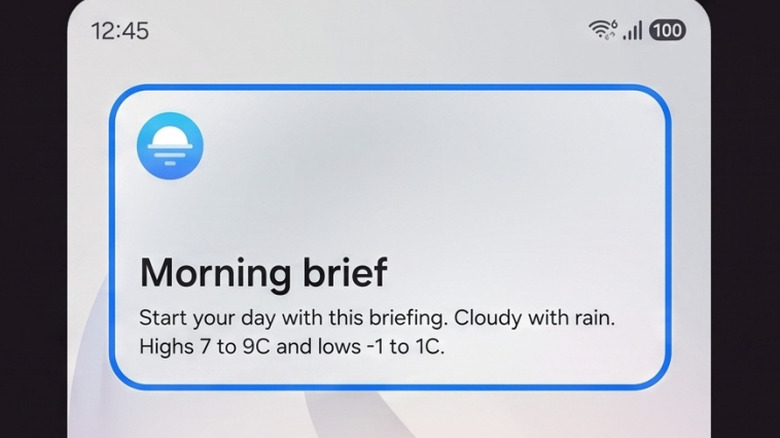
First introduced on the Galaxy S25, Now Brief provided Galaxy users with useful information that the AI picked up on, like weather, upcoming events in the area, and more. However, users were never given much control over the feature. That is changing with One UI 9, though, as Samsung is introducing the ability to create Custom Cards.
Users can use prompts to create their Custom Cards and Samsung says that it will make Now Brief more relevant throughout the day. There are currently three categories listed for Custom Cards, including Weather, Health, and Videos. Once you've chosen a category, you should be able to choose what information you want to appear on the Now Brief card and then set a schedule for when it pops up on your device.
The Weather card alone can show useful information such as rain predictions, pollen levels, as well as a seven-day forecast for the selected area, while Health and Video cards will have their own customization options. You are limited to three Custom Cards at a time, though, which means you'll have to delete one of your existing cards if you want to make a new one, and you are limited to how many times you can generate them in a day.
AI Assistant Activity
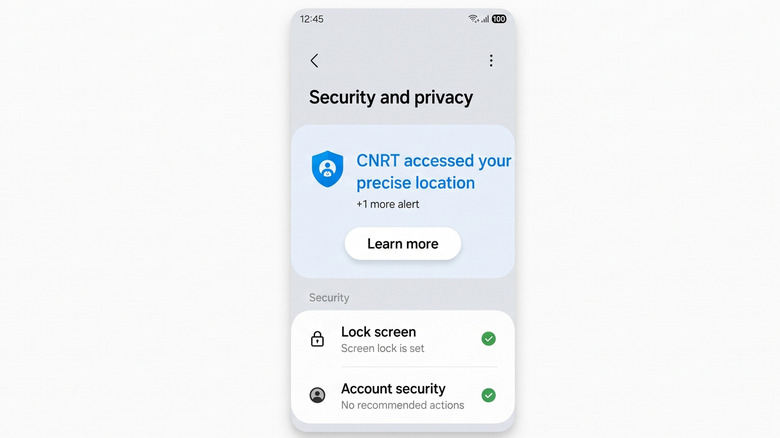
With our phones relying on AI so much these days, it can often feel difficult to keep up with everything that is happening. And, with Samsung adding even more Gemini functionality to its Galaxy devices, you may find yourself more concerned about what AI might be doing when you aren't paying attention. Samsung's new AI Assistant Activity dashboard can help with this in One UI 9, by giving you more information about what AI automations might be running on your device, as well as which apps were accessed by the AI, and even what actions were performed and when they were done.
Of course, how much use you get out of this is ultimately going to depend on where you live. Gemini's Task Automation feature is currently only available in the U.S. and Korea, and Samsung notes that Galaxy AI features vary by country, device model, and carrier. But if you've started letting Gemini book rides or order food for you, it's nice to have a single place to check in on what it's been doing.
Warranty and Care
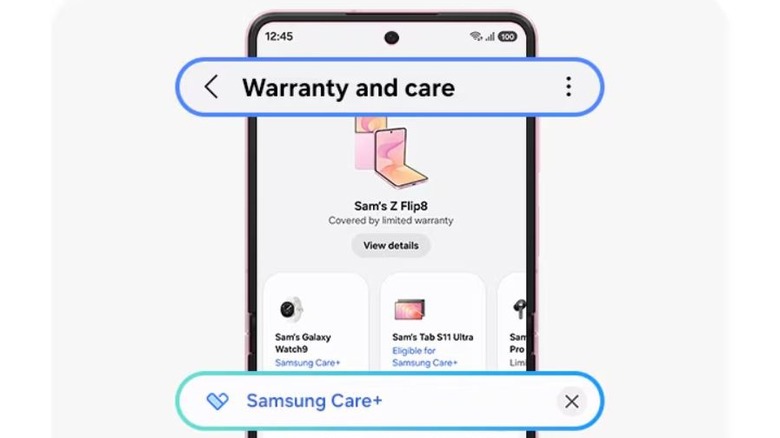
Keeping tabs on your phone's warranty probably isn't the first thing that comes to mind when you think about new features. However, Samsung is going all the way with a new functionality in One UI 9 that allows you to look at your Galaxy device's warranty directly through the settings. The new Warranty and Care screen will let you quickly run diagnostic tests as well as see how long you have remaining on your device's warranty without having to go to any additional websites or anything like that. It will also show you repair history, as well as information about your Samsung Care+ subscription — if you have one — and even information about any other Galaxy devices you have connected to your Samsung account.
While this is great for keeping up with what's going on with your device, the repair estimate will also help you see how much it might cost to fix certain problems without a Care+ subscription. If you've been going back and forth on whether Samsung Care+ is actually worth paying for, seeing those two numbers side by side should make that call a little easier. The menu has previously been available on Samsung's foldables running One UI 9.