

4 Gadgets That Can Upgrade Your Movie Nights
We may receive a commission on purchases made from links.
Watching in cinemas is a whole different experience than watching at home. After all, cinemas have bigger screens, powerful speakers, and a better overall visual presentation. But that doesn't mean movie nights at home are boring or underwhelming. While it might not be as immersive as the cinema experience, you can still create a theater-like setup with the right TV room gadgets.
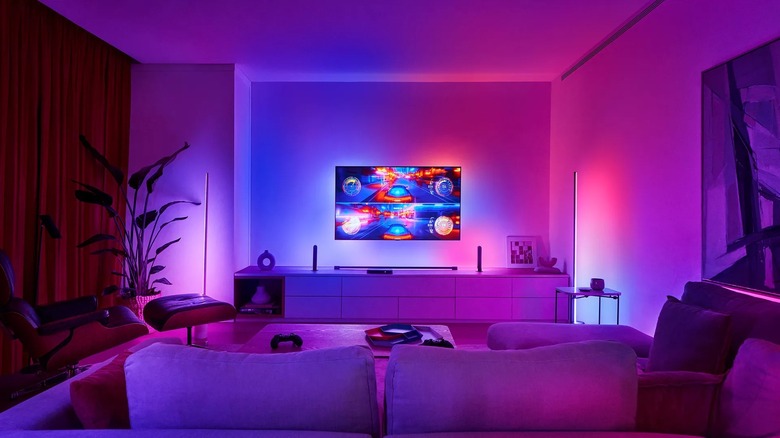
Start with capable audio gear. Soundbars are a solid option as they're easy to install and configure, but you can also go with a multi-speaker setup for more surround sound. Next, move to the room. Install some smart lights to create a cozy atmosphere and reduce eye strain. Make sure you also have the right source set up, whether that's a streaming stick, your laptop, or a Blu-ray player.
All these work well together to make your movie nights more enjoyable. For the ultimate movie night setup, though, a few more gadgets can further upgrade the experience.
West Bend Stir Crazy Hot Oil Popcorn Popper
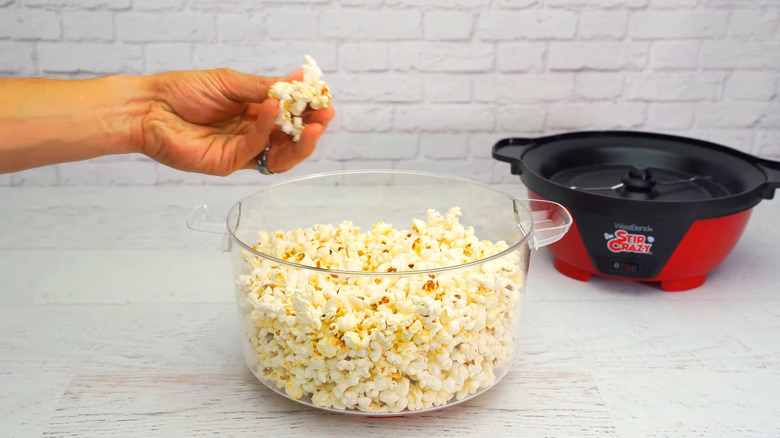
Nothing says upgraded movie nights at home more than a bowl of popcorn and some soda. But the problem is, once you run out of popcorn, you have to pause the movie to microwave another batch in the kitchen. If you hate the interruption, you can set up a tabletop popcorn popper in the living room instead. It keeps your snack within reach, all while letting you stay immersed in the movie. One highly rated tabletop popcorn popper on Amazon is the West Bend Stir Crazy Hot Oil Popcorn Popper.
This $46 popcorn popper is large enough to make six quarts, or about 24 cups, per batch, so there's plenty to go around if you're watching with the whole family or a group of friends. It pops a batch in about four minutes, and thanks to its motorized stirring rod, it usually leaves fewer unpopped kernels in the mix. If you prefer butter in your popcorn, use the butter tray on the lid to melt it while the popcorn pops.
Unlike vertical hot air popcorn makers, the West Bend Stir Crazy skips the hassle of preparing a separate bowl. Once the popcorn is ready, flip the machine; the clear cover serves as a bowl. This bowl is also dishwasher-safe for easy cleaning. When it's time to store the popcorn popper, nest the machine inside the bowl and wrap the cable around the cord holder at the bottom to save space.
Philips Hue Play HDMI Sync Box 8K
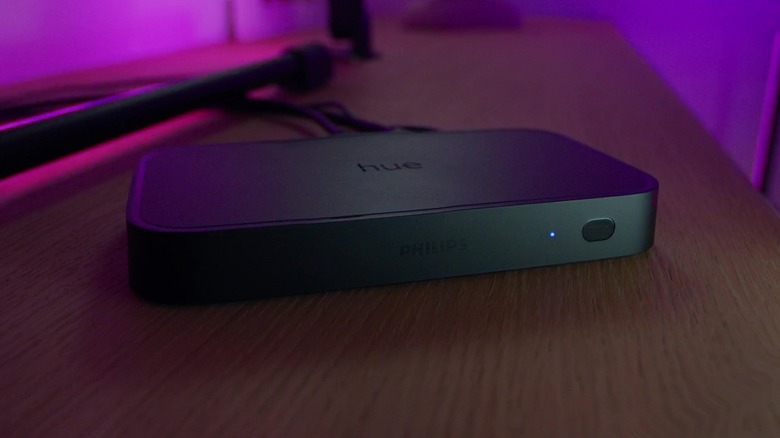
So, your living room is set up and ready with some of the best smart lights for a home theater. But while they work great for creating a cozy atmosphere, you can also use them to make the movie more immersive. You can do this by configuring the smart lights to change colors in sync with the TV screen. For this setup, you need an HDMI sync box, compatible smart lights, and for certain ecosystems, a bridge or hub. If you use Philips Hue smart lights in your living room, one option is the Philips Hue Play HDMI Sync Box 8K.
This sync box connects to your input device and TV via HDMI, reads the signal and syncs your Hue lights to complement the scene on the screen. It supports up to ten lights, but you need a Hue Bridge because the sync box doesn't pair directly with smart lights. The Philips Hue Play has four HDMI input ports. It's designed for any HDMI device, including streaming sticks, set-top boxes, and gaming consoles. You can also use an HDMI splitter if you want to connect more than four devices. Since the sync box only reads signals from an HDMI input, it won't sync the lights when you're using native TV apps.
For video support, the Philips Hue Play supports 8K@60Hz and 4K@120Hz, plus HDR10+ and Dolby Vision. Its size is also an advantage. It's pretty compact at 7.9 x 4.3 x 1 inches, so it won't take up much space on your TV stand.
soundcore Nebula P1i
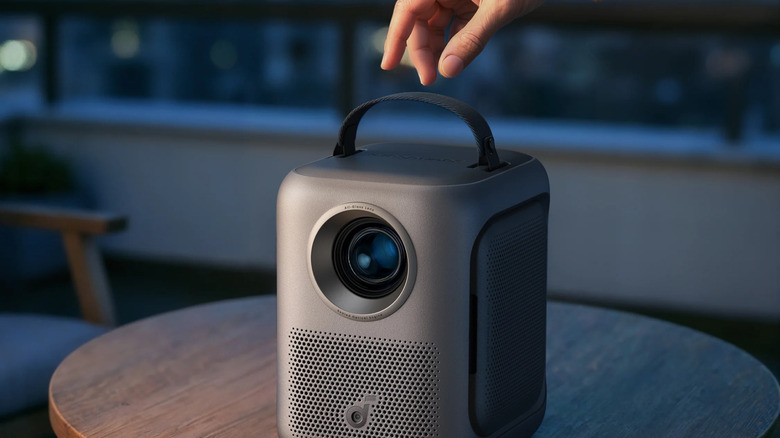
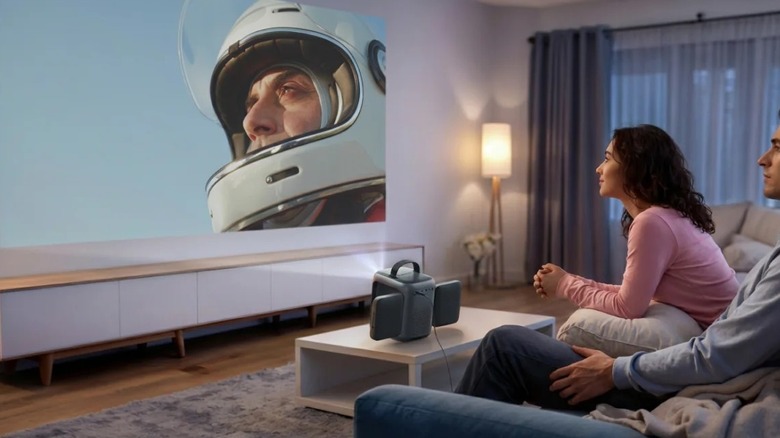
When you want to bring movie nights to your bedroom or kitchen, you don't always have to haul your TV to the next room. Just find a blank wall and bring a projector, speaker, and your preferred input to the room. That sounds like a lot of hassle, though. As an alternative, try a more complete system like the Soundcore Nebula P1i.
Offered by Anker, one of the market's major projector brands, the Nebula P1i stands out for one key feature: flippable speakers. These Dolby Audio flippable speakers, which are 10W each, are located on both sides of the projector. You can twist them up to 180 degrees vertically and 90 degrees horizontally. This lets you aim the speakers as needed—maybe point them toward you, set them at an angle, or flip them toward the ceiling. It also includes an adjustable stand that tilts the projector up to 15 degrees.
The Nebula P1i delivers 1080p Full HD resolution and scales from 40" to 150". Conveniently, this projector runs Google TV, so you can open and watch directly from the built-in apps without connecting your phone or laptop. It even comes complete with Netflix, YouTube, Hulu, and Prime Video. It can still work with external devices, though, particularly when casting via Google Cast. It also has input/output ports on the back for HDMI, AUX-OUT, and USB-A devices. Like any smart TV, you can control the projector with the included remote or the companion app.
The downside of the Nebula P1i is that it isn't battery-operated. You need to plug it into a power source, such as an AC outlet or a portable power station.
Satechi R2 Bluetooth Media Remote Control
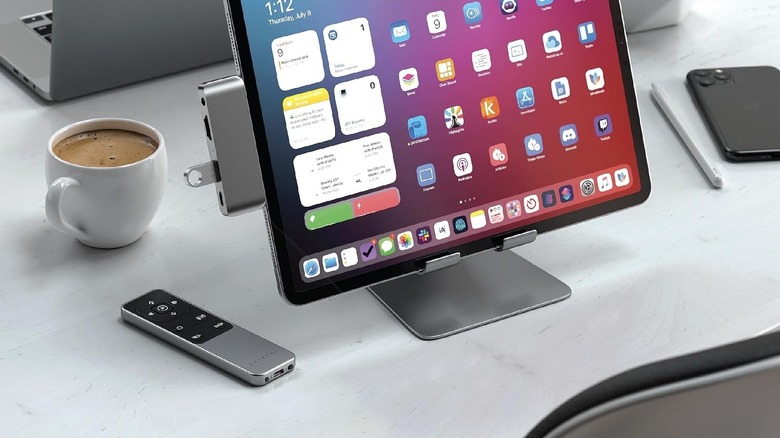
Watching on a TV or projector is great, but sometimes you'd prefer to use your laptop or tablet to get your movie fix. The thing is, these devices don't usually come with a remote, so if you set one up a few feet away, you'll have to keep getting up to control it. Thankfully, Bluetooth media remote controls now exist, and one you can use with your iPad or MacBook is the Satechi R2 Bluetooth Media Remote Control.
It connects to your device via Bluetooth and lets you control your movie wirelessly within a 30-foot range. Like a typical TV remote, this multimedia remote includes a directional pad for navigating the interface. You can also use it as a wireless mouse by turning on the AirMouse feature with a press of the remote's mouse button. It also has buttons to increase or decrease the volume, play and pause the movie, go forward or backward, skip to the home screen, and show the on-screen keyboard on iPhones and iPads. Conveniently, it's USB-C rechargeable and lasts up to six months.
The Satechi R2 works with VLC and browser apps. You can try it with streaming apps, but the controls may not always work as expected. Another limitation of this Bluetooth media remote is that it's mostly compatible with Apple devices, specifically MacBooks, iMac/Mac computers, iPads, and iPhones. It supports select Android phones, including the Pixel 10 Pro and Pro Fold, Pixel 9 Pro, Pixel 8 Pro, Galaxy S24, and Galaxy Z Flip5.
How we chose these products
We selected these recommendations based on two criteria: how much they could upgrade your movie nights and how well other users received them. The products should solve a movie-night inconvenience or add a new level of enjoyment. We also considered Amazon user ratings and selected only products with at least 4 out of 5 stars.