

Ditching Your TP-Link Router? You Should Try These 4 Alternatives
We may receive a commission on purchases made from links.
It's always a bummer to learn that a once-trusted manufacturer may not be as trustworthy as you thought it was. TP-Link, a brand renowned for networking hardware and accessories, is catching heat of late, as multiple states have filed lawsuits against the American company. Florida leads the charge on these allegations, accusing TP-Link of falsifying its connections to the Chinese Communist Party (CCP). Even though most of the company's production takes place in Vietnam, legislators are concerned that parts and firmware obtained through China could allow the CCP access to TP-Link tech.
TP-Link publicly defended itself against the accusations, but if you own a TP-Link router and all of this espionage hoopla is making you nervous, you may be tempted to part ways with the hardware. We don't blame you, but now you're faced with the challenge of replacing your Wi-Fi hub. Fortunately, there are plenty of other router brands to choose from, and we'd like to help you hone in on a solid replacement.
The only thing you'll need to do is think about how much router you actually need. You can spend a little for something rather entry-level, or a lot for a beastly internet maker that's tailor-made for streaming 4K UHD movies and heavy-duty online gaming. We hand-picked four TP-Link router alternatives, so let's dive right into our first selection: a budget-friendly product for the internet-lite users in the audience today.
Asus RT-AX1800S
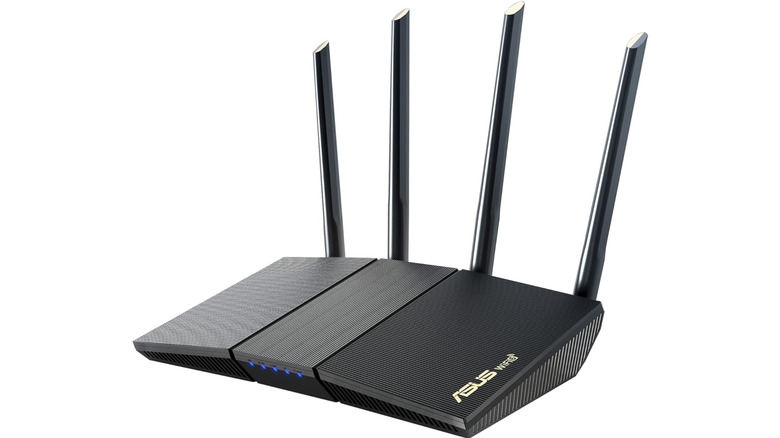
If you're in the market for a router because you'd like to replace the unit provided by your ISP, a product like the $70 Asus RT-AX1800S is a great choice. It also doesn't pretend to be what it isn't; this is a solid dual-band router with numerous features and settings, not a gaming powerhouse (we feature one of those later on). Delivering up to 1,800 Mbps across its 2.4 GHz and 5 GHz bands, we recommend the AX1800S for limited-space living situations, like an apartment or a small house.
This Asus router contains four Gigabit LAN ports for hardwiring tech like a game console, smart TV, or laptop. For a larger home, rooms that aren't close to the AX1800S may experience weaker Wi-Fi, but the router is compatible with Asus AiMesh hardware — that means you'll be able to add nodes to your system for greater coverage. The AX1800S also has an intuitive user interface that's packed with features and settings, including VPN support, parental controls, and Asus AiProtection Classic, a dashboard of network security tools.
In terms of cost and capabilities, the AX1800S is a fitting replacement for a router like the TP-Link Archer AX21. On Amazon, shoppers gave the AX1800S a score of 4.3 out of 5 stars based on over 2,700 reviews. Many customers are pleased with the router's simple setup and overall performance, but a couple of users experienced connectivity issues.
Netgear Nighthawk RAX36
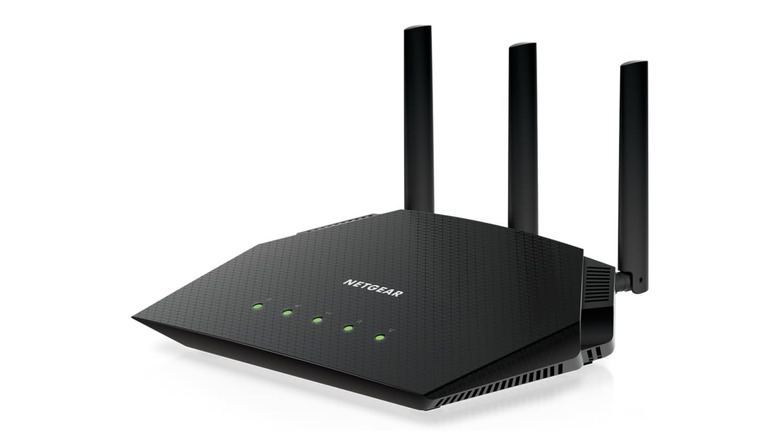
Next up on our list is a small step up from the Asus AX1800S, the $100 Netgear Nighthawk RAX36. This router scored 4.4 out of 5 stars on Amazon, based on over 540 reviews, and its specs are a bit stronger than those of the AX1800S. This is another dual-band router with 2.4 GHz and 5 GHz bands, and those of us paying for the fastest of fast internet speeds could get up to 3 Gbps. You'll also be able to connect up to 25 wireless devices simultaneously, including security cameras and other smart home devices.
Should some of your core hardware be sitting close enough to the router, there are four Gigabit LAN ports to take advantage of. Network onboarding is handled by the Nighthawk app, which gives you numerous features and settings to work with. And while it's not required, you can also sign up for Netgear Armor for additional security settings — you can even configure a guest network and a VPN. It's not the end-all, be-all of routers, but the RAX36 packs a punch.
What it doesn't pack is the USB 3.0 port described on its Amazon listing, as pointed out by one Amazon user — should you require that connection, one of the other three routers we chose may be a better fit. Compared to TP-Link's lineup, the RAX36 is a solid swap-in for the TP-Link Archer AX55 (the former is also a bit cheaper).
Asus ROG Strix BE18000
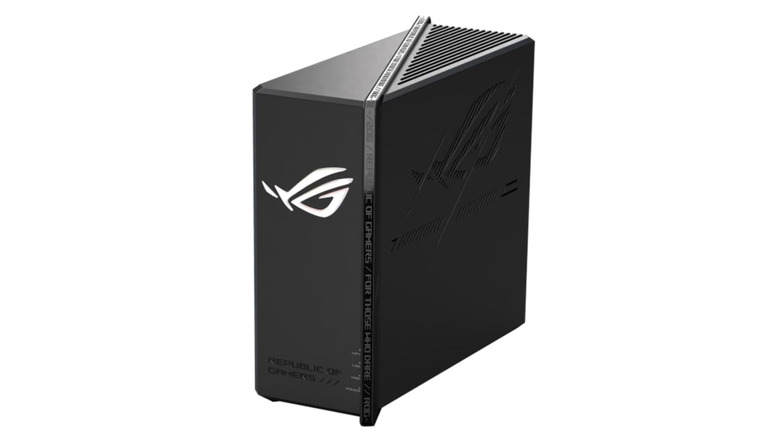
Now we're going to get into the kind of TP-Link router replacements that are tailor-made for gamers and intense multimedia workflows. This is another Asus product, officially known as the $330 Asus ROG Strix BE18000. Even the appearance is more "means business" than the other two routers we've featured thus far. Fortunately, the aesthetic translates to excellent specs; we're talking eight 2.5 Gb Ethernet ports, tri-band coverage (2.4 GHz, 5 GHz, and 6 GHz), and a combined throughput of 18,000 Mbps.
The BE18000 not only looks like a tank, but it breaks down barriers like one. Considering its Wi-Fi 7 capabilities, this is the kind of router that could potentially mimic a complete mesh system for a medium- to large-sized home — but it's also Asus AiMesh-certified, should you need to add a node or two. We like that two of the seven LAN connections are gaming ports, which is good news for PlayStation, Xbox, and souped-up PC owners. There's also a handful of gaming optimizations, including Adaptive QoS and Game Boost.
Not as many folks have purchased the BE18000 as the other replacement routers on our list. Only 84 Amazon shoppers shared feedback, but that was enough to land a 4.1-out-of-5-star rating. Most reviewers love how fast, reliable, and feature-rich the BE18000 is, but many users weren't thrilled with the high price. TP-Link's Archer BE550 is the closest comparison (it also happens to be $100 less than the beefy Asus ROG hub).
Netgear Orbi 370 Series (3-Pack)

We wanted to make sure to include a whole-home mesh system on our list, and that slot is officially taken by the $350 Netgear Orbi 370 Series (3-Pack). Spec for spec, we believe this Orbi kit is closest in performance and value to the TP-Link Deco 7 BE5000, a node-based, dual-band system that just happens to be $50 less. According to both manufacturers (Netgear and TP-Link), these mesh kits deliver enough Wi-Fi coverage for a 6,000-square-foot home; both routers also support dual-band connectivity.
Netgear claims that the Orbi 370 supports up to 70 devices on your Wi-Fi network, and features like Multi-Link Operation (MLO) keep network traffic managed and optimized. While "5 Gbps" is what's advertised for combined wireless throughput, your exact mileage will vary based on the size and layout of your home or business. Fortunately, each of the three nodes has a single 2.5 Gb Ethernet port — use it to hardwire a game console, or as a failsafe backhaul connection.
On Amazon, the Orbi 370 (3-Pack) scored 4.1 out of 5 stars, based on over 560 reviews. There are plenty of pros (fast internet speeds, easy setup, quick customization), but several users have noted the lack of multiple LAN ports — or any USB ports, for that matter. It's also worth mentioning that certain wireless devices may put up a fight during onboarding, as one user experienced with their Sonos audio products.
How we chose these TP-Link router alternatives
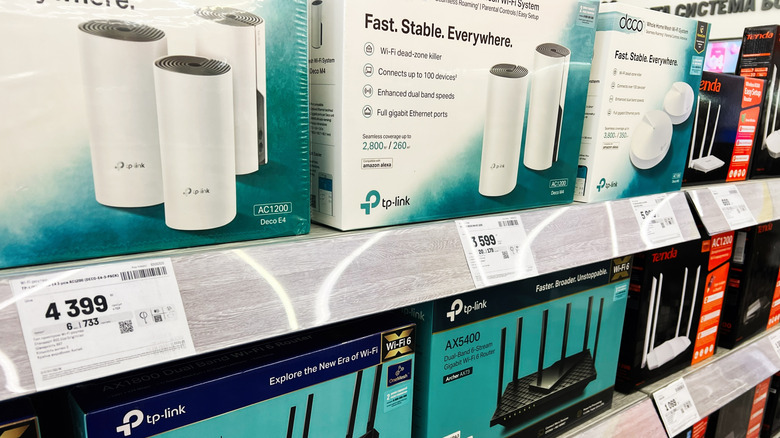
Our primary goal in creating this list of routers was to try to match a handful of TP-Link routers as closely as we could. We honed in on four main tiers: entry-level models for budget-minded buyers, one step up for those wanting a solid all-around deal, a heavy-duty router for gaming and multimedia tasks, and a mesh system complete with a main router and a set of nodes for blanketing an entire home.
By finding analogs for the above use cases, we feel we were able to isolate ideal alternatives to TP-Link's popular Archer and Deco lines of routers. Landing on a direct equivalent wasn't always in the cards, but each of the above offerings are pretty close to an equivalent TP-Link product. Beyond that, we also didn't pick anything that scored less than 4 stars on Amazon to ensure quality and satisfaction, and we referenced user feedback whenever it made sense to.