

5 Powerful Laptops More Affordable Than The Dell XPS 14
We may receive a commission on purchases made from links.
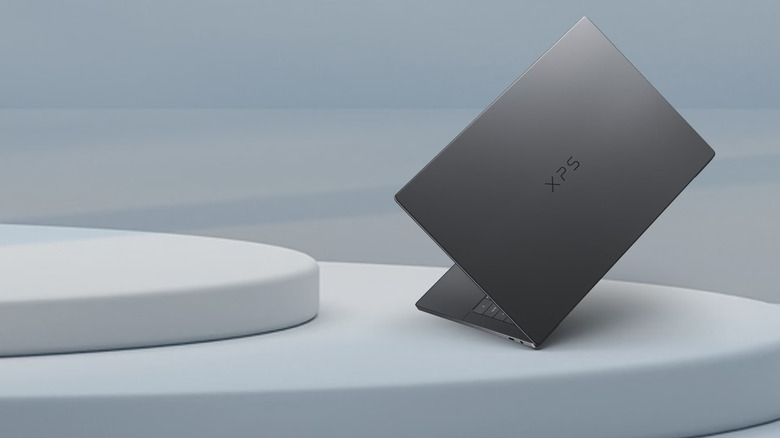
While a lot of people were excited about the XPS lineup's return after Dell temporarily discontinued it, far fewer were excited when they saw the price tag. Manufacturers have been hit hard by the increased cost of memory, and XPS laptops are no exception — the starting price for the latest XPS 14 model is $2,149.99 at Dell. And while it is a premium laptop that has gotten excellent reviews from CNET and those who were able to look past the price tag, there are plenty of laptops that offer similar power at a lower price tag.
If you're a macOS fan (or interested in trying it out), the latest Apple MacBook Air models come equipped with the same M5 processors found in the MacBook Pro lineup. Though Apple isn't typically known for affordability, the asking price is considerably lower than the XPS 14, and the value for money on this laptop cannot be understated. If you want to stick with Windows, a laptop like the Asus ZenBook S14 or Microsoft Surface Laptop offers many of the same features and comparable — or strictly better — everyday performance. And if you're looking for a Dell XPS 14 alternative for under $1,000, the Acer Aspire 14 AI is a great budget option.
Asus ZenBook S14
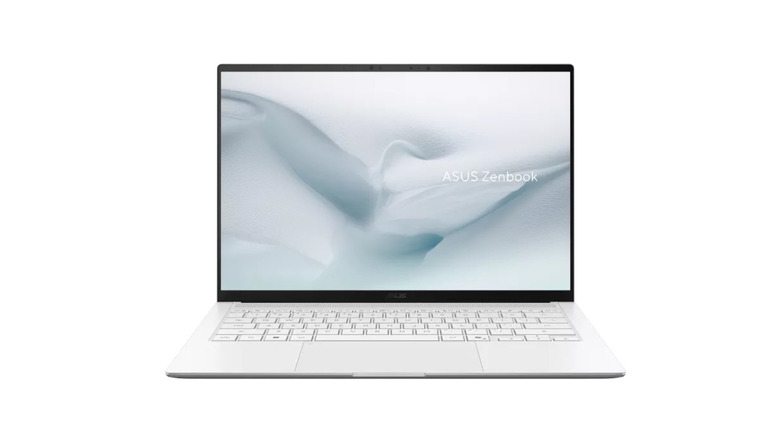
For a premium XPS 14 alternative, the ASUS ZenBook S14 ($1,899.99 at Best Buy) is $250 cheaper than Dell's notebook but offers some top-of-the-line features and hardware. The 14-inch 3K OLED screen comes first and foremost, which is a night-and-day difference in clarity and vibrancy over the XPS 14's base-tier LCD display. The ZenBook S14 also offers better specs in almost every regard over the XPS 14 despite a lower asking price.
Where Dell's XPS 14 offers 16 GB of RAM and a 512 GB SSD, the Asus ZenBook S14 comes equipped with 32 GB of RAM and a 1TB SSD. It's the same with processors, too. Dell's XPS 14 base model comes with the Intel Core Ultra 5 325, while the ZenBook S14 features a solid upgrade in the Intel Core Ultra 9 386H. The ZenBook has 2x Thunderbolt 4 (USB-C) ports, one 3.2 Gen 1 USB-A port, an HDMI 2.1 port, and a 3.5mm audio jack — which is the same as the XPS 14 if you swap the S14's USB-A port with another USB-C port.
Plus, the 2.76-pound ZenBook is lighter than the XPS 14's three-pound build. Just about the only areas the XPS 14 beats the ZenBook out are in its 4K webcam (the S14 has a 1080p camera) and potentially the battery life. Because that 3K OLED screen draws a lot of power, the LCD version of the XPS 14 may last longer during daily usage despite having a 70WHr battery compared to the ZenBook's 77WHr. If you're not married to the Dell brand and are willing to spend close to $2,000 for a premium laptop, this is an outstanding XPS 14 alternative.
Apple MacBook Air (15-inch, M5)
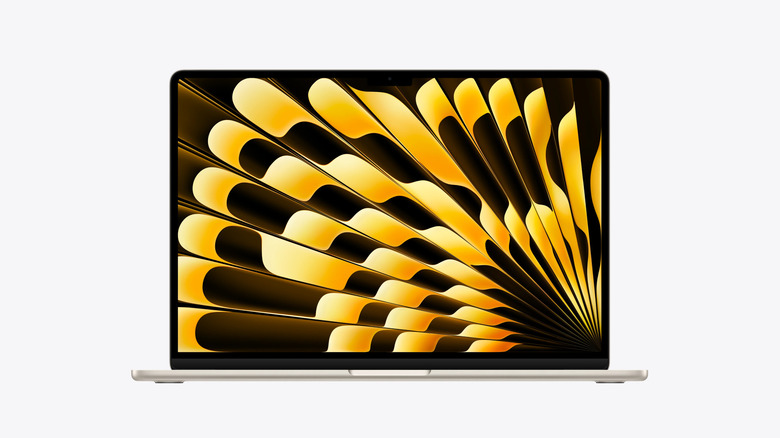
The base-tier MacBook Pro is still slightly cheaper than the XPS 14, but the MacBook Air (15-inch, M5) offers the same M5 processor you'll find in the Pro for only $1,499 at Apple (a saving of $650 over Dell's XPS 14) and outworks the XPS 14's Intel Core Ultra 5 325 in metrics like single-core performance and integrated graphics. Paired with that M5 processor, you get 16 GB of unified memory and a 512 GB SSD, the same as the XPS 14 offers. Apple's Liquid Retina displays are also hard to compete with, and the 15-inch 2880x1864 resolution display is a substantial upgrade over the XPS 14's 1920x1200 LCD screen.
The Apple MacBook Air (15-inch, M5) offers up to 18 hours of continuous video streaming or 15 hours of web usage, but it only ships with a 40W charger. The XPS 14, on the other hand, includes a 100W power adapter out of the box and supports Dell's ExpressCharge technology. Like its 3.3-pound weight (which is slightly heavier than the three-pound XPS 14), the MacBook Air is light on connectivity options. It features just two USB-C ports, a MagSafe 3 charging port, and a 3.5mm audio jack.
The MacBook Air also comes in four colorways, including Sky Blue, Silver, Starlight, and Midnight for a touch of added personality, whereas the XPS 14 only comes in Graphite. Plus, the MacBook Air's keyboard and trackpad combo is unmatched. MacBooks go on sale frequently around the holiday season (especially Black Friday and Cyber Monday), so if you're patient, you can even snag one at a bigger price difference.
Microsoft Surface Laptop 15-inch (8th Edition)
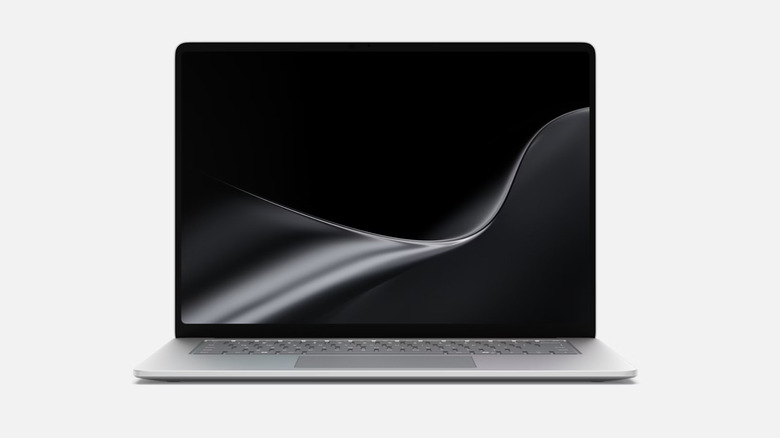
The Microsoft Surface Laptop 15-inch (8th Edition), which is available in several different configurations starting at $1,699.99, is an excellent premium alternative to the XPS 14 while still coming in at $449 cheaper. It features a similar sleek, slim design with platinum and black colorway options, and comes in at 3.67 pounds while also offering a larger display. The Surface only has an LCD display with no OLED upgrade available, but it is a sharp 3270x2180 HDR PixelSense panel with a maximum brightness of 600 nits — if you want an OLED screen on the XPS 14, it'll cost an extra $150. What's more, the XPS 14's base display is only 1920x1200 resolution at 500 nits.
Under the hood, the most affordable Surface Laptop runs a Snapdragon X2 Plus processor, which is incredibly performant and actually outperforms the XPS 14's Intel Core Ultra 5 325 in areas like multi-core performance and power efficiency. Speaking of power efficiency, the Surface Laptop offers up to 19 hours of continuous video playback and 14 hours of web browsing on a single charge. Both laptops utilize integrated graphics, and each of them features an NPU (Neural Processing Unit) to better handle AI operations.
When it comes to memory, both base laptop models offer 512 GB of storage and 16 GB of RAM. To connect chargers and accessories, the Surface has two USB-C ports, one USB-A 3.2 port, a MicroSDXC Express card reader, a 3.5mm audio jack, and the Surface Connect magnetic charging port. The XPS 14 does offer an upgraded 4K IR webcam over the Surface's 1080p FHD camera.
Lenovo Slim 7i Aura Edition
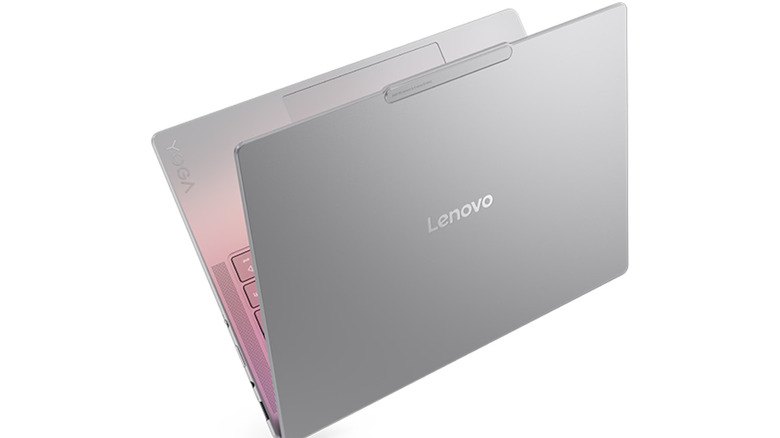
For $1,351.99 at Lenovo, the Lenovo Slim 7i Aura Edition is a solid mid-range XPS alternative. It doesn't offer the same level of performance as the ZenBook, Surface, or MacBook, but it does come equipped with an Intel Core Ultra 5 226V (which is only slightly less performant than the Core Ultra 5 325), 16 GB of RAM, and a 512 GB M.2 SSD. Those specs are right in line with the XPS 14 despite an $800 price jump over the Lenovo Slim 7i Aura Edition.
You even get a 14-inch WUXGA (1920x1200) OLED display with the Slim 7i Aura, compared to the base-model XPS 14's FHD+ (1920x1200) LCD display. Like our other recommendations, the XPS 14's 4K camera does handily beat out the Slim 7i Aura Edition's 5MP FHD webcam. But you can always pick up an affordable 4K webcam to connect externally for video calls and recordings. As for power, both laptops offer a 70WHr battery, though the XPS 14 ships with a 100W power adapter compared to the Slim 7i Aura's 65W charger.
In terms of design, the Lenovo Slim 7i Aura Edition clocks in at a bantamweight 2.69 pounds. The Slim 7i Aura comes in a light Luna Grey or Seashell color, giving you two options over Dell's one. For port selection, Lenovo's contender offers one USB-A, two Thunderbolt 4 (USB-C), one DisplayPort 2.1, one HDMI 2.1, 1x 3.5mm combo jack, and a microSD card reader, which is a very respectable selection for pairing USB laptop accessories.
Acer Aspire 14 AI
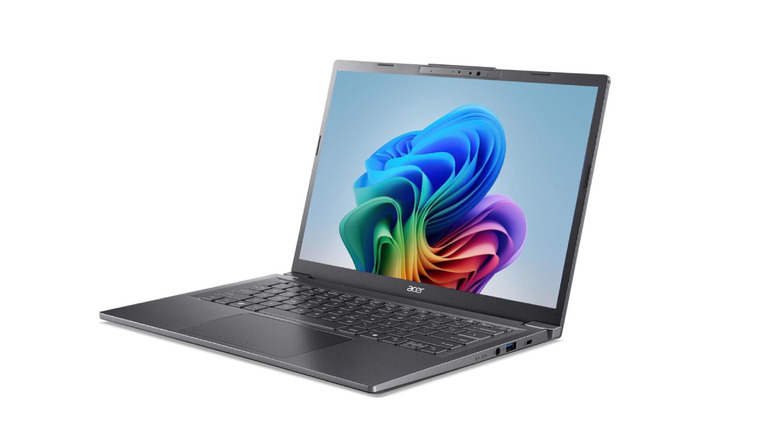
The Acer Aspire 14 AI ($824.99 at Newegg) is our budget Dell XPS 14 alternative pick; for a few minor downgrades, you save $1,325 over the XPS. Its Intel Core Ultra 5 226V processor, which is the same chip offered in the Lenovo Slim 7i Aura Edition, is only marginally less efficient than the Intel Core Ultra 5 325 found in the XPS 14. And the other specs are largely the same, including 16 GB of LPDDR5X RAM, a 512 GB SSD, and a 14-inch WUXGA (1920x1200) LCD display.
The Aspire 14 AI only offers Wi-Fi 6E compared to the XPS 14's Wi-Fi 7 capabilities, which can translate to considerably slower download speeds (given an adequate internet connection to support Wi-Fi 7 speeds). For port selection, the Aspire 14 AI comes with two USB 3.2 Gen 1 Type-A ports, two Thunderbolt 4 (USB-C) ports, and one HDMI 2.1 port. The Acer Aspire 14 AI only sports a 1080p camera, which is a noticeable downgrade compared to Dell's laptop.
The Aspire 14 AI offers a fantastic 22-hour battery life (continuous video playback), and at 3.09 pounds it's ever so slightly heavier than the three-pound XPS 14. If you're just looking for a reliable laptop that'll get the job done for Netflix and productivity — without the bells and whistles that drive up the price tag — the Acer Aspire 14 AI is a great choice.
Methodology

In order to select the laptops for this list, we first set a few key criteria to better evaluate laptop contenders. First and foremost, they had to be more affordable than the base XPS 14's asking price of $2,149.99. They also needed to have commensurate performance with the XPS 14, including at least 16 GB of LPDDR5X RAM, a 512 GB SSD, and a comparable CPU to the Intel Core Ultra 5 325. Because the XPS 14 features a premium design, we also took weight, chassis material, and overall build quality into account.
As for the display, it needed to be at least 14 inches with a resolution of 1920x1200 or better. We also sought to include a range of budgets, including an XPS 14 alternative for under $1,000. With these key tech specs in mind, we analyzed major PC retailers including Amazon, Best Buy, Newegg, Asus, Lenovo, and more to select several laptops that checked every box. Using our own testing (such as the M5 MacBook Air (2026) Review) along with user reviews — with a particular emphasis placed on those that detailed real-world usage cases — we narrowed the list down to the five recommendations you see here.