

5 Affordable Monitors To Buy Instead Of Spending Big On An OLED Display
We may receive a commission on purchases made from links.
OLED monitors are known for their impressive picture quality, thanks to their deep, inky blacks, instant response time, and vibrant colors. However, even though more and more monitor manufacturers are switching to OLED models, they remain relatively expensive compared to LCD/LED monitors. There are also several reasons why you might regret buying an OLED monitor, including burn-in concerns and relatively lower brightness in some models. Fortunately, the monitor market is full of affordable OLED monitor alternatives that pack most of the essential features you'll need and even deliver good visual performance.
We have handpicked some of the best non-OLED monitors that don't cost as much as their OLED counterparts. We considered experts' reviews as well as buyer feedback while finalizing our recommendations. All our picks are generally well-received. So besides losing out on some of the picture-quality edge offered by OLED displays, you won't really be compromising much on anything else. You'll also save a decent chunk of change that you can probably invest in home office gadgets to enhance your productivity.
Dell Alienware AW3425DWM
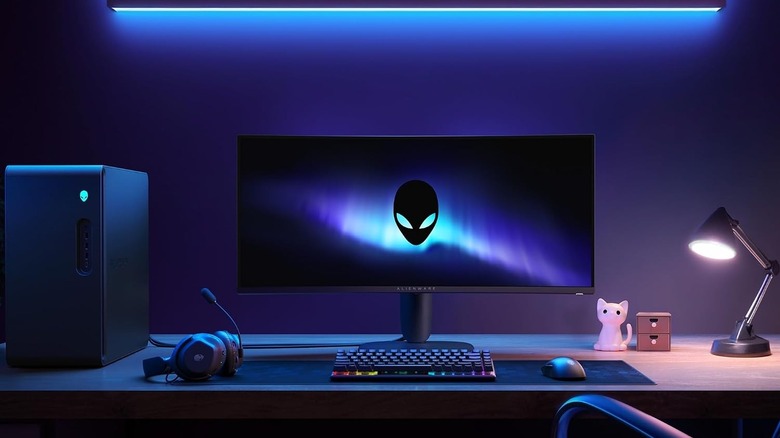
If you're looking for a monitor that can deliver an immersive experience when you're gaming or watching your favorite video content, the Dell Alienware AW3425DWM is worth considering. As the name suggests, it's a big 34-inch display monitor, but thanks to its 21:9 aspect ratio and 1500R curve radius, it can be pretty immersive. The monitor uses a VA-type LCD panel, which helps with the overall contrast ratio, with a 1440p resolution. More importantly, it comes with a 180 Hz refresh rate with AMD FreeSync Premium support, which you'll appreciate if you like to enjoy high-refresh-rate gaming with minimal screen tearing.
Other features include two HDMI 2.1 ports, one DisplayPort 1.4, and two USB 5 Gbps Type-A ports. Although it's targeted primarily at PC gamers, it can be a good option for general office work and media consumption, thanks to its HDR 10 support and good text clarity. It does cost $350, which is certainly a price at which you can find other small OLED monitors; however, you're unlikely to get a similar-sized curved wide-screen OLED monitor.
Experts at Rtings and TechRadar have good things to say about it, and highlight its color accuracy, reasonably high brightness, and good pricing. However, they do mention the lack of USB-C ports, poor edge local dimming, and narrow viewing angles. Amazon shoppers have also given the monitor a good average rating of 4.6 out of 5, and appreciate its easy setup and note that it's an "excellent option for a home office" setup. That said, some buyers aren't happy with the monitor's build quality and lack of a built-in speaker.
Asus ROG Strix XG27ACS
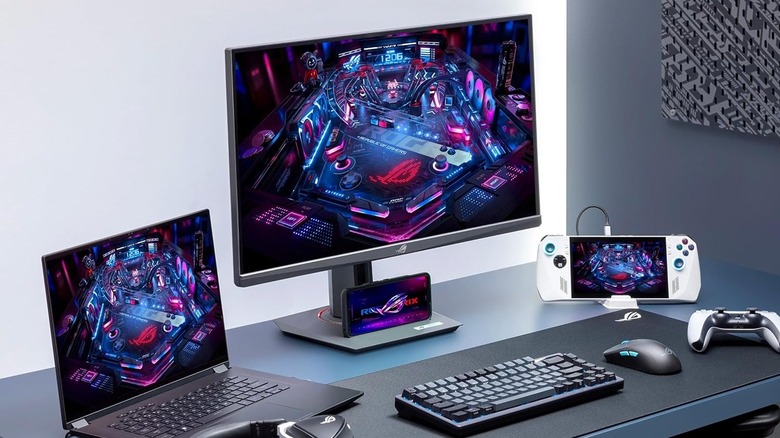
Part of Asus's ROG brand, the Strix XG27ACS is another well-rated budget monitor that's primarily targeted at gamers but can be a good option for most users. It will set you back $229 and comes with a 27-inch display featuring 1440p resolution, a 180 Hz refresh rate, and VRR support. It uses a Fast IPS panel, which is the same as a regular IPS panel but with a faster pixel response time. Being an IPS-style panel, it can provide wide viewing angles and better color accuracy than VA-style displays. However, this also means the native contrast ratio of the panel isn't amazing, and you don't get any local dimming to improve it further.
This Asus monitor also offers USB-C, DisplayPort, and HDMI for video input. While the USB-C port supports power delivery, it's limited to just 7.5 watts, which isn't really useful for charging a laptop in a single cable connection. The supplied stand is also pretty ergonomic, and you can adjust height, orientation, swivel, and tilt to get your ideal viewing angle. It's also compatible with a VESA mount.
Despite some of its shortcomings, experts from Tom's Hardware, Reviewed, and XDA like the monitor and say it has a bright and colorful panel, solid build quality, and excellent color accuracy. However, the lack of USB ports for peripherals and storage devices is a concern. Amazon shoppers also have similar reviews and have given it an average rating of 4.4 out of 5. One buyer calls it the monitor to get if you don't want to spend the OLED money. That said, some buyers mention the presence of IPS glow, which is essentially a backlight leakage artifact, and dead pixels on their units.
BenQ GW2486TC
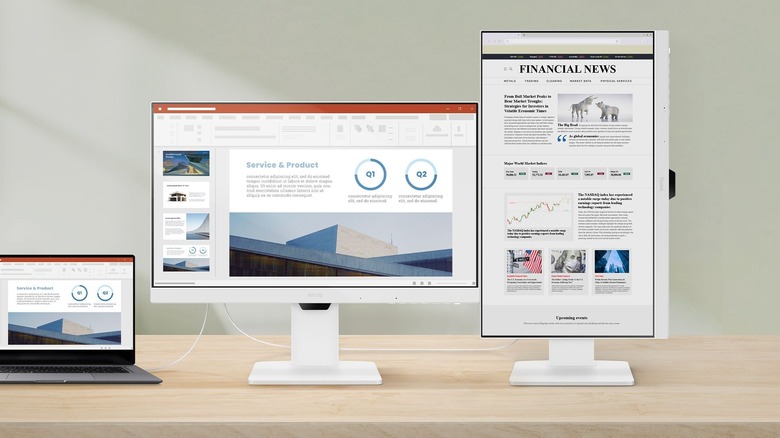
If gaming and high-resolution displays aren't a priority and you just want a good office monitor, the BenQ GW2486TC can be a good choice. It's a 24-inch IPS monitor with a 1080p resolution and 100 Hz refresh rate. Although 100 Hz isn't a lot for high-refresh-rate gaming, it'll certainly help give you a much smoother overall experience than a traditional 60 Hz monitor. The company also says the monitor can cover almost the complete sRGB color gamut, which is good for anyone who wants good color accuracy in web content.
Another highlight of the BenQ monitor is USB-C support for video input as well as 65 watts of power delivery, which means you can have a single cable connection with a compatible laptop. It also packs HDMI and DP ports if you need them, and features USB hub functionality, thanks to the built-in two USB Type-A ports. Moreover, there is daisy-chaining support, allowing you to connect another monitor to the BenQ offering for a cleaner setup. You'll be happy to know that the supplied stand is pretty ergonomic, with support for tilt, pivot, swivel, and height adjustment. The monitor costs $200 on list price; however, you can often spot it selling for less.
This BenQ monitor is widely appreciated as a budget monitor, with experts from PC Mag, PC World, and Tech Radar praising its port selection, almost full sRGB coverage, affordable pricing, and an attractive design. The only notable complaints include its lower resolution, relatively lower brightness, and lack of VRR support. Amazon buyers are also generally happy with it, and have given the monitor an average rating of 4.5 out of 5. Shoppers like its eye-care features, ergonomic stand, and seamless support for macOS. That said, one buyer mentioned issues with the warranty, and another received a unit that stopped working after a few weeks.
AOC Gaming Q27G3XMN
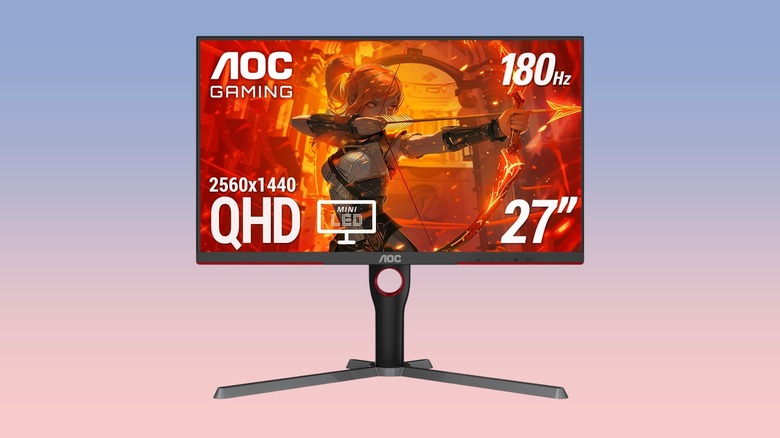
It has been a while since the AOC Gaming Q27G3XMN hit the market, but it's still a good choice for folks looking for excellent visual quality and gaming features on a budget. It's the only model among our recommendations to feature Mini-LED technology with full-array local dimming. This, combined with the VA-style panel, enables the monitor to deliver an impressive contrast ratio with inky blacks. There is minimal blooming; however, as expected with a VA-style panel, the viewing angles are poor, giving only those directly in front of the monitor a good experience.
You get 1440p resolution, a 180 Hz refresh rate with support for VRR, and HDR10 support. Although the supplied stand takes quite a bit of space on a desk, it has fantastic ergonomics, with support for height adjustment, pivot, swivel, and tilt. Port selection includes two HDMI 2.0 ports and one DP 1.4 port. There are unfortunately no USB ports. Another highlight of the AOC monitor is the included three-year warranty, which includes dead pixel coverage.
The AOC monitor costs $230 and has received positive feedback from experts at Rtings, Display Ninja, and Trusted Reviews. The publications like the presence of Mini-LED technology, high brightness, and an ergonomic stand. However, they do mention the lack of built-in speakers and USB hub functionality. The monitor has also garnered an average buyer rating of 4.4 out of 5 on Amazon, with shoppers appreciating its value-for-money quotient and good HDR performance. However, some buyers decry the quality control issues, lack of HDMI 2.1 ports, and narrow viewing angles.
Lenovo Legion R27fc-30
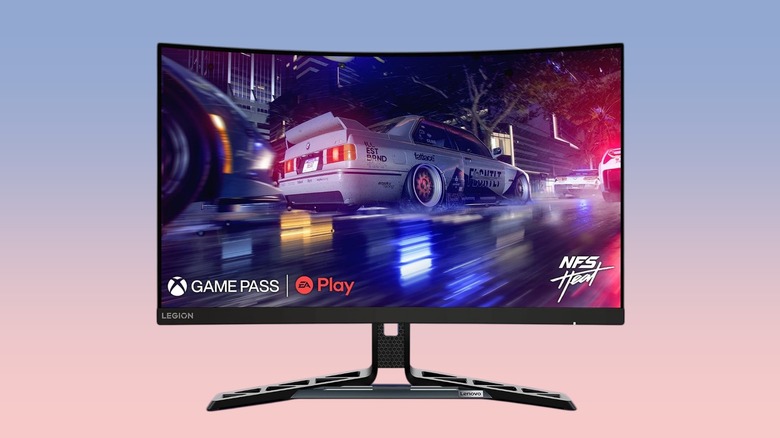
Lenovo's Legion R27fc-30 can be a solid choice for gaming enthusiasts with its 240 Hz refresh rate that you can overclock to 280 Hz, VRR support, and a 1500R curved screen. It also has a full-HD resolution and a VA-style panel for a high native contrast ratio. Plus, the monitor offers near-complete coverage of the sRGB color gamut and 90% coverage of DCI-P3. In terms of connectivity options, you get two HDMI 2.1 ports and a single DP 1.4 port. Although there are no USB ports, the monitor packs two three-watt speakers and a 3.5mm audio jack. The included stand supports common adjustments, and Lenovo has included eye-care measures to reduce blue light.
The Lenovo monitor is priced at $218 and has received a respectable average buyer rating of 4.5 out of 5 on Amazon, with shoppers liking its picture quality, three-year warranty, and the immersion offered by the curved panel. Experts from Tom's Hardware, PC World, and Windows Central have similar opinions of the monitor. They like its ergonomic stand, high refresh rate, solid build quality, and good color gamut. However, there are concerns about the size of the supplied stand, not-so-great speakers, and limited image customization options.
How we selected these monitors
While looking for computer monitors that cost less than their OLED counterparts, we considered various LED and Mini-LED options from various reputable brands. We refined our selection based on buyer feedback and expert reviews to well-liked monitors that are reasonably priced and affordable. We included a diverse selection to cater to different needs, from gaming to office work. All our recommendations have received an average buyer rating of at least 4.4 out of 5 from Amazon shoppers.