

Baseus Security PrimeSentinel U2 Pro Review: Insane Coverage From A Single Security Camera
We may receive a commission on purchases made from links.
Security cameras are a must-have if you want to build a system to help protect your home. There are multiple options available right now, but many of them require a subscription or a base station (or both) if you want to use all their features. Furthermore, it can get pricey and complicated if you need to set up multiple devices, which is unavoidable if you have a large property.
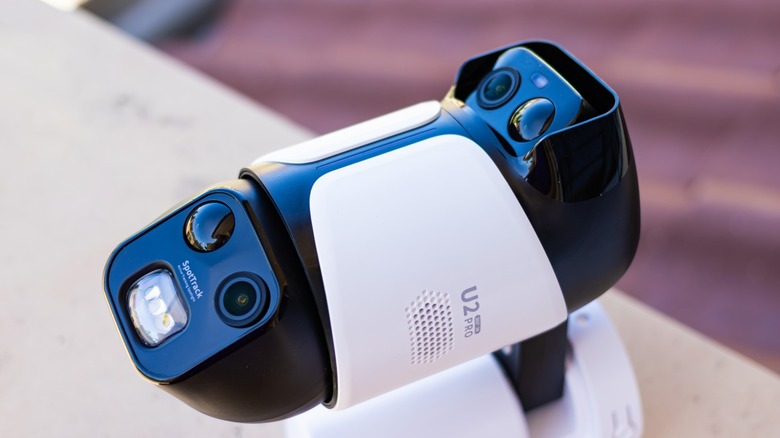
Baseus Security, a Baseus sub-brand dedicated to security products, attempts to solve these problems with the PrimeSentinel U2 Pro security camera. This device comes with two cameras — one fixed and one PTZ — affixed to a single base, giving it a 360-degree coverage area. It also comes with a solar panel that plugs into the camera via a USB-C port. But more importantly, it's quite easy to set up, so you can get it up and running in under an hour.
So, what exactly do you get with the PrimeSentinel U2 Pro security camera, and would its features be enough to protect your property? Baseus Security sent us one unit to put through its paces and see what it can do.
Setting up the app
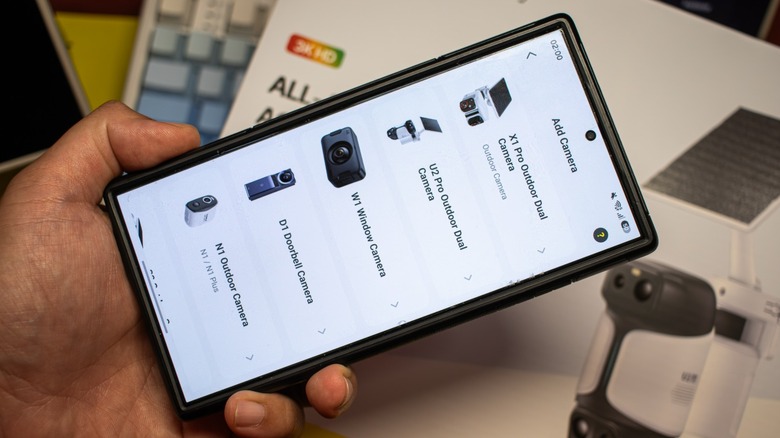
The biggest mistake that I made when testing this camera was that I did not set it up before installing it; necessitating that I stand up on a ladder to press and hold the sync button to set it up. If only I did that in the comfort of my living room, since setting up the app to use the PrimeSentinel U2 Pro was quite a breeze. The first thing you have to do is to download the Baseus Security app from the Google Play Store or the Apple App Store. You can even scan the QR code printed on the box if you don't want to go through the trouble of searching for it yourself.
Once the app is installed and you've created an account, you can add it on your phone by tapping on the plus sign on the upper-right corner, selecting camera, and then picking U2 Pro Outdoor Dual Camera from the list. You then need to add a new home (or select one if you're adding the camera to a pre-existing home), tap next, press and hold the Sync button at the back of the camera, tap next again, and then it should be automatically detected. Once you tap the camera, you just need to wait a few moments, and then it should appear on the home screen of the security app.
Setting up the system app and the camera took under 10 minutes; made longer only because I had to clamber up a step ladder, as the camera's placement was quite high. It's also a good idea to set up the camera before installing it, helping you check if the area where you want to place it receives enough Wi-Fi signal from your network.
Easy installation
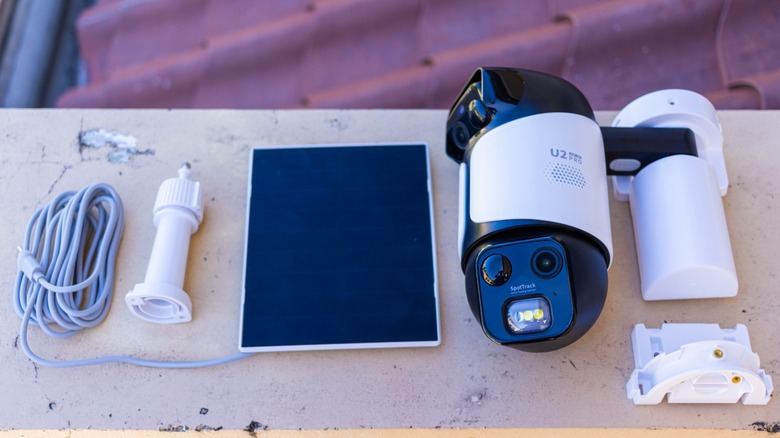
The next step after setting up the app is to install the camera itself. The camera comes with a base that you can attach to a wall or from the ceiling, and comes with all the screws required for installation. Although the system is relatively light, I'd still recommend installing it on a concrete wall or on a structural beam, ceiling joist, or truss to ensure that it's mounted securely. Once you find the ideal location, you can use the included stickers to see the drilling points and make mounting quick and easy. You could remove the sticker after drilling the needed holes if you want a clean install, but you can also keep it in place as the base completely covers it anyway.
Once the camera base is secured, you can then slide the camera on to it and fix it in place with the included screws. If the camera location gets plenty of sunlight, you can also secure the solar panel bracket on top of the base, making the entire camera set up a single compact unit. Overall, it took me less than an hour to have the unit installed in my property. Note that this camera only connects to your network via Wi-Fi, so while it's easier and more convenient to set up, it still does not offer the same reliability as a wired set up.
Sunlight power
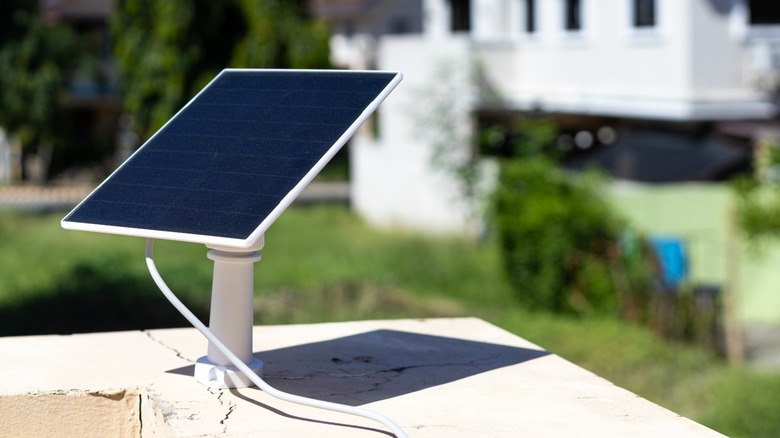
One of the things I liked about the PrimeSentinel U2 Pro is that its solar panel comes as an independent unit. That means I have the option to install it on top of the camera, or I could find a more optimal position to maximize sunlight. I chose the latter and placed the solar panel on the balcony, which gets sunlight throughout the day. Even though the solar panel is not insanely huge (it's about as big as a large saucer or a medium-sized dinner plate), it's still efficient enough to recharge approximately 23% to 25% per sunny day. This should be good enough to last the camera a day or two, even if you have some of its advanced features turned on.
The solar panel also includes a reasonably long USB-C cable, allowing you to find the best placement without having to keep it close to the camera. This is what made it possible for me to install the solar panel on my balcony railing, which, aside from getting more sunlight, also made it easier for me to keep clean.
Another interesting thing about the camera system's use of USB-C for delivering power is that you can also use another USB-C cable to recharge it. So, if you prefer to run the camera directly from AC power, you can do that by finding a suitable water-sealed USB cable and plugging it into a USB-C power brick attached to a wall outlet.
No monthly fee
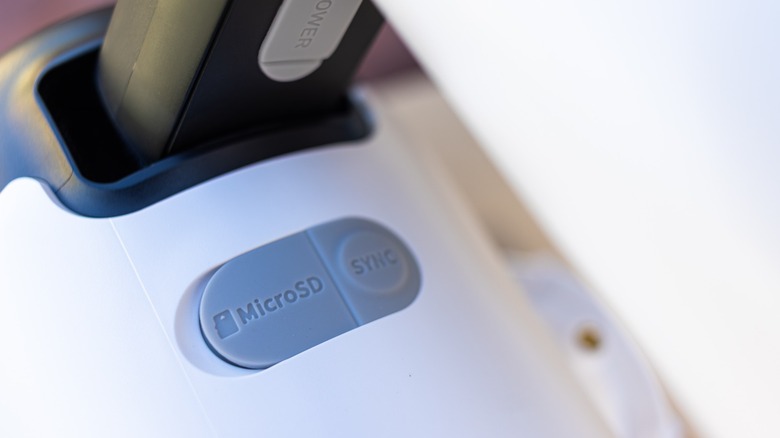
The biggest benefit of this security camera is that it stores recordings locally: This means that you don't have to pay a monthly fee just to keep it running, although you'll have to buy a microSD card separately, as there is no onboard storage. The camera accepts up to a 512GB memory card, although a smaller 32GB card would suffice for most homes. The biggest downside with this setup is if someone steals the camera or its memory card, all its recordings are lost.
Unfortunately, the camera does not work with the Baseus H1 HomeStation, which acts as a base station and local storage for my N1 and S1 Pro Outdoor Cameras. This means that I cannot take advantage of the 1TB hard drive installed on it to store security footage away from the camera. Nevertheless, Baseus Security offers Cloud Backup on the app for up to 30 days if you want to ensure that your footage is stored elsewhere. The service is currently marked "Free" in the Camera Settings, but the PrimeSentinel U2 Pro's Amazon page indicates otherwise, so this is likely a time-limited offer for new installs.
Static and dynamic coverage
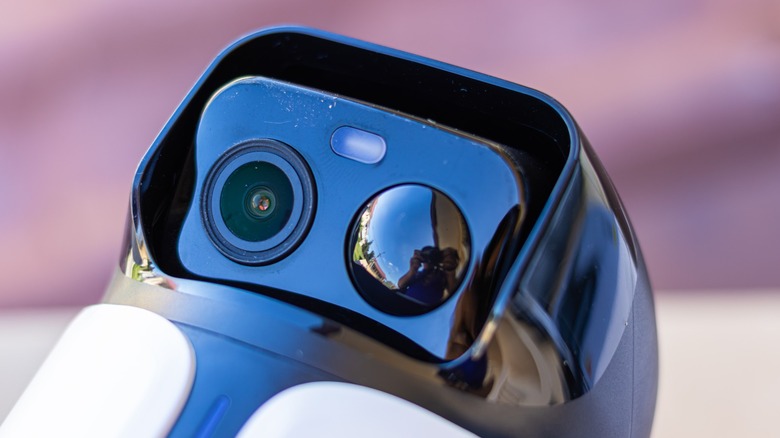
Baseus Security added two cameras on the PrimeSentinel U2 Pro: The camera at the top is a fixed unit with a 130-degree field-of-view (FOV). You can also tilt it down to record an area as close as 6 feet at a height of about 7-8 feet. This is wide enough to cover my entire front yard, which is about 10 feet away from my front door, and the street in front of it. The bottom camera still has a 130-degree FOV, but this time, it rotates a full 360-degrees and even looks down at up to 65 degrees.
This PTZ (pan-tilt-zoom) feature allows the camera to cover a wider and even follow potential trespassers. The combination of the fixed and PTZ cameras mean that it can cover an area of about 260 degrees when placed accordingly, with the latter able to expand what the camera sees as needed.
Both cameras have passive infrared (PIR) capabilities, meaning they do not need a proper light source to see in the dark. But if you want to warn the people that they're in camera view, the lower camera also comes with a spotlight that you can activate automatically or manually. The system also features a speaker and a microphone, allowing you to talk with the people that you see on camera.
Impressive image quality
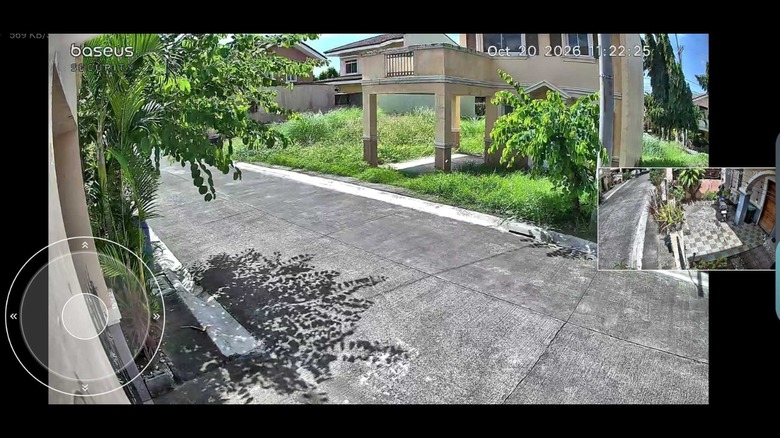
One of the biggest advantages of the PrimeSentinel U2 Pro is its high-quality cameras. Both cameras feature 2560x1440 resolution, which it calls 3K. While it's not 4K, it still offers more pixels than the standard 1920x1080p resolution found in some of the best security cameras, and is an excellent balance between resolution and file size. But aside from the number of pixels, these cameras offer a level of clarity that you'd want from a security camera.
 Jowi Morales/BGR
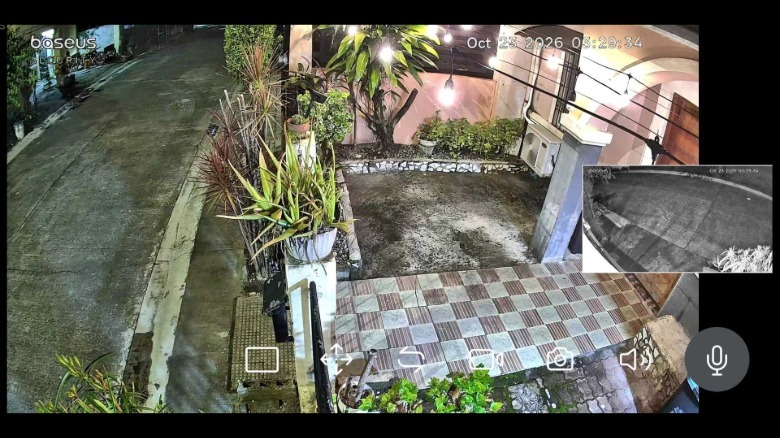
The images that it delivers both day and night is so crisp and clear that you could mistake it for a smartphone photo. While it has a B&W Night Vision mode for improved clarity at night, it's arguably unnecessary given the capabilities of the sensor that Baseus Security used.
Despite the clarity, both cameras do not offer optical zoom, so you'd be hard-pressed to look at distant objects. While you can use the camera's eight times digital zoom to look closer, it's mostly usable at up to three times zoom for fine detail. You can see some form at up to eight times, allowing you to identify the make and model of a vehicle, but its plate would just end up in a blurry mess.
Specialized security features
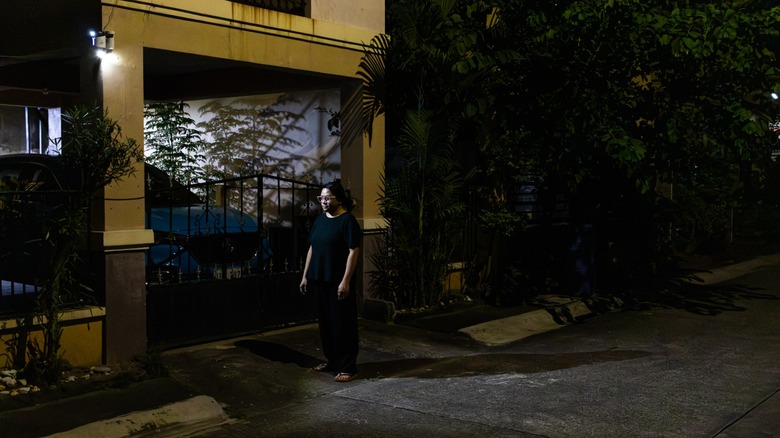
Aside from detecting and recording movement and serving as a sort of intercom system, this camera system also comes with specialized features that help protect your home. It offers Face Management to notify you of both familiar and unfamiliar faces, and is also used for the SpotTrack feature.
The SpotTrack feature uses the PrimeSentinel U2 Pro's built-in tracking spotlight to follow people — both strangers and people that it recognizes. This is a great option, as it can serve as a deterrent against potential intruders while also serving as a welcome lighting if you're walking around your property at night. It also has a patrol mode, which makes the PTZ camera do a 360-degree sweep at a set time.
You can also set activity zones for both the top and bottom cameras, that way you don't get unnecessary notifications on your phone. This is an important feature if your camera partly sees a public space, that way, you don't get bombarded by notifications for a car just passing by. You also have the option to add a privacy zone to avoid recording your neighbor's private spaces.
A great addition to your home security system
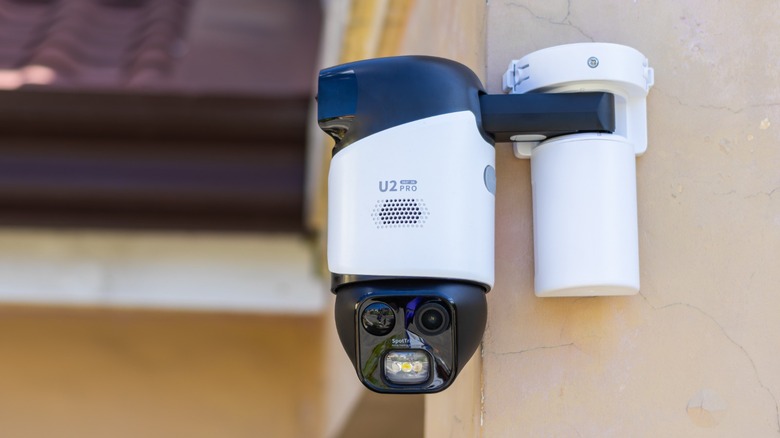
The Baseus Security PrimeSentinel U2 Pro is quite a capable security camera system that offers comprehensive coverage for your home. It might be a bit pricey at $279.99, but you're essentially getting two cameras in a single package.
The camera array comes with a solar panel so you can essentially set-and-forget this device and never have to worry about recharging it (unless you do not get enough sunlight during the winter months). It also has several features like Face Recognition and SpotTrack, that enhances it capabilities. More importantly, you do not need to pay a monthly fee just to make the most out of this security camera.
It's primary advantage of not needing a subscription is also its biggest downside, though. Aside from requiring you to purchase a microSD card separately, it also means that you'll lose your recording if someone takes the camera or the memory card. You could turn on the cloud storage feature, which is free, but (apparently) only for a limited time. Nevertheless, the convenience and features that the PrimeSentinel U2 Pro offers for the average user should be more than enough to protect most homes.