

Some Drivers Are Ruining Their Phone Batteries With Heat - Here's How To Fix It
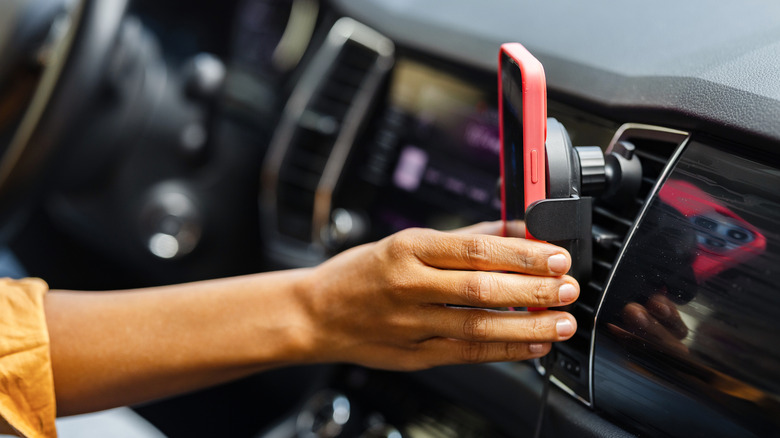
We expect our smartphones to do a lot. They're not just a means of communicating with loved ones and colleagues; they're entertainment portals, GPS navigators, smart home controllers, and so much more. And the more we use our phones, the bigger the strain we're putting on their batteries and CPUs. Unfortunately, lithium-ion batteries can be seriously affected by heat, and the more we ask our phone to do, the greater its heat production becomes.
There's also environmental heat to consider; that burning ball in the sky we call the sun can be unrelenting toward tech — especially when you leave your device in a car. You really don't want to do that, and if you have a tendency to forget it, it's time to start breaking that habit. Lithium-ion batteries can only hold their own against heat for so long. Without proper mitigation, premature chemical aging can occur, which can rapidly degrade the battery.
Fortunately, there are a few remedies you can introduce to your daily drives to prevent your smarthone from reaching an earlier end-of-life. For starters, avoid placing your phone in direct sunlight whenever possible. I personally wouldn't recommend leaving your phone in the car on a relatively warm day at all; you have no idea how much hotter the cabin can get when your car's left parked — even just for a few minutes.
Closing apps and managing wireless connectivity can make a big difference

If you notice your phone feels warm to the touch while driving, it pays to look at how many apps are running at a given time. GPS guidance alone can put your device through its paces, and once you add music streaming, smart home apps (e.g., Alexa, Google Home), and other software into the fold, your phone's CPU activity is going to skyrocket. Inevitably, this leads to more heat generation. Understandably, sometimes this can't be helped; without Apple Maps guiding you home, you could wind up in another state!
If you're the type of person who often has five or more apps open simultaneously, whittling that down can make a difference. I couldn't believe how much power it took to take a call while using GPS at the same time. Your vehicle's infotainment can be another contributor to excessive heat. Platforms like Apple CarPlay and Android Auto will often allow you to pair your device wirelessly, which typically involves Wi-Fi and Bluetooth. The latter is another weight on your phone's shoulders, as "wireless" involves constant radio activity between your phone and infotainment.
If your vehicle offers both wired and wireless infotainment, try switching to the former. Relegating data transfers to a USB cable instead of Wi-Fi/Bluetooth can potentially lighten the load, but a plugged-in phone is also a charging phone. And guess what charging does to a mobile device? The answer: the opposite of "causes it to become cold to the touch." Fortunately, there's a solution for that, too.
Know when it's time to give your phone a proper timeout (even if it wasn't misbehaving)
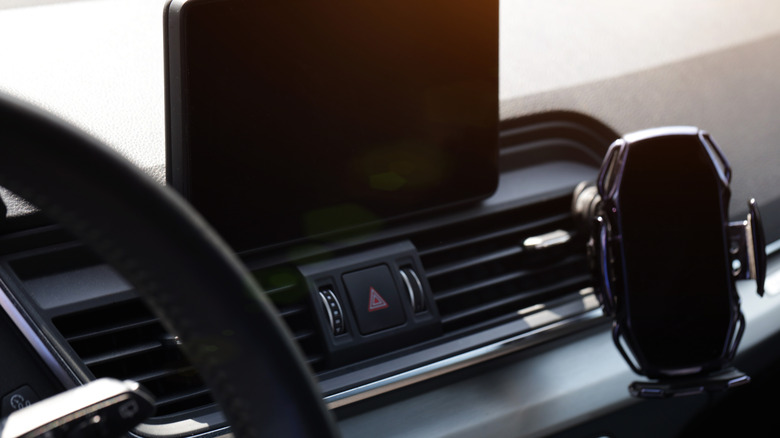
Vent-clipped phone mounts are a useful accessory, allowing you to keep your device front-and-center while cruising down the highway. But depending on the weather and where you decide to park that day, a vent mount can also raise your phone into the path of direct sunlight. When you're parked, choosing a shaded location or using a simple windshield cover can help, but we also recommend investing in a vent mount with integrated cooling.
When you dock your phone, it'll start charging, but the mount's built-in cooling will jump into action at the same time. Whether by fan or some kind of thermal dissipation system (or both), any kind of cooling can make it easier for your phone to do its many jobs. That said, it's not an end-all, be-all solution; even the best vehicular defenses can only battle the sun for so long. We'd also like to address what you should do if your phone is hot to the touch — not just warm. First and foremost, turn on Airplane Mode: this immediately puts a cap on data transfers.
If you're actively driving and using navigation, apps like Apple Maps and Google Maps can continue delivering directions, even if cellular data is temporarily stopped. Next, close all unnecessary apps and disconnect any charging tech. Give your phone 10-15 minutes to return to a normal temperature; then you can turn off Airplane Mode and get back to your live, data-syncing drive. If a timeout doesn't work to cool your smartphone, turn off the device and repeat that 10-15-minute cooldown.