

5 Cloud Gaming Subscriptions Worth Buying Instead Of An Expensive Computer

We may receive a commission on purchases made from links.
With hardware prices skyrocketing as a result of the ongoing AI-driven storage shortage, building or upgrading a gaming PC capable of running newer, more technically demanding titles has become infeasible for the average consumer. One alternative to consider is cloud gaming, where Internet speed matters over hardware or digital storage capacity. There are a variety of game streaming subscriptions out there, all coming with pros and cons.
Before getting into the services themselves, it's worth mentioning that video game streaming is far from perfect. Even in 2026, some gamers still can't stand cloud gaming, with a major reason being that it relies on a solid Internet connection to work. That means streaming simply isn't viable for many people, particularly those in rural areas with slower network speeds. Plus, even if you save in upfront hardware costs, you'll be adding another subscription service to your monthly or annual expenses (with some exceptions).
For those who can use it, though, cloud streaming makes it so you don't need to spend absurd amounts of money on a powerful new computer to play games, including some major new releases. Since different services have their own features and overall approaches, we'll go over five cloud gaming subscriptions worth considering, break down their pros and cons, and explain who'll get the most out of each one.
Boosteroid
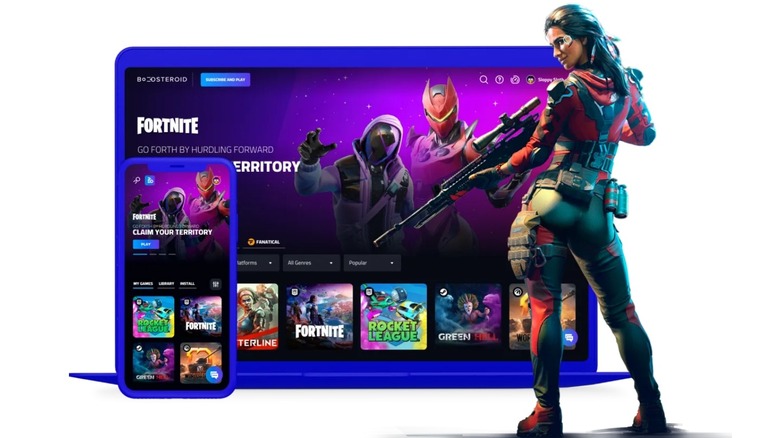
You may not have heard of Boosteroid, but if you have a library of games you want the option to stream, it's the service you've been looking for. Boosteroid connects to online storefronts like Steam, Epic Games Store, and Ubisoft Connect, allowing you to bring PC games to your web browser, desktop, TV, and mobile devices. Its tiers and pricing are as follows (listed in Euros and converted to U.S. dollars using Wise):
Ultra
- 1 month: €16.89 ($18.95)
- 1 year: €89.89 ($100.88)
Ultra Pro
- 6 months: €74.89 ($84.05)
- 12 months: €134.89 ($151.38)
You'll need connection speeds of at least 14 Mbps to stream 720p at 40fps, but if your Internet is faster, you can reach 4K at 120fps. While both tiers provide the same basic service and streaming capabilities, Ultra Pro includes extra benefits. Most significant is the option to choose which server you connect to when you start a new gaming session, meaning you can avoid a crowded server for lower latency.
Unlike other platforms, Boosteroid doesn't come with an included library of streamable games. Additionally, while it works with over 2,000 titles, that's under half of the 4,500+ games compatible with GeForce Now's paid tiers. However, it does offer the best-quality cloud gaming experience in terms of technical potential while lacking the time limits other platforms have.
PlayStation Plus Premium
Premium is the only one of PlayStation Plus' three tiers to offer cloud gaming, but if you want to stream Sony's first-party exclusives, this is the way to go. It includes thousands of options such as "The Last of Us" and "Marvel's Wolverine," and can even deliver 4K graphics if your network can hit the recommended 52 Mbps. It also includes other PS Plus features and perks like free monthly games and the Classics Catalogue, which includes titles from older hardware including the original PlayStation and PlayStation Portable.
Cloud gaming is just one of PlayStation Plus' many overlooked perks, but there are some downsides to consider. For one, it only works with PlayStation 5, PlayStation 4, PlayStation Portal, and PC, lacking Mac and mobile support.
You also need a DualSense controller to play. At $19.99 for one month, $54.99 for three months, or $159.99 for one year, it's really hard to justify a PlayStation Plus Premium subscription if you only care about cloud gaming and/or don't have a PS5 or PS Portal to use with it, too.
Xbox Game Pass Premium and Ultimate
Xbox Game Pass was once the best deal in gaming, and while price hikes and changes to the service have damaged its reputation in recent years, it's still a pretty good option for cloud gaming. Microsoft also introduced the ability to buy cloud playtime without a Game Pass subscription, though it's currently limited to Xbox Insiders. Of all available options, Xbox's cloud gaming services are compatible with the most platforms, including PC, mobile, tablet, certain smart TVs, and (of course) Xbox consoles. If you go the Game Pass route, you'll also have access to that library, which includes a lot of streaming-compatible options. Each tier (with the exception of Game Pass for PC) provides some access to cloud gaming, though specifics differ between plans. New subscribers get the first 14 days for $1, and prices after that are as follows:
- Essential: $9.99/month
- Premium: $14.99/month
- Ultimate: $22.99/month
The biggest downside of Xbox Game Pass for cloud gaming is that, despite cross-platform access being a clear focus, it severely limits streaming time. Depending on the plan, you only get 5 (Essential), 10 (Premium), or 15 (Ultimate) hours of included streaming each month; additional time requires making a purchase or watching ads. Here's how much Microsoft charges to purchase cloud playtime separately or add more time:
- 10hrs for $3.99
- 25hrs for $7.99
- 50hrs for $11.99
If your primary need is cloud gaming, Game Pass' limitations may be too restrictive, but the option to buy cloud gaming time on its own without getting locked into another subscription service gives Xbox Cloud Gaming a flexibility that other platforms lack.
GeForce Now Performance
Nvidia is one of the biggest players in tech, and among its many gaming offerings is a major cloud gaming service, GeForce Now. Like Boosteroid, it can play games you own on different PC gaming apps, and it can also connect to PC Game Pass and Ubisoft+ if you subscribe to those. The service has three options, Free, Performance, and Ultimate; the paid tiers support more games, offer better quality streaming, and don't have ads. GeForce Now offers day passes, as well as monthly and annual plans at the following prices:
- Performance: $3.99 a day/ $9.99 a month / $99.99 a year
- Ultimate: $7.99 a day / $19.99 a month / $199.99 as year
Though Nvidia angered users in late 2025 by implementing time limits across all GeForce Now tiers, the restrictions themselves aren't too stringent. While Free users can only play in one-hour gaming sessions, there's no limit to how many sessions you can start in one day; Performance and Ultimate users get six and eight-hour-long sessions, respectively, also with no limit on number of sessions.
Of the options, we recommend GeForce Now Performance for most users. It can deliver graphics up to 1440p and 60fps, which is significantly lower than Ultimate's 5K and 360fps. Still, it's double the cost and not guaranteed to reach those highs, especially if your network speeds can't keep up. If you're interested in Ultimate, try out a day pass first to make sure it's worth it for you before you commit to a pricey plan.
Amazon Luna
If you're looking to try out cloud streaming, you might actually have access to a platform already, as Amazon Luna's basic tier is included with a Prime Video subscription. The company's video game streaming service, launched in 2022, can be accessed from pretty much anywhere you can play (outside of the major consoles, of course), including PC, Mac, Amazon Fire devices, some smart TVs, tablets, and mobile. In addition to Standard, there's also a Premium option for $9.99/month.
Unfortunately, Luna's library is pretty limited. Standard users have access to a rotating selection of around 90 games, while Premium expands the library to around 150 titles — the only actual benefit of upgrading. That library does include popular options like "Fallout 4," "Star Wars Outlaws," and several "Assassin's Creed" games, but many of these are available on other platforms with far more extensive libraries. Earlier this year, Amazon made a controversial change to the service by ending Luna support for third-party subscriptions and games purchased on other platforms.
Still, if you have Prime Video, you have Amazon Luna. It also doesn't have a time limit, giving it an edge over GeForce Now and Game Pass in that regard. If you only need the basics, or to simply try cloud streaming for yourself, Luna might be the right platform for you.
Methodology

Since cloud gaming depends so heavily on the user's own Internet connection in addition to the provider's own servers, it's important to understand that your experience may not reflect that of other users. The cloud gaming platforms detailed in this article were considered based on their offerings, prices, device compatibility, and reactions from social media and trusted outlets.
We also made an effort to find a mix of services that work with at least one common, non-gaming-exclusive piece of tech (PC, mobile, smart TV, etc.) and take different approaches to game availability, whether that's a set catalog, purchased games, or a mix of both.