

The 5 Best New Features Samsung Added To Galaxy Tablets In 2026
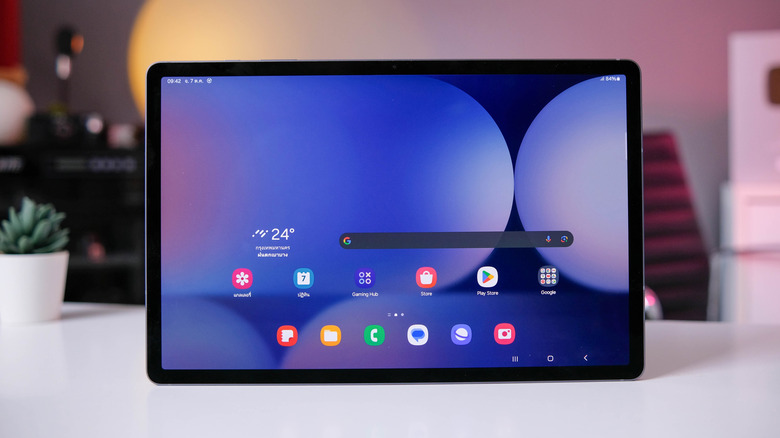
Between refurbished options and more recent releases, there is a wide variety of Samsung Galaxy tablets on the market. Flagship models include premium offerings out of the Galaxy Tab S series, while more affordable options can be found in the Tab A series. Even the more rugged Tab Active is out there for those who need extra durability. Samsung utilizes its Android-based One UI software in each of these tablets, making numerous features available across the devices.
Over the course of 2026, Samsung has rolled out several major One UI updates. One UI 8.5 was based on Android 16 and saw its global release in May of 2026. It came with some significant feature updates. The release of One UI 9 — which is based on Android 17 — followed in September of 2026, and while much of what came with it was the refinement of existing features, there was still plenty for Samsung Galaxy tablet users to dig into.
But in addition to its major software updates of 2026, Samsung also recently released the Galaxy Tab S12 Ultra and Galaxy Tab S12+. These are both refreshes and upgrades to the Galaxy Tab S11 model lineup. These tablets do introduce some new hardware, though, and thus the potential to improve upon existing software features. With these tablet releases and several software updates now behind us, let's take a look at some of the best new features Samsung has added to its Galaxy tablets throughout 2026.
AI integrations
Some of Samsung's biggest feature additions to its One UI operating system came with the introduction of One UI 8.5 early in 2026. The release saw major updates to Bixby, Samsung's AI platform. For Galaxy tablet users, Bixby now functions as more of a conversational virtual assistant than just an onboard AI, allowing users to put it to work through conversational contexts. In addition to more intuitive interactions with device users, Bixby is also now capable of searching the web and providing real-time results. It can immediately access up-to-date information and display the results within Bixby's own user interface rather than forcing a user to open up their browser.
But with the more recent release of One UI 9, Samsung has integrated even more Galaxy AI features into its tablets. On the productivity side of the house, a feature called Now Nudge helps users work through their daily tasks in a more efficient way, even offering to-do list and calendar suggestions directly through the Samsung Galaxy tablet keyboard. Now Brief, an AI feature meant to summarize things like weather updates and reminders, comes with far more customization capabilities in One UI 9. More AI help is also available to Galaxy tablet users who tap into the device's camera, with Photo Assist now able to understand and receive spoken descriptions of a photo edit the user wants to make.
Performance increases
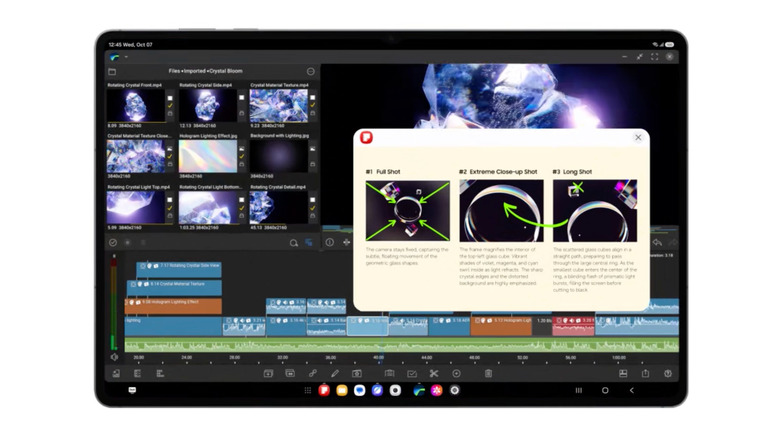
While there are numerous powerful Galaxy tablets still on the market, Samsung claims the recently released Galaxy Tab S12 series is now its most powerful Samsung tablet lineup. Samsung has dropped the entry-level model from the Galaxy Tab S series, leaving the S12+ and the S12 Ultra as the sole available models. Each of them utilizes a 3nm MediaTek Dimensity 9500 processor. Relative to the previous generation Galaxy Tab S11, Samsung reports that the new model delivers 19% faster CPU performance, 17% improved GPU power, and 61% faster neural processing for the AI onboard. Part of the performance gains come through a new 3D Vapor Chamber that keeps the system cool and the processor operating at peak efficiency.
In our Samsung Galaxy Tab S12+ review, we noted that battery life remains one of the biggest advantages in spite of the impressive performance gains. The combination of processing power and battery efficiency makes the Galaxy Tab S12 series a real draw for both productivity and creativity. Samsung has even included Adobe Photoshop preloaded on the devices — as well as four months of free use of the software — with Photoshop featuring a tablet-optimized interface and support for the S Pen. Even more powerful tasks can be taken on, however, as the processor and cooling system allow for these newer Samsung Galaxy tablets to be deeply integrated into video and AI workflows.
Quick Panel changes
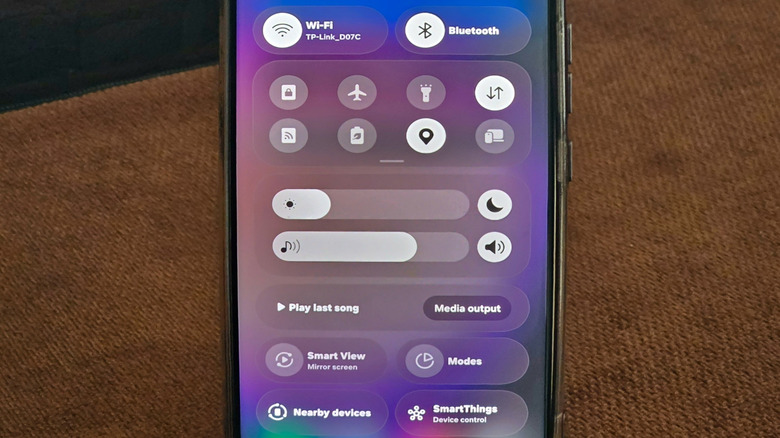
There are quite a few quick settings every Galaxy tablet owner should be using, and many of them are accessible through the Quick Panel. The Quick Panel is a shortcut menu on Galaxy devices that attempts to make a tablet user's most frequently accessed controls as easy to navigate to as possible. Volume controls, music controls, screen brightness, Wi-Fi network connectivity, and connected Bluetooth devices are all among Quick Panel's easy-access icons. Earlier in 2026, with the release of One UI 8.5, Samsung introduced a fully customizable Quick Panel interface. The feature now allows users to add, remove, resize, and reorganize individual controls and widgets, as well as to customize panel and button backgrounds.
With One UI 8.5, Quick Panel also picked up some new shortcuts. Audio broadcasts, which allow Samsung Galaxy tablet users to share media or even their own voice through Auracast, can now be accessed through Quick Panel. With One UI 9, however, came even more refinement of the overall feature, particularly in regard to its design. The refresh somewhat resembles the look of Apple's Liquid Glass software design, though Samsung limits those changes to the Quick Panel. Tools like the brightness slider, volume slider, and media player can also now be resized, and the media player also now has waveform animations for any kind of media being played.
My FanCam
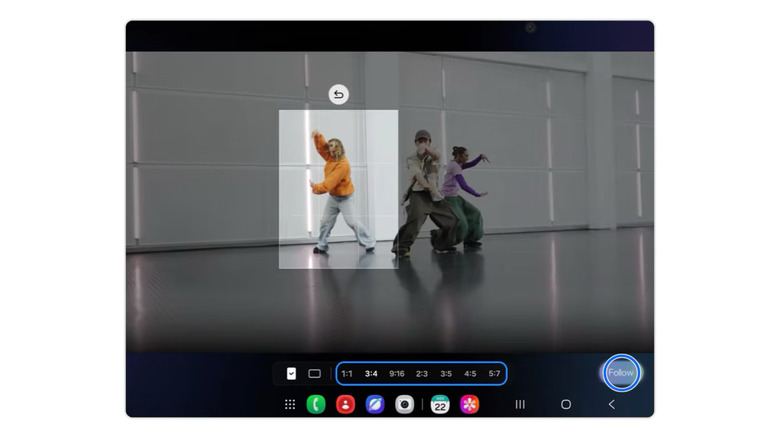
Several Samsung Galaxy tablets are among the best Android tablets available, in part because they make great devices for both consuming and creating content. While many of the AI integrations that came with the release of One UI 9 were primarily focused on user experience, My FanCam is a feature that content creators and anyone else who wants to document their lives with video can put to good use. The Galaxy AI-powered feature can be found in the Gallery app on a Galaxy tablet, and it's capable of turning a video clip of a group of people into a crop that frames any specific person in the shot. It's not available to use within a camera app, but is instead meant to be a post-production tool.
At first, this feature may not seem like all that much, but it can be put to use in a number of useful ways. My FanCam can analyze everyone in a video clip at once, for example, allowing users to select who they want it to automatically focus on in the shot. This allows for taking old video clips and creating new social content out of them, but it also allows single-team creatives to capture footage of themselves in almost any environment. Whether they're in crowded areas or simply unable to frame themselves properly, once a Galaxy tablet user has captured some footage, they can tap into My FanCam to isolate themselves and create a new clip focused solely on them.
File browsing and sharing
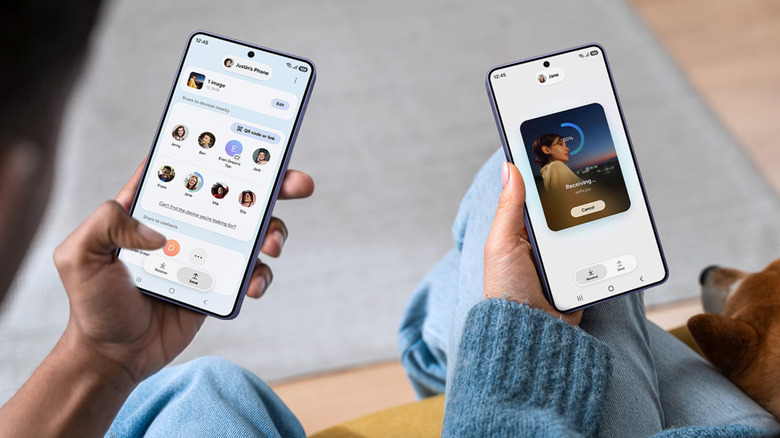
Galaxy tablet users who have other Samsung devices in their hardware ecosystem can use the built-in Samsung Storage Share feature to browse and share files. Initially included with One UI 7 and meant to be used between a Galaxy phone or tablet and a PC or smart TV, the feature was expanded to work between Galaxy devices with the release of One UI 8.5. Users can turn on this sharing functionality in Settings by selecting Connected Devices and then Storage Share. Once enabled on a Galaxy tablet, users can browse and access files on any other Galaxy devices that are also set up with the feature. Documents, photos, and even videos can be viewed without needing to be downloaded beforehand. Files can also be copied and moved between devices through Storage Share.
Storage Share is helpful for viewing and managing files across Samsung devices, but early in 2026, Samsung started rolling out support for file-sharing with Apple devices. This can be done through an accompanying Samsung app known as Quick Share. The app features a Share with Apple devices setting that, when enabled, allows Galaxy tablet users to send files to nearby Apple devices (which receive the files using AirDrop). Files can be shared with both Mac computers and Apple mobile devices. Initially rolled out to just the Galaxy S26 smartphone lineup, support for AirDrop file sharing through Quick Share has reached Galaxy tablets and older Samsung devices throughout 2026.